By Rajesh Kannan, Co-Founder & CTO, Gramosoft · Last updated: · Lab results from our own side-by-side test on November 5, 2026 (Playwright 1.64, Puppeteer 25.16, Selenium 4.52, Chromium 141)
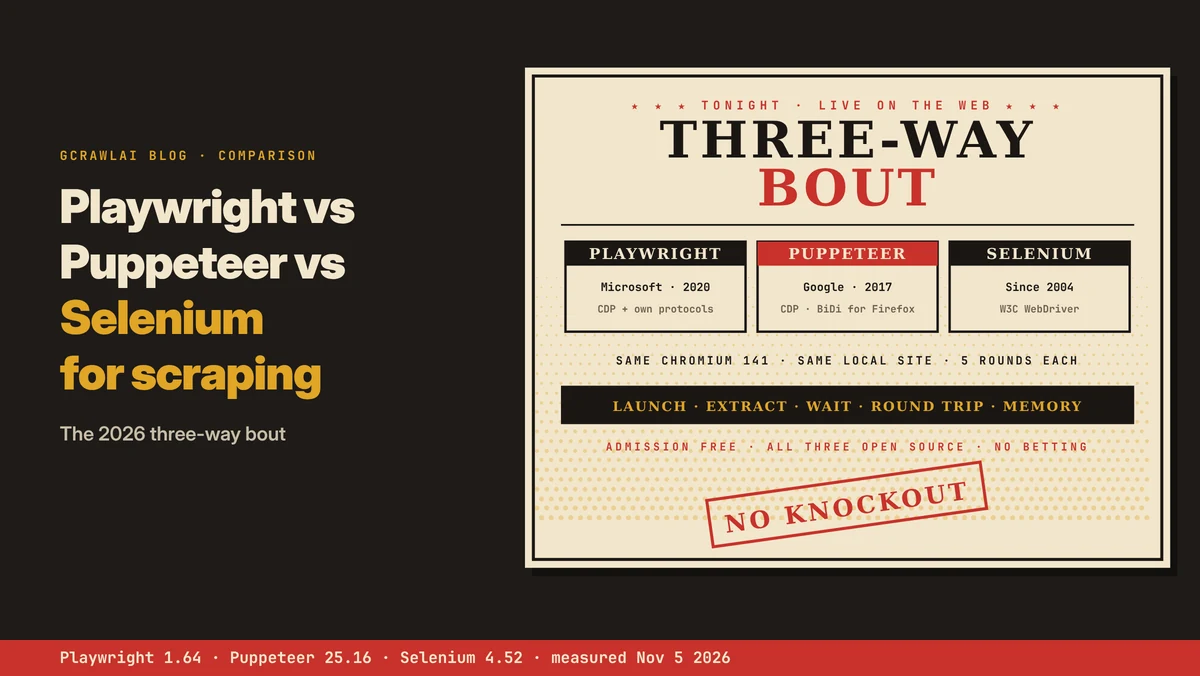
Playwright, Puppeteer and Selenium all drive a real browser, so all three can scrape pages that build their content in JavaScript. They differ in protocol, browser and language coverage, how they wait for elements, and what they cost to run. This comparison covers each difference, what our side-by-side lab measured, and when GcrawlAI is the simpler route.
TL;DR
- Playwright: the default for new scraping projects. It has official Python, Node.js, Java and .NET APIs, auto-waits on actions, and covers Chromium, Firefox and WebKit.
- Puppeteer: a lean Node.js library that talks to Chrome directly. In our lab it had the cheapest per-command round trip (1.0 ms) and no extra driver process.
- Selenium: the widest language reach, real Safari and Selenium Grid. In our lab each WebDriver command cost about 9 ms, so field-by-field extraction was the slowest.
- What doesn't change: all three run the same browser, so page rendering and browser memory were close. None of them is undetectable out of the box.
- The simpler route: for public pages you're allowed to collect, GcrawlAI renders each page in a real browser on its side, one request per page.
Which is best for web scraping: Playwright, Puppeteer or Selenium? For a new project, Playwright: it supports Python and Node.js officially, waits for elements automatically and covers three browser engines. Puppeteer suits Node.js teams that only need Chrome or Firefox. Selenium fits teams with existing Selenium code, Selenium Grid, real Safari, or a language such as Ruby. To skip running browsers altogether, GcrawlAI returns rendered pages from one API call.
Playwright vs Puppeteer vs Selenium at a glance
| Question | Playwright | Puppeteer | Selenium |
|---|---|---|---|
| Maintained by | Microsoft | Google's Chrome team | Selenium project |
| Protocol | CDP for Chromium, its own for Firefox and WebKit | CDP; WebDriver BiDi for Firefox | W3C WebDriver (Classic and BiDi) |
| Official languages | JS/TS, Python, Java, .NET | JS/TS | Java, Python, C#, Ruby, JS |
| Waiting | Auto-waits on actions | Locators auto-wait; lower-level calls don't | Explicit waits |
| Version in our lab | 1.64 | 25.16 | 4.52 |
Rendered pages without running any of them: GcrawlAI
Whichever library you pick, you still run the browser: installing it, matching versions, sizing memory and restarting crashed sessions. That's fine for some teams. If what you need is the rendered page, GcrawlAI runs a real browser on its side and returns HTML or Markdown, with no library, driver or browser on your servers.
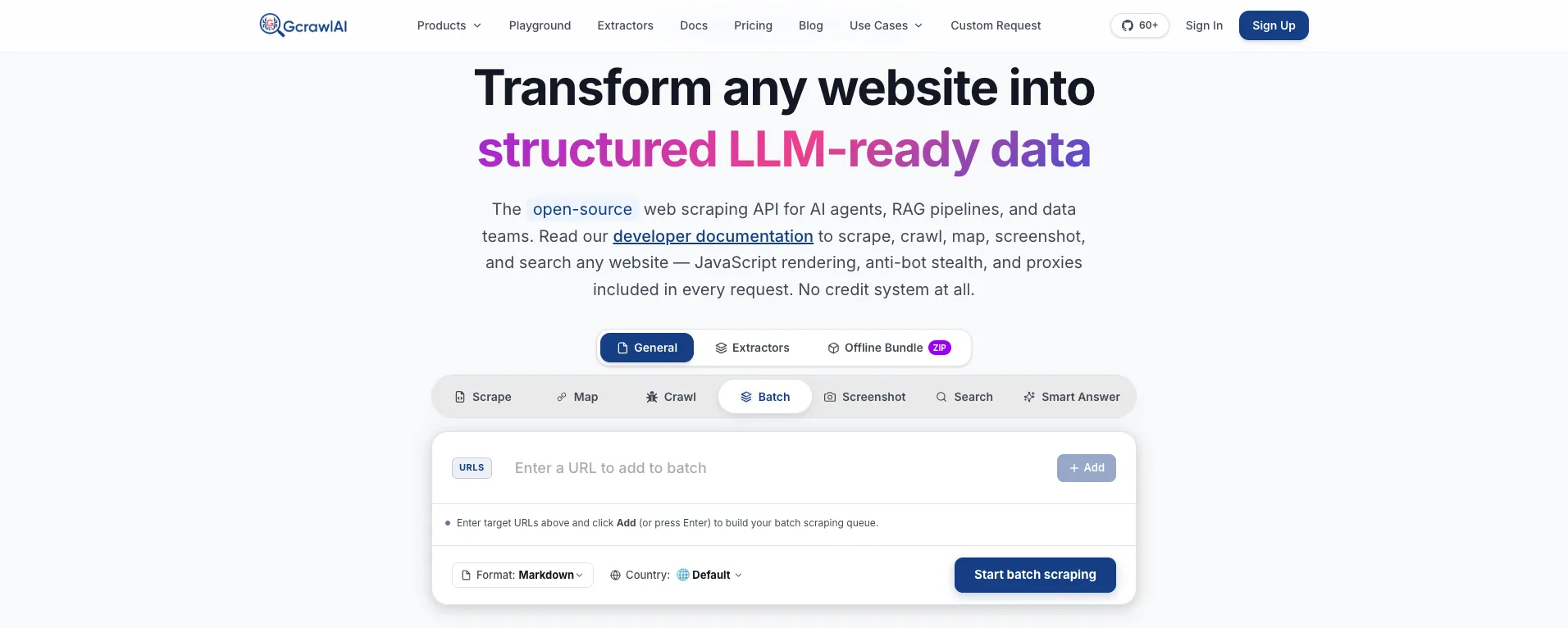
The homepage puts it in one line: JavaScript rendering, anti-bot stealth and proxies come with every request, with no credit system. A page you'd load with Playwright, Puppeteer or Selenium arrives from one API call instead, and the browser binaries, driver versions and memory limits stay off your side.
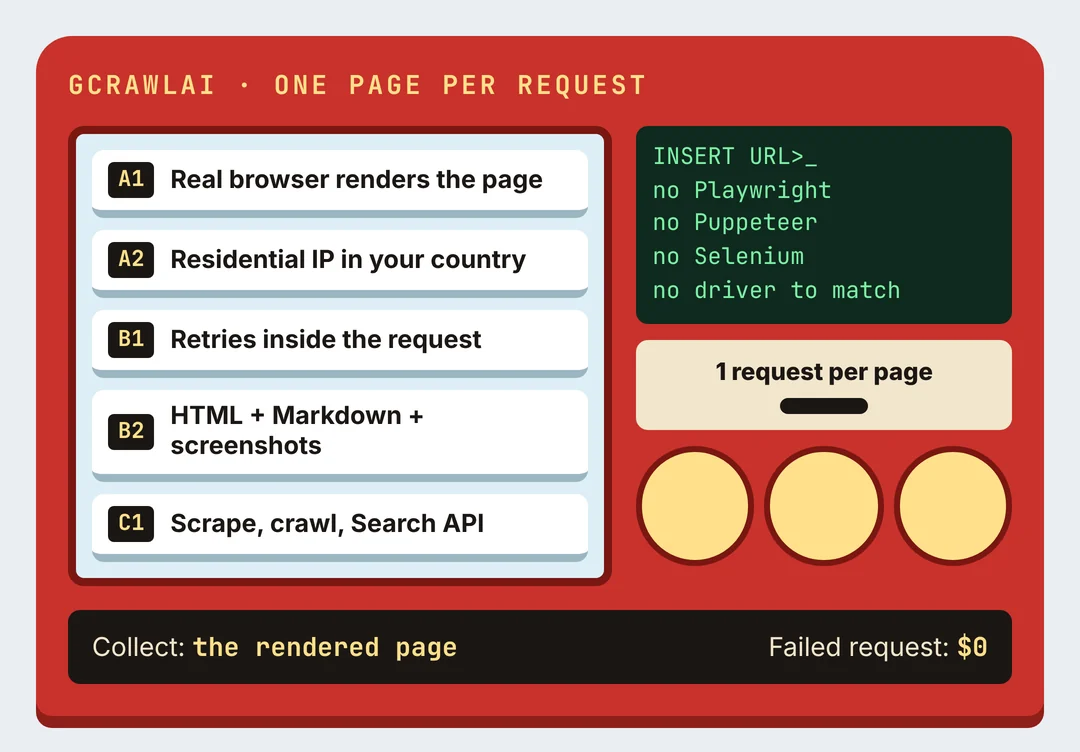
Here's the practice page our Playwright example uses, fetched through GcrawlAI and kept only if the books are in it:
# pip install gcrawl-sdk parsel
"""The same page through GcrawlAI: the browser runs on GcrawlAI's side, so there is no Playwright,
Puppeteer or Selenium install, no driver and no browser to update. Keep the page only if the books are in it."""
import os

from gcrawl_sdk import GcrawlClient, ScrapeOptions
from parsel import Selector

gc = GcrawlClient(api_key=os.getenv("GCRAWL_API_KEY", "gc-YOUR_API_KEY"))

page = gc.scrape(url="https://books.toscrape.com/",
                 options=ScrapeOptions(html_enabled=True, markdown_enabled=True, proxy_geo="US"), wait=True)
books = Selector(page.html or "").css("article.product_pod")
print(f"{len(books)} books" if books else "page came back without books: check before storing")
- Rendering and access: a real browser through residential IPs in the country you choose, with retries and stealth escalation inside the request.
- Output you can check: HTML, Markdown or JSON, plus extractors that return structured fields for common page types.
- Scrape, crawl, screenshots and Search API: scrape single pages, crawl whole sites, capture screenshots, or use the Search API.
- For developers and AI agents: a Python SDK, an MCP server for Claude, Cursor and other agents, the Playground to test a page before you write code, and the docs.
The MIT-licensed core also runs on your own servers: clone it from GitHub and the setup script in the code download starts the API with Redis and a Celery worker.
Pricing is a free plan of 50 requests a month with no card, paid plans from $0.67 to $1.45 per 1,000 requests, and a self-hosted core that costs nothing. Failed requests are never charged. The full plan table is in the cost section.
Where it falls short: you don't get a live browser session you can script step by step, and no service reaches every page, GcrawlAI included. Test your own targets on the free plan. It won't solve CAPTCHAs meant for humans or log in for you, and it doesn't make collecting a site's data acceptable when that site's terms say no.
"Teams spend weeks choosing between Playwright, Puppeteer and Selenium, then discover the library was the easy part. The browser fleet is where the time goes."
Rajesh Kannan, Co-Founder & CTO at Gramosoft
How each tool talks to the browser
The protocol explains most of the other differences. Selenium sends each command over HTTP to a driver process, which then controls the browser. Puppeteer and Playwright keep one persistent connection to the browser itself. That's why Selenium reaches more browsers, and why the other two are quicker per command.
- Selenium: the W3C WebDriver standard, a W3C Recommendation since 2018, according to Browser Use. Any browser with a driver gets Selenium support, and Selenium now also speaks WebDriver BiDi for events such as network and log messages.
- Puppeteer: the Chrome DevTools Protocol (CDP) by default, and WebDriver BiDi for Firefox. Browserless notes Firefox support became official in Puppeteer 23, while Chrome is where the library is most mature.
- Playwright: CDP for Chromium and its own protocols for Firefox and WebKit, which is how one API covers three engines. In Python, Java and .NET it runs a bundled Node.js driver process between your code and the browser, as Ivinco points out.
Network control follows the protocol. CrawlerBros notes that Playwright and Puppeteer can intercept requests directly, which helps you find the JSON endpoint behind a page, while Selenium's interception is limited and depends on the driver.
Browsers and languages
Coverage decides the choice for many teams before speed does. Playwright covers three rendering engines, Selenium drives the real Safari application, and Puppeteer is Chrome-first with Firefox support. For languages, Selenium reaches furthest, Playwright covers the four most common, and Puppeteer is officially JavaScript and TypeScript only.
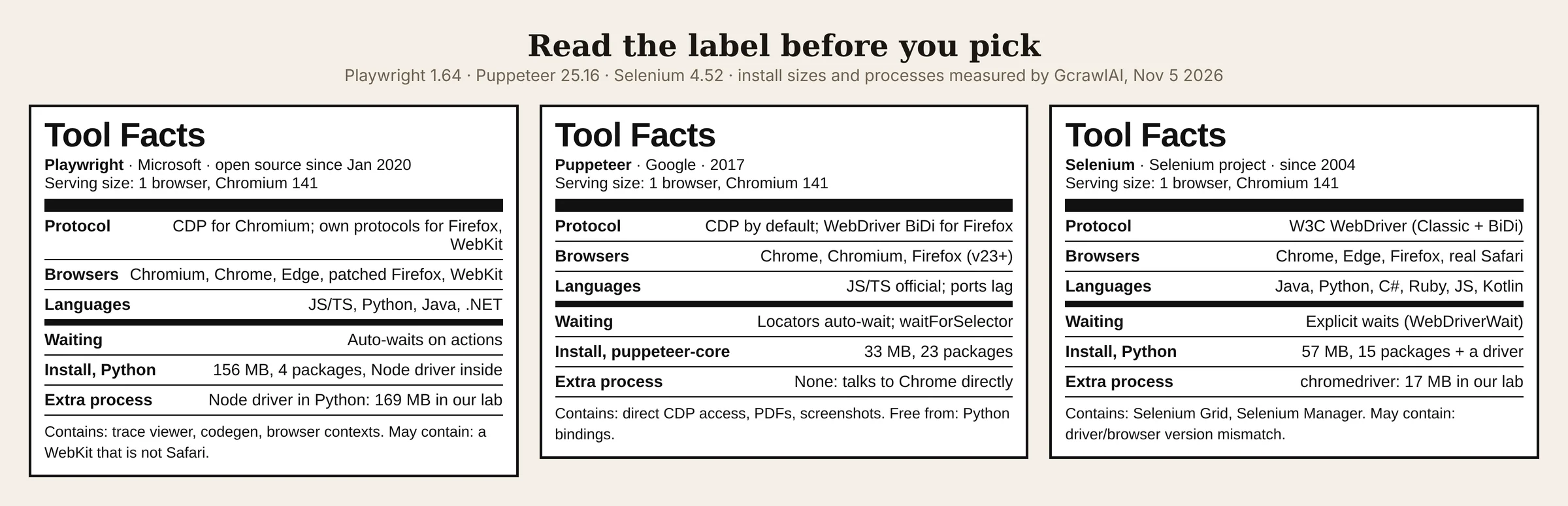
| Coverage | Playwright | Puppeteer | Selenium |
|---|---|---|---|
| Chromium / Chrome / Edge | Yes | Chrome and Chromium | Yes |
| Firefox | Playwright's patched build | Yes, from v23 (WebDriver BiDi) | Yes |
| Safari | WebKit engine, not the Safari app | No | Real Safari on macOS |
| Python | Official, sync and async | Community ports only | Official, sync only |
| Java, .NET | Official | No | Official |
| Ruby, Kotlin | No | No | Yes |
For scraping, language usually matters most. Ivinco cites the Apify and Web Scraping Club survey, where 71.7% of respondents use Python and 17% JavaScript. That leaves Puppeteer out for most scraping teams unless they already run Node.js.
Waiting: where scrapers get flaky
Most broken browser scrapers fail on timing, not selectors. Playwright waits for an element to be ready before acting on it. Puppeteer's locators wait too, but its lower-level calls leave waiting to you. Selenium expects explicit waits. Each works; the difference is how much waiting code you write and review.
- Playwright: a click waits for the target to be visible, stable, enabled and able to receive events. Browser Use adds a caution: reading text doesn't wait for the page's final state, so wait for the element you need first.
- Puppeteer: locator actions check visibility, enabled state and a stable position;
waitForSelector()and other lower-level calls need you to say what to wait for. - Selenium:
WebDriverWaitwith expected conditions. It's explicit and flexible, and our lab showed one side effect: it polls every 0.5 seconds by default, so an element that appears at 1.2 seconds is seen at about 1.5.
The rule is the same in all three, as CrawlerBros puts it: wait for a fact, such as an element, a response or a URL, not a fixed number of seconds.
A first scrape with Playwright
Because Playwright is the default recommendation, here's what a basic scrape looks like in Python. It opens Books to Scrape, a public site built for scraping practice, waits for the product cards, reads each title and price, and stops if nothing came back. We ran it against a local copy of the page.
# pip install playwright && playwright install chromium
from playwright.sync_api import sync_playwright

with sync_playwright() as p:
    browser = p.chromium.launch()            # headless by default
    page = browser.new_page()
    page.goto("https://books.toscrape.com/")

    cards = page.locator("article.product_pod")
    cards.first.wait_for()                   # auto-wait; raises TimeoutError if nothing appears

    books = [(card.locator("h3 a").get_attribute("title"),
              card.locator("p.price_color").inner_text())
             for card in cards.all()]
    browser.close()

if not books:
    raise SystemExit("page loaded without books: check before storing")
for title, price in books:
    print(f"{price}  {title}")
- Install:
pip install playwright, thenplaywright install chromiumto download only the browser you need rather than all three. - Async:
from playwright.async_api import async_playwrightgives the same API for running many pages concurrently. - Puppeteer and Selenium versions: the same job in both is in the code download, alongside the lab scripts that timed all three.
What our side-by-side lab measured
Published benchmarks for these three tools disagree with each other, so we ran our own. On November 5, 2026, each tool drove the same Chromium 141, headless, against the same local four-page site, five times. We report medians. No third-party sites were involved, so this measures the tools, not anti-bot results.
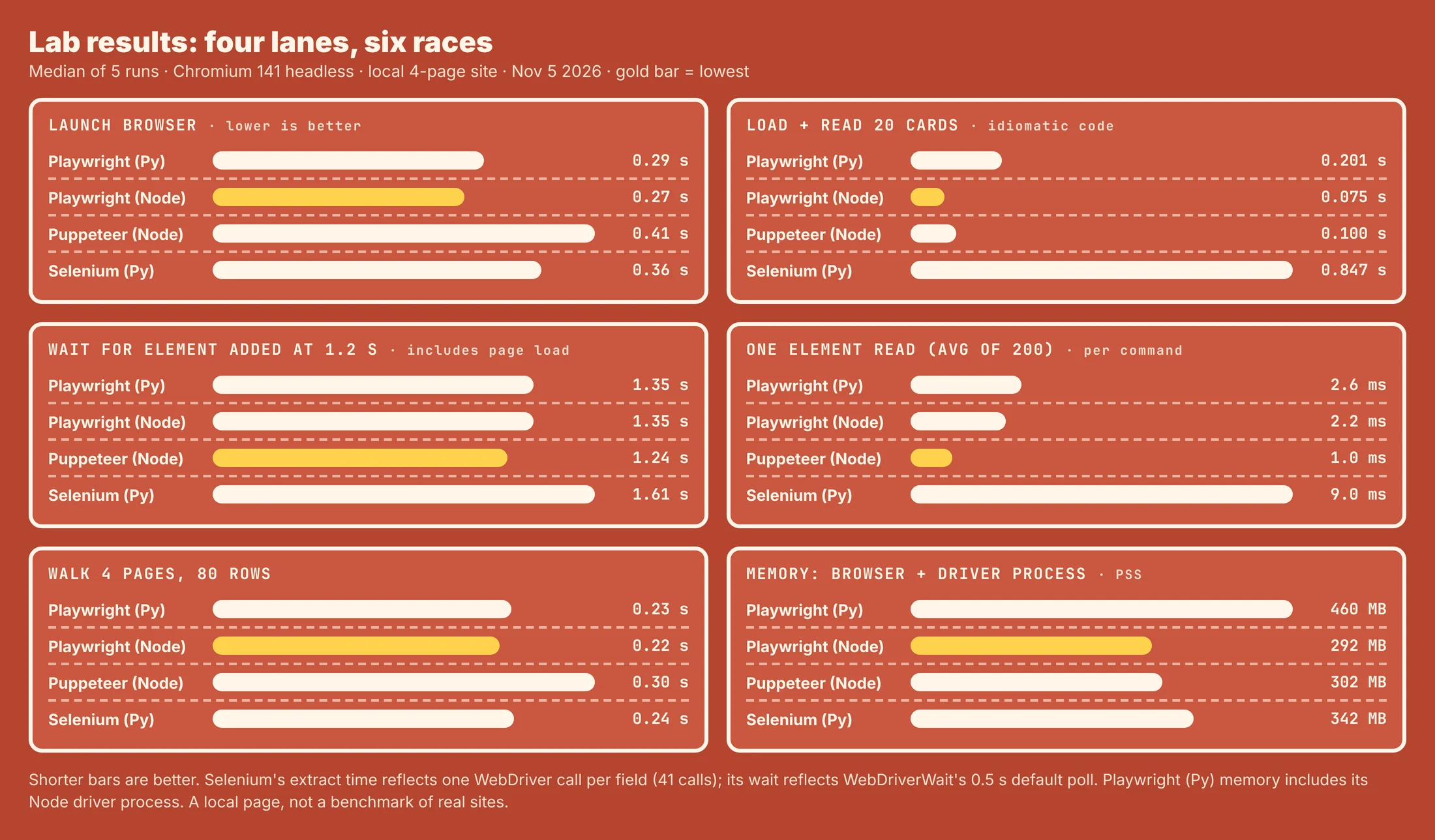
| Test (median of 5) | Playwright (Python) | Playwright (Node) | Puppeteer (Node) | Selenium (Python) |
|---|---|---|---|---|
| Launch browser | 0.29 s | 0.27 s | 0.41 s | 0.36 s |
| Load page, read 20 cards | 0.20 s | 0.08 s | 0.10 s | 0.85 s |
| Wait for element added at 1.2 s | 1.35 s | 1.35 s | 1.24 s | 1.61 s |
| One element read (average of 200) | 2.6 ms | 2.2 ms | 1.0 ms | 9.0 ms |
| Walk 4 pages, 80 rows | 0.23 s | 0.22 s | 0.30 s | 0.24 s |
| Browser memory (PSS) | 292 MB | 292 MB | 302 MB | 326 MB |
| Driver process memory (PSS) | 169 MB (Node driver) | None | None | 17 MB (chromedriver) |
| Library install | 156 MB, 4 packages | 14 MB (playwright-core) | 33 MB (puppeteer-core) | 57 MB, 15 packages, plus a driver |
- Per command, the protocol shows: Selenium's 9 ms per read is roughly 3.5 to 9 times the CDP tools. Our Selenium extraction made 41 WebDriver calls for 20 cards, which is why it took 0.85 s. Reading everything in one
execute_scriptcall would narrow that gap. - Per page, it barely matters: walking four pages took 0.22 to 0.30 s in all four, because the browser does the same work underneath.
- Memory is mostly the browser: 292 to 326 MB in every case. The surprise was Playwright for Python, whose Node driver process added 169 MB. Playwright for Node had no extra process.
- Setup friction: Selenium needs a driver that matches the browser's major version. A chromedriver 147 refused our Chromium 141 with
SessionNotCreatedException; a matching 141 driver worked.
Compare that with published figures: AlterLab lists about 40 MB per Playwright session and 150 MB for Selenium, while a DEV Community benchmark lists 280 MB and 420 MB. Pages, contexts and machines differ, so measure on your own targets before sizing servers.
"The 169 MB Node driver behind Playwright's Python API surprised our team. It doesn't matter for one browser. At a hundred concurrent workers, it's a server you didn't budget for."
Rajesh Kannan, Co-Founder & CTO at Gramosoft
Running them at scale, and detection
Once scrapers leave a laptop, the library matters less than the browser infrastructure behind it. Chrome uses memory over long runs, concurrent sessions compete for CPU and shared memory, and browser versions need patching. Detection is the other constant: none of the three is undetectable out of the box.
- Concurrency: Playwright and Puppeteer run many isolated browser contexts in one browser. Selenium's Python API is synchronous, so concurrency means threads, processes or Selenium Grid, which Ivinco notes is still the strongest built-in way to rotate Chrome, Firefox and Edge.
- Crawler integration: Scrapy pairs with Playwright through scrapy-playwright. ByteTunnels recommends Scrapy for static pages with Playwright rendering only the pages that need it. Ivinco notes scrapy-selenium's last release was in 2019.
- Managed browsers: Browserless says its version 2 dropped Selenium and WebDriver support, so on that service only Playwright and Puppeteer connect.
- Detection: stock sessions expose signals such as
navigator.webdriver, and ChromeDriver adds its own. Ivinco notes the well-known stealth plugins for Puppeteer and Playwright haven't had a release since March 2023. For the signals sites score, read how websites detect scrapers.
We don't cover stealth plugins, patched forks, fingerprint tuning, or getting past CAPTCHA and bot challenges. Those steps exist to get around a control a site chose to turn on, and a challenge in particular is the site asking for a human.
What rendered pages cost
All three libraries are free and open source, but the browsers, servers, proxies and upkeep behind them aren't, so compare them with managed APIs on the cost of a page you can use. For 100,000 successful protected pages a month, credit-based APIs cost $249 to $399 at list price and GcrawlAI costs $101.
| Option, 100,000 successful pages a month | Plain HTML pages | Protected pages (JS rendering + premium proxies) | Are failed requests billed? |
|---|---|---|---|
| GcrawlAI (every request rendered, residential IPs included) | $101 (Growth $79 + 20,000 overage at $1.10 per 1,000) | $101 (same request, no multiplier) | No: failed requests are never charged |
| ScraperAPI | $49 (Hobby, 100,000 credits) | $299 (Business; 25 credits per page = 2.5M credits) | Charges only 200 and 404 responses |
| ZenRows | $39 (Build B3, 120,000 credits) | $399 (Growth G3; 25 credits per page = 2.5M credits) | Failed requests never charged; 404 and 410 count as successful |
| ScrapingBee | $49 (Freelance, 250,000 credits; JS off) | $249 (Business; 25 credits per page = 2.5M credits) | Charges only 200, 404 and 410 |
List-price arithmetic, not a benchmark. Credit costs and billing rules come from ScraperAPI's credit docs, ZenRows' pricing docs and ScrapingBee's FAQ, checked November 1, 2026. The honest read: for plain HTML, ZenRows, ScraperAPI and ScrapingBee cost less than GcrawlAI, and a self-run Playwright, Puppeteer or Selenium fleet costs servers and proxies rather than credits. At about 300 MB per headless browser in our lab, memory decides how many fit on a server. Count cost per page with your fields in it.
GcrawlAI plans (GcrawlAI pricing, checked October 28, 2026):
| Plan | Price | Requests/month | Concurrent | Per 1,000 | Overage per 1,000 |
|---|---|---|---|---|---|
| Free | $0 forever, no card | 50 | 2 | – | – |
| Starter | $29/month | 20,000 | 10 | $1.45 | $1.60 |
| Growth (most popular) | $79/month | 80,000 | 35 | $0.99 | $1.10 |
| Pro | $199/month | 250,000 | 50 | $0.80 | $0.90 |
| Scale | $499/month | 750,000 | 100 | $0.67 | $0.75 |
| Enterprise | Volume pricing | 2M+ | Custom | – | – |
| Self-hosted | $0 (MIT) | Your servers | Your servers | Infrastructure only | – |
Every plan, Free included, has scrape, crawl, the Search API, JavaScript rendering, residential IP rotation and stealth escalation in each request, and each feature counts as one request. Failed requests are never charged. Annual billing charges 10 months for 12, unused requests on paid plans roll over once, and Indian customers are billed in INR with a GST invoice.
Which tool fits your project
Pick by your constraints, not by stars on GitHub. Language and existing code narrow the choice first, then browser coverage, then scale. Each library wins somewhere, and a managed API wins when you only want the page. The table shows where GcrawlAI fits in each case.
| Your situation | Route | Where GcrawlAI fits |
|---|---|---|
| New Python scraping project, JavaScript pages | Playwright | Use GcrawlAI for pages you'd rather not render yourself |
| Node.js team, Chrome or Firefox only | Puppeteer (or Playwright) | Send hard pages to GcrawlAI and keep your parsing code |
| Working Selenium code, Grid, real Safari or Ruby | Selenium | Move the pages that keep breaking to GcrawlAI |
| Static HTML or embedded JSON | requests, httpx or Scrapy | GcrawlAI only if the pages start failing |
| JavaScript pages at volume, no browser fleet | Managed browser API | GcrawlAI renders each page in a real browser, one request per page |
| AI agents need the page | A tool the agent can call | GcrawlAI MCP server with scrape, crawl and Search API |
When your own Python is enough
Many pages that seem to need a browser don't. Check View Source and the browser's network tab first: if the data is in the HTML or a JSON endpoint, requests or httpx gets it faster and cheaper than any of these three tools. Keep a browser for pages that only build their content in JavaScript.
When you do need rendering and don't want to run browsers, move those pages to GcrawlAI and keep your field checks. Its free Cloud plan's 50 requests a month are enough to test your real targets, the Playground shows the result without code, and the MIT core self-hosts for free. For the build-or-buy trade-off, read web scraping with Python vs a scraping API.
Using browser automation responsibly
A real browser doesn't change what you're allowed to collect. Read the site's terms and robots.txt, prefer an official API or data licence, stay on public pages, keep request rates low, and don't collect personal data you have no basis to hold. When a site shows a CAPTCHA, stop and ask for access.
Leave logins, checkouts and account pages alone unless they're your own accounts and the terms allow automation. For the rules a site publishes, read how to check if a website allows scraping, and for the legal background, what web scraping is and where it's legal.
"Pick the tool your team can maintain at 2 a.m. A slightly slower scraper that people understand beats a fast one nobody wants to touch."
Rajesh Kannan, Co-Founder & CTO at Gramosoft
Frequently asked questions
Is Playwright better than Selenium for web scraping?
For a new project, usually yes. Playwright has official Python and Node.js APIs, auto-waits on actions and keeps a persistent connection to the browser. In our lab its per-command round trip was about 2 to 3 ms against Selenium's 9 ms. Selenium is the better fit when you already run it, need Selenium Grid, real Safari or Ruby.
Is Puppeteer faster than Playwright?
Per command, slightly: in our lab Puppeteer averaged 1.0 ms per element read against 2.2 ms for Playwright in Node. Per page, the difference disappeared, because the browser does the same rendering work. Walking four pages took 0.30 s with Puppeteer and 0.22 s with Playwright.
Can I use Puppeteer with Python?
Not officially. Puppeteer's official library is JavaScript and TypeScript; Python ports are community projects that lag behind. For Python, use Playwright, whose API is close to Puppeteer's and is maintained by Microsoft.
Which uses less memory: Playwright, Puppeteer or Selenium?
The browser dominates. In our lab the browser used 292 to 326 MB in all cases. What differs is the extra process: none for Puppeteer and Playwright in Node, 17 MB for Selenium's chromedriver, and 169 MB for the Node driver behind Playwright's Python API.
Can Playwright, Puppeteer or Selenium avoid being detected?
Not out of the box. All three expose automation signals such as navigator.webdriver, and Selenium's ChromeDriver adds its own. A browser tool also doesn't change your IP address, TLS fingerprint or request rate. If a site challenges you, ask for access.
Is Selenium still worth using in 2026?
Yes, for teams with working Selenium code, Selenium Grid, real Safari testing, or languages such as Ruby and Kotlin. For a new scraping project without those needs, Playwright is the stronger default.
Is GcrawlAI open source, and can I use it commercially?
Related guides
- 10 Best Headless Browsers for Scraping in 2026: Playwright, Camoufox, Cloud Browsers and More
- How to Scrape Dynamic JavaScript Websites with Python (2026 Guide)
- Python Web Scraping Frameworks Compared: Scrapy vs Crawlee vs Scrapling (2026)
- Nodriver and Undetected ChromeDriver: Python Tutorial
- Camoufox Tutorial: Scrape Without Getting Detected
- How Websites Detect Scrapers: 13 Signals Anti-Bot Systems Check
- Web Scraping Without Getting Blocked: The 2026 Playbook
- Web Scraping with Python vs a Scraping API