By Rajesh Kannan, Co-Founder & CTO, Gramosoft · Last updated: · Lab results from our own tests on November 5, 2026 (Python 3.13, nodriver 0.50.99, undetected-chromedriver 3.5.5, Chromium 141)
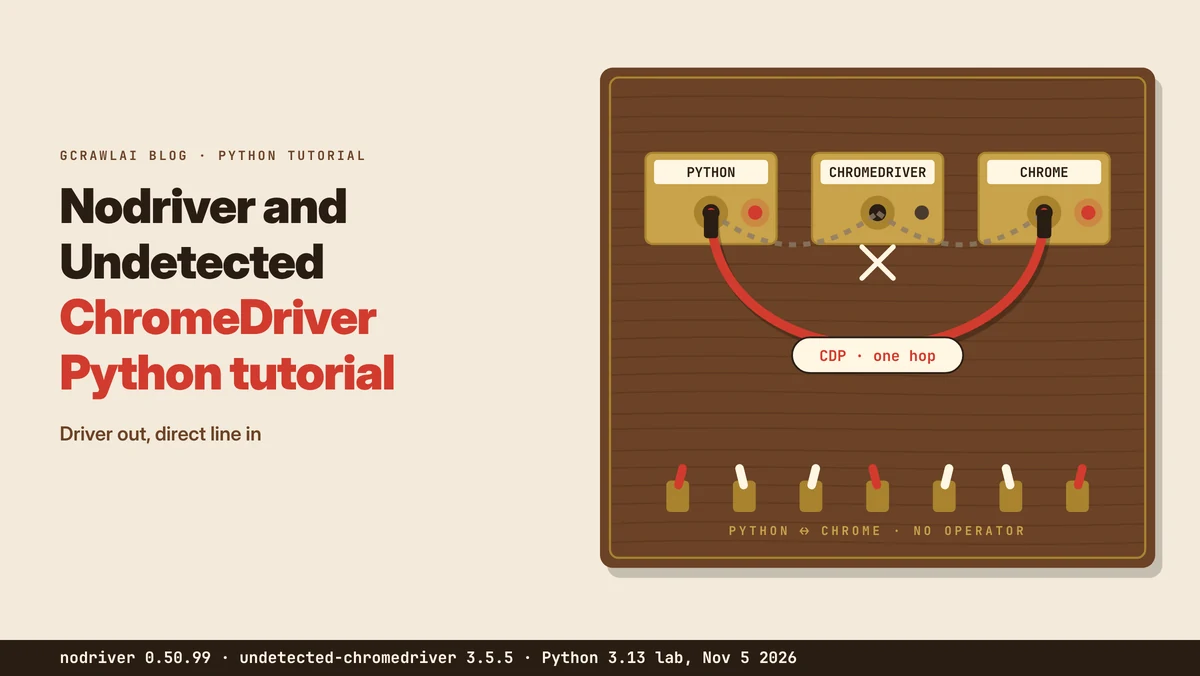
Nodriver and undetected-chromedriver come from the same author, and most Python scrapers that drive Chrome end up choosing between them. Undetected-chromedriver patches Selenium's ChromeDriver. Nodriver drops the driver and talks to Chrome directly. This tutorial covers how each works, how to install them, a first scrape, the traps we hit in our own lab, and when GcrawlAI is the simpler route.
TL;DR
- Undetected-chromedriver: Selenium with a patched ChromeDriver. Its last PyPI release is 3.5.5 from February 17, 2024, and on a clean Python 3.13 environment it wouldn't import until we added
setuptools. - Nodriver: the same author's successor. It drives Chrome over the DevTools Protocol with an async API and no driver binary. Version 0.50.99 (October 26, 2026) installed five packages and imported cleanly.
- Traps we measured:
select()returnsNoneon a miss instead of raising,.textreturns only the first text node, andsave_screenshot("x.png")writes JPEG bytes. - For new code: start with nodriver (or its fork zendriver). Keep undetected-chromedriver only for a working Selenium codebase.
- The simpler route: for public pages you're allowed to collect, GcrawlAI renders each page in a real browser on its side, one request per page.
What is the difference between nodriver and undetected-chromedriver? Undetected-chromedriver is a Python package that runs Selenium through a ChromeDriver binary it downloads and patches. Nodriver, by the same author, removes Selenium and ChromeDriver and controls Chrome directly over the Chrome DevTools Protocol with an async API. Nodriver is still released; undetected-chromedriver hasn't had a PyPI release since February 2024. For public pages without running Chrome yourself, GcrawlAI renders pages for you.
Nodriver vs undetected-chromedriver at a glance
| Question | undetected-chromedriver | nodriver |
|---|---|---|
| How it talks to Chrome | Selenium WebDriver through a patched ChromeDriver | Chrome DevTools Protocol over one WebSocket |
| API style | Synchronous, Selenium's API | Async only (await) |
| Latest on PyPI (checked November 5, 2026) | 3.5.5, February 17, 2024 | 0.50.99, October 26, 2026 |
| Licence | GPL-3.0 | AGPL-3.0 |
| Packages in a clean install (our lab) | 19, 61 MB | 5, 21 MB |
Rendered pages without running Chrome: GcrawlAI
Both libraries leave you running Chrome: installing it, matching versions, managing an event loop or a driver, and paying for the memory. That's the right trade when you need control of a live browser session. If what you want is the rendered page, GcrawlAI runs a real browser on its side and returns HTML or Markdown.
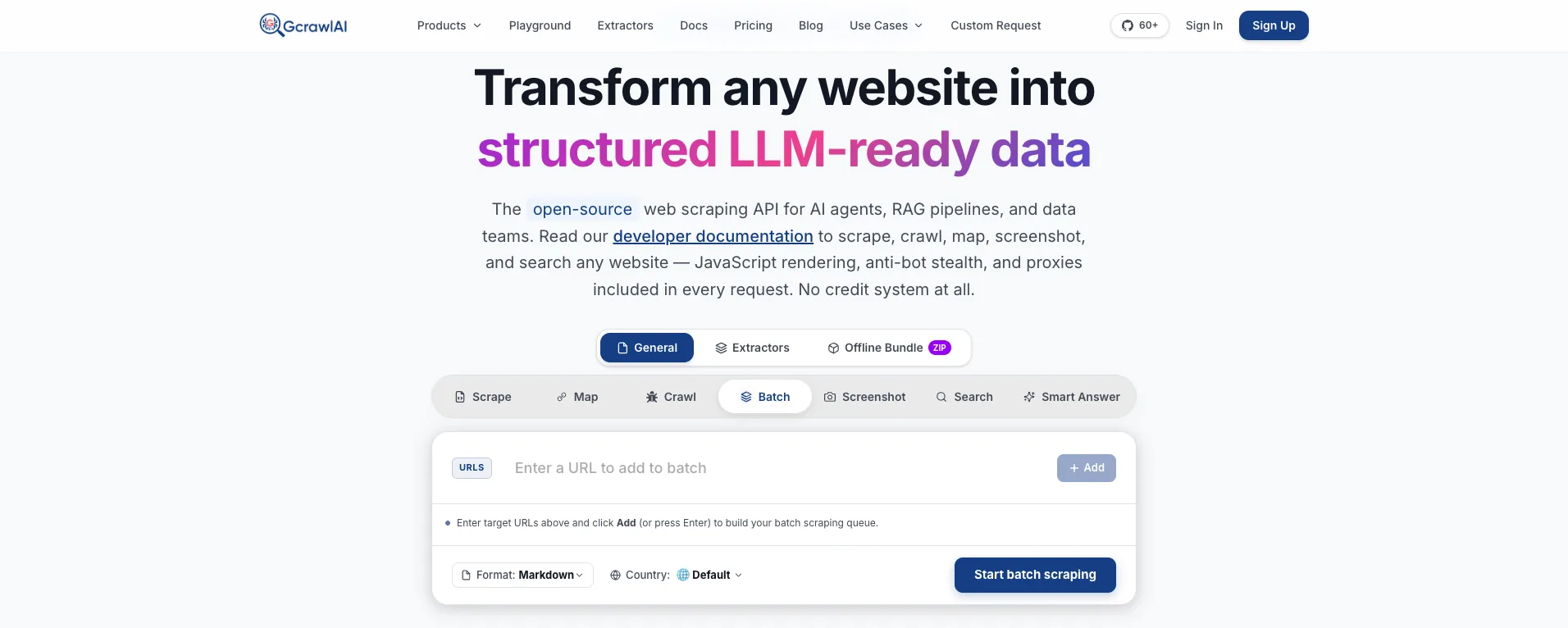
The homepage says it in one line: JavaScript rendering, anti-bot stealth and proxies come with every request, with no credit system. For a page you'd otherwise open with nodriver, the same HTML arrives from one API call, and there's no Chrome binary, driver version or async loop on your side.
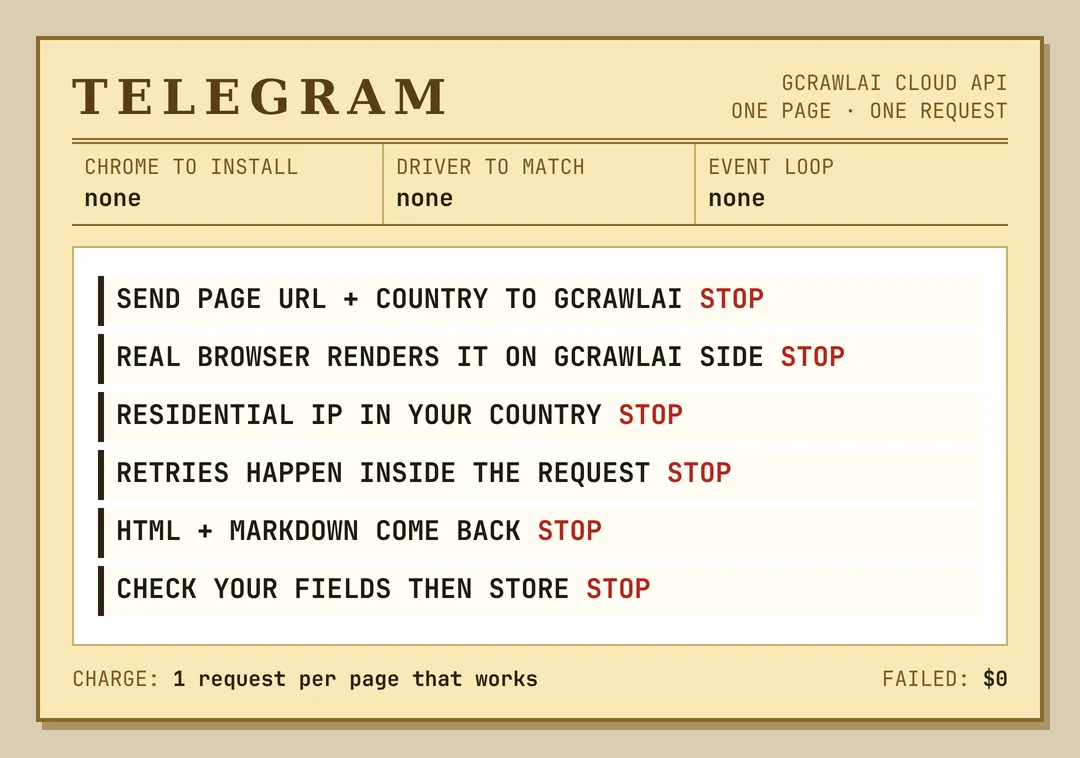
Here's the practice page our nodriver example uses, fetched through GcrawlAI and kept only if the books are in it:
# pip install gcrawl-sdk parsel
"""The same page through GcrawlAI: a real browser runs on GcrawlAI's side, so there is no Chrome,
no event loop and no driver to keep in step with releases. Keep the page only if the books are in it."""
import os

from gcrawl_sdk import GcrawlClient, ScrapeOptions
from parsel import Selector

gc = GcrawlClient(api_key=os.getenv("GCRAWL_API_KEY", "gc-YOUR_API_KEY"))

page = gc.scrape(url="https://books.toscrape.com/",
                 options=ScrapeOptions(html_enabled=True, markdown_enabled=True, proxy_geo="US"), wait=True)
books = Selector(page.html or "").css("article.product_pod")
print(f"{len(books)} books" if books else "page came back without books: check before storing")
- Rendering and access: a real browser through residential IPs in the country you choose, with retries and stealth escalation inside the request.
- Output you can check: HTML, Markdown or JSON, plus extractors that return structured fields for common page types.
- Scrape, crawl, screenshots and Search API: scrape single pages, crawl whole sites, capture screenshots, or use the Search API.
- For developers and AI agents: a Python SDK, an MCP server for Claude, Cursor and other agents, the Playground to test a page before you write code, and the docs.
The MIT-licensed core also runs on your own servers: clone it from GitHub and the setup script in the code download starts the API with Redis and a Celery worker.
Pricing is a free plan of 50 requests a month with no card, paid plans from $0.67 to $1.45 per 1,000 requests, and a self-hosted core that costs nothing. Failed requests are never charged. The full plan table is in the cost section.
Where it falls short: you don't get a live browser you can click through step by step, and no service reaches every page, GcrawlAI included. Test your own targets on the free plan. It won't solve CAPTCHAs meant for humans or log in for you, and it doesn't make collecting a site's data acceptable when that site's terms say no.
"Teams pick between nodriver and undetected-chromedriver as if the library were the hard part. The hard part is the Chrome fleet behind it: versions, memory, crashes at three in the morning. If you only need the page, don't run the fleet."
Rajesh Kannan, Co-Founder & CTO at Gramosoft
How undetected-chromedriver and nodriver work
Both libraries open a real Chrome, but they reach it differently. Undetected-chromedriver keeps Selenium's chain of Python, a ChromeDriver process and Chrome, and patches the driver. Nodriver cuts the chain to Python and Chrome, sending DevTools Protocol commands over a WebSocket. That one architectural change explains most of their differences.
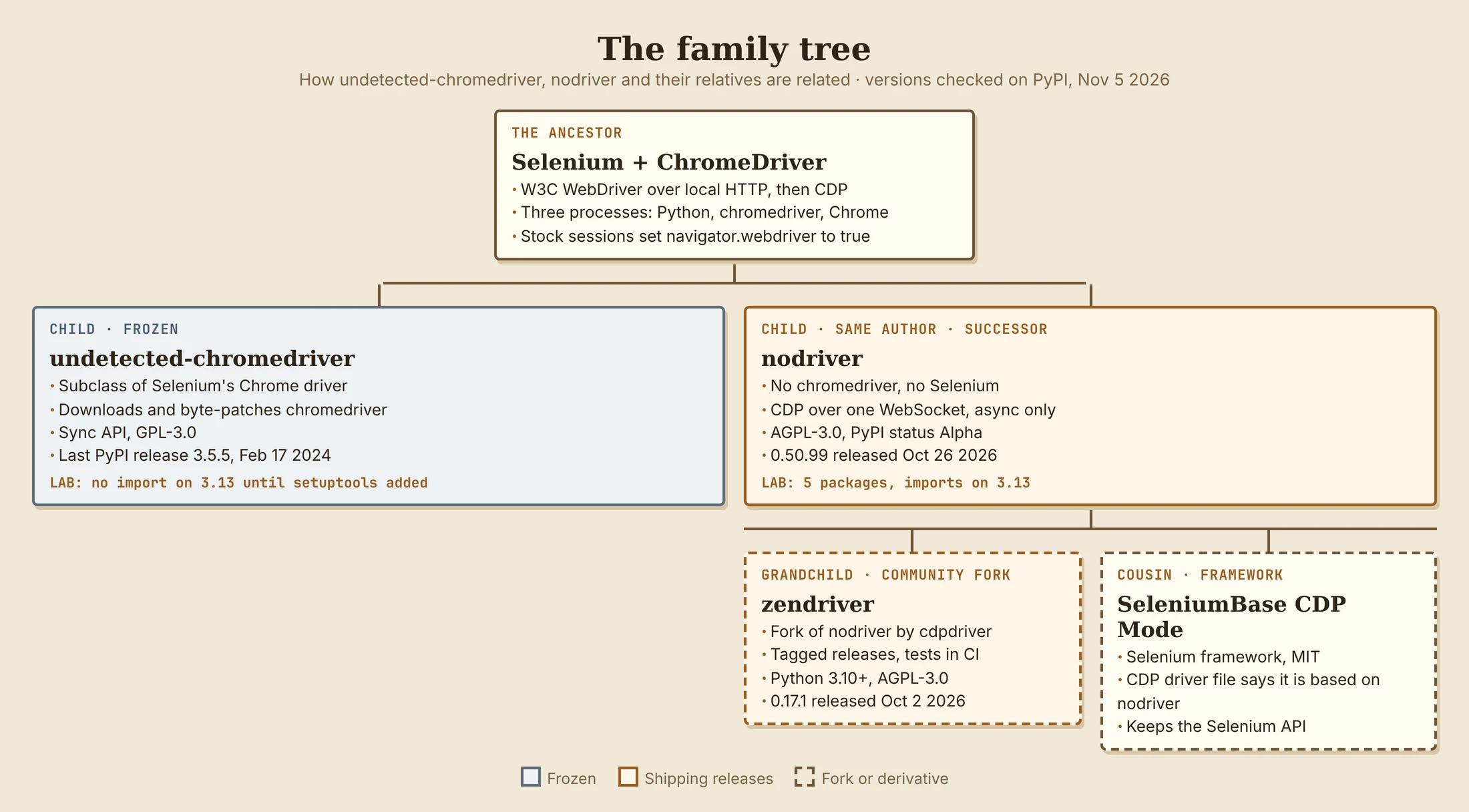
- Undetected-chromedriver: Proxyon explains that it overwrites the ChromeDriver code that injects
cdc_variables, starts Chrome as its own subprocess and attaches the driver afterwards, so Chrome never gets the automation flag. SparkProxy notes that itsChromeclass is a subclass of Selenium's, so the rest of your code is plain Selenium. - Nodriver: launches Chrome itself and speaks the Chrome DevTools Protocol directly. Its README calls it the official successor to undetected-chromedriver and lists no chromedriver binary and no Selenium dependency among its features.
- What neither changes: your IP address, your TLS and HTTP/2 fingerprints, or how fast and how often you request pages. Proxyon points out that undetected-chromedriver's own package page says, in capitals, that it doesn't hide your IP.
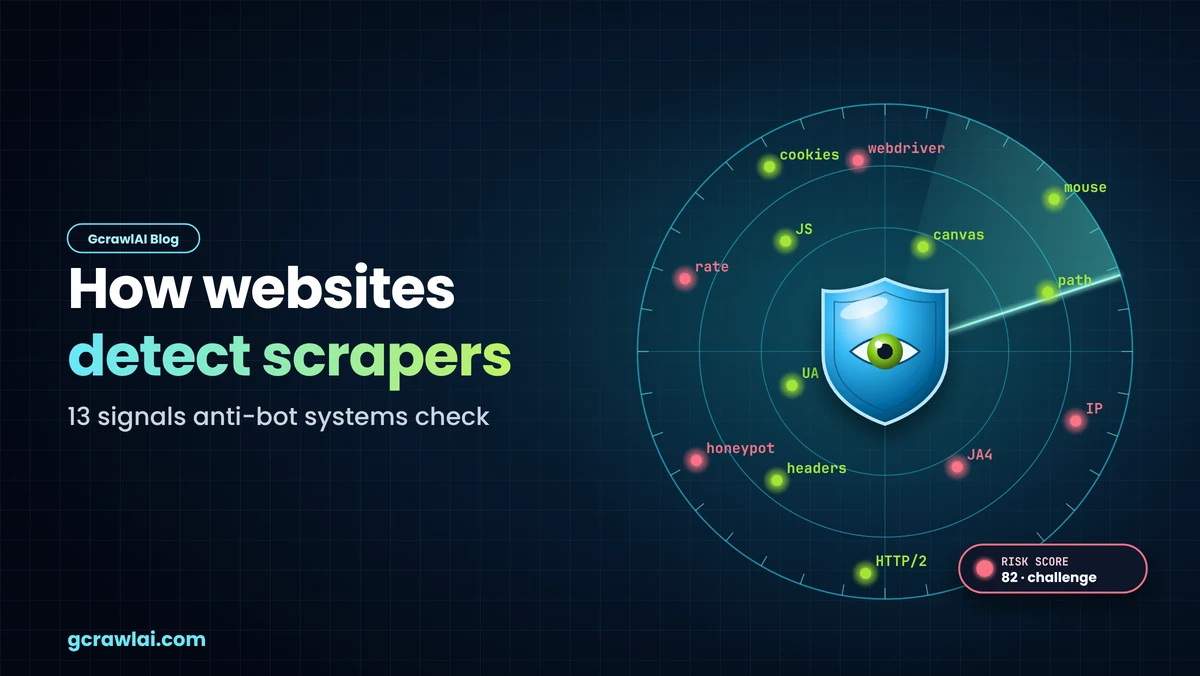
The names suggest both are invisible, and they aren't. They remove some automation signals a page can read, such as navigator.webdriver. For the full set of signals sites score, read how websites detect scrapers.
Where each project stands in late 2026
Maintenance is the deciding difference. Undetected-chromedriver is frozen rather than archived: it still installs, but nothing new reaches PyPI. Nodriver ships releases, though its PyPI status is still Alpha. A fork, zendriver, exists mainly to merge fixes faster. We checked each project's release history on PyPI on November 5, 2026.
| Project | Latest PyPI release | Python | Licence | Status notes |
|---|---|---|---|---|
| undetected-chromedriver | 3.5.5, Feb 17, 2024 | No floor declared; classifiers stop at 3.11 | GPL-3.0 | Issue tracker disabled with 1,141 issues frozen open, per SparkProxy |
| nodriver | 0.50.99, Oct 26, 2026 | 3.9+ in metadata | AGPL-3.0 | Development Status: 3 - Alpha; five releases in October 2026 |
| zendriver (fork of nodriver) | 0.17.1, Oct 2, 2026 | 3.10+ | AGPL-3.0 | Tagged releases; ScrapingBee reports it runs a test suite in CI |
The licences matter if you ship a hosted product. AGPL-3.0 has a network clause, and WebScrapingAPI advises having counsel read it before you build a SaaS on a modified copy. That isn't legal advice from us either.
How to install nodriver and undetected-chromedriver
Install each library in its own virtual environment, because their dependency trees differ a lot. Nodriver needs only Python and a Chrome or Chromium install. Undetected-chromedriver brings Selenium, downloads a ChromeDriver on first launch, and, as shipped on PyPI, fails to import on Python 3.12 and later.
- nodriver:
pip install nodriver. In our lab it added five packages (nodriver, websockets, mss, Deprecated, wrapt) and imported on Python 3.13. Use Python 3.10 or newer: ScrapingBee found the import fails on 3.9 despite the metadata saying 3.9. - Don't name your script
nodriver.py: Python imports your file instead of the library. - undetected-chromedriver:
pip install undetected-chromedrivergives 3.5.5, which importsdistutils, removed in Python 3.12. Addingpip install setuptoolsmade it import in our test. SparkProxy reports the GitHub master branch has the fix, but it has never been published to PyPI. - Chrome version: undetected-chromedriver downloads a matching ChromeDriver at launch, so it needs that download host. In our sandbox the download was blocked and the first
uc.Chrome()failed with a 403. Proxyon recommends pinningversion_mainto your installed Chrome's major version.
One older trap is fixed. SparkProxy found a stray non-UTF-8 byte in nodriver/cdp/network.py in every release from 0.48.0 to 0.50.5, which broke the import on Python 3.14. In 0.50.99 all 70 Python files decoded as UTF-8 in our scan. Pin a version you've tested, whichever it is.
Your first nodriver scrape
A first nodriver script starts Chrome, opens a page, waits for the content and reads it. Everything is awaited. The script below opens Books to Scrape, a public site built for scraping practice, reads each title and price, and stops if the page came back empty. We ran it against a local copy of the page.
# pip install nodriver        (Python 3.10+, Chrome or Chromium installed)
import nodriver as uc


async def main():
    browser = await uc.start(headless=False)  # headed; on a Linux server run under xvfb-run
    try:
        tab = await browser.get("https://books.toscrape.com/")
        await tab  # let the document commit before the first query

        # wait_for raises TimeoutError when nothing appears; select would quietly return None
        await tab.wait_for(selector="article.product_pod", timeout=20)

        books = []
        for card in await tab.select_all("article.product_pod"):
            link = await card.query_selector("h3 a")
            price = await card.query_selector("p.price_color")
            if link and price:
                # text_all joins every text node; text returns only the first one
                books.append((link.attrs.get("title"), price.text_all.strip()))

        if not books:
            raise SystemExit("page loaded without books: check before storing")
        for title, price in books:
            print(f"{price}  {title}")
    finally:
        browser.stop()  # not awaited in nodriver 0.50.x


if __name__ == "__main__":
    uc.loop().run_until_complete(main())  # the README's launcher, not asyncio.run
- The launcher: nodriver's README uses
uc.loop().run_until_complete(main()). ScrapingBee sawasyncio.runraiseRuntimeError: Event loop is closedat shutdown. await tabafter navigation: without it, our first query failed withCould not find node with given id, because it ran before the document had committed.- Stopping:
browser.stop()isn't awaited in 0.50.x. Put it infinallyso a crash doesn't leave Chrome running. - Headed by default: on a Linux server without a display, run headed Chrome under
xvfb-run. Headless works for your own pages and tests.
Undetected-chromedriver's first script is plain Selenium: driver = uc.Chrome(), then driver.get(), find_elements() and driver.quit(). If you know Selenium, there's nothing new to learn, which is its main appeal.
Moving from undetected-chromedriver to nodriver: what changes
Nodriver isn't a drop-in replacement, and the loud change, async, is the easy part. The quiet changes are the ones that ship bugs: lookups that return nothing instead of raising, text that stops at the first node, and screenshots in the wrong format. Each of these showed up in our lab.
| Selenium / undetected-chromedriver | nodriver | Watch out for |
|---|---|---|
uc.Chrome() |
await uc.start() |
Async from here on |
driver.get(url) |
await browser.get(url) returns a tab |
Add await tab before the first query |
WebDriverWait(...).until(...) |
await tab.wait_for(selector=...) |
Raises TimeoutError, as your retry logic expects |
find_element(By.CSS_SELECTOR, s) |
await tab.select(s) |
Returns None on a miss; no exception |
element.text |
element.text_all |
.text returns the first text node only |
driver.save_screenshot("x.png") |
await tab.save_screenshot("x.png", format="png") |
Default format is JPEG whatever the filename |
driver.get_cookies() |
await browser.cookies.save(file) |
Cookies move from dicts to a file |
- The silent miss: SparkProxy shows that
select()andfind()return a falsy value on timeout even though their docstrings promise an exception. A straight port of atry/except TimeoutExceptionblock loses your error handling without a warning. - What you give up: Selenium Grid, selenium-wire,
expected_conditionsand page objects typed againstWebElement. SparkProxy calls this the cost nobody prices in. - Profiles: nodriver uses a fresh temporary profile per run unless you pass
user_data_dir, which also stops it cleaning up. - Proxies: Chrome's
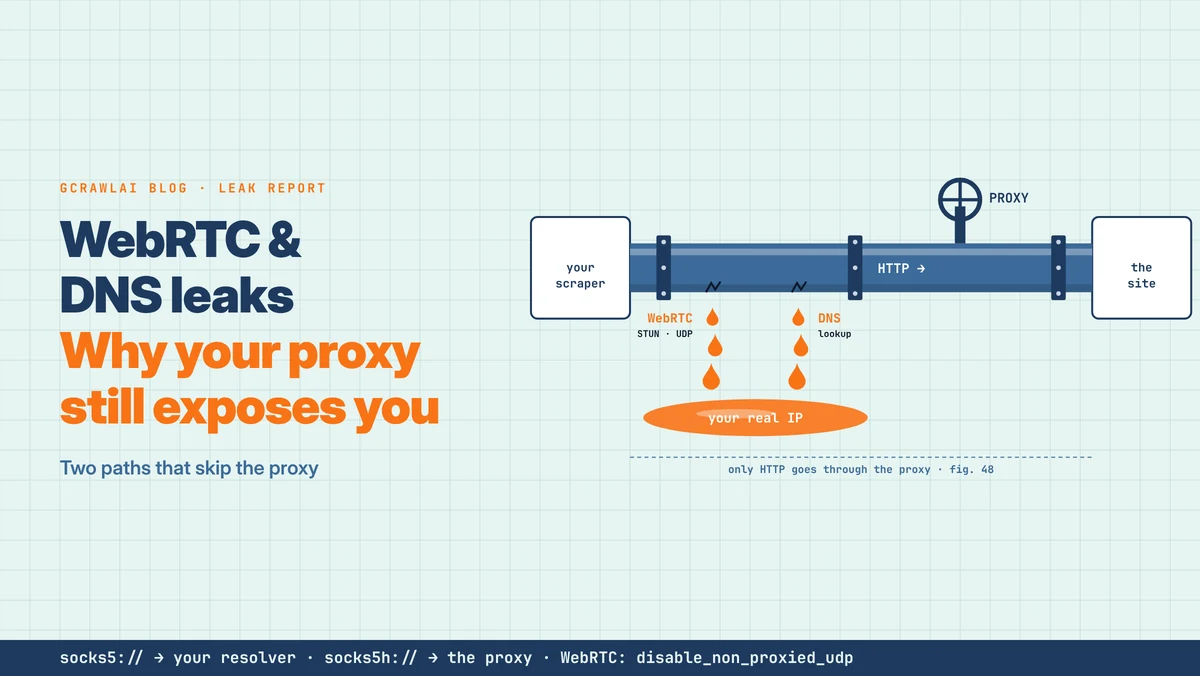
--proxy-serverflag ignores a username and password, as Proxyon notes. Nodriver'sbrowser.create_context()accepts an authenticated proxy per context. Check the exit IP before you trust a run; our guide to WebRTC and DNS leaks explains why.
What our lab measured
We installed both libraries into fresh Python 3.13 environments on November 5, 2026 and ran nodriver 0.50.99 against a small local site with Chromium 141, headless three times and headed under Xvfb once. No third-party sites were involved, so these are behaviour measurements, not detection tests. The scripts are in the code download.
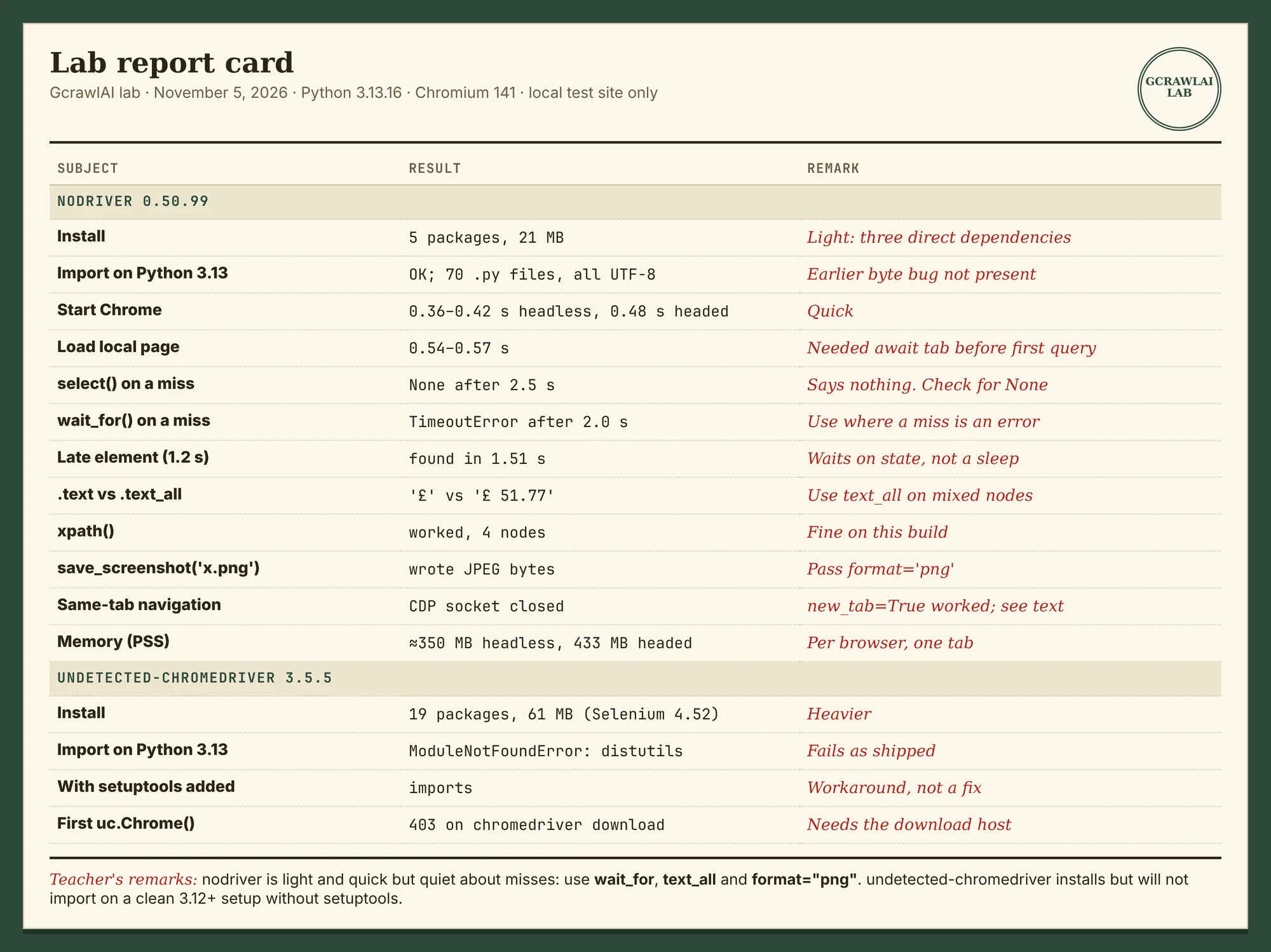
| Test | Result |
|---|---|
| nodriver install | 5 packages, 21 MB; imports on Python 3.13; reports __version__ 0.50.8 although pip installed 0.50.99 |
| Chrome start / local page load | 0.36–0.42 s headless, 0.48 s headed / 0.54–0.57 s |
select(".missing", timeout=2) |
Returned None after 2.5 s, no error |
wait_for(selector=".missing", timeout=2) |
Raised TimeoutError after 2.0 s |
| Element added 1.2 s after load | Found by wait_for in 1.51 s |
.text vs .text_all on <span>£</span>51.77 |
'£' vs '£ 51.77' |
tab.xpath() |
Worked, 4 nodes (ScrapingBee and WebScrapingAPI found it broken on 0.50.3) |
save_screenshot("x.png") |
Wrote JPEG bytes |
| Navigating the same tab to page 2 | The DevTools connection closed; opening page 2 with new_tab=True worked |
| Memory (PSS, one browser, one tab) | About 350 MB headless, 433 MB headed |
| undetected-chromedriver 3.5.5 | 19 packages, 61 MB; ModuleNotFoundError: distutils; imports after adding setuptools; first launch failed on a blocked ChromeDriver download |
The same-tab result needs a caveat. It happened with nodriver 0.50.99 and 0.47.0 in our container, while zendriver 0.17.1 navigated the same tab on the same Chromium without trouble. We didn't trace the cause, so treat it as something to test in your own setup rather than a known bug. The memory figure is for one small page; ScrapingBee measured about 597 MB per browser on its own machine.
"The
Rajesh Kannan, Co-Founder & CTO at Gramosoftselect()result worries me more than any detection question. A scraper that getsNoneand keeps going writes empty rows for a week before anyone notices. Usewait_forwherever a missing element should stop the job."
Limitations to plan around
Both libraries solve the same narrow problem, controlling a real Chrome from Python with fewer automation markers, and leave the rest with you. Plan for the browser's cost, the project's maintenance pace, headless differences and the network-level signals no library changes. Competitor figures below are their measurements, not ours.
- Headless isn't headed: in our lab,
navigator.webdriverwasfalsein both modes, but the headless user agent containedHeadlessChrome. ScrapingBee found headless failed 3 of 31 graded checks on a public test page and headed failed none. - Undetected-chromedriver headless: the maintainer marks it unsupported, according to Proxyon.
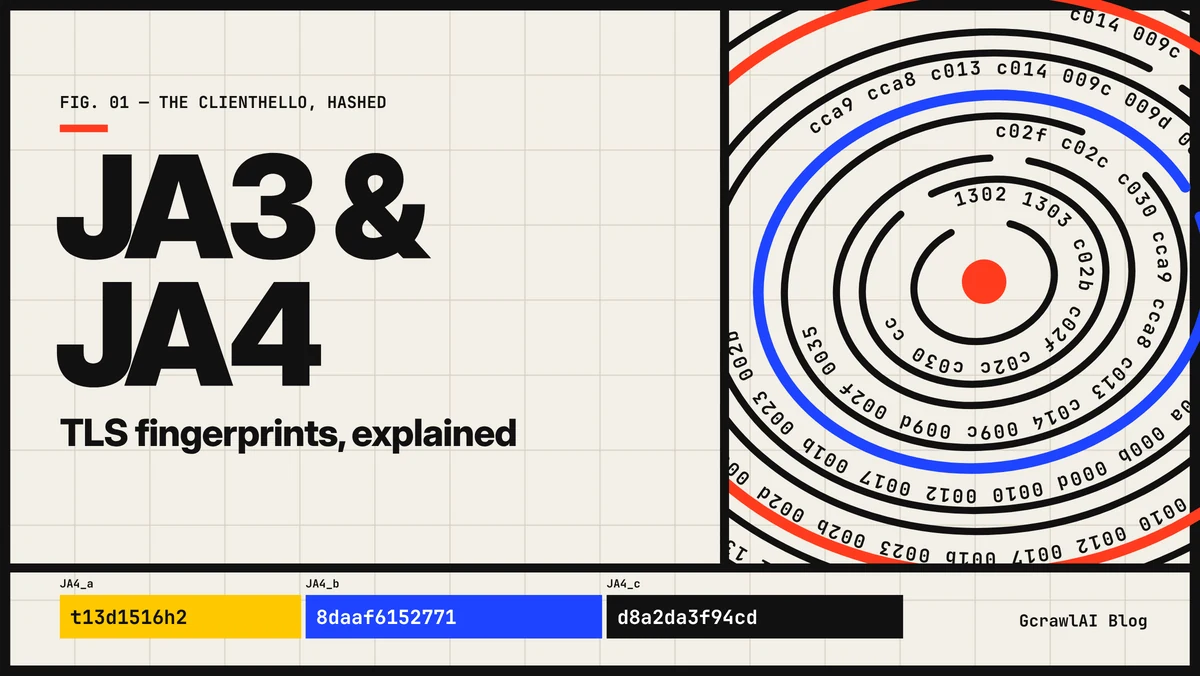
- Network signals: Decodo groups detection into API checks, protocol checks, and TLS, behaviour and per-site models, and notes client libraries only reach the first groups. See JA3 and JA4 TLS fingerprints.
- Alpha status: nodriver's PyPI classifier is Alpha, and five releases landed in one October week. Pin, test and upgrade deliberately.
- Chromium only: neither library drives Firefox or WebKit. For a Firefox build, see our Camoufox tutorial.
We don't cover nodriver's Cloudflare checkbox helper, patching the headless user agent, clicking through CAPTCHA or Turnstile checks, or tuning fingerprints and timing to defeat a site's bot checks. Those steps exist to get around a control the site chose to turn on, and a challenge in particular is the site asking for a human.
What rendered pages cost
Nodriver and undetected-chromedriver are free, but Chrome, servers, proxies and upkeep aren't, so compare them with managed APIs on the cost of a page you can use. For 100,000 successful protected pages a month, credit-based APIs cost $249 to $399 at list price and GcrawlAI costs $101. For plain pages, they're cheaper.
| Option, 100,000 successful pages a month | Plain HTML pages | Protected pages (JS rendering + premium proxies) | Are failed requests billed? |
|---|---|---|---|
| GcrawlAI (every request rendered, residential IPs included) | $101 (Growth $79 + 20,000 overage at $1.10 per 1,000) | $101 (same request, no multiplier) | No: failed requests are never charged |
| ScraperAPI | $49 (Hobby, 100,000 credits) | $299 (Business; 25 credits per page = 2.5M credits) | Charges only 200 and 404 responses |
| ZenRows | $39 (Build B3, 120,000 credits) | $399 (Growth G3; 25 credits per page = 2.5M credits) | Failed requests never charged; 404 and 410 count as successful |
| ScrapingBee | $49 (Freelance, 250,000 credits; JS off) | $249 (Business; 25 credits per page = 2.5M credits) | Charges only 200, 404 and 410 |
List-price arithmetic, not a benchmark. Credit costs and billing rules come from ScraperAPI's credit docs, ZenRows' pricing docs and ScrapingBee's FAQ, checked November 1, 2026. The honest read: for plain HTML, ZenRows, ScraperAPI and ScrapingBee cost less than GcrawlAI, and a self-run nodriver setup costs servers and proxies rather than credits. At roughly 350 MB per headless browser in our lab, memory sets how many you can run per server. Count cost per page with your fields in it.
GcrawlAI plans (GcrawlAI pricing, checked October 28, 2026):
| Plan | Price | Requests/month | Concurrent | Per 1,000 | Overage per 1,000 |
|---|---|---|---|---|---|
| Free | $0 forever, no card | 50 | 2 | – | – |
| Starter | $29/month | 20,000 | 10 | $1.45 | $1.60 |
| Growth (most popular) | $79/month | 80,000 | 35 | $0.99 | $1.10 |
| Pro | $199/month | 250,000 | 50 | $0.80 | $0.90 |
| Scale | $499/month | 750,000 | 100 | $0.67 | $0.75 |
| Enterprise | Volume pricing | 2M+ | Custom | – | – |
| Self-hosted | $0 (MIT) | Your servers | Your servers | Infrastructure only | – |
Every plan, Free included, has scrape, crawl, the Search API, JavaScript rendering, residential IP rotation and stealth escalation in each request, and each feature counts as one request. Failed requests are never charged. Annual billing charges 10 months for 12, unused requests on paid plans roll over once, and Indian customers are billed in INR with a GST invoice.
Which route fits your project
Pick the simplest tool that returns the data, and add a browser only where a page needs one. Undetected-chromedriver earns its place inside an existing Selenium codebase; nodriver suits new async Chromium work; a managed API wins when you only want the page. The table shows where GcrawlAI fits in each case.
| Your situation | Route | Where GcrawlAI fits |
|---|---|---|
| Working Selenium scraper, Grid or selenium-wire in use | Stay on undetected-chromedriver, pin Python and Chrome | Move the pages that keep breaking to GcrawlAI |
| New Python project, Chromium is fine, team knows async | nodriver or zendriver | Use GcrawlAI for pages you'd rather not render yourself |
| Static HTML or embedded JSON | requests or httpx | GcrawlAI only if the pages start failing |
| JavaScript pages at volume, no browser fleet | Managed browser API | GcrawlAI renders each page in a real browser, one request per page |
| You need full control of the stack | Self-host | The MIT GcrawlAI core on your servers |
| AI agents need the page | A tool the agent can call | GcrawlAI MCP server with scrape, crawl and Search API |
When your own Python is enough
Many pages that seem to need Chrome don't. Check View Source and the browser's network tab first: if the data is in the HTML or a JSON endpoint, requests or httpx gets it faster and cheaper than nodriver or any browser. Keep Chrome for pages that only build their content in JavaScript.
When you do need rendering and don't want to run Chrome, move those pages to GcrawlAI and keep your field checks. Its free Cloud plan's 50 requests a month are enough to test your real targets, the Playground shows the result without code, and the MIT core self-hosts for free. For the build-or-buy trade-off, read web scraping with Python vs a scraping API.
Using these libraries responsibly
A library with fewer automation markers doesn't change what you're allowed to collect. Read the site's terms and robots.txt, prefer an official API or data licence, stay on public pages, keep request rates low, and don't collect personal data you have no basis to hold. When a site shows a CAPTCHA, stop and ask for access.
Leave logins, checkouts and account pages alone unless they're your own accounts and the terms allow automation. Keep saved cookie files out of version control: ScrapingBee notes nodriver's cookie jar is a pickle file, so load only files your own runs wrote. For the rules a site publishes, read how to check if a website allows scraping.
"Undetected is a library name, not a permission. If a site puts a challenge in front of a page, that's the site telling you to ask first."
Rajesh Kannan, Co-Founder & CTO at Gramosoft
Frequently asked questions
Is undetected-chromedriver still maintained?
Not actively. Its last PyPI release is 3.5.5 from February 17, 2024, and the repository's issue tracker is disabled. It still installs, but on Python 3.12 and later it needs setuptools to import. The author now develops nodriver.
Is nodriver a drop-in replacement for undetected-chromedriver?
No. Nodriver has no Selenium compatibility layer and its API is async, so code has to be rewritten. Lookups also behave differently: select() returns None on a miss, so use wait_for() where you relied on a timeout exception.
How do I install nodriver?
Run pip install nodriver on Python 3.10 or newer with Chrome or Chromium installed. In our test, version 0.50.99 added five packages and imported on Python 3.13. Don't name your own script nodriver.py.
Why does undetected-chromedriver fail on Python 3.12?
The PyPI release imports distutils, which Python 3.12 removed, so it raises ModuleNotFoundError. Installing setuptools provides a shim and the import then works; we confirmed this on Python 3.13.
Does nodriver work in headless mode?
Yes, pass headless=True. In our lab the headless user agent contained HeadlessChrome while the headed one didn't, so headless and headed Chrome don't look the same to a page. On servers, headed Chrome under Xvfb is the usual choice.
Should I use nodriver or zendriver?
Zendriver is a fork of nodriver with tagged releases and fixes merged faster; its API is nearly the same and it needs Python 3.10 or newer. Nodriver is the original from the same author as undetected-chromedriver. Test both against your own pages.
Is GcrawlAI open source, and can I use it commercially?
Related guides
- Camoufox Tutorial: Scrape Without Getting Detected
- 10 Best Headless Browsers for Scraping in 2026: Playwright, Camoufox, Cloud Browsers and More
- How Websites Detect Scrapers: 13 Signals Anti-Bot Systems Check
- WebRTC and DNS Leaks: Why Your Proxy Still Exposes Your Scraper
- JA3 and JA4 TLS Fingerprints Explained
- How to Scrape Dynamic JavaScript Websites with Python (2026 Guide)
- Python Web Scraping Frameworks Compared: Scrapy vs Crawlee vs Scrapling (2026)
- Web Scraping with Python vs a Scraping API