- Write your own Python scraper when you have a few static pages, low volume, a site that doesn't fight back, or you need a logged-in session only you can hold.
- Switch to a scraping API when you spend more time getting pages than using them: blocks, CAPTCHAs, JavaScript rendering, proxy bills and selectors that break every few weeks.
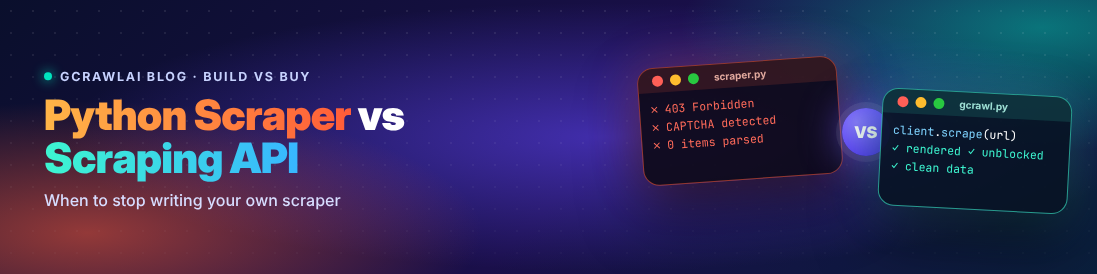
- In our own test, a 9-line Requests + BeautifulSoup scraper grew to 65 lines once it had retries, proxy rotation, block detection, a headless-browser fallback and a broken-selector check. It still couldn't solve a CAPTCHA.
- GcrawlAI covers all five scraping jobs (fetch, render, parse, orchestrate and unblock) in one API call, and you can keep your existing BeautifulSoup parsing code.
- You don't have to migrate everything. The best setup is often a hybrid: your scraper handles the easy pages, and the API takes over the pages that fail.
Every Python scraper starts out as a small, satisfying script. You open the page, find the right CSS selector, write nine lines with Requests and BeautifulSoup, and the data appears in your terminal. It feels like the hard part is done.
It isn't. The hard part shows up three weeks later as a 403 error, then as a page that returns "Access denied" with a 200 status code, then as a redesign that quietly turns your price column into empty strings. Each fix is small and reasonable. Six months on, you're maintaining a proxy pool, a headless browser and a retry policy, and the script that took an afternoon has its own on-call rotation.
We build GcrawlAI, an open-source web scraping API, and most teams we talk to didn't start with an API. They started with a Python script and reached a point where it stopped being worth maintaining. This guide is about recognising that point early. It covers the honest case for writing your own scraper, the signs that it's time to stop, a simple way to compare the cost, and what switching actually looks like in code. We ran every code sample in this post before publishing it.
Web scraping with Python vs a scraping API: what's the difference?
A DIY Python scraper is code you write and run (usually Requests, BeautifulSoup, Scrapy or Playwright) where you own fetching, JavaScript rendering, parsing, retries, proxies and anti-bot handling yourself. A scraping API is a hosted service: you send it a URL and it returns the page as HTML, Markdown or JSON, with rendering, proxies and blocking handled for you. You trade control for far less infrastructure to run.
Note that this is a different question from "web scraping vs an official API." If the website offers an official API that returns the data you need, at a price you can live with, use it. Also open your browser's network tab before you write any scraper, because many sites load their data from a JSON endpoint you can call directly. This guide is for the much more common case where there is no API, or the API leaves out the data you actually need.
Every scraper starts like this
Here is the scraper everyone writes first. It fetches a catalogue page and prints each book's title and price:
import requests
from bs4 import BeautifulSoup

response = requests.get("https://books.toscrape.com/", timeout=15)
response.raise_for_status()

soup = BeautifulSoup(response.text, "lxml")
for book in soup.select("article.product_pod"):
    title = book.select_one("h3 a")["title"]
    price = book.select_one("p.price_color").get_text(strip=True)
    print(title, price)
Nine lines of real code. For a one-off job on a static, friendly site, this is genuinely all you need, and you should feel no pressure to replace it.
...and this is what it turns into
Now point the same script at real sites, on a schedule, for a few months. Here is a realistic version of where it ends up. Every block in it exists because something broke in production:
import random
import time

import requests
from bs4 import BeautifulSoup
from playwright.sync_api import sync_playwright
from requests.adapters import HTTPAdapter
from urllib3.util.retry import Retry

USER_AGENTS = [
    "Mozilla/5.0 (Windows NT 10.0; Win64; x64) AppleWebKit/537.36 (KHTML, like Gecko) Chrome/141.0 Safari/537.36",
    "Mozilla/5.0 (Macintosh; Intel Mac OS X 14_6) AppleWebKit/605.1.15 (KHTML, like Gecko) Version/18.0 Safari/605.1.15",
]
PROXIES = []  # e.g. ["http://user:pass@proxy-1:8000", ...] from your proxy provider
BLOCK_MARKERS = ("captcha", "access denied", "verify you are human", "unusual traffic")


def build_session() -> requests.Session:
    session = requests.Session()
    retry = Retry(total=3, backoff_factor=1.5, status_forcelist=[429, 500, 502, 503, 504])
    session.mount("https://", HTTPAdapter(max_retries=retry))
    session.mount("http://", HTTPAdapter(max_retries=retry))
    return session


def looks_blocked(status: int, html: str) -> bool:
    return status in (401, 403, 429) or any(m in html.lower() for m in BLOCK_MARKERS)


def fetch_plain(session: requests.Session, url: str) -> str | None:
    proxy = random.choice(PROXIES) if PROXIES else None
    try:
        r = session.get(
            url,
            timeout=20,
            headers={"User-Agent": random.choice(USER_AGENTS), "Accept-Language": "en-US,en;q=0.9"},
            proxies={"http": proxy, "https": proxy} if proxy else None,
        )
    except requests.RequestException:
        return None
    return None if looks_blocked(r.status_code, r.text) else r.text


def fetch_rendered(url: str, wait_for: str) -> str | None:
    with sync_playwright() as p:
        browser = p.chromium.launch(headless=True)
        try:
            page = browser.new_page(user_agent=random.choice(USER_AGENTS))
            page.goto(url, wait_until="domcontentloaded", timeout=30_000)
            page.wait_for_selector(wait_for, timeout=15_000)
            return page.content()
        except Exception:
            return None
        finally:
            browser.close()


def scrape(url: str, item_selector: str) -> list[dict]:
    session = build_session()
    html = fetch_plain(session, url)
    if html is None or item_selector.split()[0] not in html:
        html = fetch_rendered(url, wait_for=item_selector)  # JS page or soft block
    if html is None:
        raise RuntimeError(f"Could not get usable HTML for {url}")

    soup = BeautifulSoup(html, "lxml")
    items = [
        {"title": el.select_one("h3 a")["title"],
         "price": el.select_one("p.price_color").get_text(strip=True)}
        for el in soup.select(item_selector)
    ]
    if not items:  # selectors silently broke after a redesign
        raise RuntimeError(f"0 items parsed from {url}; check selectors")
    time.sleep(random.uniform(1, 3))  # be polite between pages
    return items


if __name__ == "__main__":
    for book in scrape("https://books.toscrape.com/", "article.product_pod"):
        print(book)
That's 65 lines, and here's why each block is there:
- Retries with backoff, because servers return 429 and 503 errors under load.
- Rotating user agents and proxies, because a single IP sending a steady stream of identical requests gets banned.
looks_blocked(), because block pages and CAPTCHA screens often come back with a 200 status code and your scraper would happily save them as data.- A Playwright fallback, because the next site you add renders its content with JavaScript, and Requests only sees an empty
<div id="app">. - The zero-items check, because when a site redesigns, your selectors don't throw errors. They just stop matching, and you collect nothing without noticing.
Here's the uncomfortable part: this version still doesn't solve the hard problems. It can't get past a CAPTCHA. Its TLS fingerprint still looks like Python, not Chrome. Its default headless browser is easy for anti-bot services to detect. It launches a new browser for every JavaScript page, which works for ten pages and falls over at ten thousand. It has no scheduler, no queue, and no alert when your success rate drops from 98% to 40% overnight. Each of those is another project.
Swipe sideways to see the full diagram →
7 signs it's time to stop writing your own scraper
None of these alone means you must switch. But if three or more sound familiar, your scraper has quietly turned into an infrastructure project.
- You spend more time getting pages than using the data. If most commits to your scraper repo touch headers, proxies, retries or browser settings rather than extraction logic, the tool is running you.
- "200 OK" no longer means you got the page. Once you've started writing checks for block pages, consent walls and empty JavaScript shells, you're in an arms race with the site's bot protection.
- You've added a headless browser, and now you're managing browsers. Each browser uses hundreds of megabytes of memory. Version updates, crashes, zombie processes and concurrency limits become your problem.
- You're paying for proxies and writing code to rotate them. You now own a vendor relationship, a rotation strategy and the job of retiring flagged IPs.
- Scraper failures have become production incidents. When the scraper feeds a dashboard, a pricing engine or a RAG pipeline, a silent failure on Friday night becomes Monday morning's problem.
- The target list keeps growing. Five sites can be babysat. Fifty sites, each with its own quirks and redesign schedule, can't.
- The data is going to an LLM. If your pipeline ends in an AI model, you also need clean, boilerplate-free text. Turning raw HTML into good Markdown is one more layer to build and maintain.
When writing your own Python scraper is still the right call
We sell an API, so take this section seriously, because it's the one most API vendors skip. Your own scraper is the better choice when:
- The job is small and the site is friendly. A few hundred static pages, run occasionally, with no bot protection. The nine-line version is perfect.
- You need a logged-in session that only you should hold. Scraping your own account's dashboard, an internal tool or a supplier portal with your credentials is a job to keep in-house.
- The workflow is a long, custom interaction. Multi-step forms, file downloads behind several clicks or anything that needs fine-grained browser control is often simpler to write directly with Playwright.
- You're learning. Writing a scraper from scratch is the best way to understand how the web actually works. Every developer should build one.
- Strict data-residency rules apply. If no data can leave your infrastructure, a hosted service is out. GcrawlAI is open source (MIT), so this is one case where you can read the code and run it on your own servers instead.
Should you write your own scraper? A quick flowchart
If you want the short version of this whole article, follow the questions from the top and stop at the first "Yes."
Swipe sideways to see the full diagram →
Python scraper vs scraping API: side by side
Swipe sideways to see the full table →
| Your own Python scraper | Scraping API (GcrawlAI) | |
|---|---|---|
| Time to first data | Minutes for a simple page | Minutes for any page |
| Fetch | You build sessions, retries, headers and proxy rotation | Built in, with rotating proxies and geo-targeting |
| Render JavaScript | You run and scale Playwright or Selenium | Managed browsers, with optional auto-scroll |
| Parse | Your selectors, your maintenance | Clean Markdown, cleaned HTML, SEO metadata, images and links, or keep your own parser |
| Orchestrate | You write queues, scheduling and deduplication, or adopt Scrapy | Scrape, batch, crawl and links endpoints |
| Unblock | Your arms race: fingerprints, CAPTCHAs, bans | Stealth browsers that escalate automatically when a site pushes back |
| When a site changes | You find out when data goes missing | Fetching keeps working; with Markdown output there are no selectors to break |
| Cost model | Low cash cost, high engineering time | Per-request pricing, low engineering time |
| Control | Total | High for public pages; less for custom browser flows |
| Best for | Small, stable, friendly or logged-in targets | Protected, JavaScript-heavy or many targets; AI pipelines |
See how your hardest URL behaves
Paste the page your scraper keeps failing on into GcrawlAI and see what comes back. It's open source, and the free plan includes 50 requests a month with no card required.
The cost question: use a formula, not a gut feeling
The most common mistake in the build-vs-buy decision is comparing an API's price per request with a DIY scraper's price per request. The DIY number looks close to zero, because loading a web page is free. But the per-request price is the smaller part of the bill. Here's a fairer comparison:
DIY monthly cost = proxies + servers and browsers + CAPTCHA solving + (engineer hours on the scraper × loaded hourly cost)
API monthly cost = pages per month × price per page + (a few engineer hours on integration)
The line that decides it is almost always engineer hours, and it's the one teams forget to count. Be honest with yourself. Count the hours spent last month on proxy issues, blocked requests, selector fixes, browser crashes and "why is today's file empty?" investigations. Multiply by what an hour of that engineer actually costs your company. For most teams scraping more than a handful of sites, that number alone is bigger than an API bill. And it's time not spent on the product the data was supposed to feed.
The formula also works the other way. If the honest answer is "about an hour a month, on a few sites that never change," keep your scraper. The point is to decide with numbers, not habit.
What switching to GcrawlAI looks like
GcrawlAI covers all five jobs your scraper was doing, or trying to do:
- Fetch: requests go out through rotating proxies, with a geo setting when you need a specific country's version of a page.
- Render: pages that need JavaScript load in managed browsers, with optional auto-scroll for infinite feeds and lazy-loaded content.
- Parse: you get clean Markdown, cleaned HTML, SEO metadata, images, links or a screenshot back.
- Orchestrate:
scrapefor one URL,batchfor a list,crawlto discover and follow links across a site, andlinksto map a site first. Jobs are queued and the SDK polls for you. - Unblock: stealth browsers handle bot checks, escalating to heavier browsers only when a site pushes back.
Here's what that changes for a single request:
Swipe sideways to see the full diagram →
Install the SDK:
pip install gcrawl-sdkOption 1: keep your parser, replace everything else
This is the smallest possible migration. Your BeautifulSoup selectors stay exactly as they are. GcrawlAI replaces the fetching, rendering and unblocking code, meaning almost all of those 65 lines:
from bs4 import BeautifulSoup
from gcrawl_sdk import GcrawlClient, ScrapeOptions

client = GcrawlClient(api_key="gc-YOUR_API_KEY")

# GcrawlAI fetches, renders and unblocks; you keep your own parser
result = client.scrape(
    url="https://books.toscrape.com/",
    options=ScrapeOptions(html_enabled=True, markdown_enabled=False),
    wait=True,
)

soup = BeautifulSoup(result.html, "lxml")
for book in soup.select("article.product_pod"):
    print(book.select_one("h3 a")["title"], book.select_one("p.price_color").get_text(strip=True))
Option 2: skip selectors entirely with Markdown
If the data is going to an LLM, a search index or a RAG pipeline, you often don't need selectors at all. Ask for clean Markdown and let the model read it. A redesign that would break your CSS selectors usually changes nothing here:
from gcrawl_sdk import GcrawlClient, ScrapeOptions

client = GcrawlClient(api_key="gc-YOUR_API_KEY")

result = client.scrape(
    url="https://books.toscrape.com/",
    options=ScrapeOptions(markdown_enabled=True, markdown_clean=True),
    wait=True,
)

print(result.markdown)  # clean Markdown, ready to chunk for an LLM or RAG pipeline
Option 3: hand over the orchestration too
When the job is "these 5,000 URLs" or "everything on this site," don't write the loop. Send a batch, or let GcrawlAI crawl:
from gcrawl_sdk import GcrawlClient

client = GcrawlClient(api_key="gc-YOUR_API_KEY")

# A known list of URLs: one batch job instead of a loop
batch = client.batch(
    urls=[
        "https://books.toscrape.com/catalogue/page-1.html",
        "https://books.toscrape.com/catalogue/page-2.html",
    ],
    formats=["markdown"],
    wait=True,
)

# A whole site: GcrawlAI discovers, queues and fetches the pages
crawl = client.crawl(url="https://books.toscrape.com/", limit=100, formats=["markdown"], wait=True)

for page in batch.pages + crawl.pages:
    print(page.url, len(page.markdown or ""))
Prefer plain HTTP, or using a language other than Python? It's one POST request:
curl -X POST "https://gcrawlai.com/gc/api/v1/scrape" \
  -H "X-API-Key: gc-YOUR_API_KEY" \
  -H "Content-Type: application/json" \
  -d '{
    "url": "https://books.toscrape.com/",
    "markdown": {"enabled": true, "clean": true}
  }'
The API returns a job ID that you poll for the result. In Python, wait=True does that for you.
You don't have to migrate everything
The setup we see work best isn't "all DIY" or "all API." It's a hybrid. Your existing scraper keeps handling the pages it handles well, which is usually most of them. Only the pages that come back blocked, empty or JavaScript-only get passed to the API:
Swipe sideways to see the full diagram →
In code, the whole pattern is one function:
import requests
from gcrawl_sdk import GcrawlClient, ScrapeOptions

gcrawl = GcrawlClient(api_key="gc-YOUR_API_KEY")
BLOCKED = {401, 403, 429, 503}


def get_html(url: str, must_contain: str) -> str:
    """Use your own scraper while it works. Hand the hard pages to GcrawlAI."""
    try:
        r = requests.get(url, timeout=15, headers={"User-Agent": "Mozilla/5.0"})
        if r.status_code not in BLOCKED and must_contain in r.text:
            return r.text
    except requests.RequestException:
        pass

    result = gcrawl.scrape(url=url, options=ScrapeOptions(html_enabled=True), wait=True)
    return result.html
The must_contain check matters. It catches the failures that don't look like failures: block pages, consent walls and empty JavaScript shells that all return 200. Drop this function into a Scrapy downloader middleware or a Crawlee handler and you get the best of both: free requests where they work, and reliable ones where they don't.
A migration plan you can do this week
Swipe sideways to see the full diagram →
- Measure first. Log the success rate per target site for a week: how many requests returned real, parseable data, not just a 200 status code.
- Rank your targets by pain. Sort by failure rate and by hours spent fixing them. Usually two or three sites cause most of the trouble.
- Move the worst site first, using Option 1 above so your parsing code doesn't change. Compare success rate and data quality for a week.
- Add the hybrid fallback for everything else, so the API only handles what your scraper can't.
- Delete code. Once the fallback is doing its job, remove the proxy rotation, browser management and block-detection code you no longer need. This is the most satisfying step.
One thing an API doesn't change: your responsibilities
Using a scraping API changes how pages are fetched. It doesn't change what you're allowed to collect. The same rules apply either way: read the site's terms of service, respect robots.txt (standardised as RFC 9309 in 2022), avoid putting heavy load on small sites, and be careful with personal data, which privacy laws such as the GDPR in Europe and India's DPDP Act regulate whether or not a page is public. This isn't legal advice. If you're collecting anything sensitive at scale, talk to a lawyer before you start.
Frequently asked questions
Is a scraping API better than BeautifulSoup?
They do different jobs. BeautifulSoup parses HTML you already have. A scraping API gets the HTML for you, handling proxies, JavaScript rendering and anti-bot checks. Many teams use both: GcrawlAI fetches the page and BeautifulSoup extracts the fields.
How do I use a web scraping API in Python?
Install the provider's SDK or use Requests to send the target URL to the API's endpoint with your API key. With GcrawlAI, run pip install gcrawl-sdk, create a GcrawlClient with your key, and call client.scrape(url=..., wait=True) to get the page back as HTML or Markdown.
Is building my own scraper cheaper than a scraping API?
Only when you count just the cash cost of requests. Add proxies, servers, browsers, CAPTCHA solving and the engineering hours spent fixing blocks and broken selectors, and a scraping API is usually cheaper for anything beyond a few simple, stable sites.
Can a scraping API handle JavaScript-heavy websites?
Yes. A scraping API like GcrawlAI loads pages in real, managed browsers, waits for the JavaScript to run and can auto-scroll for lazy-loaded content, then returns the rendered HTML or clean Markdown. You don't install or scale Playwright or Selenium yourself.
Will I lose control if I switch to a scraping API?
You keep control of what you extract and how you use it. You can even keep your existing BeautifulSoup selectors and only hand over fetching. You give up direct control of the browser, which matters for long custom interactions or logged-in sessions. Those are good reasons to keep a small amount of DIY code.
Is using a scraping API legal?
A scraping API is a tool, so the same rules apply as for your own scraper: respect the site's terms and robots.txt, avoid overloading servers, and follow privacy laws such as GDPR when personal data is involved. Public, non-personal data is generally lower risk. This isn't legal advice.