- Scrapy is still the best Python web scraping framework for large, repeatable crawls of static HTML. It gives you a scheduler, retries, throttling and export pipelines out of the box.
- Crawlee for Python is the best pick when one crawl mixes plain HTTP pages and JavaScript pages, because it runs both through one queue.
- Scrapling now ships its own spider framework with Scrapy-style syntax, built-in stealth fetchers and pause/resume. It's the one to watch in 2026.
- Playwright and Selenium aren't crawl frameworks. They drive a real browser, and you reach for them when the page only exists after JavaScript runs.
- Requests + BeautifulSoup and HTTPX + seletolax are libraries, not frameworks. They're perfect for scripts and the parts a framework is built from.
- None of them stops you from getting blocked. GcrawlAI is the one tool here that covers all five scraping jobs (fetch, render, parse, orchestrate and unblock) behind a single API, so you can skip running proxies, browsers and crawl queues yourself.
Search for "web scraping framework python" and you'll get a dozen lists that put BeautifulSoup, Scrapy and Selenium in the same table, ranked one to ten, as if they compete with each other. They don't. BeautifulSoup reads HTML. Selenium drives a browser. Scrapy runs a crawl. Comparing them is like comparing a spanner, a car and a delivery company.
We build GcrawlAI, an open-source web scraping API, so we spend most of our week inside these tools: running them, breaking them and watching them break on sites that don't want to be scraped. This guide is the version we'd give a developer joining our team. It explains what each Python scraping framework is actually for, shows working code for each one (we ran every snippet before publishing), and is honest about where each one stops being the right tool.
All version numbers are the latest releases on PyPI as of October 2026.
What is a web scraping framework in Python?
A Python web scraping framework is a toolkit that runs the whole scraping loop for you: it schedules requests, follows links, retries failures, limits concurrency, removes duplicate URLs and exports the data. You write only the extraction logic. A library like BeautifulSoup or Requests does one of those jobs, and you wire the rest together yourself.
That distinction matters more than which tool "wins." If your project is fifty product pages, a framework is overhead. If it's fifty thousand pages that have to be crawled again every night, writing your own queue, retry policy and deduplication is how a weekend script turns into a three-month maintenance problem.
The easiest way to see where each tool fits is to split a scraper into the five jobs it has to do.
The five jobs every Python scraper does
- Fetch. Download the page over HTTP. Requests, HTTPX, aiohttp and curl_cffi live here. GcrawlAI fetches through its own proxy network, with geo-targeting.
- Render. Run the page's JavaScript so the content actually exists. Only a browser can do this, so this is Playwright or Selenium territory, or GcrawlAI's managed browsers, which also auto-scroll for lazy-loaded content.
- Parse. Pull the fields you want out of the HTML. BeautifulSoup, lxml, parsel and selectolax do this. GcrawlAI returns the page already parsed: clean Markdown, cleaned HTML, SEO metadata, images and links.
- Orchestrate. Queue URLs, follow links, retry, throttle, deduplicate, store results. This is what makes something a framework: Scrapy, Crawlee and Scrapling. GcrawlAI does it as a service with its crawl, batch and links endpoints.
- Unblock. Rotate proxies, pass bot checks, survive CAPTCHAs and rate limits. This is the job open-source frameworks leave to you, and it's what GcrawlAI was built around: stealth browsers that escalate automatically when a site pushes back.
Once you know which of these jobs is actually hard for your target, the choice of tool mostly makes itself.
Python web scraping frameworks compared
| Tool | Type | Jobs it covers | Runs JavaScript? | Latest version (Oct 2026) | Best for |
|---|---|---|---|---|---|
| Scrapy | Framework | Fetch, parse, orchestrate | Via scrapy-playwright | 2.19.0 | Large, repeatable crawls |
| Crawlee for Python | Framework | Fetch, render, parse, orchestrate | Yes (Playwright crawler) | 1.11.0 | Mixed HTTP and browser crawls |
| Scrapling | Framework | Fetch, render, parse, orchestrate, some unblocking | Yes (dynamic and stealth fetchers) | 0.4.15 | Crawls that hit light bot protection |
| Playwright | Browser automation | Render | Yes | 1.64.0 | JavaScript-heavy pages, logins, clicks |
| Selenium | Browser automation | Render | Yes | 4.51.0 | Teams with an existing Selenium setup |
| Requests + BeautifulSoup | Libraries | Fetch + parse | No | 2.34.2 / 4.15.0 | Small scripts, learning |
| HTTPX + selectolax | Libraries | Fetch + parse (async) | No | 0.28.1 / 1.0.0 | Fast, concurrent static scraping |
| GcrawlAI | Managed API (open source) | All five: fetch, render, parse, orchestrate, unblock | Yes (managed) | gcrawl-sdk 0.5.6 | The whole pipeline without running infrastructure; protected or JS sites; LLM-ready output |
If you only read one column, read "Jobs it covers." Two tools that cover different jobs aren't alternatives. They're usually used together.
Scrapy: the default framework for serious crawls
Best for: crawling thousands of static pages on a schedule, with clean data coming out the other end.
Scrapy has been around since 2008, and it's still the framework we'd hand to most teams first. You write a spider class that says where to start and what to extract. Scrapy handles the request queue, concurrency, retries, duplicate filtering, robots.txt and exporting. Here's a complete spider that walks every page of a paginated catalogue:
import scrapy

class BooksSpider(scrapy.Spider):
    name = "books"
    start_urls = ["https://books.toscrape.com/catalogue/page-1.html"]
    custom_settings = {
        "ROBOTSTXT_OBEY": True,
        "AUTOTHROTTLE_ENABLED": True,      # slows down when the server slows down
        "CONCURRENT_REQUESTS_PER_DOMAIN": 4,
        "RETRY_TIMES": 3,
    }

    def parse(self, response):
        for book in response.css("article.product_pod"):
            yield {
                "title": book.css("h3 a::attr(title)").get(),
                "price": book.css("p.price_color::text").get(),
                "url": response.urljoin(book.css("h3 a::attr(href)").get()),
            }

        next_page = response.css("li.next a::attr(href)").get()
        if next_page:
            yield response.follow(next_page, callback=self.parse)
Run it with one command and you get a JSON file:
pip install scrapy
scrapy runspider books_spider.py -O books.json
The part beginners underrate is AUTOTHROTTLE_ENABLED. It watches how fast the site responds and slows your crawl when the server starts to struggle. It's the difference between a polite crawler and one that gets your IP banned by lunchtime.
Where it hurts: Scrapy has opinions. Spiders, items, pipelines, middlewares and a settings file are a lot of ceremony for a one-off job. It also doesn't run JavaScript. You can bolt on scrapy-playwright, but at that point you're running a browser fleet inside a crawler, and the memory bill grows fast.
Our take: if your targets are mostly server-rendered HTML and you'll crawl them more than once, start here. Time spent learning Scrapy pays for itself many times over.
Crawlee for Python: one queue for HTTP and browser pages
Best for: crawls where some pages are plain HTML and others need a browser.
Crawlee started life in the Node.js world and now has a mature Python version, which hit 1.11 this month. Its big idea is that HTTP crawling and browser crawling should share the same request queue, retry logic, session handling and storage. You can start with the lightweight BeautifulSoupCrawler and switch to PlaywrightCrawler for the pages that need it, without rewriting your pipeline.
import asyncio
from crawlee.crawlers import BeautifulSoupCrawler, BeautifulSoupCrawlingContext

async def main() -> None:
    crawler = BeautifulSoupCrawler(max_requests_per_crawl=50)

    @crawler.router.default_handler
    async def handle_page(context: BeautifulSoupCrawlingContext) -> None:
        for book in context.soup.select("article.product_pod"):
            await context.push_data({
                "title": book.select_one("h3 a")["title"],
                "price": book.select_one("p.price_color").get_text(strip=True),
            })
        # Queue the "next" link; Crawlee dedupes and retries for you
        await context.enqueue_links(selector="li.next a")

    await crawler.run(["https://books.toscrape.com/catalogue/page-1.html"])
    await crawler.export_data("books.json")


if __name__ == "__main__":
    asyncio.run(main())
Notice what's missing: no manual pagination loop, no "have I seen this URL" set, no retry wrapper. enqueue_links adds the next page to a persistent queue, and Crawlee deduplicates it and retries on failure for you.
Where it hurts: it's async-only, the ecosystem is younger than Scrapy's, and the docs still lean on examples ported from the JavaScript version. You still own hosting, browser capacity and proxies.
Our take: the best choice when you know from day one that some targets will need a real browser and you don't want two code paths.
Scrapling: the framework that grew stealth built in
Best for: crawls that run into light-to-moderate bot protection.
Scrapling began as a parsing and fetching library with a twist: its fetchers are built to look like real browsers, from TLS fingerprints on plain HTTP requests up to a stealth browser mode for tougher pages. In the 0.4 releases it gained a full spider framework with Scrapy-like syntax, per-domain concurrency, AutoThrottle, robots.txt support and checkpoints so you can pause a crawl and resume it later.
from scrapling.spiders import Spider, Response

class BooksSpider(Spider):
    name = "books"
    start_urls = ["https://books.toscrape.com/catalogue/page-1.html"]
    concurrent_requests = 4
    robots_txt_obey = True

    async def parse(self, response: Response):
        for book in response.css("article.product_pod"):
            yield {
                "title": book.css("h3 a::attr(title)").get(),
                "price": book.css("p.price_color::text").get(),
            }

        next_page = response.css("li.next a::attr(href)").get()
        if next_page:
            yield response.follow(next_page)


result = BooksSpider().start()
print(f"{len(result)} books scraped")
result.items.to_json("books.json")
If you know Scrapy, you can read that without a tutorial. The difference is underneath. By default the spider fetches with browser-like TLS fingerprints, and you can register a stealth browser session in configure_sessions() for the pages that push back. (Install it with pip install "scrapling[fetchers]". The base package alone won't import the fetchers, which tripped us up while testing this post.)
Where it hurts: it's younger and moves fast, so expect API changes between minor versions. Pin your version.
Our take: we're biased here in a good way. GcrawlAI's own stealth tier starts with Scrapling before escalating to heavier browsers, so we've seen how far it gets on real sites. It's the most interesting thing to happen to Python scraping frameworks in a while.
Tired of maintaining the "unblock" layer yourself?
GcrawlAI fetches, renders, parses, crawls and unblocks in one API call, then returns clean Markdown or HTML. It's open source, and the free plan includes 50 requests a month with no card required.
Playwright: for pages that only exist after JavaScript runs
Best for: single-page apps, infinite scroll, logins, and anything you'd need to click through.
Playwright isn't a crawl framework. It doesn't queue URLs or export data. It drives a real Chromium, Firefox or WebKit browser, which is exactly what you need when a plain HTTP request returns an empty <div id="root">. Its auto-waiting means you wait for the element you want, not for an arbitrary sleep(3).
from playwright.sync_api import sync_playwright

with sync_playwright() as p:
    browser = p.chromium.launch(headless=True)
    page = browser.new_page()
    page.goto("https://quotes.toscrape.com/js/")

    # The quotes don't exist in the raw HTML. Wait until JavaScript renders them.
    page.wait_for_selector("div.quote span.text")
    quotes = page.locator("div.quote span.text").all_inner_texts()

    print(quotes[:5])
    browser.close()
Where it hurts: every page is a real browser tab, which means hundreds of megabytes of memory per browser and seconds instead of milliseconds per page. Ten pages is fine. Ten thousand pages turns into a capacity-planning project. A default headless browser is also easy for bot-detection services to spot.
Our take: the right default for JavaScript-heavy targets in a new project. If you need a crawl around it, run it inside Crawlee or Scrapling rather than writing your own queue.
Selenium: still here, mostly for teams that already use it
Selenium drives real browsers through WebDriver and has the largest body of tutorials and Stack Overflow answers of anything on this list. For a new scraping project we'd pick Playwright, which has a cleaner API and built-in waiting. But if your QA team already runs a Selenium grid, reusing it for scraping is a perfectly sensible decision. The tool you already operate is usually cheaper than the better tool you'd have to learn.
The libraries frameworks are built from
You don't always need a framework. For a one-off job, a small script built from libraries is faster to write and easier to read. These are also the parts you'll reuse inside any framework.
Requests + BeautifulSoup
The classic pair, and still the best way to learn. Requests fetches the page, BeautifulSoup parses it with a forgiving API:
import requests
from bs4 import BeautifulSoup

session = requests.Session()
session.headers["User-Agent"] = "Mozilla/5.0 (compatible; my-scraper/1.0)"

response = session.get("https://books.toscrape.com/", timeout=15)
response.raise_for_status()

soup = BeautifulSoup(response.text, "lxml")
for book in soup.select("article.product_pod"):
    title = book.select_one("h3 a")["title"]
    price = book.select_one("p.price_color").get_text(strip=True)
    print(title, price)
Pass "lxml" as the parser instead of the default html.parser. In our test below it more than doubled BeautifulSoup's speed for zero extra code. For a full walkthrough of this stack, see our web scraping with Python guide.
HTTPX + selectolax
When you need speed and concurrency without a browser, this is the stack. HTTPX gives you an async client with connection pooling. selectolax parses HTML on top of the Lexbor engine and is fast enough that parsing stops being your bottleneck.
import asyncio
import httpx
from selectolax.lexbor import LexborHTMLParser

URLS = [f"https://books.toscrape.com/catalogue/page-{n}.html" for n in range(1, 4)]

async def main() -> None:
    limit = asyncio.Semaphore(5)  # never more than 5 requests in flight

    async with httpx.AsyncClient(timeout=20, follow_redirects=True) as client:
        async def fetch(url: str) -> list[tuple[str, str]]:
            async with limit:
                response = await client.get(url)
                response.raise_for_status()
            tree = LexborHTMLParser(response.text)
            return [
                (node.css_first("h3 a").attributes["title"],
                 node.css_first("p.price_color").text(strip=True))
                for node in tree.css("article.product_pod")
            ]

        pages = await asyncio.gather(*(fetch(u) for u in URLS))

    for title, price in (book for page in pages for book in page):
        print(title, price)


asyncio.run(main())
Heads-up if you're copying older tutorials: selectolax 1.0 (October 2026) deprecated the old Modest backend. from selectolax.parser import HTMLParser now raises an ImportError. Use from selectolax.lexbor import LexborHTMLParser, as in the example above. We found this the hard way while testing the code for this article.
curl_cffi: when the request is blocked before any HTML comes back
Some sites reject Requests and HTTPX at the TLS handshake, because the fingerprint of a Python HTTP client doesn't look like a browser. Headers and delays won't fix that. curl_cffi offers a Requests-like API that impersonates real browser fingerprints, and it's what Scrapling uses under the hood for its fast fetcher. It gets you past fingerprint checks. It doesn't run JavaScript or solve CAPTCHAs.
How fast are the Python HTML parsers? We measured
Parser speed gets quoted a lot with very confident multipliers. Rather than repeat someone else's numbers, we ran our own small test: one 1.3 MB catalogue page with 5,000 products, extracting the title and price from each, median of seven runs on Python 3.13.
| Parser | Median time | Relative |
|---|---|---|
BeautifulSoup (html.parser) |
~3.0 s | 33x slower |
BeautifulSoup (lxml) |
~1.3 s | 14x slower |
| parsel (what Scrapy uses) | ~0.4 s | 4–5x slower |
| lxml with XPath | ~0.2 s | 2x slower |
| selectolax (Lexbor) | ~0.09 s | fastest |
Treat these as directional, not universal. It's one synthetic page on a small 2-vCPU cloud machine, and your HTML, selectors and hardware will change the numbers. Two conclusions hold up, though. First, switching BeautifulSoup to the lxml backend is the cheapest speed-up in Python scraping. Second, for most scrapers this doesn't matter at all. A network request takes 200 to 2,000 ms, and parsing a normal page takes a few. Parser speed only becomes your problem once you're processing millions of pages.
The wall every Python scraping framework hits
Here's the part most framework comparisons skip. Scrapy, Crawlee, Scrapling and Playwright all make the scraping code small. None of them makes the target site want to be scraped.
The pattern is always the same. Your first few hundred requests work. Then you start seeing 403s and 429s, then pages that return a "verify you are human" screen with a 200 status code, which is worse because your scraper happily saves it as data. You add rotating proxies. You add a CAPTCHA-solving service. You patch your headless browser so it stops announcing itself. Each fix is reasonable on its own. Together they're a second product that has nothing to do with the data you actually wanted.
We've written a separate guide to how anti-bot systems detect scrapers if you want to go down that road yourself. If you'd rather not, GcrawlAI takes this layer off your hands, along with the other four.
GcrawlAI: all five jobs in one API
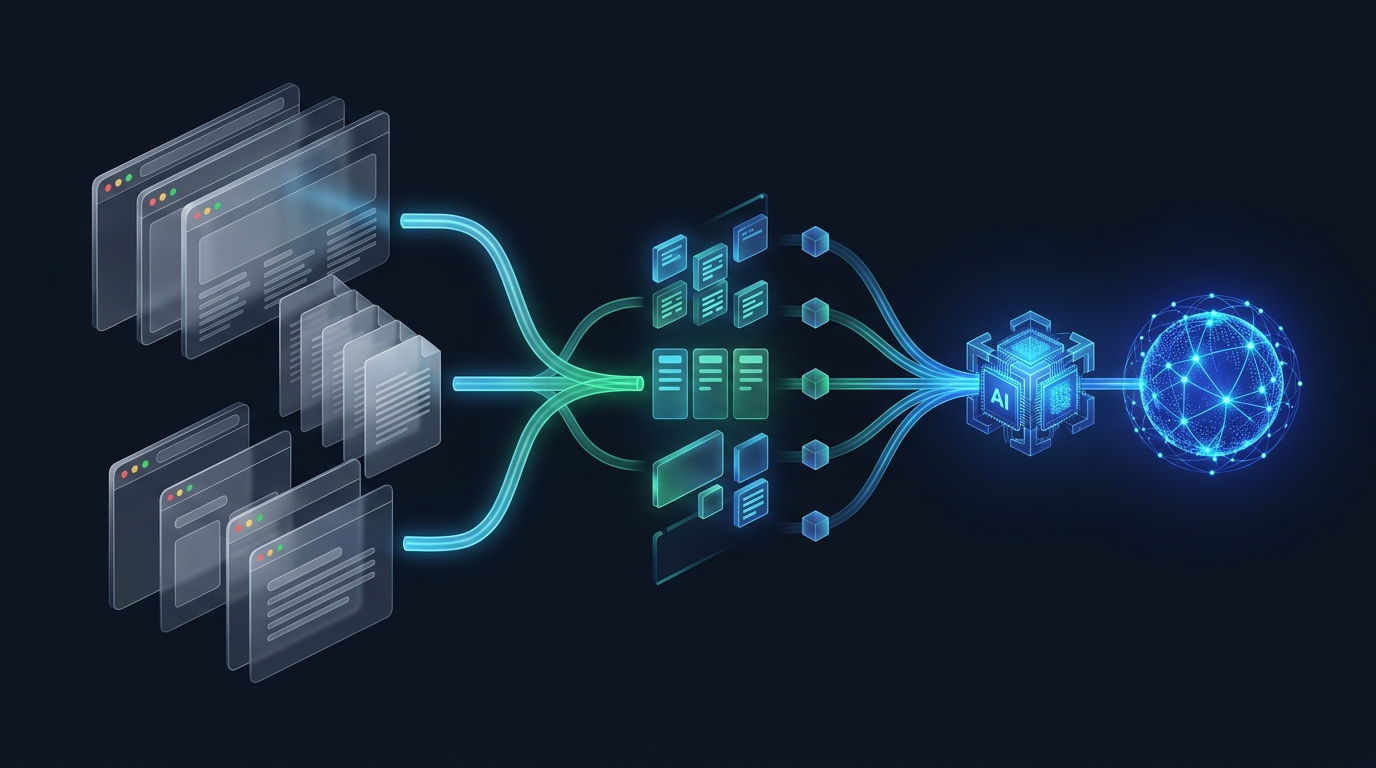
GcrawlAI is an open-source (MIT) web scraping API. You send a URL. It covers every job in the diagram above:
- Fetch: requests go out through rotating proxies, with a geo setting when you need results from a specific country.
- Render: pages load in a real browser when they need JavaScript, with optional auto-scroll for infinite feeds and lazy-loaded content.
- Parse: you get clean Markdown, cleaned HTML, SEO metadata, image lists, links or a screenshot back, so there are no selectors to maintain for common jobs.
- Orchestrate:
scrapefor one URL,batchfor a list,crawlto discover and follow links across a site, andlinksto map a site before you crawl it. Jobs are queued and you poll for the result. - Unblock: stealth browsers and behavioural middleware handle bot checks, escalating to heavier browsers only when a site pushes back.
So you can use it two ways: as the whole pipeline when you don't want to run any scraping infrastructure, or as a drop-in fetch layer under the framework you already use.
Install the SDK:
pip install gcrawl-sdkThen scrape a page:
from gcrawl_sdk import GcrawlClient, ScrapeOptions

client = GcrawlClient(api_key="gc-YOUR_API_KEY")

result = client.scrape(
    url="https://books.toscrape.com/",
    options=ScrapeOptions(markdown_enabled=True),
    wait=True,  # the SDK polls the job until it finishes
)

print(result.markdown)
Prefer plain HTTP? It's one POST request, so it works from any language:
curl -X POST "https://gcrawlai.com/gc/api/v1/scrape" \
  -H "X-API-Key: gc-YOUR_API_KEY" \
  -H "Content-Type: application/json" \
  -d '{
    "url": "https://books.toscrape.com/",
    "markdown": {"enabled": true, "clean": true}
  }'
The API answers with a job ID that you poll for the result. The SDK's wait=True does that polling for you.
And here's the orchestration side. Give it a start URL and a page limit, and GcrawlAI finds the links, queues the pages and returns each one as Markdown. No spider class, no queue, no proxy pool:
from gcrawl_sdk import GcrawlClient
client = GcrawlClient(api_key="gc-YOUR_API_KEY")

# Give it a start URL; GcrawlAI discovers, queues and fetches the pages
result = client.crawl(
    url="https://books.toscrape.com/",
    limit=50,                # stop after 50 pages
    formats=["markdown"],
    wait=True,
)

for page in result.pages:
    print(page.url, len(page.markdown or ""))
Already have a framework? Escalate only when blocked
If you already run Scrapy or Crawlee, you don't need to send every request through an API. Most pages on most sites are happy to serve plain HTTP. The setup we see work best is an escalation ladder: try the fast, free path first, and only hand the page to GcrawlAI when it fails or comes back without the content you expected.
import requests
from gcrawl_sdk import GcrawlClient, ScrapeOptions

BLOCKED = {401, 403, 429, 503}
gcrawl = GcrawlClient(api_key="gc-YOUR_API_KEY")

def get_page(url: str, must_contain: str) -> str:
    """Try the cheap path first. Escalate only when it fails."""
    try:
        r = requests.get(url, timeout=15, headers={"User-Agent": "Mozilla/5.0"})
        if r.status_code not in BLOCKED and must_contain in r.text:
            return r.text  # plain HTTP worked: fast and free
    except requests.RequestException:
        pass

    # Blocked, or the content needs JavaScript. Hand it to GcrawlAI,
    # which renders the page and handles proxies and anti-bot checks.
    result = gcrawl.scrape(url=url, options=ScrapeOptions(markdown_enabled=True), wait=True)
    return result.markdown

print(get_page("https://books.toscrape.com/", must_contain="product_pod")[:300])
The must_contain check is the important line. It catches the sneaky failures: block pages, cookie walls and empty JavaScript shells that return a 200 status code. You can drop the same function into a Scrapy middleware, a Crawlee handler or a plain script. If you're feeding the output to an LLM, the Markdown is already clean enough to chunk; our guide to web scraping for RAG covers the next steps.
Which Python web scraping framework should you use?
Work through these in order and stop at the first "yes":
- Would you rather not run scraping infrastructure at all, or is the site blocking you? GcrawlAI. It covers fetching, rendering, parsing, crawling and unblocking in one API. If you already have a framework, use it only for the pages that fail.
- Does the content only appear after JavaScript runs? One-off or a handful of pages: Playwright. A real crawl: Crawlee's
PlaywrightCrawleror Scrapling's dynamic fetchers. - Are you crawling more than about a thousand pages, or doing it repeatedly? Scrapy. Pick Scrapling instead if you already expect light bot protection.
- Do you need high concurrency in an existing async codebase? HTTPX + selectolax.
- None of the above? Requests + BeautifulSoup. It's the right default, and there's no shame in a 15-line script.
Mistakes we see all the time
- Starting with Selenium for a static site. If
view-source:shows your data, you don't need a browser. You're paying for a whole browser to download a page that Requests could fetch in a fraction of the time. - Trusting a 200 status code. Block pages and consent walls often return 200. Always check that the thing you came for is actually on the page.
- Writing your own crawl queue. The first version is easy. Then come retries, deduplication, resume-after-crash and per-domain limits, and you've rebuilt half of Scrapy, badly.
- Ignoring the site's own API. Open your browser's network tab before writing a scraper. Many "dynamic" sites load their data from a JSON endpoint you can call directly.
- Scraping without a plan for change. Selectors break when sites redesign. Log how many items each run extracts, and alert when that number drops.
Frequently asked questions
Is BeautifulSoup a framework?
No. BeautifulSoup is an HTML parsing library. It reads HTML you have already downloaded and helps you extract data from it. It doesn't fetch pages, follow links, retry failures or run JavaScript. Frameworks like Scrapy and Crawlee handle those jobs and can use a parser like BeautifulSoup inside them.
Is Scrapy better than BeautifulSoup?
They do different jobs, so neither is better in general. BeautifulSoup parses HTML. Scrapy is a complete crawling framework with its own scheduler, retries, throttling and export pipelines. Use BeautifulSoup for small scripts and Scrapy when you need to crawl many pages reliably.
Is Scrapy still worth learning in 2026?
Yes. Scrapy 2.19 is actively maintained and remains the most complete framework for large, repeatable crawls. Its middleware, item pipelines and AutoThrottle save weeks of engineering on big projects. For small scripts or JavaScript-heavy targets, other tools fit better.
Which Python framework can scrape JavaScript websites?
Playwright and Selenium render JavaScript by driving a real browser. For crawling many JavaScript pages, Crawlee for Python (with its Playwright crawler) and Scrapling (with its dynamic and stealth fetchers) add queueing and retries around the browser. Scrapy needs the scrapy-playwright plugin. GcrawlAI renders JavaScript in managed browsers and can crawl whole sites, so you don't run browsers locally at all.
What is the difference between Scrapy and Crawlee?
Scrapy is a mature framework built around fast HTTP crawling, with JavaScript rendering added through plugins. Crawlee for Python is a newer, async framework that treats HTTP crawling and browser crawling as equals, sharing one request queue, retry system and storage. Choose Scrapy for large static crawls and Crawlee for mixed static and dynamic targets.
When should I use a scraping API instead of a Python framework?
Use a scraping API when getting blocked is the main problem (proxies, CAPTCHAs, browser fingerprinting and rate limits) or when you don't want to run scraping infrastructure at all. A framework organizes your crawl but doesn't make a protected site let you in. GcrawlAI covers all five jobs, fetching, rendering, parsing, crawling and unblocking, so you can use it as the whole pipeline or only for the pages your framework can't get.