By Rajesh Kannan, Co-Founder & CTO, Gramosoft · Last updated: · Prices and crawl features checked on each vendor's own pages on November 14, 2026
A RAG pipeline is only as good as the pages you put into it, and most of those pages sit three or four clicks deep on someone's docs site, help center or blog. A web crawling API follows those links for you, renders each page and hands back Markdown or JSON you can chunk and embed. This guide compares the 10 crawling APIs worth shortlisting in 2026, starting with GcrawlAI, with prices checked on vendor pages, a cost script for 10,000 to 1,000,000 pages a month and a working crawl-to-JSON script.
TL;DR
- Best overall for RAG: GcrawlAI. Every crawled page is one request with a real browser, residential proxy and stealth included, failed pages are never charged, and you get a Cloud API, a Python SDK, MCP for agents and an MIT core you can self-host.
- Cheapest at 100,000 pages a month, on list prices: ScrapeGraphAI ($85), then Firecrawl and Olostep ($99). GcrawlAI is $101. Spider's usage billing is lower still on its own estimate.
- Schema JSON costs extra almost everywhere: Firecrawl's JSON format adds 4 credits a page, Cloudflare's JSON runs on Workers AI, ScrapeGraphAI's Extract is 5 credits.
- Need only the URL list first? GcrawlAI, Firecrawl, Tavily, Olostep and Bright Data export a site map from sitemaps and links before you crawl; the map script below writes it to sitemap.xml.
- Re-crawls are where bills grow. Hash every page and re-embed only what changed; the script below does it.
What is the best recursive crawling API for RAG in 2026? GcrawlAI, for most RAG teams: it crawls a whole site through a real browser and residential proxies, returns Markdown plus page metadata, charges one request per page with failed pages free, and connects through a Python SDK, MCP or a self-hosted MIT core. Firecrawl, ScrapeGraphAI and Olostep cost slightly less on unprotected sites.
Quick comparison (details and sources for each API follow)
| API | Type | Recursive crawl | Markdown | Schema JSON | Billing unit | Free plan |
|---|---|---|---|---|---|---|
| GcrawlAI | Cloud API, SDK, MCP, MIT core | Yes, sitemap + links | Yes | Via your LLM or extractors | Request (1 per page) | 50 requests/month, no card |
| Firecrawl | Cloud API, AGPL core | Yes | Yes | +4 credits/page | Credit | 1,000 credits/month |
| Crawl4AI | Open-source library + Cloud | Yes (deep crawl) | Yes | CSS or LLM strategies | Cloud credit (0.1 to 2 per page) | Library free; Cloud 1,000 credits/month |
| Spider | Cloud API | Yes | Yes | AI add-ons | Bandwidth + compute | Keyless playground |
| Tavily Crawl | Cloud API | Yes, with instructions | Yes | No | Credit (map + extract) | 1,000 credits/month |
| Apify Website Content Crawler | Actor on a platform | Yes | Yes | No | Compute units | Monthly platform credit |
| Cloudflare /crawl | Browser Rendering endpoint (beta) | Yes | Yes | Via Workers AI | Browser hours | 10 min/day on Workers Free |
| Olostep | Cloud API | Yes | Yes | Separate endpoint | Request (1 per page) | 500 requests |
| ScrapeGraphAI | Cloud API | Yes | Yes | Extract, 5 credits | Credit | 500 credits |
| Bright Data Crawl API | Cloud API (async) | Yes | Yes | ld_json output | Record (1 per page) | Free trial |
The 10 best web crawling APIs for RAG in 2026
These are the crawling APIs that take one start URL, discover the rest of the site and return content an LLM can use, ranked for RAG work: output quality, scope controls, how pages that block bots are handled, and what the bill looks like when you re-crawl every week. GcrawlAI comes first; the others follow by fit.
1. GcrawlAI: one request per crawled page, browser and proxies included
Best for: RAG pipelines and AI agents that crawl docs, help centers and JavaScript or bot-protected sites · License: MIT core, managed Cloud API · Language: Python SDK (gcrawl-sdk 0.5.9), REST, MCP
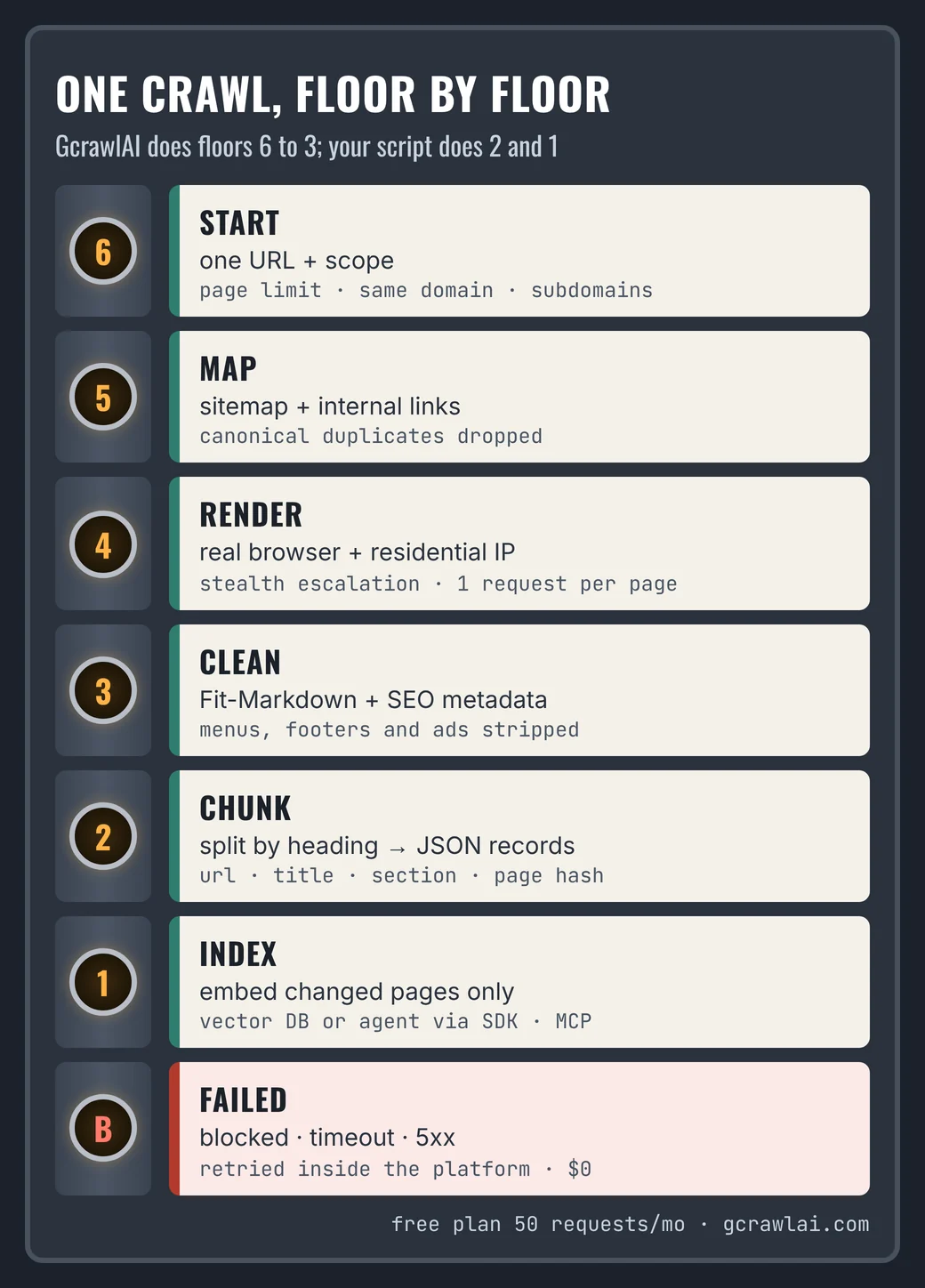
GcrawlAI is a crawling, scraping and Search API for AI data work. A crawl starts by mapping the site from its sitemap and internal links, then loads every page in a stealth browser through residential IPs and returns clean Markdown, with SEO metadata alongside when you ask for it. Nothing is fetched with plain HTTP, so pages that need JavaScript or check for bots come back filled in. Each page costs one request whatever it needed.
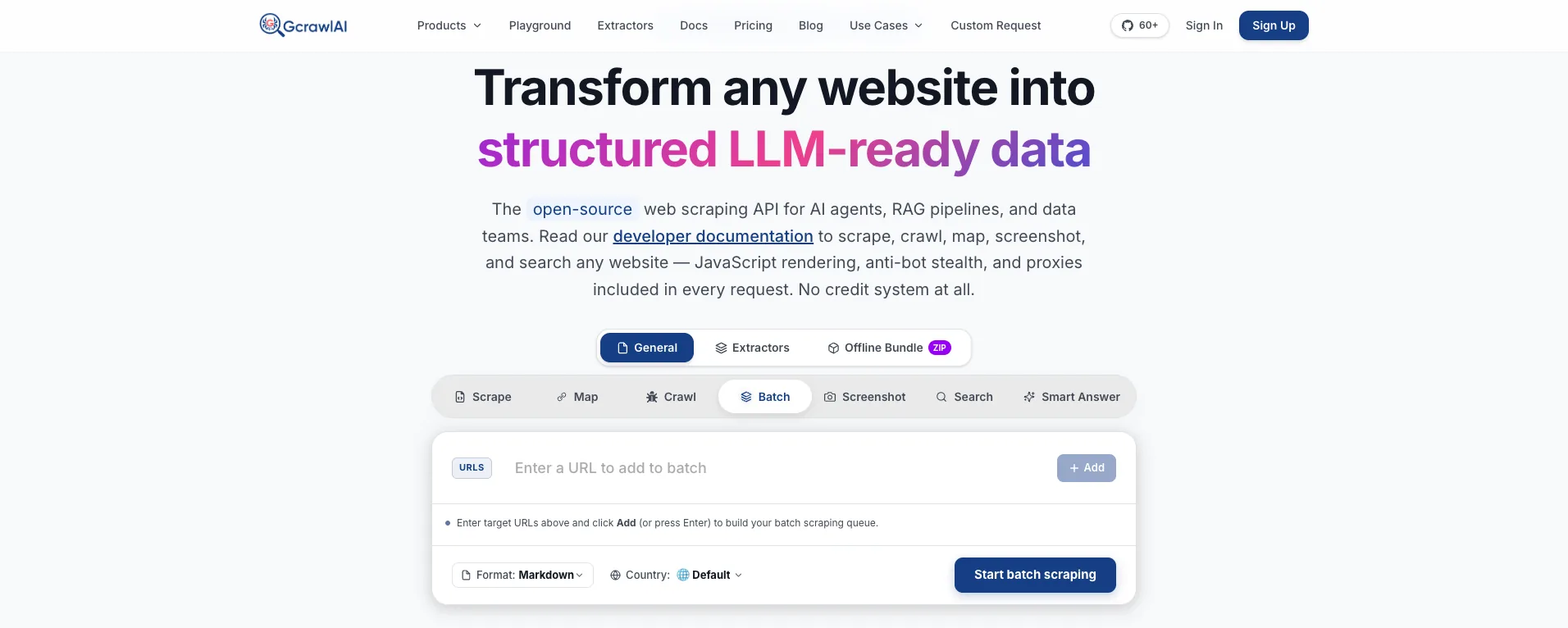
- Map, crawl and scrape: map and export a site's URLs first, crawl with page limits, same-domain and subdomain controls and canonical-URL duplicate removal, or scrape single pages.
- Markdown built for retrieval: Fit-Markdown with menus, footers and ads stripped, plus HTML, SEO metadata, screenshots and offline HTML bundles from the same crawl.
- Access included: real browser, rotating residential proxies with country targeting and stealth escalation in every request, no credit multipliers.
- Async jobs with webhooks: large crawls and batches run in the background and report back when they finish.
- Agents and search: an MCP server, the Search API and Deep Search, which merges several engines into one ranked list, on the same key.
- Try it first: the Playground runs a crawl without code; the docs cover every endpoint.
This script crawls a docs site, splits every page by heading into chunks and writes JSON records with the URL, title, section and a content hash. On the next run it skips pages whose hash hasn't changed, so you only re-embed what moved.
crawl_to_rag.py
# pip install gcrawl-sdk
"""Recursive crawl -> Markdown -> JSON records for RAG, with GcrawlAI.
Each crawled page is one request (real browser, residential proxy and stealth included).
Failed pages are never charged. Pages whose content hasn't changed since the last run are skipped."""
import hashlib
import json
import os
import re
from datetime import datetime, timezone
from pathlib import Path

from gcrawl_sdk import GcrawlClient

client = GcrawlClient(api_key=os.getenv("GCRAWL_API_KEY", "gc-YOUR_API_KEY"))  # base_url="http://localhost:8000" if self-hosted
OUT, SEEN = Path("chunks.jsonl"), Path("seen_hashes.json")
MAX_CHARS = 1200


def chunks(markdown: str):
    """Split on ## / ### headings, then pack paragraphs into chunks of up to MAX_CHARS."""
    section = ""
    for block in re.split(r"\n(?=#{2,3} )", markdown):
        heading = re.match(r"#{2,3} (.+)", block)
        section = heading.group(1).strip() if heading else section
        buf = ""
        for para in block.split("\n\n"):
            if buf and len(buf) + len(para) > MAX_CHARS:
                yield section, buf.strip()
                buf = ""
            buf += para + "\n\n"
        if buf.strip():
            yield section, buf.strip()


def crawl_to_jsonl(start_url: str, limit: int = 200, geo: str = "US"):
    seen = json.loads(SEEN.read_text()) if SEEN.exists() else {}
    job = client.crawl(url=start_url, limit=limit, formats=["markdown", "seo"], geo=geo, wait=True)
    now = datetime.now(timezone.utc).isoformat(timespec="seconds")
    written = skipped = 0
    with OUT.open("a", encoding="utf-8") as f:
        for page in job.pages:
            md = page.markdown or ""
            page_hash = hashlib.sha256(md.encode()).hexdigest()
            if not md or seen.get(page.url) == page_hash:
                skipped += 1                       # empty or unchanged since the last run: nothing to re-embed
                continue
            title = (page.seo_json or {}).get("title", "")
            for i, (section, text) in enumerate(chunks(md)):
                f.write(json.dumps({
                    "id": hashlib.sha1(f"{page.url}#{i}".encode()).hexdigest()[:16],
                    "url": page.url, "title": title, "section": section,
                    "text": text, "page_hash": page_hash, "crawled_at": now,
                }, ensure_ascii=False) + "\n")
                written += 1
            seen[page.url] = page_hash
    SEEN.write_text(json.dumps(seen, indent=1))
    print(f"{job.status}: {len(job.pages)} pages, {job.pages_failed or 0} failed (not billed), "
          f"{written} chunks written, {skipped} skipped (unchanged or empty)")


if __name__ == "__main__":
    crawl_to_jsonl("https://docs.example.com/", limit=200)
The offline check below runs that script, and the map script further down, against the real SDK with the network stubbed: a site map export, two crawls of three pages, one failed page that isn't billed, and a second run that writes records only for the page that changed. It checks the logic, not a live crawl.
demo_output.txt (printed output)
3 URLs exported to sitemap.xml and urls.txt
3 URLs in sitemap.xml
completed: 3 pages, 1 failed (not billed), 6 chunks written, 1 skipped (unchanged or empty)
completed: 3 pages, 1 failed (not billed), 4 chunks written, 2 skipped (unchanged or empty)
HTTP calls: [('POST', '/api/v1/links', 500, True), ('GET', '/crawler/results/m1'), ('POST', '/api/v1/crawl', 50, 'US', True, True), ('GET', '/crawler/results/c1'), ('POST', '/api/v1/crawl', 50, 'US', True, True), ('GET', '/crawler/results/c1')]
10 JSON records; first: {'url': 'https://docs.example.com/', 'title': 'Acme Docs', 'section': '', 'text': '# Docs\n\nWelcome.'}
Pricing: a free plan of 50 requests a month with no card, paid plans from $0.67 to $1.45 per 1,000 requests, and a self-hosted open-source core that costs nothing. One crawled page is one request, and failed pages are never charged. Full plan table in the cost section.
Where it falls short: there's no plain-English extraction parameter, so schema JSON comes from your own LLM over the Markdown, from GcrawlAI's ready-made extractors, or from your own selectors. A re-crawl still fetches every page in scope; the hash check saves embedding work, not crawl requests. The ecosystem is younger, with fewer ready-made framework integrations, and self-hosting means bringing your own proxy accounts.
"Most RAG teams I talk to don't lose quality at the embedding step. They lose it at the crawl, when a third of the docs come back as a cookie banner or a loading spinner. We made every crawled page a real browser visit for exactly that reason."
Rajesh Kannan, Co-Founder & CTO at Gramosoft
2. Firecrawl: the best-known crawl-to-Markdown API
Best for: teams that want a mature crawl API with many SDKs and framework loaders · Type: Cloud API, open-source core (AGPL-3.0)
Firecrawl's crawl endpoint follows links from a start URL and returns each page as Markdown, HTML or JSON, with a separate map endpoint for URL discovery. It has official SDKs in several languages and loaders for LangChain and LlamaIndex, which is why it's the default many RAG tutorials reach for.
Pricing: crawl costs 1 credit a page and the JSON format adds 4 credits a page, per its pricing page and billing docs.
| Plan | Monthly | Billed yearly | Credits/month | Rollover |
|---|---|---|---|---|
| Free | $0 | - | 1,000 | No |
| Hobby | $19 | $16/month | 5,000 | No |
| Standard | $99 | $83/month | 100,000 | No |
| Growth | $399 | $333/month | 500,000 | No |
| Scale | $749 | $599/month | 1,000,000 | One month |
Where it falls short: structured JSON makes every page cost 5 credits, so 100,000 JSON pages need the $399 Growth plan. Credits don't roll over below Scale, and the self-hosted core is AGPL-3.0, which matters if you ship it inside a product.
3. Crawl4AI: open-source deep crawling in Python, now with a Cloud
Best for: Python teams that want to run the crawler themselves · Type: open-source library (version 0.9.5 on PyPI, October 2026) plus a hosted Cloud
Crawl4AI is a Python library that renders pages with Playwright and turns them into Markdown, with a filtered "fit" Markdown that drops boilerplate and deep-crawl strategies for following links across a site. Structured data comes from CSS rules or an LLM you configure. The project now also runs Crawl4AI Cloud, a hosted API with an MCP endpoint.
Pricing: the library is free. The Cloud gives 1,000 free credits a month and bills 0.1 credit for a plain page, 0.5 for a real-browser page and 2 for a hard site; its site crawl endpoint covers 100 pages by default and up to 10,000 URLs a job. The page lists extra credits from $0.67 to $1 per 1,000 but didn't show plan prices when we checked, so it isn't in the cost script.
Where it falls short: self-hosted, you run the browsers, queue, retries and proxies yourself, and anti-bot handling is only as good as the proxies you bring. On the Cloud, a protected page costs 20 times a plain one.
4. Spider: usage-based crawling, cheapest on paper
Best for: very large crawls of lightweight pages where cost per page matters most · Type: managed Rust crawler, pay as you go
Spider's crawl endpoint takes a start URL and a limit, follows links and returns every page in one response, in Markdown and other formats, with HTTP, smart and browser request modes.
Pricing: no per-page price. Its pricing guide bills $1 per GB of bandwidth plus compute at one credit ($0.0001) a minute, credits never expire, and it estimates a 1,000,000-page RAG crawl in Chrome mode with Markdown at about $80 to $160 a month.
Where it falls short: the bill depends on page weight and render time, so you only know it after the crawl. The guide also says a blocked or empty page still pays a small minimum, so check how many of your pages come back blocked before you rely on the estimate.
5. Tavily Crawl: crawling steered by instructions
Best for: agents that already use Tavily search and need part of a site · Type: Cloud API
Tavily's crawl endpoint walks a site in parallel from a root URL, with depth and page limits, path filters and an optional plain-English instruction that steers which pages it keeps. It returns extracted content, Markdown included.
Pricing: per its credit docs, a crawl costs the map plus the extract: 1 credit per 10 pages mapped (2 with instructions) and 1 credit per 5 pages extracted (2 on advanced), with failed extractions free. That's 0.3 credits a page on basic settings. Plans run from 1,000 free credits a month to $500 for 100,000, and pay as you go is $0.008 a credit.
Where it falls short: it gets expensive at volume ($220 for 100,000 pages in our script), there's no schema JSON output, and instructions or advanced extraction double parts of the cost.
6. Apify Website Content Crawler: the crawler with the most knobs
Best for: teams already on Apify that want fine control over how a crawl renders and cleans pages · Type: Actor on the Apify platform
Website Content Crawler is Apify's own Actor for crawling a site into Markdown, text or HTML for LLMs, with a choice of HTTP or headless-browser crawling, URL scoping and cleaning options. Runs land in Apify datasets you can export or pull through the API.
Pricing: the Actor is billed in Apify platform compute units rather than per page, so cost depends on how heavy the site is. Apify's pricing page didn't load for us on November 14, 2026; check apify.com/pricing for current plans.
Where it falls short: you can't price a crawl per page before it runs, and there's a platform to learn: Actors, runs, datasets and proxy groups.
7. Cloudflare /crawl: a crawl endpoint in Browser Rendering
Best for: teams on Cloudflare Workers crawling sites that allow it · Type: Browser Rendering REST endpoint, open beta since March 2026
One POST starts an asynchronous crawl job: set a page limit (up to 100,000), depth, whether URLs come from sitemaps, links or both, and HTML, Markdown or JSON output. You poll the job ID or subscribe to queue events, and results stay available for 14 days.
Pricing: crawls that render run on browser hours: 10 hours a month on Workers Paid, then $0.09 an hour, per Cloudflare's pricing page. Crawls with rendering off are unbilled during the beta. JSON output uses Workers AI, which bills separately. The Workers Free plan allows 10 browser minutes a day, five crawl jobs a day and 100 pages a crawl.
Where it falls short: it respects robots.txt and Content Signals and doesn't get past CAPTCHAs or Turnstile, so protected sites stop it. It's still in beta.
8. Olostep: per-page pricing that falls with volume
Best for: high-volume crawls on a flat per-page budget · Type: Cloud API
Olostep's crawl endpoint discovers subpages under include and exclude rules and returns a list of pages; you then pull each page's Markdown or HTML with its retrieve ID. A 50-page crawl counts as 50 requests, and only successfully processed pages are billed.
Pricing: per its pricing page, 500 free requests, then $9 for 5,000, $99 for 200,000, $399 for 1,000,000 and $1,100 for 3,000,000 a month, with JavaScript rendering and residential IPs from Starter up. Top-up packs last six months.
Where it falls short: crawling is two steps (crawl, then retrieve each page), and the pricing page doesn't say whether structured extraction costs extra.
9. ScrapeGraphAI: the cheapest Markdown crawl at mid volume
Best for: mid-size Markdown crawls plus LLM extraction on a budget · Type: Cloud API
ScrapeGraphAI crawls a site and scrapes each page to Markdown, and its Extract service pulls structured JSON with an LLM from a prompt or schema.
Pricing: per its pricing docs, 500 free credits, then $17 for 10,000, $85 for 100,000 and $425 for 750,000 credits a month. A Markdown page is 1 credit, Extract is 5, and a crawl adds 2 credits a job. Failed requests aren't charged.
Where it falls short: no published overage, so above 750,000 pages a month you're on a custom plan, and the docs don't list a separate price for extraction during a crawl.
10. Bright Data Crawl API: enterprise crawling as a dataset job
Best for: large one-off domain crawls delivered to storage · Type: asynchronous Cloud API
You trigger a crawl job for a root URL and receive the site's pages as Markdown, text, HTML or JSON, including ld_json, delivered as data files. Bright Data's docs now call it the Fetch API (formerly Crawl API).
Pricing: $1.50 per 1,000 records pay as you go, or a $499 monthly Growth plan listed at $1.30 per 1,000 (shown at $0.98 with a 25% discount when we checked), per its pricing page.
Where it falls short: it's a batch job rather than an interactive call, and it costs more per page than the API-first crawlers below 1,000,000 pages.
How a recursive crawl turns a site into RAG-ready Markdown and JSON
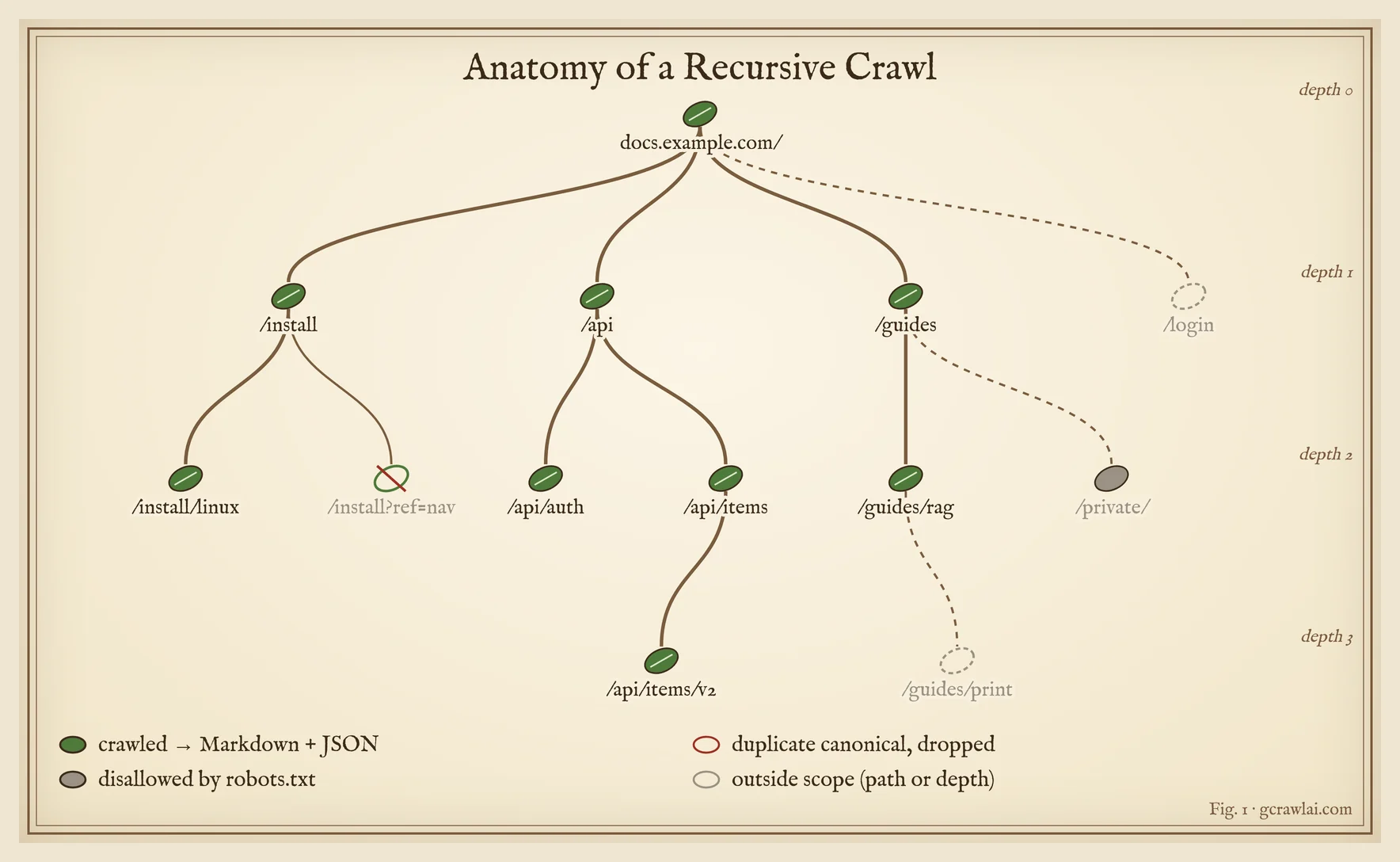
A recursive crawl starts from one URL, finds every page in scope through the sitemap and the links on each page, renders and cleans each one, then splits it into chunks with metadata. Scope rules decide what gets in, and content hashes decide what has to be embedded again on the next run.
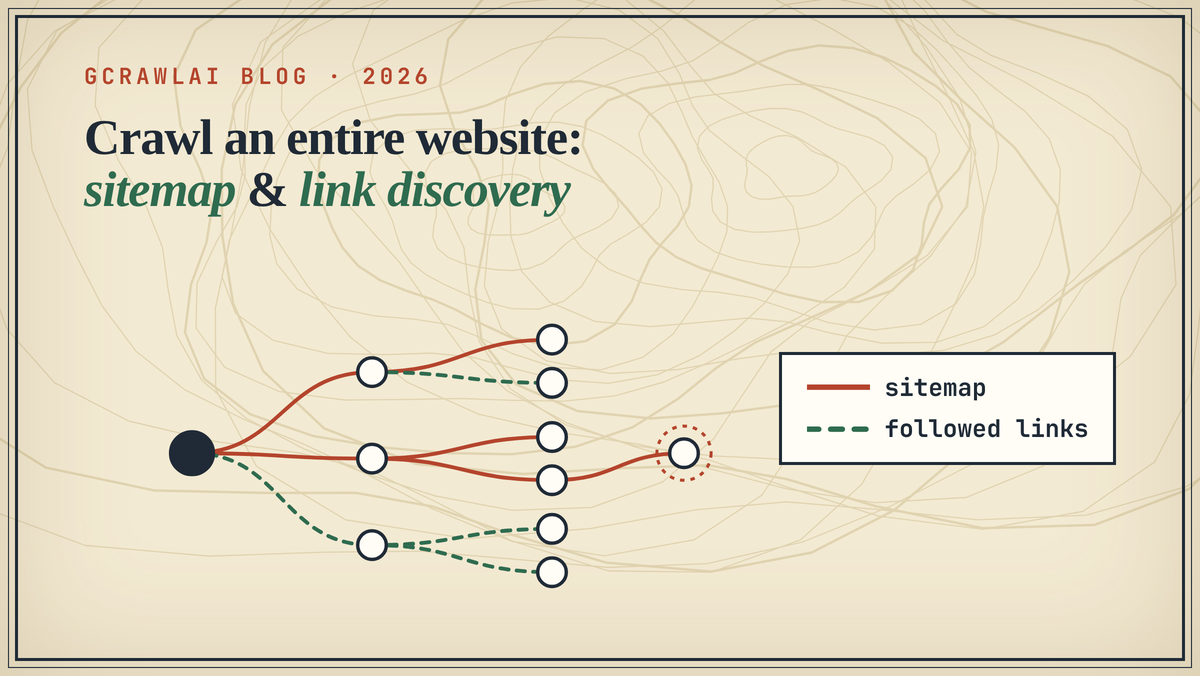
- Discover. Read the sitemap, then follow internal links breadth first. Sitemaps find pages nothing links to; links find pages the sitemap forgot. Our tutorial How to Crawl an Entire Website tests both methods on a 73-page site.
- Scope. Stay on one domain, set a page limit and a depth, include the docs path, exclude tag pages, login pages and query-string duplicates. Normalise URLs and drop pages whose canonical you've already seen.
- Render. Load each page in a real browser, so content built by JavaScript is there. On sites that check for bots, this is where plain crawlers come back with challenge pages.
- Clean. Keep the main content as Markdown: headings, lists, tables and code blocks survive, navigation and footers go.
- Chunk and label. Split by heading, attach URL, title, section and crawl date to every chunk, and store a hash of the page.
- Refresh. On the next crawl, compare hashes and re-embed only changed pages. Delete chunks for pages that returned 404, not pages that merely failed this time.
Crawling APIs that export a site map before you crawl
Several crawl APIs return a site's full URL list without fetching every page, which is the cheapest way to size a RAG crawl, pick the sections worth indexing and spot orphan pages. GcrawlAI, Firecrawl, Tavily, Olostep and Bright Data document a map step; Cloudflare reads sitemaps inside its crawl.
| API | Map or URL discovery | What it returns | Cost |
|---|---|---|---|
| GcrawlAI | Map (links) endpoint | Every URL from robots.txt sitemaps, sitemap indexes and internal links, with duplicates and asset URLs dropped | One request per map call |
| Firecrawl | Map endpoint | The site's URLs | 1 credit per call |
| Tavily | Map endpoint | Site structure, optionally steered by instructions | 1 credit per 10 pages (2 with instructions) |
| Olostep | Maps endpoint | All URLs on a site, paginated with a cursor | Per request |
| Bright Data Crawl API | Site mapping | Site structure in one request | Per record |
| Cloudflare /crawl | Inside the crawl job (source: sitemaps, links or all) | Crawled pages, not a separate URL list | Browser hours |
This script maps a site with GcrawlAI and writes the URLs to a standard sitemap.xml and a plain urls.txt, filtered to one section. Feed the list to your own scheduler, compare it with last week's to find new pages, or crawl only the section you need with the script above. The offline check above runs it too.
map_to_sitemap.py
# pip install gcrawl-sdk
"""Map a site with GcrawlAI and export its URLs as sitemap.xml and urls.txt, before (or instead of) a full crawl.
GcrawlAI reads robots.txt sitemap lines, sitemap indexes and internal links, and drops asset and duplicate URLs.
One map call is one request."""
import os
from xml.sax.saxutils import escape

from gcrawl_sdk import GcrawlClient

client = GcrawlClient(api_key=os.getenv("GCRAWL_API_KEY", "gc-YOUR_API_KEY"))  # base_url="http://localhost:8000" if self-hosted


def export_sitemap(start_url: str, limit: int = 5000, geo: str = "US", prefix: str = ""):
    result = client.links(url=start_url, limit=limit, same_domain_only=True, include_subdomains=False, geo=geo, wait=True)
    urls = sorted({(u.get("url") if isinstance(u, dict) else u) for u in (result.links or [])} - {None})
    urls = [u for u in urls if u.startswith(prefix or start_url)]       # e.g. keep only /docs/ for a RAG index
    with open("sitemap.xml", "w", encoding="utf-8") as f:
        f.write('<?xml version="1.0" encoding="UTF-8"?>\n<urlset xmlns="http://www.sitemaps.org/schemas/sitemap/0.9">\n')
        f.writelines(f"  <url><loc>{escape(u)}</loc></url>\n" for u in urls)
        f.write("</urlset>\n")
    with open("urls.txt", "w", encoding="utf-8") as f:
        f.write("\n".join(urls) + "\n")
    print(f"{len(urls)} URLs exported to sitemap.xml and urls.txt")
    return urls


if __name__ == "__main__":
    export_sitemap("https://docs.example.com/", prefix="https://docs.example.com/")
Markdown or JSON: which output does your RAG pipeline need?
Most RAG pipelines want both: Markdown for the text you embed, and JSON for the metadata around it. Schema JSON, where an LLM fills fields you define, is a third thing, and it's the part that usually costs extra. Pick the output by what retrieval needs to filter on, not by what the API happens to return.
| Output | What it is | Use it for | Cost on the APIs above |
|---|---|---|---|
| Markdown | The page's main content with structure kept | Chunking and embedding | Base price everywhere; GcrawlAI one request a page |
| JSON records | Chunks with URL, title, section, date and hash | Citations, filters, refresh | Free: you build them from Markdown and metadata, as the script above does |
| Schema JSON | Fields an LLM extracts to a schema (price, author, version) | Product data, structured answers | Firecrawl +4 credits a page; ScrapeGraphAI Extract 5 credits; Cloudflare via Workers AI; GcrawlAI through your own LLM or extractors |
If you need structured fields from a few page types, our guide to extracting structured data shows the selector route, which costs nothing per page once written.
What crawling 10,000, 100,000 and 1,000,000 pages costs
On list prices, GcrawlAI is not the cheapest way to crawl unprotected pages to Markdown. ScrapeGraphAI, Firecrawl and Olostep cost less at 100,000 pages a month, and Spider's own estimate is far lower. GcrawlAI's price holds on protected and JavaScript sites, where every page is still one request and failed pages are free.
The script finds the cheapest published way to buy each monthly volume in each vendor's own unit: plans with overage or top-up packs, pay as you go, or the vendor's usage estimate. It's list-price arithmetic, not a benchmark.
cost_crawl.py
"""What crawling 10K, 100K and 1M pages a month to Markdown costs on each crawl API, at list price.
For each vendor: the cheapest published way to buy that volume in the vendor's own unit
(plan + overage or top-up packs, pay as you go, or a usage-based estimate the vendor publishes).
Vendor pages checked Nov 14, 2026. List-price arithmetic, not a benchmark."""


def plan_cost(n, plans, topup=None):
    """plans: [(price, units_included, overage_per_unit or None)]; topup: per-unit pack price usable on any plan."""
    best = None
    for price, incl, over in plans:
        extra = max(0, n - incl)
        rate = over if over is not None else topup
        if extra and rate is None:
            continue
        cost = price + (extra * rate if extra else 0)
        best = cost if best is None else min(best, cost)
    return best


K = 1_000
VENDORS = {
    # GcrawlAI: 1 request per page, rendering + residential proxy + stealth included; overage per request
    "GcrawlAI": lambda n: plan_cost(n, [(29, 20 * K, 1.60 / K), (79, 80 * K, 1.10 / K),
                                        (199, 250 * K, 0.90 / K), (499, 750 * K, 0.75 / K)]),
    # Firecrawl, monthly billing: crawl 1 credit/page; extra credits sold in packs per plan
    "Firecrawl": lambda n: min(plan_cost(n, [(19, 5 * K, 5 / K)]), plan_cost(n, [(99, 100 * K, 2.5 / K)]),
                               plan_cost(n, [(399, 500 * K, 2 / K)]), plan_cost(n, [(749, 1000 * K, 1 / K)])),
    # Tavily: crawl = map (1 credit / 10 pages) + basic extract (1 credit / 5 pages) = 0.3 credits/page
    "Tavily Crawl": lambda n: plan_cost(0.3 * n, [(0, 1 * K, 0.008), (30, 4 * K, 0.008), (100, 15 * K, 0.008),
                                                  (220, 38 * K, 0.008), (500, 100 * K, 0.008)]),
    # Olostep: 1 request per crawled page; 6-month credit packs ($5 per 2,000) top up a plan
    "Olostep": lambda n: plan_cost(n, [(9, 5 * K, None), (99, 200 * K, None), (399, 1000 * K, None),
                                       (1100, 3000 * K, None)], topup=5 / 2000),
    # ScrapeGraphAI: crawl = 2 credits per job + 1 credit per Markdown page; no published overage
    "ScrapeGraphAI": lambda n: plan_cost(n, [(17, 10 * K, None), (85, 100 * K, None), (425, 750 * K, None)]),
    # Bright Data Crawl API: $1.50 per 1,000 records pay as you go; $499 Growth plan at $1.30 list
    "Bright Data Crawl API": lambda n: min(1.5 * n / K, max(499, 1.3 * n / K)),
}
# Spider bills bandwidth + compute, not pages; its pricing guide estimates ~$80-$160 for 1M pages
# in Chrome mode with Markdown. Scaled linearly here as a range, labelled as the vendor's estimate.
SPIDER = (0.08, 0.16)

if __name__ == "__main__":
    vols = [10 * K, 100 * K, 1000 * K]
    print(f"{'Crawl API (Markdown out)':26}{'10K pages':>12}{'100K pages':>13}{'1M pages':>12}   per 1K at 100K")
    rows = []
    for name, fn in VENDORS.items():
        costs = [fn(v) for v in vols]
        rows.append((costs[1] if costs[1] is not None else 1e9, name, costs))
    for _, name, costs in sorted(rows):
        cells = [f"${c:,.0f}" if c is not None else "custom" for c in costs]
        per = f"${costs[1] / 100:.2f}" if costs[1] is not None else "-"
        print(f"{name:26}{cells[0]:>12}{cells[1]:>13}{cells[2]:>12}   {per}")
    lo, hi = SPIDER
    print(f"{'Spider (vendor estimate)':26}" + "".join(f"{'$' + format(lo * v / K, ',.0f') + '-' + format(hi * v / K, ',.0f'):>12}" for v in vols)
          + f"   ${lo:.2f}-{hi:.2f}")
    print("JSON per page (schema extraction): Firecrawl adds 4 credits (5 per page), so 100K JSON pages = $399 (Growth).")
    print("GcrawlAI returns Markdown + SEO metadata as JSON records; schema extraction runs on your own LLM.")
    print("Not modelled: Apify (compute units), Crawl4AI Cloud (plan prices not shown), Cloudflare /crawl (browser hours).")
cost_crawl_output.txt (printed output)
Crawl API (Markdown out)     10K pages   100K pages    1M pages   per 1K at 100K
ScrapeGraphAI                      $17          $85      custom   $0.85
Firecrawl                          $44          $99        $749   $0.99
Olostep                            $22          $99        $399   $0.99
GcrawlAI                           $29         $101        $686   $1.01
Bright Data Crawl API              $15         $150      $1,300   $1.50
Tavily Crawl                       $16         $220      $2,100   $2.20
Spider (vendor estimate)          $1-2       $8-16     $80-160   $0.08-0.16
JSON per page (schema extraction): Firecrawl adds 4 credits (5 per page), so 100K JSON pages = $399 (Growth).
GcrawlAI returns Markdown + SEO metadata as JSON records; schema extraction runs on your own LLM.
Not modelled: Apify (compute units), Crawl4AI Cloud (plan prices not shown), Cloudflare /crawl (browser hours).
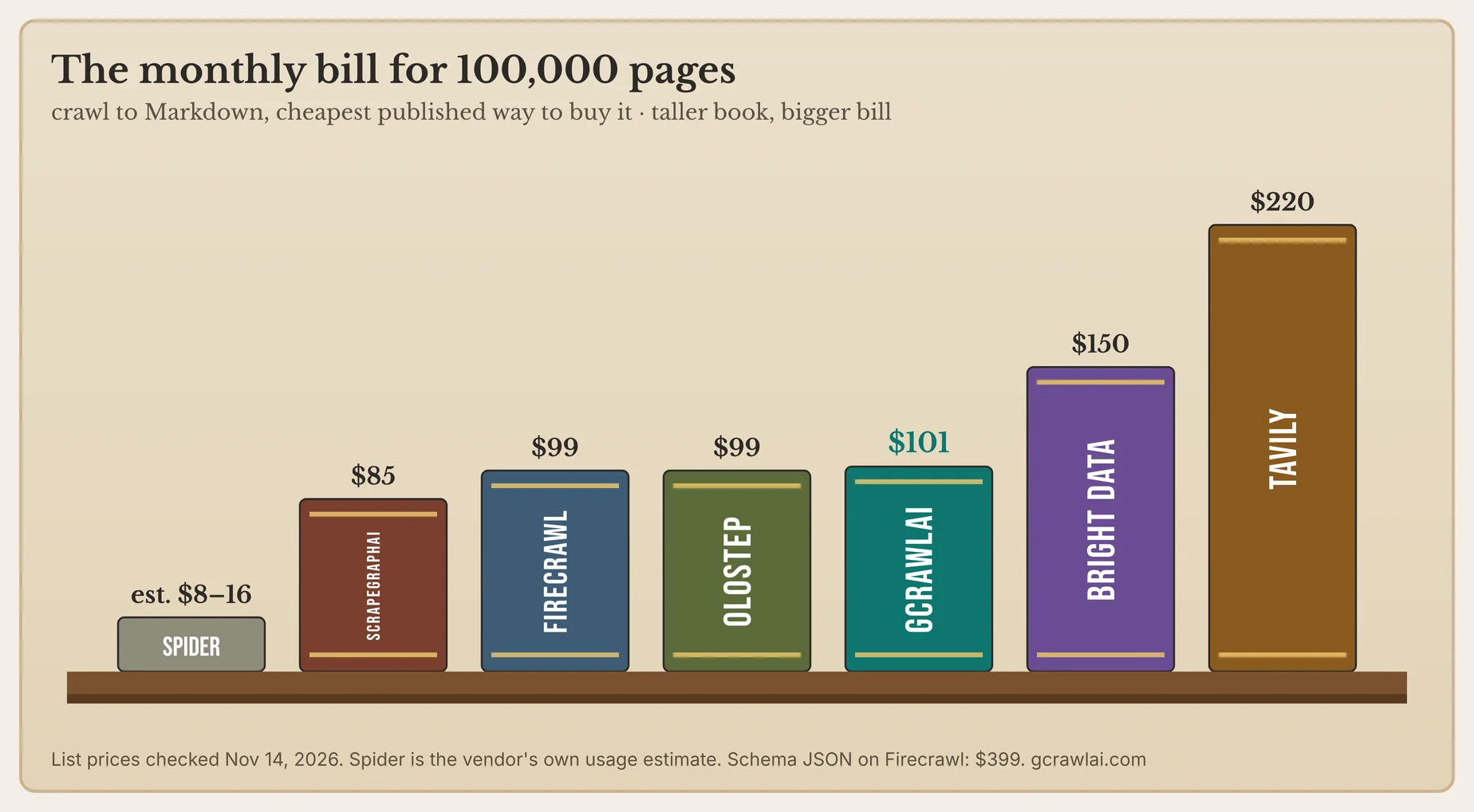
Three things move these numbers. Schema JSON multiplies Firecrawl's per-page price by five. Spider's usage billing rises with page weight and render time. And on sites that block bots, plain or HTTP-mode crawls return challenge pages you still have to re-run, which GcrawlAI doesn't bill. For the wider scraping market, see our list of the cheapest reliable scraping APIs.
GcrawlAI's plans, from gcrawlai.com/pricing:
| Plan | Price | Requests/month | Concurrent | Per 1,000 | Overage per 1,000 |
|---|---|---|---|---|---|
| Free | $0, no card | 50 | 2 | - | - |
| Starter | $29/month | 20,000 | 10 | $1.45 | $1.60 |
| Growth | $79/month | 80,000 | 35 | $0.99 | $1.10 |
| Pro | $199/month | 250,000 | 50 | $0.80 | $0.90 |
| Scale | $499/month | 750,000 | 100 | $0.67 | $0.75 |
| Enterprise | Volume pricing | 2M+ | Custom | - | - |
| Self-hosted | $0 (MIT) | Your servers | Your servers | Infrastructure only | - |
Annual billing charges 10 months for 12, unused requests on paid plans roll over once, and Indian customers are billed in INR with a GST invoice. Failed requests are never charged on any plan.
"If your crawl is 100,000 clean docs pages, pick the cheapest line in that table and you'll be fine. Our pricing earns its keep on the other kind of site, the one that answers a plain crawler with a challenge page. There, a failed page costs you nothing and a good one costs one request."
Rajesh Kannan, Co-Founder & CTO at Gramosoft
Which web crawling API should you choose?
Choose by the sites you crawl first, then by output and budget. If any of your sources block bots or build content with JavaScript, start with GcrawlAI. If they're clean static docs and price per page is all that matters, the cheaper rows in the cost table are worth a test.
| If you need… | Pick | Why |
|---|---|---|
| Docs and help centers into a RAG index | GcrawlAI | Sitemap + link discovery, Markdown and metadata, one request a page |
| Sites that block bots or need JavaScript | GcrawlAI | Real browser, residential IPs and stealth in every request; failed pages free |
| Weekly refresh of a large corpus | GcrawlAI with content hashes | Async crawls with webhooks; re-embed only changed pages |
| Agents that crawl on their own | GcrawlAI via MCP | Map, crawl, scrape and search as agent tools |
| Schema JSON from every page | GcrawlAI + your LLM, or Firecrawl JSON | Run extraction on the Markdown, or pay 5 credits a page |
| Data that must stay on your servers | GcrawlAI self-hosted | MIT core, no per-page fee |
| Lowest list price on unprotected pages | GcrawlAI for protected sources; ScrapeGraphAI, Olostep or Spider for the rest | Mix by source: cheap crawler on static docs, GcrawlAI where pages fight back |
| Already on Cloudflare Workers, sites that allow crawling | Cloudflare /crawl; GcrawlAI for protected sites | Browser hours you already pay for; it won't pass CAPTCHAs |
When to run your own crawler instead
Run your own crawler when the corpus is large, steady and yours to keep, or when compliance rules out a third-party API and you need a custom web crawler API of your own. The open-source route with browser, proxies and Markdown already built is the MIT-licensed GcrawlAI core, running the same crawl as the Cloud API.
The self-hosted core is a FastAPI service with Celery workers on Redis, PostgreSQL and a stealth Playwright layer. It maps the sitemap and links before crawling, drops duplicate canonicals and rotates residential proxies by country, using proxy accounts you supply. Point the SDK's base_url at your server (http://localhost:8000 by default) and the script above runs unchanged. The setup steps are in the code download and on GitHub, and our list of the best open-source web crawlers compares the self-hosted options in detail.
"Self-hosting is the right call once crawling becomes part of your platform rather than a feature of it. We kept the core MIT so teams can make that move without rewriting their pipeline."
Rajesh Kannan, Co-Founder & CTO at Gramosoft
Crawling responsibly: robots.txt, terms and what to leave out
Crawl only public pages you're allowed to collect, follow the site's robots.txt and terms, and keep request rates gentle. Leave out logins, paywalls and personal data. For your own docs or a partner's, ask for a sitemap or an export first, because it's faster and more complete than any crawl.
Some crawlers enforce this for you: Cloudflare's endpoint honors robots.txt, crawl-delay and Content Signals. With any API, set a page limit, exclude account and checkout paths, and record where every chunk came from so you can delete it on request. Our explainer What Is Web Scraping? How It Works, Uses & Legality covers the legal basics. This article isn't legal advice.
Frequently asked questions
Which crawling APIs export a site map?
Which crawl API converts whole websites into Markdown or JSON for RAG?
GcrawlAI for most teams, because every page goes through a real browser and residential proxies, the output is Markdown plus metadata, failed pages are free, and it connects through an SDK, MCP or a self-hosted MIT core. Firecrawl suits teams that want many SDKs; ScrapeGraphAI and Olostep cost less on unprotected sites.
Should I store crawled pages as Markdown or JSON?
Both. Embed the Markdown text, and keep each chunk as a JSON record with its URL, title, section, crawl date and a page hash. The JSON is what lets you cite sources, filter by section and re-embed only pages that changed.
How do I keep a RAG index fresh without re-embedding everything?
Hash each page's Markdown on every crawl and compare it with the last run. Re-embed changed pages, keep unchanged ones, and delete chunks only for pages that are really gone. The crawl itself still visits every page in scope.
Is GcrawlAI open source, and can I use it commercially?
Yes. The GcrawlAI core is MIT-licensed on GitHub, so you can self-host and use it commercially at no cost, bringing your own proxy accounts. The managed Cloud API adds hosted browsers and proxies, with 50 free requests a month and no card.
How much does crawling 100,000 pages a month cost?
On list prices checked November 14, 2026: about $85 on ScrapeGraphAI, $99 on Firecrawl or Olostep, $101 on GcrawlAI, $150 on Bright Data and $220 on Tavily. Spider estimates $8 to $16 on usage billing. Schema JSON raises Firecrawl to $399.
Can a crawling API get past Cloudflare and other bot checks?
Some can, on public pages. GcrawlAI loads every page in a real browser with residential IPs and stealth escalation, and doesn't bill pages that still fail. Cloudflare's own /crawl endpoint doesn't pass CAPTCHAs or Turnstile, and HTTP-mode crawlers usually return challenge pages.
Related guides
- How to Crawl an Entire Website: Sitemap and Link Discovery
- Web Scraping for RAG: The Complete Engineering Guide to Clean LLM Data Ingestion in 2026
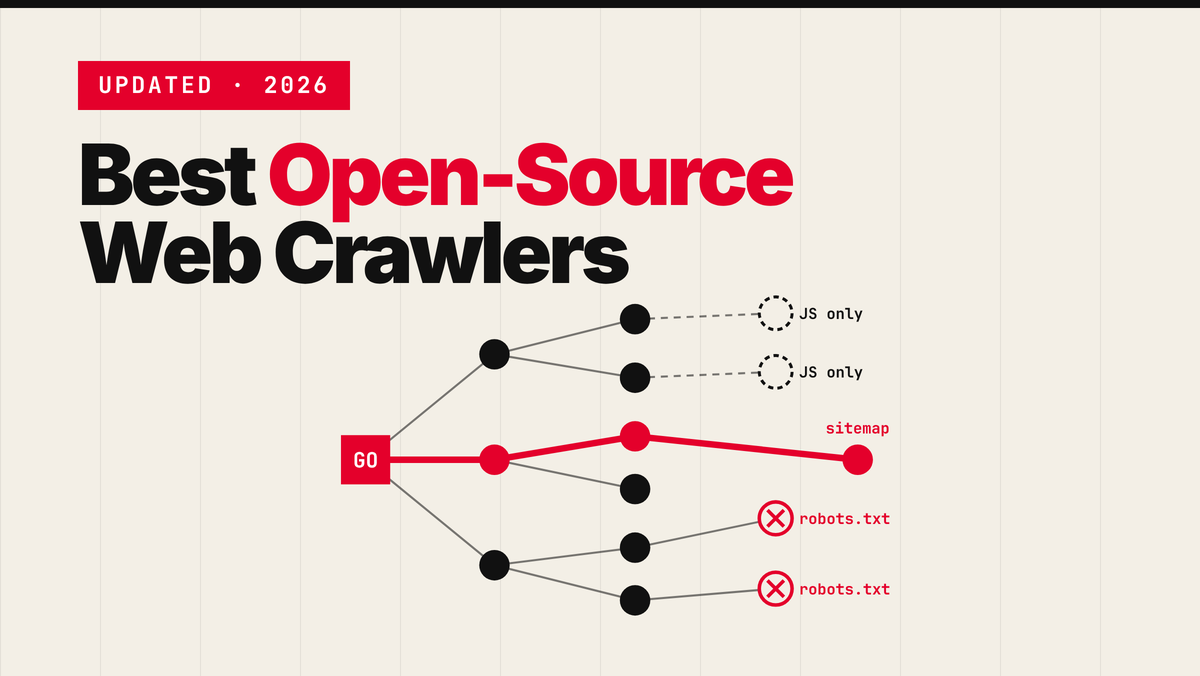
- Best Open-Source Web Crawlers in 2026 (Self-Hosted)
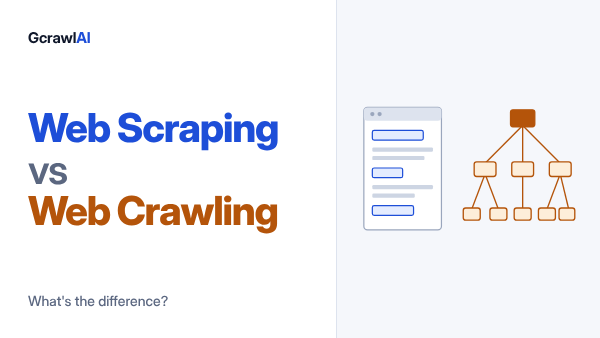
- Web Scraping vs Web Crawling: What's the Difference?
- Why Companies Are Switching from Firecrawl to GcrawlAI: The Hidden Cost of 5x Credit Multipliers
- Extract structured data from any website
- Model Context Protocol (MCP) Web Scraping: How to Connect AI Agents to the Live Web
- 9 Best Apify Alternatives in 2026: Scraping Without Compute Units
- 7 Best Tavily Alternatives for AI Agents in 2026
- 7 Cheapest Reliable Web Scraping APIs for High Volume in 2026
- What Is Web Scraping? How It Works, Uses & Legality