Web Scraping for RAG: The Complete Engineering Guide to Clean LLM Data Ingestion in 2026
In 2026, Retrieval-Augmented Generation (RAG) has become the backbone of enterprise artificial intelligence. Whether you are building autonomous AI agents, developer documentation assistants, competitive pricing engines, or internal knowledge copilots, your LLM is only as intelligent as the data retrieved from your vector database.
Yet, 90% of RAG pipeline failures trace back to a single fatal bottleneck: dirty, uncleaned web data ingestion.
When engineering teams point traditional scrapers (like BeautifulSoup, Scrapy, or Puppeteer) at live documentation, product catalogs, and news portals, they feed raw HTML into embedding models. The result? Cookie consent banners, navigation bars, tracking pixels, and CSS stylesheets pollute your vector embeddings, degrading retrieval accuracy and burning through LLM token budgets.
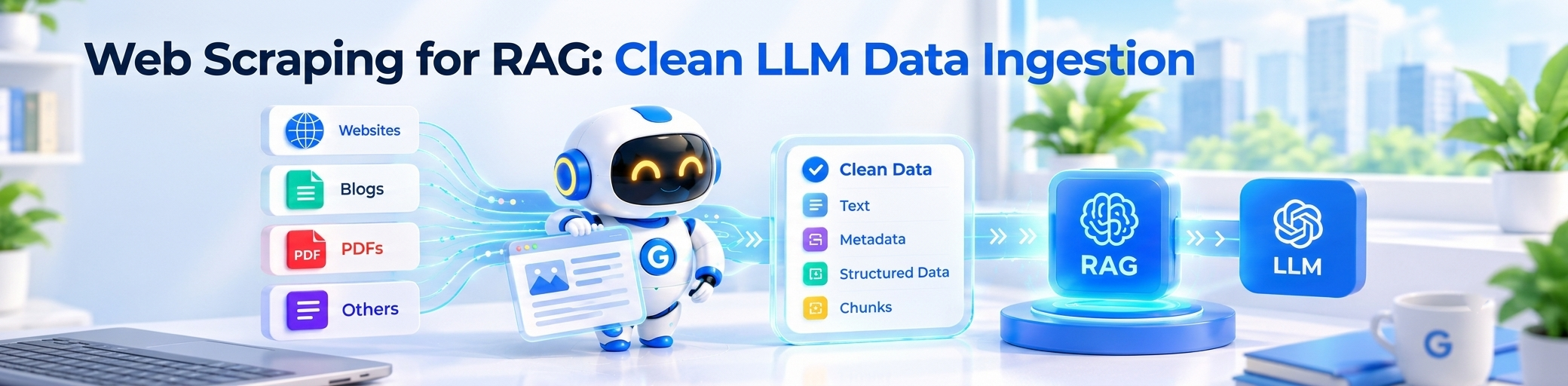
In this comprehensive engineering guide, we examine why traditional scraping fails for RAG, explore the anatomy of an enterprise-grade ingestion pipeline, and demonstrate how to use GcrawlAI to turn live, JavaScript-rendered websites into clean, token-optimized Markdown for vector databases.
The 4 Fatal Flaws of Traditional Web Scraping for RAG
Legacy web scraping tools were built for structured relational databases, not high-dimensional vector embeddings. In a RAG pipeline, traditional approaches run into four critical problems:
❌ 1. Boilerplate Vector Pollution
- Raw HTML extraction includes header navigations, footer disclaimers, cookie banners, and social links.
- Vector models (like OpenAI
text-embedding-3) calculate semantic vectors for every word. When a user asks a question, the vector similarity search retrieves "Sign In / Privacy Policy" chunks instead of core documentation.
❌ 2. Severe Token Inflation
- A typical SaaS documentation page is 150KB of raw HTML, but only 12KB of actual instructional text.
- Ingesting HTML or uncleaned text wastes up to 80% of your context window on noise, increasing API inference costs by 4x to 5x.
❌ 3. Lost Semantic Hierarchy
- Using
soup.get_text()flattens headings (<h1>,<h2>), lists, and table structures into an undifferentiated wall of text. - Chunking algorithms (like LangChain's
RecursiveCharacterTextSplitter) cannot identify section boundaries, severing parent-child document relationships.
❌ 4. Dynamic JavaScript & Anti-Bot Barriers
- Modern technical docs (GitBook, Next.js, Mintlify, Docusaurus) render content dynamically via client-side JavaScript.
- Simple HTTP scrapers receive an empty
<div id="root"></div>, while headless browsers get blocked by Cloudflare Turnstile, DataDome, and CAPTCHAs.
The Modern RAG Ingestion Architecture (2026 Blueprint)
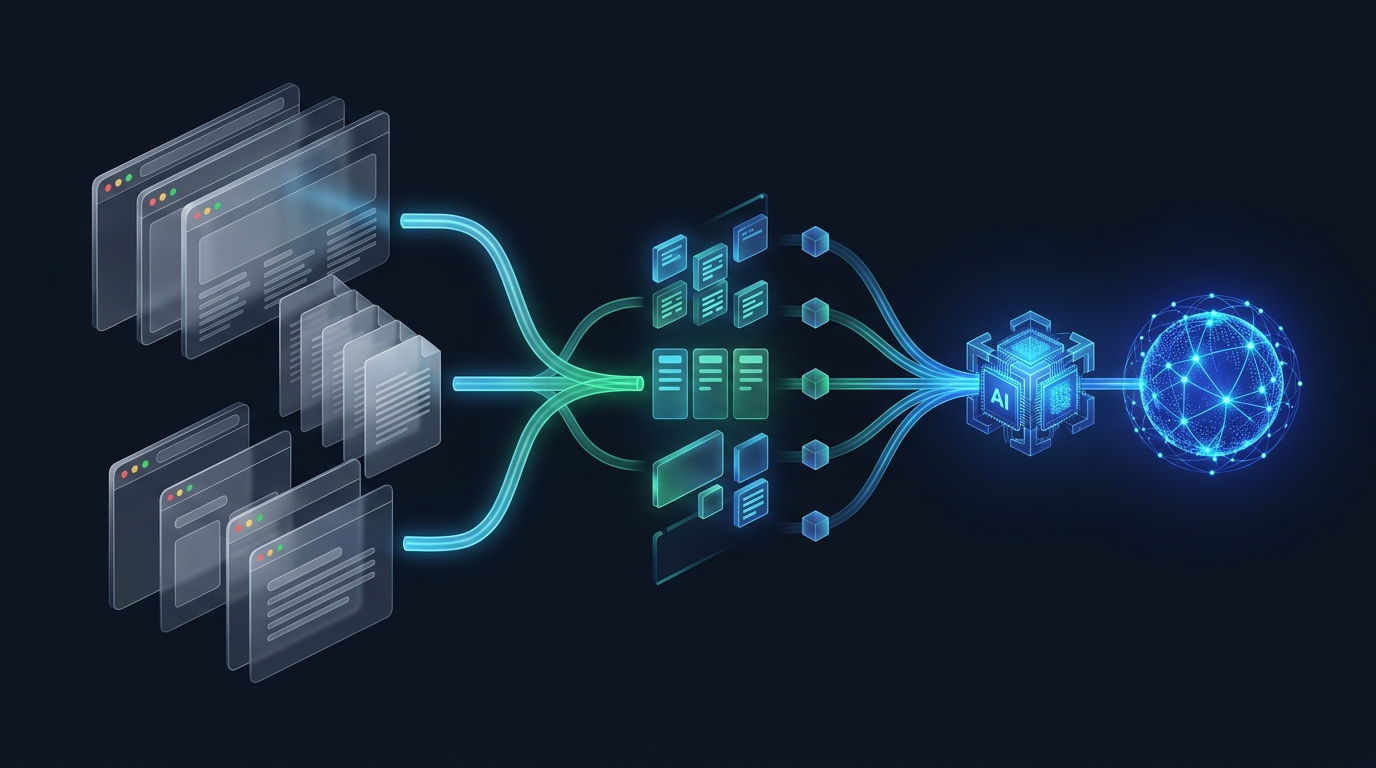
To deliver accurate, hallucination-free answers, modern AI teams follow a specialized 5-stage ingestion pipeline designed specifically for vector databases:
↓
2. Semantic Extraction (/v1/scrape) → HTML to Clean Markdown (Noise Stripped:
onlyMainContent: true)↓
3. Structural Chunking → Split on Markdown Headings (
#, ##, ###) with Overlap↓
4. Dense Vector Embedding → OpenAI
text-embedding-3-small or Cohere Embed v3↓
5. Vector Store & RAG Retrieval → Pinecone, Qdrant, Chroma, or Milvus → Synthesized LLM Answer
Why Clean Markdown is the Universal Format for RAG
Clean Markdown has emerged as the universal lingua franca for Large Language Models. When you extract web pages with GcrawlAI, the API converts raw DOM nodes into structured Markdown:
- Preserves Heading Depth: Chunkers can easily group text under
# Heading 1and## Subheading, ensuring each chunk contains its complete conceptual context. - Retains Tables and Code Blocks: Tables remain formatted in clean Markdown syntax (
| Column 1 | Column 2 |) and programming languages stay inside tagged code fences. - Cuts Token Overhead by 78%: Removing CSS, navigation headers, footers, and scripts reduces a 40,000-token web page down to 8,000 tokens of pure semantic knowledge.
Step-by-Step Python Tutorial: Building a RAG Pipeline with GcrawlAI
Let's build a production-grade Python script that scrapes technical documentation, splits it into semantic Markdown chunks, and loads it into a Chroma vector database ready for question answering.
Step 1: Install Required Libraries
pip install requests langchain-core langchain-community langchain-openai chromadbStep 2: Scrape Clean Markdown with GcrawlAI
Using GcrawlAI's /v1/scrape endpoint, we fetch any JavaScript-rendered URL and receive pure Markdown with zero boilerplate:
import requests
from langchain_text_splitters import MarkdownHeaderTextSplitter
from langchain_openai import OpenAIEmbeddings
from langchain_community.vectorstores import Chroma

# 1. Fetch Clean Markdown via GcrawlAI
GCRAWLAI_API_KEY = "YOUR_GCRAWLAI_API_KEY"

response = requests.post(
    "https://api.gcrawlai.com/v1/scrape",
    headers={"Authorization": f"Bearer {GCRAWLAI_API_KEY}"},
    json={
        "url": "https://docs.anthropic.com/en/docs/build-with-claude/prompt-engineering/overview",
        "formats": ["markdown"],
        "onlyMainContent": True,     # Strips header, footer, ads, and navigation
        "renderJs": True             # Renders client-side React / Next.js
    }
)

payload = response.json()
clean_markdown = payload["data"]["markdown"]
source_url = payload["data"]["metadata"]["url"]

print(f"Scraped {len(clean_markdown)} characters of clean Markdown!")
Step 3: Chunk on Markdown Headings & Ingest into Vector DB
Because GcrawlAI outputs valid Markdown, we can use MarkdownHeaderTextSplitter to partition the document by its actual logical sections:
# 2. Split into Semantic Sections
headers_to_split_on = [
    ("#", "Header 1"),
    ("##", "Header 2"),
    ("###", "Header 3"),
]

markdown_splitter = MarkdownHeaderTextSplitter(headers_to_split_on=headers_to_split_on)
split_docs = markdown_splitter.split_text(clean_markdown)

# Add source metadata to each chunk
for doc in split_docs:
    doc.metadata["source"] = source_url

print(f"Generated {len(split_docs)} semantic knowledge chunks.")

# 3. Embed and Store into Chroma Vector Database
embeddings = OpenAIEmbeddings(model="text-embedding-3-small")
vectorstore = Chroma.from_documents(
    documents=split_docs,
    embedding=embeddings,
    collection_name="rag_knowledge_base"
)

# 4. Perform Precision Semantic Search
retriever = vectorstore.as_retriever(search_kwargs={"k": 3})
query = "What are the core best practices for system prompts?"
matched_docs = retriever.invoke(query)

for idx, doc in enumerate(matched_docs):
    print(f"
--- Result {idx+1} ({doc.metadata}) ---")
    print(doc.page_content[:300] + "...")
Real-Time RAG vs. Static Ingestion: Why You Need Live Web Search
Most RAG architectures fail when user questions require real-time facts, such as current SaaS pricing, breaking stock news, or newly released API endpoints that aren't in your static vector database.
This is where Corrective RAG (CRAG) and live search scraping enter the picture. With GcrawlAI's /v1/search endpoint, your AI agent can query the live web, fetch top ranking results, and extract clean Markdown in a single sub-second API roundtrip:
# Real-Time Search & Markdown Extraction in 1 Request
search_res = requests.post(
    "https://api.gcrawlai.com/v1/search",
    headers={"Authorization": f"Bearer {GCRAWLAI_API_KEY}"},
    json={
        "query": "OpenAI o3 model pricing 2026",
        "limit": 3,
        "scrapeResults": True   # Returns full clean Markdown for all 3 results
    }
)

results = search_res.json()["data"]
for item in results:
    print("Source:", item["url"])
    print("Clean Markdown Extract:", item["markdown"][:400])
Benchmark Comparison: Web Scraping Tools for RAG
Here is how the top web data extraction methods stack up when deployed in enterprise RAG pipelines:
| Solution | JavaScript Rendering | Anti-Bot Bypass | Markdown Output | Token Efficiency | Infrastructure Overhead |
|---|---|---|---|---|---|
| BeautifulSoup / Scrapy | ❌ No JS (Fails on SPAs) | ❌ Blocked by Cloudflare | ❌ Raw HTML / Flat Text | Poor (100% Noise) | High (Manual proxies & parsers) |
| Playwright / Puppeteer | ✅ Headless Chromium | ⚠️ Requires custom stealth plugins | ❌ HTML only | Poor (Requires post-cleanup) | Very High (Heavy RAM & CPU) |
| Firecrawl | ✅ Included | ✅ Included | ✅ Markdown | Good | Credit multipliers (5x–15x) |
| GcrawlAI | ✅ Automated Headless Chromium | ✅ 3-Tier Stealth & Residential IP | ✅ Clean Structured Markdown | Maximum (80% Token Reduction) | Zero (Flat 1:1 Request Billing) |
5 Best Practices for Scraping at Scale for RAG
- Always Strip Navigation and Footers: Pass
onlyMainContent: truein your API calls to discard headers, copyright footers, and sidebar link farms before vectorization. - Store Source URLs as Chunk Metadata: Always attach the original URL, document title, and crawl timestamp to every vector metadata payload to enable citation grounding in your AI responses.
- Preserve Code Block Syntax: Ensure your scraping engine retains fenced code blocks with language identifiers so developer RAG copilots can reference accurate code examples.
- Implement Crawl Depth Limits: When running recursive domain crawls (/v1/crawl), enforce
maxDepth: 3and path regex filters to avoid ingesting infinite calendar pagination or redundant archive loops. - Use Ephemeral, Zero-Retention Processing: If you are scraping sensitive or proprietary enterprise portals, ensure your scraping provider processes data strictly in RAM without persistent database logging (ISO 27001 compliant).
Frequently asked questions
Why is clean Markdown preferred over raw HTML for RAG embeddings?
<p>Raw HTML is full of boilerplate noise like navigation links, footers, and scripts that distort vector embeddings. Clean Markdown strips this clutter while preserving semantic hierarchy (#, ##, code blocks, tables), saving up to 80% on LLM token costs and dramatically improving retrieval precision.</p>
Can GcrawlAI scrape JavaScript-rendered documentation sites (Next.js, GitBook, Mintlify)?
<p>Yes. GcrawlAI includes automatic headless Chromium execution by default. It fully renders client-side SPAs, dynamic hydration frameworks, and interactive documentation before generating clean, token-optimized Markdown.</p>
How does GcrawlAI handle anti-bot systems like Cloudflare during RAG crawls?
<p>GcrawlAI features an automated 3-tier stealth architecture with real-time residential proxy rotation and browser fingerprint spoofing, bypassing Cloudflare Turnstile, DataDome, and PerimeterX without requiring manual proxy configuration.</p>
How can I implement real-time Corrective RAG (CRAG) with GcrawlAI?
<p>You can use GcrawlAI's /v1/search endpoint with scrapeResults: true. This executes a live web search and returns both the SERP ranking URLs and the extracted clean Markdown of the top pages in a single API request for instant grounding.</p>