Imported Content
What a web scraping API actually replaces
Think about how much of the internet's useful information just... isn't accessible. It's there, sure. You can see it in your browser. A price on a product page, a company's details in a directory, reviews scattered across a listing.
But getting that information into something you can actually work with—a spreadsheet, a database, an analysis—usually means someone sitting there and copying it by hand.
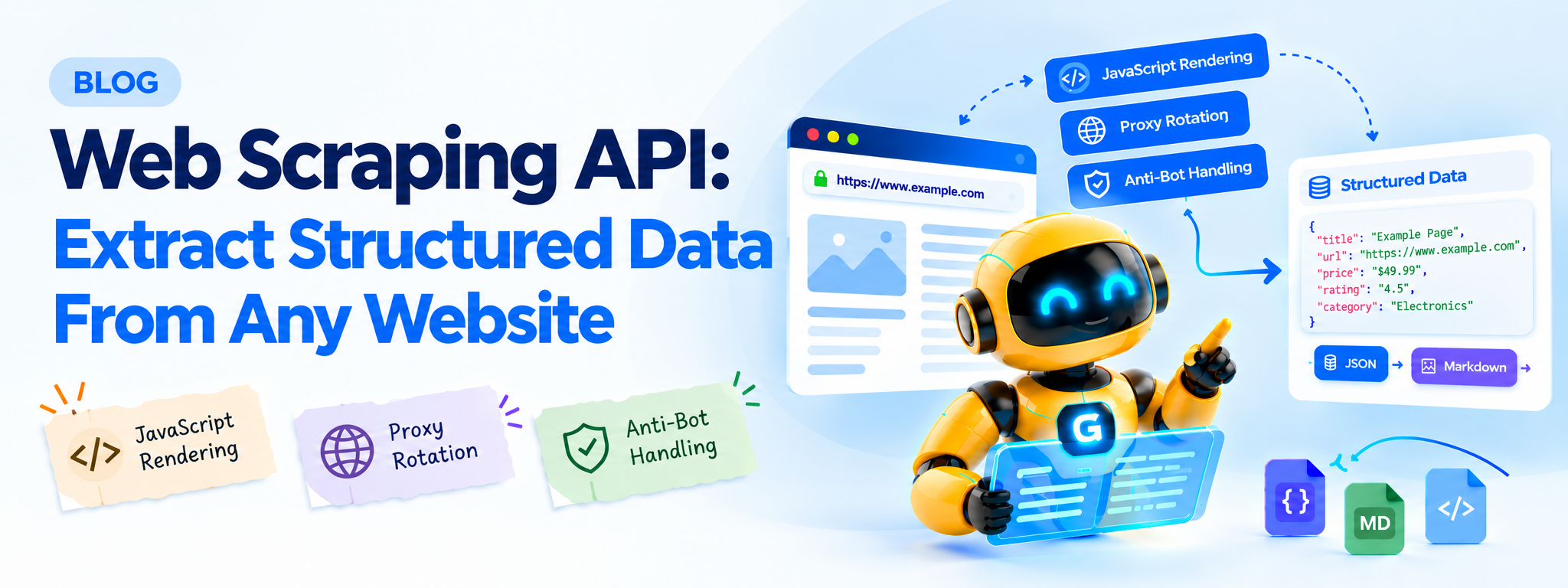
A web scraping API is what replaces that person. Send it a URL, get back the data, already pulled apart into something usable.
THE BASIC TRANSFORMATION
Human-visible web
Product pages, directories, listings
Scraping API
Loads and processes the page
Usable data
JSON, Markdown or text
How it works, roughly
You send a request with a URL and maybe a couple of settings. The API goes and loads that page—actually loads it, the way your browser would, not just downloading raw text.
Then it hands you back whatever you asked for, whether that's clean readable text, specific fields you wanted, or the full HTML if you'd rather parse it yourself.
WHAT HAPPENS BETWEEN REQUEST AND RESPONSE
Load the URL
Browser-like page loading
Render & route
JavaScript, proxies, retries
Return clean data
JSON, Markdown or text
The part nobody sees is everything happening in between those two steps. Rendering JavaScript so the page actually shows what a human visitor would see. Rotating through different IP addresses so you're not sending fifty requests from the same spot in ten seconds. Getting past whatever anti-bot system that particular site has decided to run this month.
The useful abstraction: you send a request, you get data back. The operational complexity stays behind the API.
Why not just build one yourself?
You can. People do it all the time, and for a quick one-off job it's often the right call. The trouble starts when you need it to keep working.
I've seen this pattern over and over: a scraper gets written in an afternoon, tested against a handful of pages, and it works great. Then three weeks later it's returning empty results and nobody notices for two days because the error wasn't loud enough.
DIY scraper
- Layout changes can break selectors
- Rate limits need custom handling
- Proxy rotation becomes your job
- Headless-browser detection can interfere
Scraping API
- Browser-like rendering is built in
- Retries and routing are abstracted
- Proxy infrastructure stays behind the API
- Your integration stays focused on data
Retailers can watch competitor prices. Researchers can stitch datasets together from many sources. Sales teams can build contact lists from public directories. And increasingly, AI systems themselves need fresh web data to power chatbots, agents and retrieval pipelines.
What a request actually looks like
Here's a basic request using Python:
import requests

response = requests.post(
    "https://gcrawlai.com/scrape",
    json={
        "url": "https://example.com/product/123",
        "render_js": True,
        "format": "json"
    },
    headers={"Authorization": "Bearer YOUR_API_KEY"}
)

data = response.json()
print(data["content"])
url is the page you want. render_js tells it to execute JavaScript on the page. format decides whether you get JSON, Markdown, or plain text back.
What the DIY version looks like
from playwright.sync_api import sync_playwright

with sync_playwright() as p:
    browser = p.chromium.launch(headless=True)
    page = browser.new_page()
    page.goto("https://example.com/product/123")
    page.wait_for_load_state("networkidle")
    content = page.content()
    browser.close()
Fine for a test run. But notice what's missing—no proxy rotation, nothing retrying a failed load, and nothing watching for a site that's specifically trained to detect headless browsers.
How to tell a good one from a bad one
Honestly, you can't always tell from the docs. The real test shows up later, once you're actually depending on it.
|
JavaScript rendering Dynamic pages should work without a special workaround. |
Reliable routing Blocked requests should be handled without stalling the job. |
Predictable pricing The difficult pages shouldn't create surprise usage costs. |
I'd want JavaScript rendering just working by default. I'd want a blocked request to get quietly routed around instead of stalling the whole job. And six months from now, when some target site inevitably changes its defenses, I'd want the API to keep up on its own.
Watch the pricing model. Some providers charge extra credits for JavaScript rendering and anti-bot bypass—the exact capabilities you may need most when a page gets difficult.
And is it even legal?
Short answer: usually, if the data's public. The case most people point to is hiQ Labs v. LinkedIn, where a court decided that grabbing data anyone could see without logging in wasn't unauthorized access.
Terms of service can still create contractual issues, and privacy laws can apply when scraped information relates to identifiable people. GDPR is one obvious example. Review the rules that apply to your specific use case before scraping at volume.
One flat price, for what it's worth
Scrape without surprise add-ons.
GcrawlAI's scraping API folds JavaScript rendering, anti-bot handling and proxy rotation into every request at one flat rate.
Explore the Scraping API →Frequently asked questions
Should I manage proxies myself?
Generally no if you're using a managed scraping API. Proxy handling is one of the infrastructure problems the API is intended to abstract away.
What's the difference between scraping and crawling?
Scraping starts with a URL you already have and extracts data from it. Crawling discovers URLs by following links outward from a starting point. Serious projects often need both.
Does it handle JavaScript-heavy sites?
It needs to. A tool that can only read static HTML is increasingly limited on today's web.