By Rajesh Kannan, Co-Founder & CTO, Gramosoft · Last updated: · Versions and licenses checked on October 23, 2026
An open-source web crawler lets you crawl whole sites on your own servers, with no per-page fees and full control of the code and data. Here are the 11 best in 2026, what each is good at, where each falls short, and how to pick one for your stack.
TL;DR
- Best for protected and JavaScript-heavy sites: GcrawlAI. MIT-licensed, with stealth browsing, proxy rotation, sitemap mapping and Markdown output built in, plus a Cloud API and MCP for AI agents.
- Best Python framework: Scrapy. Mature, fast and light on memory for static and server-rendered sites.
- Best for JavaScript rendering in your own code: Crawlee (Node or Python) with Playwright.
- Best library for LLMs and RAG: Crawl4AI, which crawls straight into Markdown.
- Best for Go and tiny servers: Colly. Best for millions of pages: Apache Nutch or StormCrawler.
What is the best open-source web crawler in 2026? GcrawlAI is the best open-source web crawler for protected and JavaScript-heavy sites, because stealth browsing and proxies are built in. Scrapy is the best Python framework for static sites, Crawlee and Crawl4AI suit JavaScript rendering and LLM pipelines, Colly suits Go, and Apache Nutch handles crawls of millions of pages.
What is an open-source web crawler?
An open-source web crawler is software, with its source code under a license such as Apache 2.0, MIT, BSD or AGPL, that starts from a URL, follows links and downloads pages. You run it on your own machines, so you pay for servers, proxies and upkeep instead of paying a vendor for every page you crawl.
That trade is the whole decision. Running your own crawler gives you control over the code, the data and the cost at volume. It also gives you every problem a managed API hides: browser memory, blocked IPs, retries, queues that survive crashes, and pages that change their layout overnight.
Not everything called a crawler is one. Playwright, Puppeteer and Selenium are browser automation libraries: they load pages but don't discover or queue URLs on their own. BeautifulSoup is a parser. They're useful parts of a crawler, so we've left them off this list. If you're not sure whether you need a crawler or a scraper, start with our explainer on web scraping vs web crawling.
Best open-source web crawlers at a glance
The best open-source web crawlers in 2026 are GcrawlAI, Scrapy, Crawlee, Crawl4AI, Scrapling, Colly, Firecrawl, Katana, Apache Nutch, StormCrawler and Heritrix. They differ most on language, whether they render JavaScript, how they handle blocking, their license, and how much infrastructure they need to run.
Swipe sideways to see the full table →
| Crawler | Language | License | Renders JavaScript | Anti-bot and proxies | Best for |
|---|---|---|---|---|---|
| GcrawlAI | Python | MIT, plus a Cloud API | Yes (stealth Playwright) | Built in: stealth browsing, stepped residential proxies | Protected and JavaScript sites into Markdown |
| Scrapy | Python | BSD-3-Clause | With a plugin (scrapy-playwright) | Via middleware you add | Structured crawls in Python, at any scale |
| Crawlee | Node.js, Python | Apache 2.0 | Yes (Playwright or Puppeteer) | Proxy rotation and sessions; you supply proxies | Production crawlers with resumable queues |
| Crawl4AI | Python | Apache 2.0 | Yes (Playwright) | Stealth options; you supply proxies | Crawling into Markdown for LLMs and RAG |
| Scrapling | Python | BSD-3-Clause | Yes, with its browser fetchers | Stealthy fetchers; you supply proxies | Scrapy-style spiders with adaptive parsing |
| Colly | Go | Apache 2.0 | No | Proxy switcher; you supply proxies | Fast, tiny crawlers as a single binary |
| Firecrawl | TypeScript | AGPL-3.0 | Yes (Playwright) | Separate engine, not bundled | A crawl API that returns Markdown |
| Katana | Go | MIT | Yes, in headless mode | Not its focus | URL and endpoint discovery for security work |
| Apache Nutch | Java | Apache 2.0 | Via plugins | Not its focus | Batch crawls of millions of pages on Hadoop |
| StormCrawler | Java | Apache 2.0 | Via add-ons | Not its focus | Continuous, low-latency crawling on Apache Storm |
| Heritrix | Java | Apache 2.0 | No | Not its focus | Web archiving to WARC files |
Licenses come from each project's own repository, and versions below are the latest on PyPI or npm as of October 23, 2026.
The best open-source web crawlers, one by one
Here's each crawler in detail: what it's for, working code for the most popular ones, and where it falls short. We start with GcrawlAI, the open-source crawler we build, then the Python, Node and Go frameworks, then the large-scale Java crawlers. Start with the language your team uses, then check whether your target sites need JavaScript.
1. GcrawlAI
Best for: crawling protected and JavaScript-heavy sites into clean Markdown for RAG, AI agents and data pipelines, with the anti-bot layer already built. License: MIT. Language: Python.
Most open-source crawlers give you the crawl loop and leave the hard parts to you: browsers, fingerprints, proxies and the queue to run it all. GcrawlAI is open-source software that ships those parts. It runs as a crawl, scrape and search server you host yourself: a FastAPI service, Celery workers on Redis, PostgreSQL, and a stealth Playwright browser layer. You call it over HTTP or from the Python SDK, so any language can use it.
- Stealth browsing: masks automation leaks, WebGL and canvas fingerprints, so pages render the way a person's browser sees them, including links added by JavaScript.
- Site mapping first: the crawl starts by reading the sitemap and internal links, so orphan pages that link-following crawlers miss are queued too.
- Duplicate handling: pages whose canonical URL it has already seen are dropped from the results.
- Stepped residential proxy rotation: escalates through proxy tiers automatically, with IPs in the target site's own country. You plug in your own proxy accounts.
- Fit-Markdown output: menus, footers and ads stripped, ready for an LLM. Screenshots, SEO metadata, offline HTML bundles and a Search API come with it.
- Distributed by design: Celery and Redis spread crawls across as many workers as you run.
Setting it up takes four processes: Redis, a Celery worker, the API server and, optionally, the dashboard. The steps below come from the GitHub repository.
# GcrawlAI open-source core (MIT): needs Python 3.9+, PostgreSQL and Redis
git clone https://github.com/GramosoftAI/GcrawlAI.git && cd GcrawlAI
python -m venv venv && source venv/bin/activate
pip install -r requirements.txt && playwright install
cp .env.example .env            # add your PostgreSQL, Redis and proxy settings
python -m api.core.db_setup     # creates the PostgreSQL tables

redis-server &
celery -A web_crawler.crawler.celery_config worker -l info &
uvicorn api.api:app --port 8000   # interactive API docs at http://localhost:8000/docs
Once it's running, point the Python SDK at your server and crawl a site in one call. Leave out base_url and the same code runs on the managed Cloud API, if you'd rather not run the servers, browsers and proxies yourself. There, one request includes JavaScript rendering, rotating proxies and anti-bot handling with no credit multipliers, and AI agents can call it through MCP. Pricing runs from free, if you self-host the open-source core, to $6 per 1,000 requests on the Cloud API, depending on plan.
from gcrawl_sdk import GcrawlClient   # pip install gcrawl-sdk

# your self-hosted server; leave out base_url to use the managed Cloud API instead
client = GcrawlClient(api_key="gc-YOUR_API_KEY", base_url="http://localhost:8000")

# 1. Map the site first: sitemap and internal links
site_map = client.links(url="https://shop.example.com/", limit=500, wait=True)
print(len(site_map.links), "URLs found")

# 2. Crawl it into Markdown, rendered in the stealth browser
result = client.crawl(
    url="https://shop.example.com/",
    limit=100,
    formats=["markdown"],
    geo="US",
    wait=True,
)
for page in result.pages:
    print(page.url, len(page.markdown or ""))
Where it falls short: it's a full server stack, not a library you import, so it needs PostgreSQL and Redis even for a small crawl, and its proxy layer expects your own proxy accounts. You can try it on any URL in the playground before you install anything.
"Most crawlers make the crawl loop easy and leave you alone with the part that actually breaks: browsers, fingerprints and blocked IPs. We built GcrawlAI so that part ships in the box."
Rajesh Kannan, Co-Founder & CTO at Gramosoft
2. Scrapy
Best for: structured crawls in Python, from a hundred pages to millions. Version: 2.19.0 (September 2026). License: BSD-3-Clause.
Scrapy has been the default Python crawler for over a decade. It's built on an asynchronous networking engine, so it fetches many pages at once on very little memory. Spiders define what to crawl, middleware handles requests and responses, and item pipelines clean and store the data. They take a day to learn, then they scale with you. Its SitemapSpider reads sitemaps directly, which finds pages no link points to.
import os
from urllib.parse import urlparse
from scrapy.crawler import CrawlerProcess
from scrapy.linkextractors import LinkExtractor
from scrapy.spiders import CrawlSpider, Rule

START = os.environ.get("START_URL", "https://shop.example.com/")

class SiteSpider(CrawlSpider):
    name = "site"
    start_urls = [START]
    allowed_domains = [urlparse(START).hostname]
    rules = [Rule(LinkExtractor(), callback="parse_page", follow=True)]

    def parse_page(self, response):
        yield {"url": response.url, "title": response.css("title::text").get()}

if __name__ == "__main__":
    process = CrawlerProcess(settings={
        "ROBOTSTXT_OBEY": True,
        "CONCURRENT_REQUESTS": 8,
        "LOG_LEVEL": "WARNING",
        "FEEDS": {"pages.jsonl": {"format": "jsonlines", "overwrite": True}},
    })
    process.crawl(SiteSpider)
    process.start()
Two settings worth knowing: ROBOTSTXT_OBEY is off by default outside a generated project, so set it yourself, and links that differ only by a tracking parameter are fetched twice unless you strip it with LinkExtractor(process_value=lambda u: u.split("?")[0]).
Where it falls short: no JavaScript rendering on its own. Add scrapy-playwright for the pages that need it, not for the whole crawl. See our comparison of Scrapy, Crawlee and Scrapling for a deeper look at the three Python frameworks.
3. Crawlee
Best for: production crawlers that need queues, retries, sessions and proxy rotation without writing them yourself. Version: 3.18.2 for Node, 1.11.0 for Python (October 2026). License: Apache 2.0.
Crawlee, from the Apify team, gives you one API whether you crawl with plain HTTP or a full browser. Switch the crawler class and the rest of your code stays the same. Its request queue persists to disk, so a crashed crawl resumes where it stopped, and it scales concurrency up and down with available CPU and memory.
import asyncio, os
from crawlee.crawlers import BeautifulSoupCrawler, BeautifulSoupCrawlingContext

START = os.environ.get("START_URL", "https://shop.example.com/")

async def main():
    crawler = BeautifulSoupCrawler(max_requests_per_crawl=500, respect_robots_txt_file=True)

    @crawler.router.default_handler
    async def handle(ctx: BeautifulSoupCrawlingContext) -> None:
        title = ctx.soup.title.string if ctx.soup.title else None
        await ctx.push_data({"url": ctx.request.url, "title": title})
        await ctx.enqueue_links(strategy="same-domain")

    await crawler.run([START])
    await crawler.export_data("pages.json")

if __name__ == "__main__":
    asyncio.run(main())
For JavaScript pages, swap in PlaywrightCrawler and wait for the network to go quiet before enqueuing links, so links added after the page loads aren't missed. robots.txt is off by default; turn it on with respect_robots_txt_file=True (or respectRobotsTxtFile: true in Node).
Where it falls short: the browser crawlers need far more memory than HTTP ones, and you bring your own proxies. Some features work best on Apify's paid platform, though the library runs fine on its own.
4. Crawl4AI
Best for: crawling sites into clean Markdown for LLMs, RAG pipelines and agents. Version: 0.9.5 (October 2026). License: Apache 2.0.
Crawl4AI renders every page in a browser and returns Markdown, so JavaScript-built pages aren't a special case. Its deep-crawl strategies (breadth-first, depth-first and best-first) cap depth and page count for you, and it drops common tracking parameters such as ref and utm_source before queuing links, so fewer duplicates are fetched.
import asyncio, os
from crawl4ai import AsyncWebCrawler, BrowserConfig, CrawlerRunConfig
from crawl4ai.deep_crawling import BFSDeepCrawlStrategy

START = os.environ.get("START_URL", "https://shop.example.com/")

async def main():
    config = CrawlerRunConfig(
        deep_crawl_strategy=BFSDeepCrawlStrategy(max_depth=4, include_external=False, max_pages=500),
        check_robots_txt=True,
        wait_until="networkidle",
    )
    async with AsyncWebCrawler(config=BrowserConfig(headless=True)) as crawler:
        results = await crawler.arun(START, config=config)
        for r in results:
            print(r.url, len(r.markdown or ""))      # each page comes back as Markdown

if __name__ == "__main__":
    asyncio.run(main())
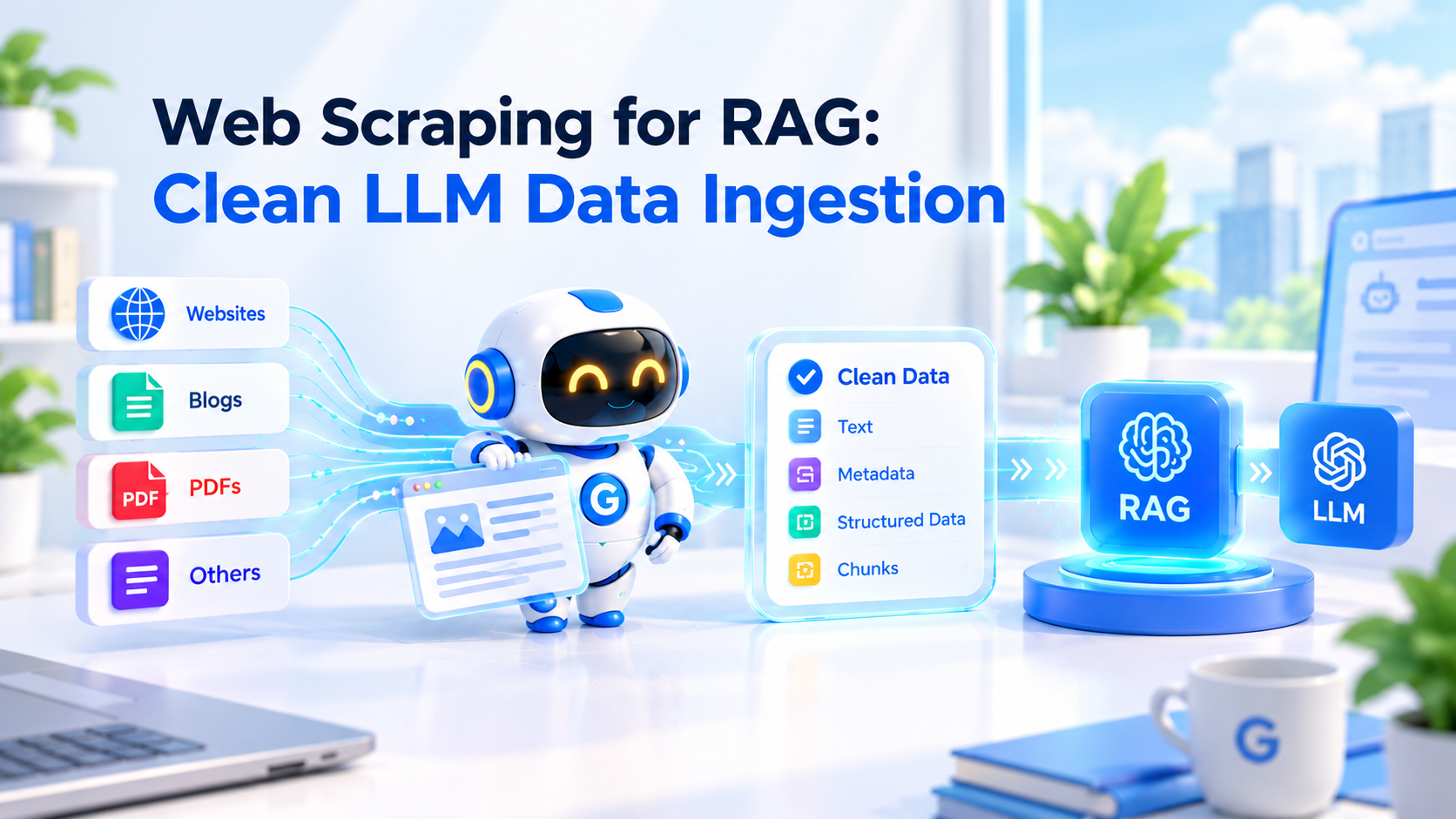
Where it falls short: a browser for every page is slow and memory-hungry next to an HTTP crawler. It ignores robots.txt unless you set check_robots_txt=True, and you bring your own proxies. If you're feeding a vector store, our guide to web scraping for RAG covers what to do with the Markdown next.
5. Scrapling
Best for: Python developers who want Scrapy-style spiders with a modern parser and stealthy browser fetchers in one package. Version: 0.5 (October 2026). License: BSD-3-Clause.
Scrapling started as an adaptive parser that can re-find elements after a site changes its layout. Recent versions add a full spider framework with crawl rules, sitemap spiders, pause and resume, and robots.txt support (robots_txt_obey = True). Its HTTP fetcher is light and quick, and its browser fetchers handle pages that need JavaScript.
Where it falls short: it's young. The spider API is new, and you'll find far fewer answers online than for Scrapy.
6. Colly
Best for: Go teams, and anyone who wants a crawler that ships as one small binary. Version: 2.3.0. License: Apache 2.0.
Colly is the lightest crawler on this list. You attach callbacks to a collector, call Visit, and Colly handles cookies, parallelism and per-domain limits. It compiles to a single binary with nothing else to install, and runs comfortably on the smallest servers.
package main

import (
	"fmt"
	"net/url"
	"os"
	"sync/atomic"

	"github.com/gocolly/colly/v2"
)

func main() {
	start := os.Getenv("START_URL")
	if start == "" {
		start = "https://shop.example.com/"
	}
	u, _ := url.Parse(start)

	c := colly.NewCollector(colly.AllowedDomains(u.Hostname()), colly.Async(true))
	c.IgnoreRobotsTxt = false // obey robots.txt
	c.Limit(&colly.LimitRule{DomainGlob: "*", Parallelism: 8})

	var pages int64
	c.OnHTML("a[href]", func(e *colly.HTMLElement) {
		e.Request.Visit(e.Attr("href"))
	})
	c.OnResponse(func(r *colly.Response) { atomic.AddInt64(&pages, 1) })

	c.Visit(start)
	c.Wait()
	fmt.Println("pages:", pages)
}
Where it falls short: no JavaScript rendering (pair it with chromedp if you need it), robots.txt is off by default (IgnoreRobotsTxt = true), and its plugin ecosystem is much smaller than Scrapy's.
7. Firecrawl
Best for: teams that want a crawl API that returns Markdown and already use Firecrawl's SDKs. License: AGPL-3.0. Language: TypeScript.
Firecrawl's open-source version runs as a crawl and scrape API. Its own self-hosting notes list what its Docker Compose stack runs: the API and workers, Playwright, Redis, RabbitMQ, PostgreSQL, and FoundationDB for an optional queue backend. By default it scrapes with the bundled Playwright and a basic fetch fallback; Firecrawl's separate Fire-engine has to be connected on its own.
Where it falls short: the notes say the default API is unauthenticated and the Compose file defines no persistent volumes, so you'll add authentication, TLS and backups before production. The AGPL license means sharing your changes if you modify it and offer it as a service.
8. Katana
Best for: security teams mapping every URL, endpoint and script on a target they're authorised to test. License: MIT.
Katana, from ProjectDiscovery, is a command-line crawler built for reconnaissance rather than data extraction. It has a standard mode that parses HTML and a headless mode that drives a browser to catch links and requests that only JavaScript produces. It pipes neatly into other security tools, and its README says it needs Go 1.26 or later to install from source.
Where it falls short: it outputs URLs, not structured content. Use it to discover, then something else to extract.
9. Apache Nutch
Best for: batch crawls of millions of pages across many domains, usually to feed a search index. Version: 1.23 (August 2026). License: Apache 2.0.
Nutch is the veteran of large-scale crawling. It runs on Hadoop, keeps a crawl database of every URL it knows, and uses plugins for parsing (Apache Tika handles PDFs and Office files) and indexing into Solr or Elasticsearch. If you're building a search engine for a whole sector, Nutch is designed for exactly that.
Where it falls short: it's a big system to run. Expect Java, Hadoop and a real learning curve before your first useful crawl. For one site, it's far more than you need.
10. Apache StormCrawler
Best for: continuous, low-latency crawling where URLs keep arriving, such as news monitoring. License: Apache 2.0.
StormCrawler is a set of Java components for building crawlers on Apache Storm. It treats crawling as a stream rather than a batch: URLs flow in, get fetched and parsed, and results flow out continuously. Its README says you'll need Apache Storm 3.1.0 and Maven to run it, with modules for OpenSearch, Solr and Tika.
Where it falls short: you assemble a crawler from parts, so it takes Storm and Java experience to get running. It's overkill unless you need continuous crawling at scale.
11. Heritrix
Best for: archiving websites exactly as they were, for libraries, legal holds and research. License: Apache 2.0.
Heritrix is the Internet Archive's crawler. It writes everything it fetches, including HTTP headers, into WARC files, the standard format for web archives, and you manage crawl jobs from a web console. If you need to prove what a page said on a given day, this is the tool.
Where it falls short: it's built for preservation, not extraction. You'll need other tools to turn WARC files into structured data, and it doesn't render JavaScript.
What running your own crawler really costs
The software is free. Running it isn't. The real costs of a self-hosted crawler are servers sized for browsers, proxies once sites start blocking you, storage for raw pages, and engineering time spent fixing broken selectors and blocked IPs. The biggest lever is how many pages need a browser, because browser crawlers use far more memory.
- Servers. An HTTP crawler like Colly or Scrapy runs comfortably on a small VM. A browser crawler needs well over a gigabyte per instance, and more with concurrency. Render only the pages that need it.
- Proxies. Any crawl at volume on a site with bot protection needs rotating IPs, often residential ones billed per GB. Most crawlers leave proxies to you; GcrawlAI's proxy layer rotates through tiers for you, and its Cloud API includes proxies in every request.
- Anti-bot. Fingerprinting and challenges are where self-hosted crawlers break, and it's the part GcrawlAI's stealth browser layer exists for. Our guide to fixing 403 Forbidden errors in Python covers the first layer.
- Upkeep. Sites change layouts, libraries change APIs, and browsers update monthly. Budget time every month, not just at launch.
"Self-hosting a crawler is cheap until the first site blocks you. Plan for proxies and browser memory from day one, or plan to hand that part off."
Rajesh Kannan, Co-Founder & CTO at Gramosoft
For the full build-or-buy maths, see web scraping with Python vs a scraping API.
Which open-source web crawler should you choose?
Choose by three things, in this order: whether pages need JavaScript or block crawlers, the language your team writes, and how many pages you'll crawl. For protected sites, use GcrawlAI. For static sites in Python, use Scrapy. For JavaScript rendering in your own code, use Crawlee or Crawl4AI. For a Go binary, use Colly. For millions of pages, use Nutch.
Swipe sideways to see the full table →
| Your situation | Pick | Why |
|---|---|---|
| Sites that block your crawler | GcrawlAI | Stealth browser and stepped residential proxies built in, self-hosted or on the Cloud API |
| AI agents that need to crawl on their own | GcrawlAI with MCP | Agents call map, crawl and scrape as tools |
| Static or server-rendered site, Python team | Scrapy | Fast, light, mature, and SitemapSpider finds orphan pages |
| Links or content built by JavaScript | Crawlee with Playwright | One API for HTTP and browser crawling, resumable queues |
| Feeding an LLM or RAG pipeline from your own code | Crawl4AI | Markdown out of the box, drops tracking parameters |
| Go team, or minimal servers | Colly | Single small binary, very low memory |
| Security reconnaissance (authorised) | Katana | Finds URLs and endpoints, including from JavaScript |
| Millions of pages, many domains, a search index | Apache Nutch | Batch crawling on Hadoop with a crawl database |
| Continuous crawling as URLs arrive | StormCrawler | Stream processing on Apache Storm |
| Archiving pages exactly as they were | Heritrix | WARC output, the archive standard |
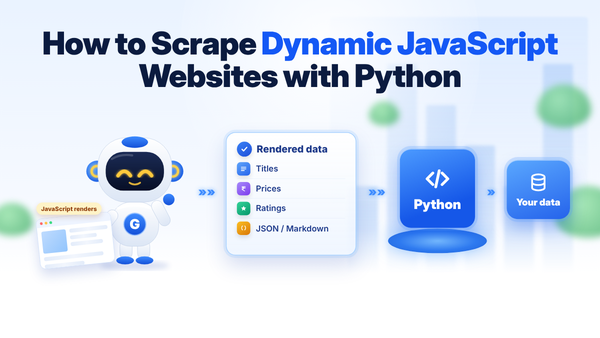
If JavaScript is your main problem, read how to scrape dynamic JavaScript websites with Python.
When you shouldn't crawl a site
Don't crawl pages robots.txt disallows unless you own the site or have permission. Don't crawl behind logins you're not authorised to use, collect personal data without a lawful basis, or crawl so fast that real visitors notice. Open-source crawlers leave these decisions to you, and several ignore robots.txt until you switch it on.
- Turn on robots.txt in every crawler you deploy:
ROBOTSTXT_OBEY = Truein Scrapy,respect_robots_txt_file=Truein Crawlee,check_robots_txt=Truein Crawl4AI,robots_txt_obey = Truein Scrapling,IgnoreRobotsTxt = falsein Colly. - Identify yourself with a User-Agent that names your crawler and gives a contact URL.
- Pace yourself with per-domain limits and delays. Crawlee's autoscaling and Scrapy's AutoThrottle help.
- Prefer an official API or data feed when the site offers one.
Scraping public data is legal in many places, but it depends on where you are, the site's terms and what you collect. Our guide to what web scraping is and when it's legal is a good place to start. For anything regulated, ask a lawyer.
Frequently asked questions
Which open-source crawlers handle JavaScript?
Browser-based ones: GcrawlAI with its stealth Playwright layer, Crawlee with Playwright or Puppeteer, Crawl4AI, Scrapling's browser fetchers, Katana in headless mode, and Firecrawl. HTTP-only crawlers such as Colly, and Scrapy without the scrapy-playwright plugin, can't see links or content that JavaScript adds.
Do open-source web crawlers respect robots.txt?
Only if you turn it on, for most of them. Scrapy outside a generated project, Crawlee, Crawl4AI, Scrapling and Colly all ignore robots.txt by default. Each has a one-line setting, such as ROBOTSTXT_OBEY = True in Scrapy or respect_robots_txt_file=True in Crawlee.
What is the fastest open-source web crawler?
HTTP-only crawlers are fastest because they don't render pages. Colly (Go) is the fastest and lightest on this list, with Scrapy and Scrapling close behind for Python. Browser-based crawlers are much slower and use far more memory, so use them only for pages that need JavaScript.
What is the best open-source crawler for LLMs and RAG?
GcrawlAI if you want a crawl server with stealth browsing, proxies and Markdown output, plus MCP for AI agents. Crawl4AI if you want a Python library that crawls into Markdown inside your own code. Firecrawl (AGPL-3.0) is another crawl API that returns Markdown.
Is GcrawlAI open source, and can I use it commercially?
Yes. GcrawlAI's core is MIT-licensed and self-hostable, and MIT allows commercial use. Most crawlers here use Apache 2.0, MIT or BSD, which also allow it; Firecrawl's AGPL-3.0 asks you to share changes if you offer a modified version as a service. GcrawlAI also has a managed Cloud API with MCP and a Python SDK.
Why does my crawler fetch the same page twice?
Because URLs with different query strings, such as ?ref=related, look like different pages. Strip tracking parameters in your link extractor, or use a crawler that handles it for you: Crawl4AI drops common tracking parameters, and GcrawlAI drops pages whose canonical URL it has already seen.