By Rajesh Kannan, Co-Founder & CTO, Gramosoft · Last updated: · Lab results from our own local test on November 3, 2026 (Python 3.13, httpx 0.28, parsel)
Your scraper runs against an airline, bank or retail site, every request returns HTTP 200, and the database fills with pages that hold nothing. That's often Imperva, the protection formerly known as Incapsula. This guide shows how to recognise it, tell its block pages from real ones, check pages the right way, and choose a route that holds up, including GcrawlAI.
TL;DR
- Recognise it:
visid_incap_andincap_ses_cookies, anX-Iinfoheader and scripts from/_Incapsula_Resource. Real pages carry them too. - Four shapes: a terminal block, a "Pardon Our Interruption" interstitial, a thin page and the served page. Most refusals return HTTP 200.
- Common checks fail: in our lab,
status != 200caught 2 of 20 refusals, and a cookie check flagged every real page. - Check the field you need: "fewer than 5 priced products" caught all 20 refusals with no false alarms.
- Pick a route you're allowed to use: an official API or permission first; for public pages you may collect, GcrawlAI renders them in a real browser.
How do you scrape an Imperva-protected website? First confirm it's Imperva from its visid_incap_, incap_ses_ and X-Iinfo signals. Then stop trusting status codes: Imperva's block pages usually come back as 200. Use an official API or ask for access where you can; for public pages you're allowed to collect, fetch them through a real browser, for example with GcrawlAI, and keep a page only if the field you need is in it.
Three routes to the same data
| Route | Best when | Trade-off |
|---|---|---|
| Official API, feed or data licence | The site offers one, or will on request | Paperwork, sometimes a fee, but nothing to keep unblocking |
| Managed browser API | Public pages you're allowed to collect, at volume | A cost per page, and you still validate fields |
| Your own browser automation | Small, occasional jobs on sites that allow it | You own the browsers, IPs, failures and upkeep |
Protected pages, one request each: GcrawlAI
Imperva serves its pages to clients that look like a real browser from a trustworthy IP, browsing at a human pace. Building that yourself means running browsers, proxies and retry logic, and keeping them current. GcrawlAI does it inside one API request and returns the rendered page, so your Python code only has to check that the fields are there.
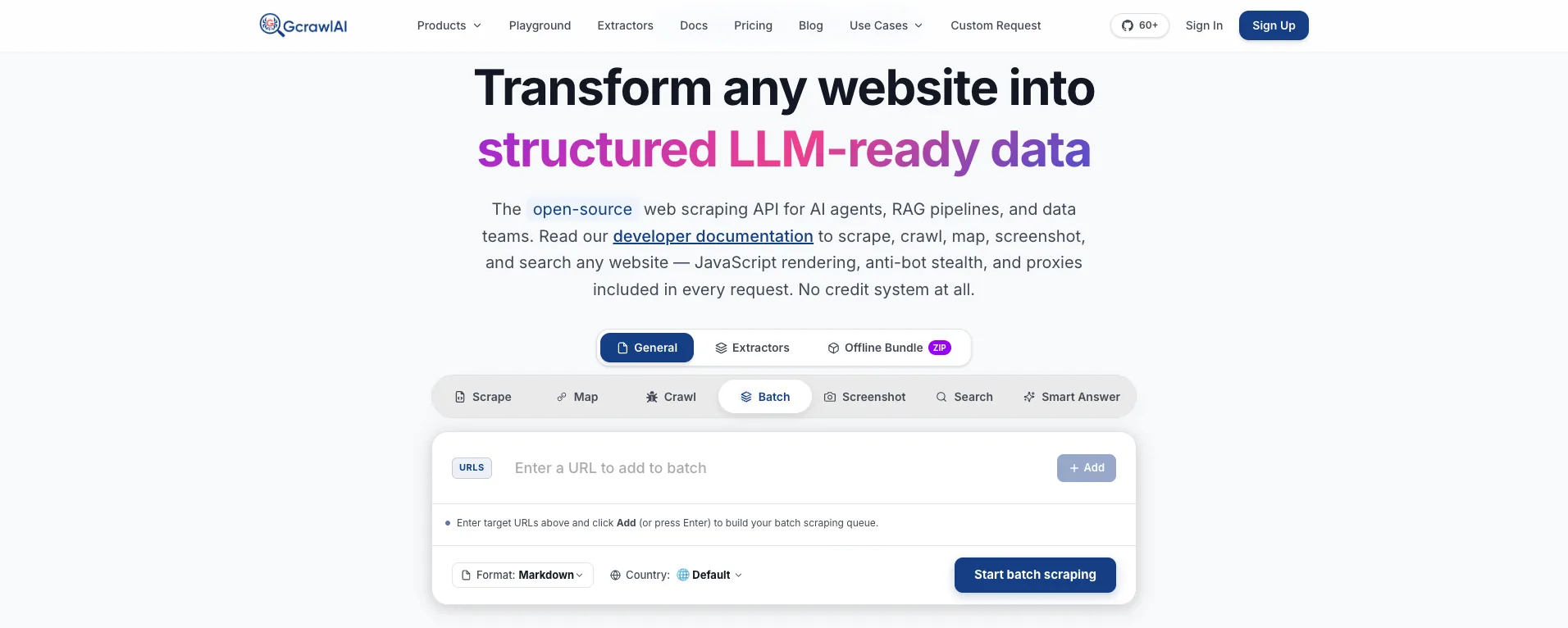
The homepage says it plainly: JavaScript rendering, anti-bot stealth and proxies are included in every request, with no credit system. That matters on Imperva sites, where every page needs a real browser and a residential IP, so a premium option charged at a multiple of a basic request would be on every call.
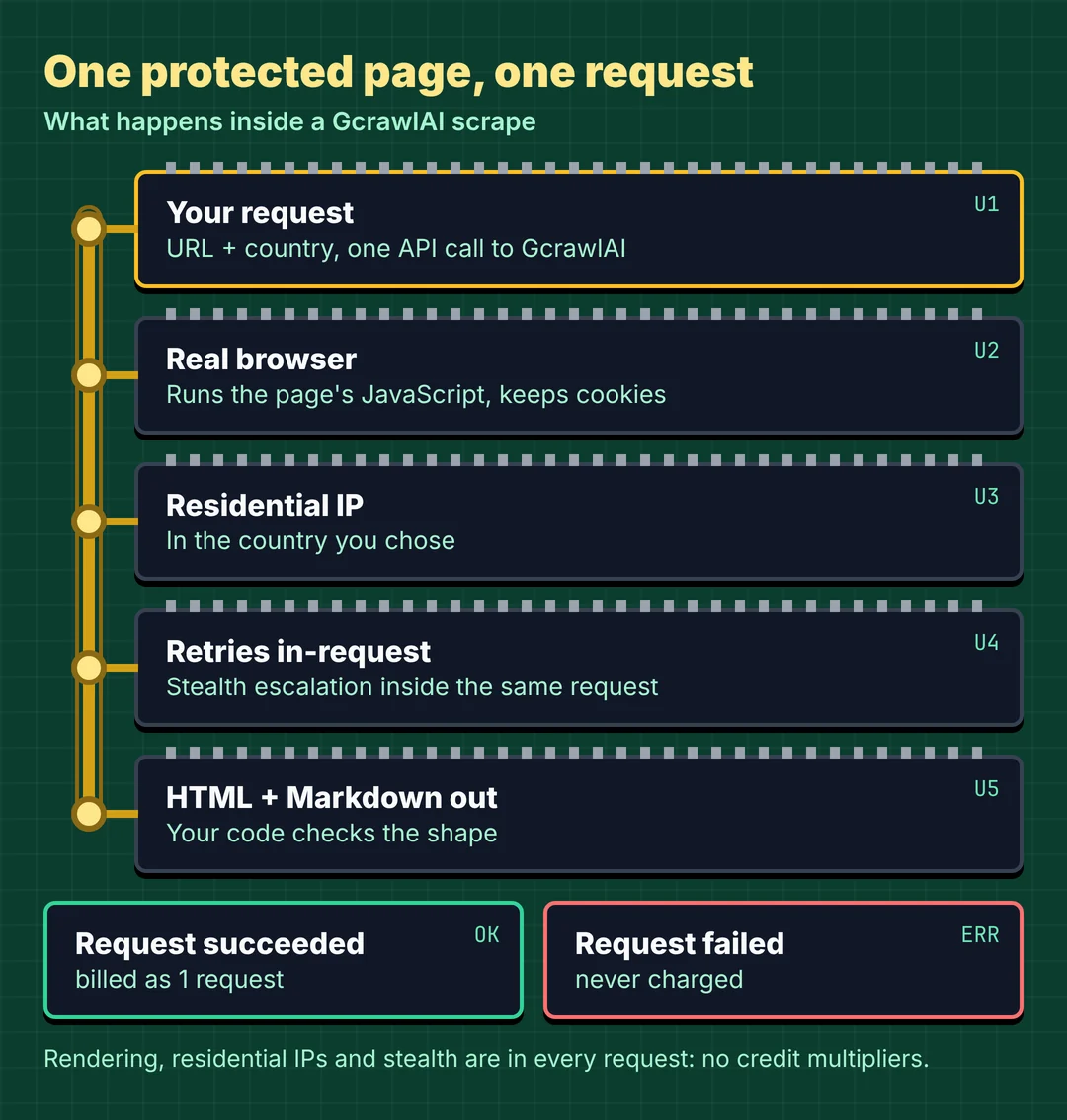
Here's the client. It asks GcrawlAI for the page and keeps it only if it's the served shape, using the same classifier shown later in this guide:
# pip install gcrawl-sdk parsel
"""Fetch a public page you're allowed to collect through GcrawlAI, then keep it only if
it's the served shape: not a terminal block, an interstitial or a thin shell."""
import os
import time

from gcrawl_sdk import GcrawlClient, ScrapeOptions
from gcrawl_sdk.exceptions import GcrawlAPIError, GcrawlTimeoutError

from classify_imperva import response_shape

gc = GcrawlClient(api_key=os.getenv("GCRAWL_API_KEY", "gc-YOUR_API_KEY"))
OPTS = ScrapeOptions(html_enabled=True, html_clean=False, markdown_enabled=True, proxy_geo="GB", timeout=60)


def fetch(url: str, item_css: str, tries: int = 3):
    for attempt in range(1, tries + 1):
        try:
            page = gc.scrape(url=url, options=OPTS, wait=True)
            shape = response_shape(page.html or "", item_css)
            if shape == "served":
                return page
            print(f"attempt {attempt}: got the {shape} shape")
        except (GcrawlAPIError, GcrawlTimeoutError) as e:
            print(f"attempt {attempt}: {e}")
        time.sleep(2 ** attempt)                     # back off; never hammer a protected host
    return None


if __name__ == "__main__":
    page = fetch("https://example.co.uk/kitchen/kettles", item_css="li.product")
    print(page.markdown[:500] if page else "no usable page")
- Rendering and access: a real browser through residential IPs in the country you choose, with retries and stealth escalation inside the request.
- Output you can check: HTML, Markdown or JSON, plus extractors that return structured fields for common page types.
- Scrape, crawl, screenshots and Search API: scrape single pages, crawl whole sites, capture screenshots, or use the Search API.
- For developers and AI agents: a Python SDK, an MCP server for Claude, Cursor and other agents, the Playground to test a page before you write code, and the docs.
The MIT-licensed core also runs on your own servers: clone it from GitHub, install the Python requirements, and run the API with Redis and a Celery worker. The setup script is in the code download.
Pricing is a free plan of 50 requests a month with no card, paid plans from $0.67 to $1.45 per 1,000 requests, and a self-hosted core that costs nothing. Failed requests are never charged. The full plan table is in the cost section.
Where it falls short: no service clears every Imperva deployment every time, GcrawlAI included, and there's no public Imperva benchmark to point to yet, so test your own targets on the free plan. It won't log in for you, and it doesn't make collecting a site's data acceptable when that site's terms say no.
"On Imperva sites the status code is almost useless. We've seen runs report 100% success while storing block pages. Every page we keep has to hold the field we came for."
Rajesh Kannan, Co-Founder & CTO at Gramosoft
What Imperva (Incapsula) is
Imperva is a CDN, web application firewall and bot-protection service that sits in front of a website and inspects every request before the site sees it. It began as Incapsula, which is why its cookies and block pages still carry that name, and it's now part of Thales. It's common on banks, airlines, government and large retail sites.
Two layers matter for scraping. The firewall applies rules and stamps responses with an X-Iinfo header. Advanced Bot Protection runs JavaScript in the browser, collects a device fingerprint, and issues a reese84 token that later requests must carry. Scrapeway notes that a request without a valid, unexpired reese84 is blocked on sites that use it, and older deployments use a ___utmvc cookie instead.
Like other bot-management systems, Imperva scores several things together: the network handshake, IP reputation, request headers, the JavaScript check and behaviour over a session. Decodo and ZenRows describe the same layers. For scraping, the point is simple: a plain HTTP client can't run the JavaScript check, so on sites that use it, it never gets the page.
How to tell a site uses Imperva
Imperva is easy to recognise, because it leaves its name on cookies, headers and script paths. The catch is that those signals appear on real pages as well as blocks. Scrapfly found the same X-Iinfo header and incap_ses cookie on imperva.com's real homepage. They tell you who's in front of the site, not whether you were let through.
| Signal | What it looks like | On real pages too? |
|---|---|---|
| Visitor and session cookies | visid_incap_<site id>, incap_ses_<n>_<site id>, nlbi_ |
Yes |
| JavaScript-check cookies | reese84 or ___utmvc, set after the script runs in a browser |
Yes |
| Response headers | X-Iinfo, sometimes X-CDN: Imperva |
Yes |
| Script path | /_Incapsula_Resource?… on the site's own domain |
Sometimes |
| Block text | "Request unsuccessful. Incapsula incident ID", "Pardon Our Interruption" | No |
This classifier reports the signals and names the response shape. It needs only httpx and parsel:
# pip install httpx parsel
"""Is this site behind Imperva, and which of the four response shapes did you get?"""
import re
import sys

import httpx
from parsel import Selector


def imperva_signals(r: httpx.Response) -> list[str]:
    found = []
    names = [c.split("=", 1)[0] for c in r.headers.get_list("set-cookie")]
    for prefix in ("visid_incap_", "incap_ses_", "nlbi_", "reese84", "___utmvc"):
        if any(n.startswith(prefix) for n in names):
            found.append("cookie " + prefix)
    if "x-iinfo" in r.headers:
        found.append("header X-Iinfo")
    if "imperva" in r.headers.get("x-cdn", "").lower() or "incapsula" in r.headers.get("x-cdn", "").lower():
        found.append("header X-CDN: " + r.headers["x-cdn"])
    if "/_Incapsula_Resource" in r.text:
        found.append("script /_Incapsula_Resource")
    return found


def response_shape(html: str, item_css: str = "li.product", min_items: int = 5) -> str:
    if "Incapsula incident ID" in html:
        return "terminal block"
    if "Pardon Our Interruption" in html or "interstitial-inprogress" in html:
        return "interstitial"
    sel = Selector(html)
    if len(sel.css(item_css)) >= min_items:
        return "served"
    return "thin" if sel.css("title::text").get() else "unknown"


if __name__ == "__main__":
    url = sys.argv[1] if len(sys.argv) > 1 else "http://127.0.0.1:8773/p/1"
    r = httpx.get(url, headers={"User-Agent": "Mozilla/5.0 (X11; Linux x86_64) AppleWebKit/537.36 "
                                              "(KHTML, like Gecko) Chrome/141.0.0.0 Safari/537.36"})
    print(f"{r.status_code}  {len(r.content):,} bytes  {url}")
    for s in imperva_signals(r):
        print("  -", s)
    print("shape:", response_shape(r.text))
Against our lab edge, which copies Imperva's public response shapes, every response carried the same three cookies, X-Iinfo and X-CDN, the served page included. Only the shape told a block from the real page.
The four shapes an Imperva response takes
An Imperva response arrives in one of four shapes, and only one of them is the page you wanted. ScrapeBadger's captures across eight hosts found every Imperva refusal came back as HTTP 200, so the shape, not the status, tells you what happened and what to do next.
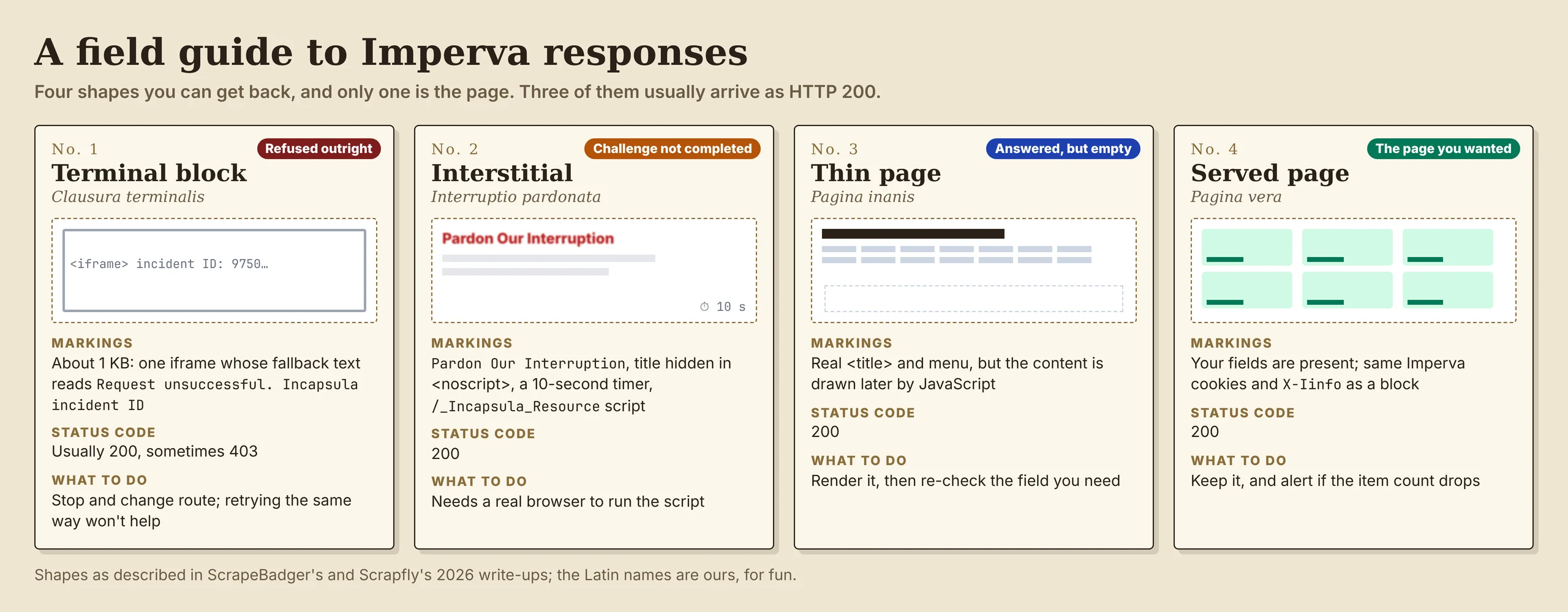
- Terminal block: about 1 KB, a single iframe whose fallback text reads "Request unsuccessful. Incapsula incident ID". The request was refused; there's nothing to complete.
- Interstitial: the Advanced Bot Protection page, "Pardon Our Interruption". Its title sits inside
<noscript>and the message appears after a 10-second timer, so a rendered scrape can read an empty title. - Thin page: the real title and menu, but the content is drawn later by JavaScript. Nothing in it says "blocked".
- Served page: your fields are present.
A thin page isn't always a block: a single-page app fetched without JavaScript looks the same. Either way the result is the same for your pipeline: no data, so it mustn't be stored as if it were.
Which "am I blocked?" checks work
Most scrapers decide success with one quick test: the status code, a cookie, a block phrase or the page size. We scored six common checks against 40 lab responses with a known answer: 20 real pages and 20 refusals or empty pages, 18 of them HTTP 200. Only one check caught every refusal without a false alarm.
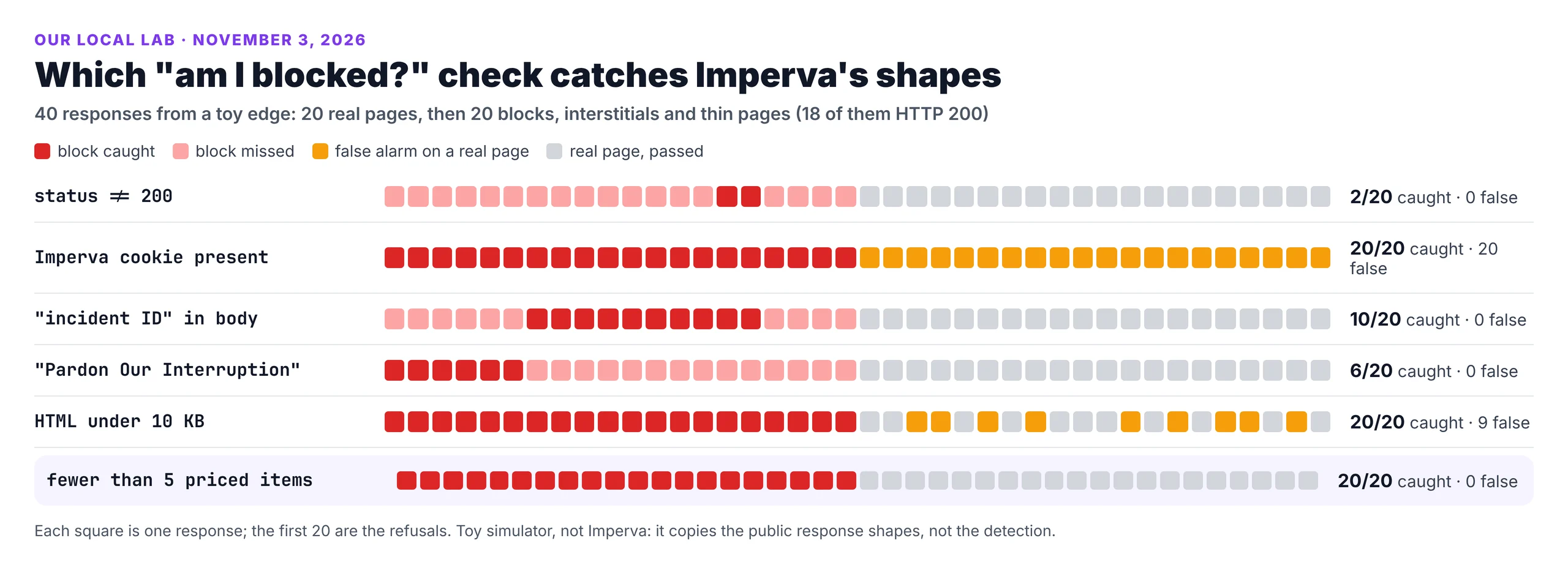
The scoring script and the lab edge are in the code download, so you can rerun the test or point it at your own saved responses.
The status code caught only the two 403s. The cookie check flagged everything, because Imperva sets its cookies on real pages too. Each block phrase caught only its own shape, and the size check flagged 9 short but real pages. ScrapeBadger saw the same on live captures: no single published check caught more than 5 of their 7 refusals.
- Validate on the field you need: a price, an item count, a listing ID. Zero prices is a failure whatever the status.
- Use the block phrases for logging, not for success: they tell you which shape you got, which tells you what to change.
- Alert on the field rate: a drop in items per page is your first sign of trouble.
"The checks people copy from forum posts each catch one shape. Asking whether the page holds the field you came for catches all of them, and it's three lines of code."
Rajesh Kannan, Co-Founder & CTO at Gramosoft
Pace requests, back off and stop
Imperva watches behaviour over a session, and blocked IPs don't always stay blocked: Scrapfly reported a blocked IP getting the real homepage again the next morning. Both point the same way. Slow, polite collection fails less, and hammering a block only makes it longer.
- Start slow and raise the rate only while your field rate stays flat.
- Back off on any refusal shape, not just 403 and 429, and wait longer after each one.
- Cap concurrency per site and honour
robots.txt, including any crawl delay. - Stop on a terminal block: retrying the same request the same way won't change the answer.
We don't cover forging or replaying reese84 tokens, malformed-cookie tricks, or patching browsers to hide automation. They defeat a control the site chose to deploy, they break with each Imperva update, and they carry the most legal risk.
How to judge a scraping API on Imperva
There's no independent Imperva success-rate benchmark to lean on yet. Scrapeway's Imperva page, updated October 27, 2026, says none of its monthly targets sits behind Imperva, so it publishes no ranking. Any provider's claim, including ours, is something to test on your own pages before you commit.
- Test on your real URLs, not the provider's demo targets, over a few days rather than one run.
- Score on fields, not status: count pages that hold the data you need.
- Compare cost per usable page: a cheap request that returns a terminal block isn't cheap.
- Check what's billed: some providers charge for every 200, even when it's a block page.
What scraping protected pages costs
Imperva sites need JavaScript rendering and usually premium IPs on every page, so compare providers on their protected-page price, not their headline rate. For 100,000 successful protected pages a month, credit-based APIs cost $249 to $399 at list price and GcrawlAI costs $101. For plain pages, they're cheaper.
| Option, 100,000 successful pages a month | Plain HTML pages | Protected pages (JS rendering + premium proxies) | Are failed requests billed? |
|---|---|---|---|
| GcrawlAI (every request rendered, residential IPs included) | $101 (Growth $79 + 20,000 overage at $1.10 per 1,000) | $101 (same request, no multiplier) | No: failed requests are never charged |
| ScraperAPI | $49 (Hobby, 100,000 credits) | $299 (Business; 25 credits per page = 2.5M credits) | Charges only 200 and 404 responses |
| ZenRows | $39 (Build B3, 120,000 credits) | $399 (Growth G3; 25 credits per page = 2.5M credits) | Failed requests never charged; 404 and 410 count as successful |
| ScrapingBee | $49 (Freelance, 250,000 credits; JS off) | $249 (Business; 25 credits per page = 2.5M credits) | Charges only 200, 404 and 410 |
List-price arithmetic, not a benchmark. Credit costs and billing rules come from ScraperAPI's credit docs, ZenRows' pricing docs and ScrapingBee's FAQ, checked November 1, 2026. The honest read: for plain HTML, ZenRows, ScraperAPI and ScrapingBee cost less than GcrawlAI. And on Imperva, billing that counts any 200 as success can include block pages, so the price that matters is per page with your fields in it.
GcrawlAI plans (GcrawlAI pricing, checked October 28, 2026):
| Plan | Price | Requests/month | Concurrent | Per 1,000 | Overage per 1,000 |
|---|---|---|---|---|---|
| Free | $0 forever, no card | 50 | 2 | – | – |
| Starter | $29/month | 20,000 | 10 | $1.45 | $1.60 |
| Growth (most popular) | $79/month | 80,000 | 35 | $0.99 | $1.10 |
| Pro | $199/month | 250,000 | 50 | $0.80 | $0.90 |
| Scale | $499/month | 750,000 | 100 | $0.67 | $0.75 |
| Enterprise | Volume pricing | 2M+ | Custom | – | – |
| Self-hosted | $0 (MIT) | Your servers | Your servers | Infrastructure only | – |
Every plan, Free included, has scrape, crawl, the Search API, JavaScript rendering, residential IP rotation and stealth escalation in each request, and each feature counts as one request. Failed requests are never charged. Annual billing charges 10 months for 12, unused requests on paid plans roll over once, and Indian customers are billed in INR with a GST invoice.
Which route fits your project
Start with the route that carries the least risk and upkeep, and move on only when it can't give you the data. For Imperva sites that order is usually an official source, then a managed browser API, then browsers you run yourself. The table shows where GcrawlAI fits in each case.
| Your situation | Route | Where GcrawlAI fits |
|---|---|---|
| The site has an API, feed or partner programme | Use it | Not needed; use GcrawlAI for your other, unprotected sources |
| Public pages, terms allow collection, steady volume | Managed browser API with field checks | GcrawlAI renders each page in a real browser, one request per page |
| A handful of pages, occasionally | Manual, or a slow, polite browser script | The GcrawlAI free plan's 50 requests a month |
| Not sure it's Imperva, or which shape you get | Run the classifier first | Fetch the same URL in the GcrawlAI Playground and compare shapes |
| You need full control of the stack | Self-host | The MIT GcrawlAI core on your servers |
| AI agents need the page | A tool the agent can call | GcrawlAI MCP server with scrape, crawl and Search API |
When your own Python is enough
A lot of Imperva-related work needs no service: finding which of your targets use it, classifying the responses you already get, and alerting when the field rate drops. The classifier and field check above cost nothing and belong in every pipeline that touches protected pages, whatever does the fetching.
When volume grows or your field rate falls, move the fetching to GcrawlAI and keep your checks. Its free Cloud plan's 50 requests a month are enough to test your real targets, the Playground shows the result without code, and the MIT core self-hosts for free. For the build-or-buy trade-off, read web scraping with Python vs a scraping API.
Is it OK to scrape an Imperva-protected site?
A site that runs Imperva's bot protection is telling you it filters automated traffic. That doesn't make every collection unlawful, but it raises the bar. Read the terms and robots.txt, ask for an API or data licence, stay on public pages, and keep your pace gentle.
Don't defeat the protection itself: no reverse-engineering its scripts, forging or replaying tokens, or exploiting parser bugs. Imperva often guards logins, checkouts and account flows; leave those alone, and don't collect personal data you have no basis to hold. For the legal background, read what web scraping is and where it's legal, and get advice for your own case.
"Banks and airlines put Imperva in front of their sites for good reasons. When customers bring us one, we start by asking for the feed or the partner API. The pages we do fetch are public ones, at a pace the site won't notice."
Rajesh Kannan, Co-Founder & CTO at Gramosoft
Frequently asked questions
How do I know if a website uses Imperva?
Look for visid_incap_ and incap_ses_ cookies, an X-Iinfo response header, sometimes X-CDN: Imperva, and scripts from /_Incapsula_Resource. These appear on real pages too, so they tell you the site uses Imperva, not that you were blocked.
What does "Request unsuccessful. Incapsula incident ID" mean?
It's the text of Imperva's terminal block page: about 1 KB, with a single iframe. The request was refused outright. It often comes back as HTTP 200, so check the body rather than the status code, and change your route rather than retrying.
What is the "Pardon Our Interruption" page?
The interstitial from Imperva's Advanced Bot Protection: a challenge page whose script has to run in a real browser. Its title sits inside a <noscript> tag and the visible message appears after a 10-second timer.
Why does my Imperva scraper get 200 but no data?
Because most Imperva refusals return HTTP 200: a terminal block, an interstitial or a thin page. In our lab, a status check caught 2 of 20 refusals. Validate on the field you need, such as prices or an item count, before you store the page.
What is the reese84 cookie?
The token Imperva's Advanced Bot Protection sets after its JavaScript check runs in a browser. On sites that use it, requests without a valid, unexpired reese84 are blocked. Older deployments use a ___utmvc cookie for the same job.
Which scraping API works best on Imperva?
There's no independent benchmark yet: Scrapeway's Imperva page, updated October 27, 2026, has no measured ranking. Test providers on your own URLs over several days, count pages that hold your fields, and compare cost per usable page.
Is GcrawlAI open source, and can I use it commercially?
Related guides
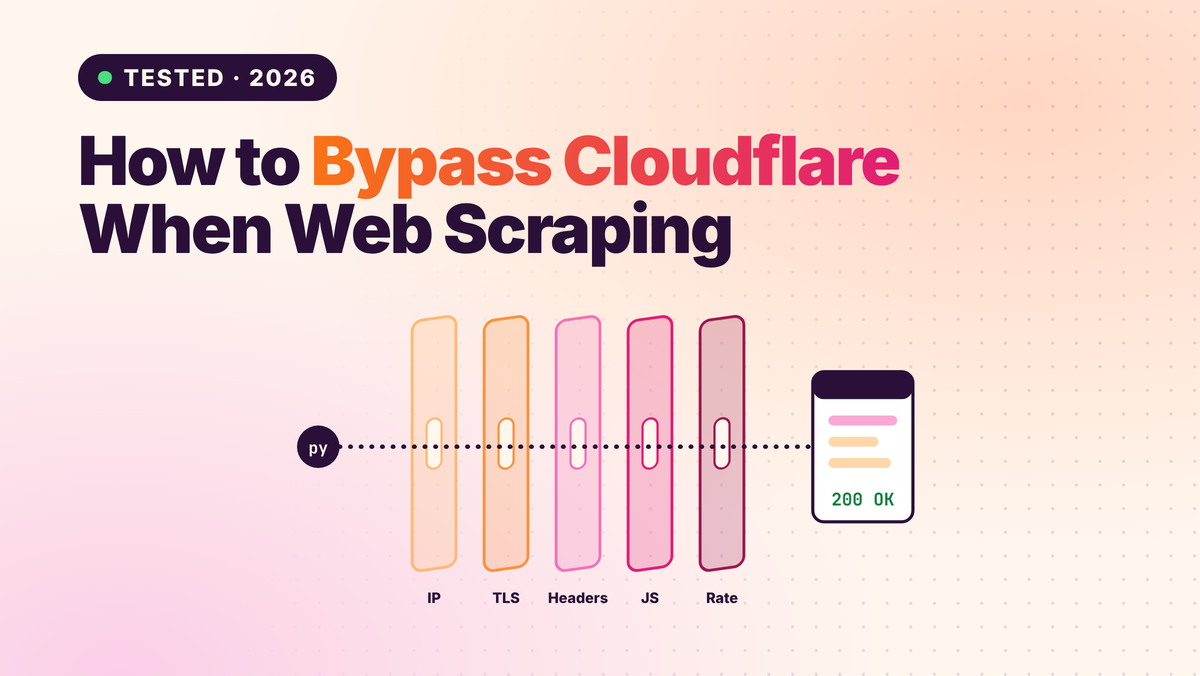
- How to Bypass Cloudflare When Web Scraping (2026)
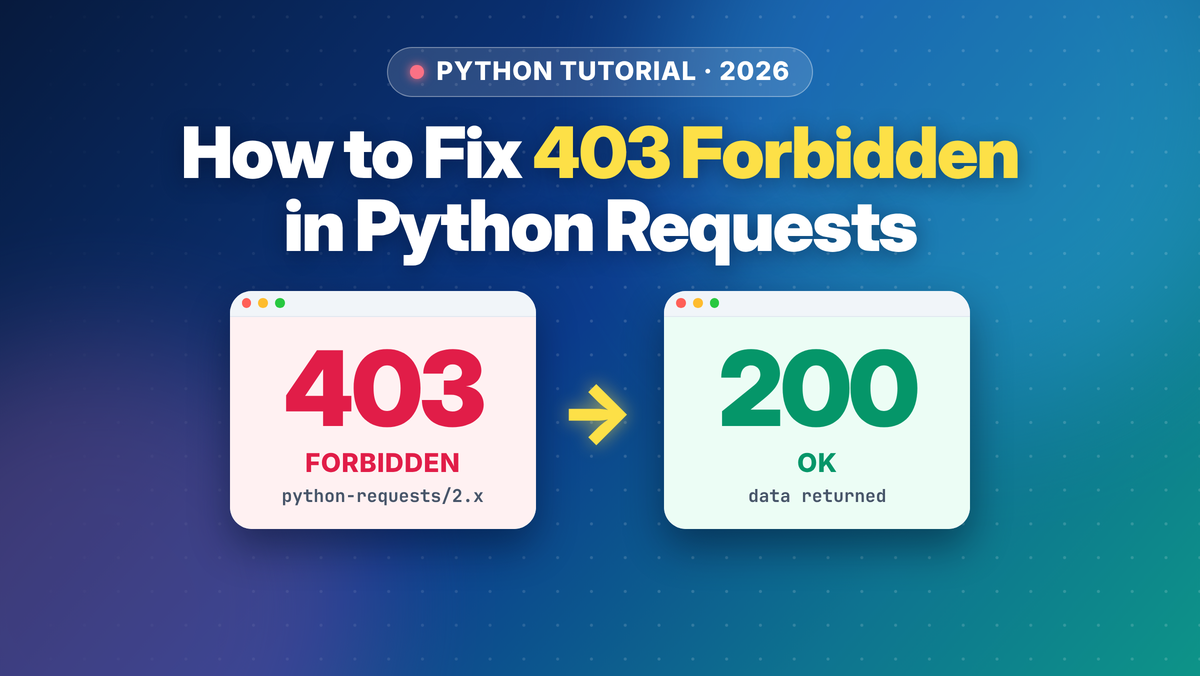
- How to Fix 403 Forbidden Errors in Python Requests (2026)
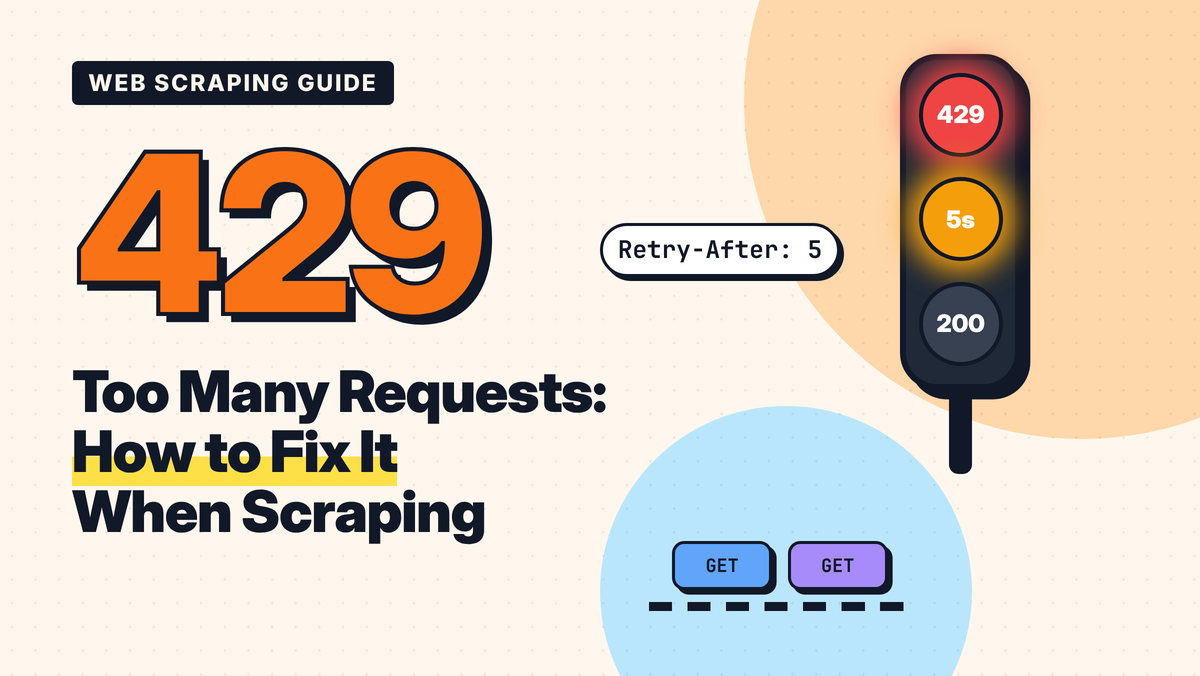
- 429 Too Many Requests: How to Fix It When Web Scraping
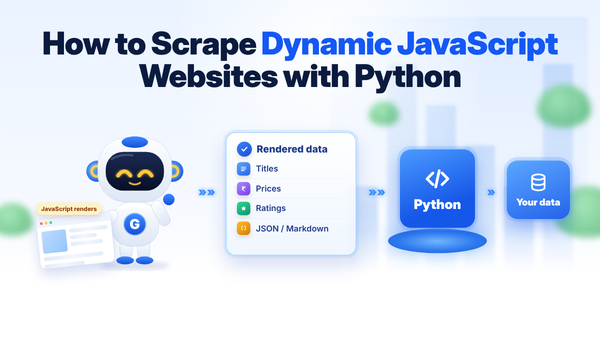
- How to Scrape Dynamic JavaScript Websites with Python (2026 Guide)
- ZenRows Alternatives: Best Anti-Bot Scraping APIs in 2026
- Web Scraping with Python vs a Scraping API: When to Stop Writing Your Own Scraper
- Extract structured data from any website
- What Is Web Scraping? How It Works, Uses & Legality