By Rajesh Kannan, Co-Founder & CTO, Gramosoft · Last updated: · Search API prices checked on OpenAI, Perplexity, Parallel and Tavily pages on November 1, 2026
An AI chatbot only knows what was in its training data, so ask it about this morning's news, today's price or last week's release and it either says it doesn't know or makes something up. The fix isn't retraining. You fetch fresh information at the moment the question arrives and put it in the prompt with its sources. This guide starts with the GcrawlAI route, which does that with one Search API call and a few page reads, then covers tool calling, your own live APIs, caching, latency, cost and the mistakes that make live answers worse.
TL;DR
- Fastest route: GcrawlAI's Search API finds current pages and its scrape endpoint returns them as clean Markdown, with rendering, residential IPs and anti-bot handling in each request. Put both in the prompt and cite the URLs.
- Let the model decide: expose live lookups as tools (web search, your order API, a price feed) and the model calls them only when the question needs fresh data.
- Your own live data (orders, stock, tickets) comes from your APIs through tool calling, not from the web or retraining.
- Cache by data type: prices for minutes, news for half an hour, release notes for hours, so you don't pay to fetch on every message.
- Always cite and always fail honestly: show source URLs, and say "I couldn't find current data" rather than guess.
How do you get real-time information into an AI chatbot? At question time, call a search API, read the top pages, and pass that text with its URLs into the prompt, telling the model to answer only from those sources. GcrawlAI does the search and page reading in one request each, and failed requests aren't billed.
Quick comparison (prices checked November 1, 2026):
| Approach | Fresh data from | Control | Best for |
|---|---|---|---|
| GcrawlAI Search API + scrape | The live web, full pages | Full: you pick sources and context | Production chatbots that cite sources |
| Provider's built-in web search tool | The provider's search | Low: provider picks sources | Prototypes |
| Tool calling to your own APIs | Your systems | Full | Orders, stock, tickets, prices you own |
| Web-grounded answer API | The vendor's index | Low | One call, answer with citations |
| Scheduled crawl into a vector index | Sites you choose, on a timer | Full | Docs and sites that change daily, not by the minute |
Add live web data to your chatbot with GcrawlAI
GcrawlAI gives a chatbot two live tools: a Search API that returns ranked, current results for a question, and a scrape endpoint that turns each result into clean Markdown. Your code puts that text and its URLs into the prompt. Each search and each page is one request, with rendering and anti-bot handling included.
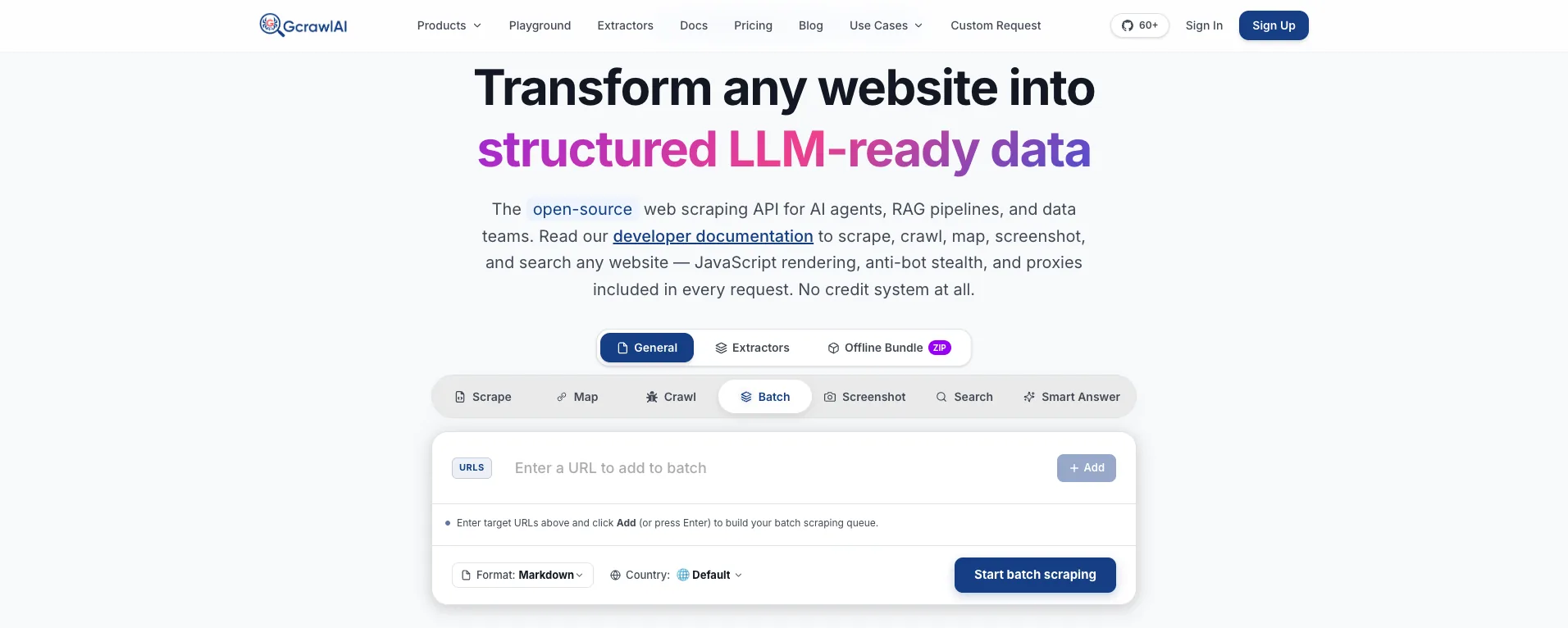
The homepage says it plainly: JavaScript rendering, anti-bot stealth and proxies are included in every request, with no credit system. That matters for chatbots because the pages users ask about are often JavaScript-heavy or behind bot checks, and a snippet alone rarely holds the full answer.
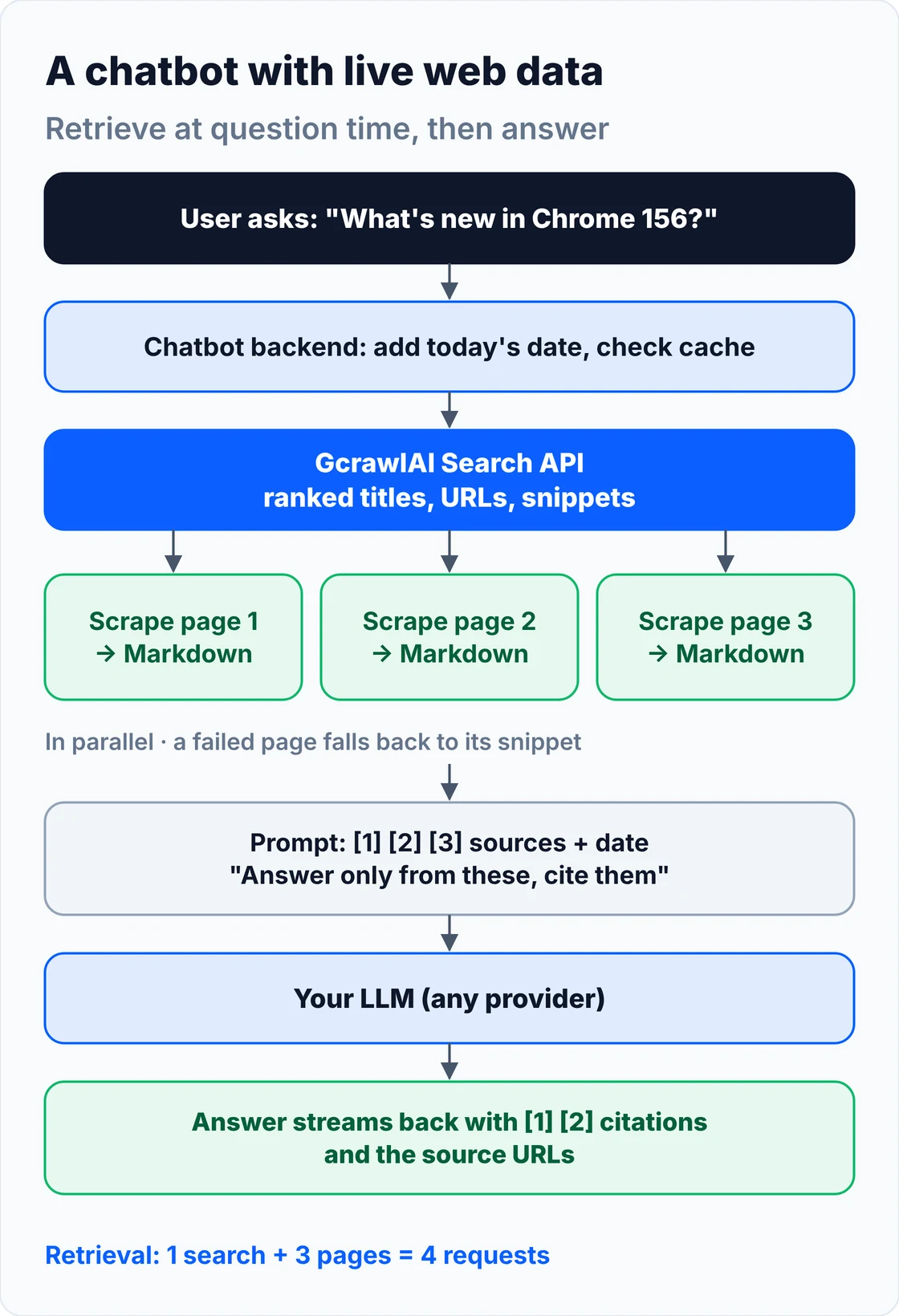
The flow is short: the user's question goes to the Search API, the top three results are read in parallel with scrape, and the numbered sources go into the system prompt with today's date. A page that fails falls back to its search snippet, so one blocked site doesn't break the answer:
# pip install gcrawl-sdk openai
"""Search the live web with GcrawlAI, read the top pages, and answer with numbered citations."""
import os
from concurrent.futures import ThreadPoolExecutor
from datetime import date

from gcrawl_sdk import GcrawlClient, ScrapeOptions

gc = GcrawlClient(api_key=os.getenv("GCRAWL_API_KEY", "gc-YOUR_API_KEY"))
MAX_CHARS_PER_SOURCE = 4000          # keep the prompt small: about 1,000 tokens per page


def search(question: str, k: int = 3, geo: str = "US") -> list[dict]:
    """One Search API request: ranked results with title, URL and snippet."""
    res = gc.search(query=question, pagination=1, geo=geo)
    return [{"title": r.title, "url": r.url, "snippet": r.description or ""} for r in res.results[:k]]


def read(url: str, geo: str = "US") -> str:
    """One scrape request: the rendered page as Markdown (JS, residential IP and anti-bot included)."""
    page = gc.scrape(url=url, options=ScrapeOptions(markdown_enabled=True, proxy_geo=geo), wait=True)
    return (page.markdown or "")[:MAX_CHARS_PER_SOURCE]


def live_context(question: str, k: int = 3, geo: str = "US") -> list[dict]:
    hits = search(question, k, geo)
    with ThreadPoolExecutor(max_workers=k) as pool:          # read the pages in parallel
        bodies = list(pool.map(lambda h: _safe_read(h, geo), hits))
    return [dict(h, text=b) for h, b in zip(hits, bodies)]


def _safe_read(hit: dict, geo: str) -> str:
    try:
        return read(hit["url"], geo)
    except Exception:
        return hit["snippet"]                                 # a failed page falls back to its snippet


def build_messages(question: str, sources: list[dict]) -> list[dict]:
    blocks = "\n\n".join(f"[{i}] {s['title']}\nURL: {s['url']}\n{s['text']}" for i, s in enumerate(sources, 1))
    system = (f"Today is {date.today():%B %d, %Y}. Answer using only the sources below. "
              "Cite them as [1], [2]. If they don't answer the question, say you couldn't find it.\n\n" + blocks)
    return [{"role": "system", "content": system}, {"role": "user", "content": question}]


if __name__ == "__main__":
    from openai import OpenAI                                  # any OpenAI-compatible endpoint works
    llm = OpenAI()                                             # set base_url= for another provider
    q = "What changed in the latest stable Chrome release?"
    sources = live_context(q)
    reply = llm.chat.completions.create(model=os.getenv("CHAT_MODEL", "your-model"),
                                        messages=build_messages(q, sources))
    print(reply.choices[0].message.content)
    for i, s in enumerate(sources, 1):
        print(f"[{i}] {s['url']}")
- Search API: ranked titles, URLs and snippets for any query, one request per results page, with a country setting so local news and prices match the user.
- Deep Search: queries several engines and merges them into one ranked list, for questions where one engine misses things.
- Scrape to Markdown: the rendered page as LLM-ready Markdown, HTML or JSON, with JavaScript, residential IPs and anti-bot handling in one request.
- Crawl and batch: refresh a whole docs site or a list of URLs on a schedule for retrieval, with async jobs and webhooks.
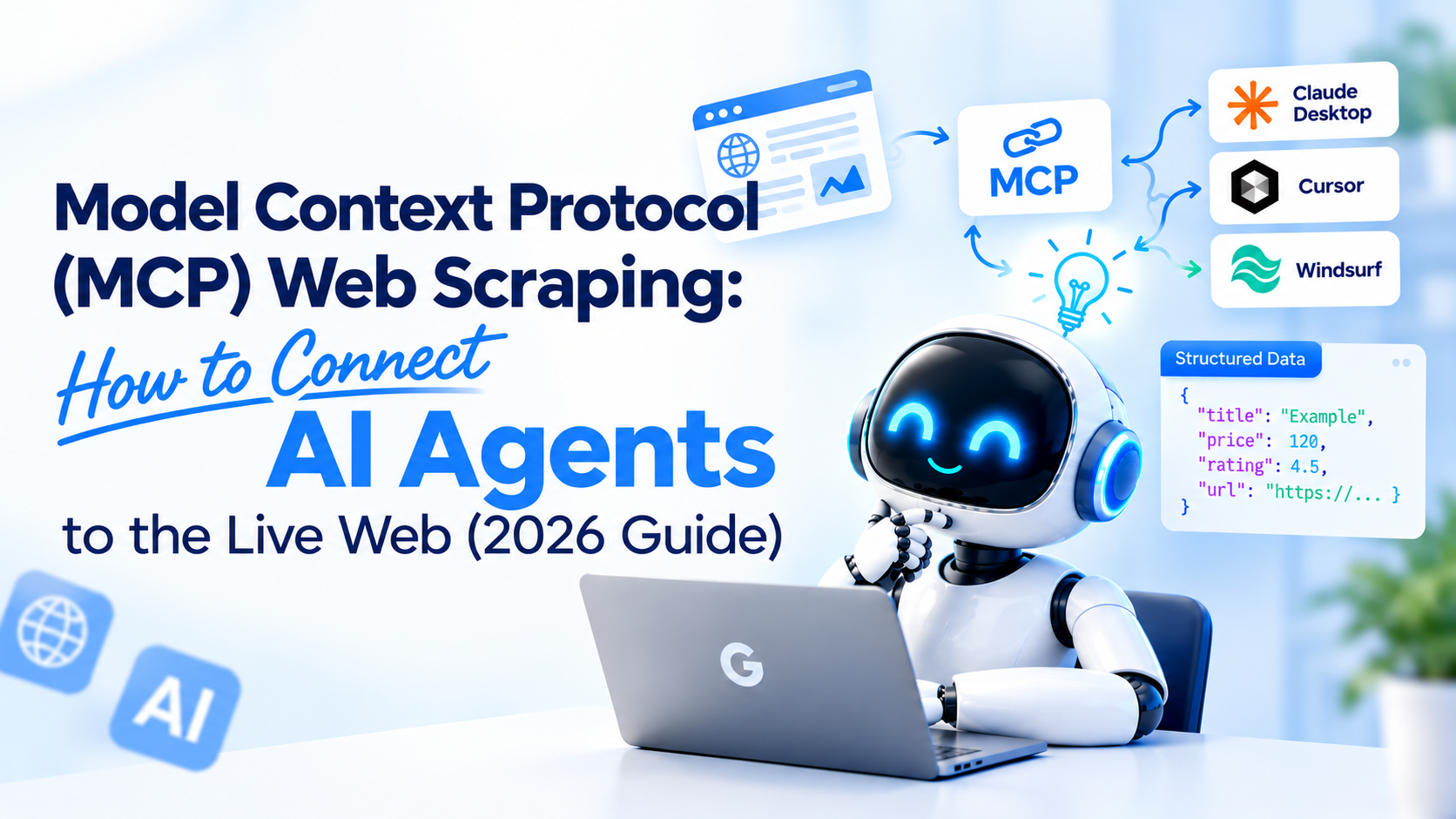
- MCP for agents: an MCP server so Claude, Cursor and other agents can search and read pages directly, plus a Python SDK, the Playground and the docs.
The MIT-licensed core runs on your own servers if the data can't leave your network:
git clone https://github.com/GramosoftAI/GcrawlAI.git && cd GcrawlAI
python -m venv .venv && source .venv/bin/activate
pip install -r requirements.txt && playwright install
cp .env.example .env                      # add your database, Redis and proxy settings
python -m api.core.db_setup
redis-server &
celery -A web_crawler.crawler.celery_config worker -l info &
uvicorn api.api:app --port 8000
Pricing is a free plan of 50 requests a month with no card, paid plans from $0.67 to $1.45 per 1,000 requests, and a self-hosted core that costs nothing. Failed requests are never charged. The plan table and a per-answer cost comparison are in the cost section.
Where it falls short: GcrawlAI retrieves; it doesn't write the answer. You bring the LLM and the prompt, so there's more code than a single answer-API call. Reading three full pages per question adds a few seconds, so for fast chat you'll want snippets first and full pages only when needed. There's no prompt-driven browsing agent, and the ecosystem is younger, with fewer ready-made chatbot integrations.
"A chatbot that guesses is worse than one that says it doesn't know. Give it the page, the URL and today's date, and tell it to answer only from what it was given. That one rule fixes most of the confident nonsense."
Rajesh Kannan, Co-Founder & CTO at Gramosoft
Why chatbots give stale or made-up answers
A language model's knowledge stops at its training cutoff, and it has no clock. Ask about anything newer and it either refuses or fills the gap with something plausible. Retrieval over documents you uploaded helps with internal knowledge, but those documents are only as current as their last upload. Live questions need data fetched at question time.
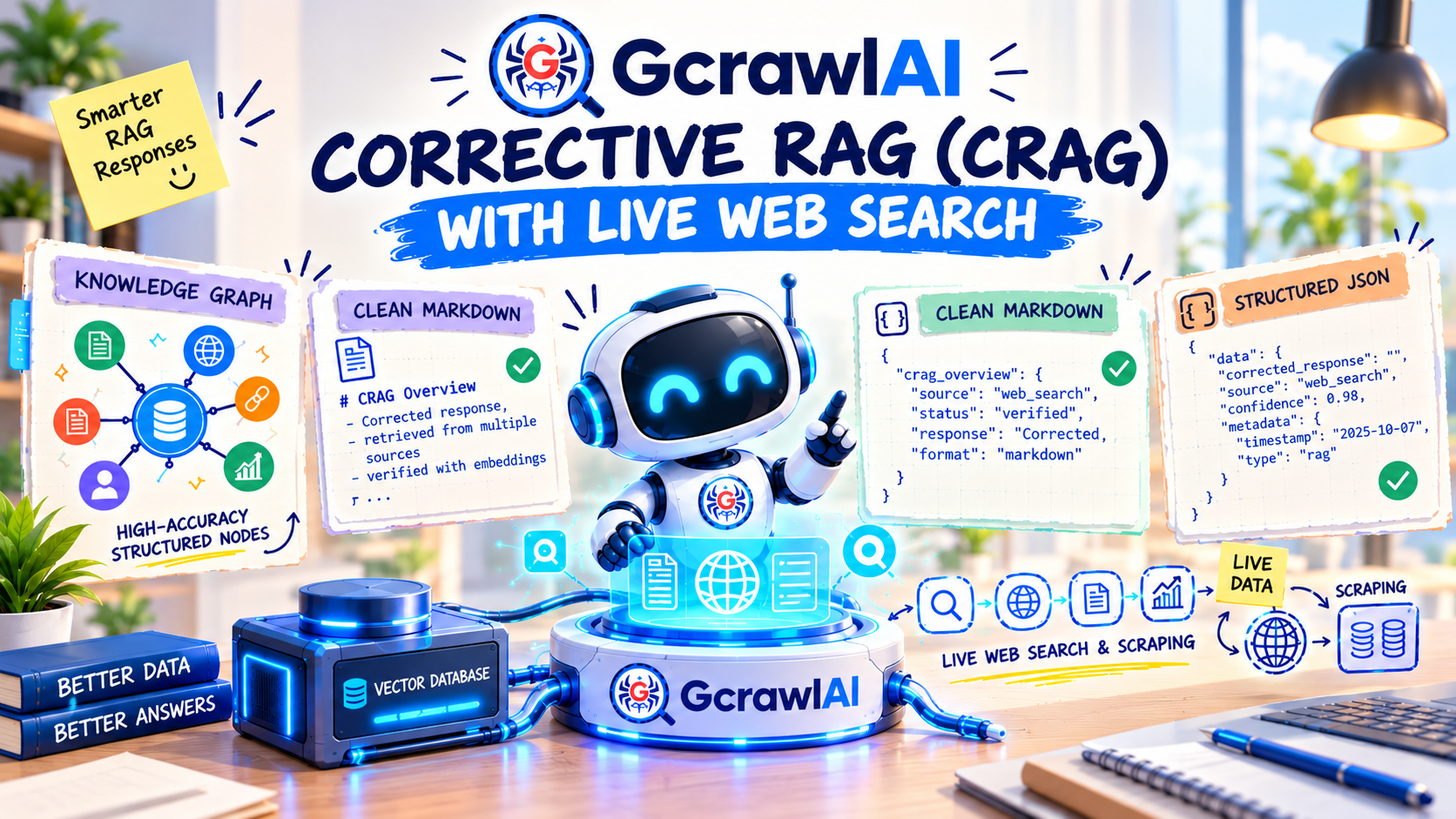
Three things make this worse in production. Users don't say "after your cutoff"; they ask "what's the latest version?" and expect today's answer. Models rarely know today's date unless you tell them, so even fresh sources get misread. And without sources in the reply, nobody can check the answer or debug a bad one. Fixing all three takes the same pattern: fetch fresh data, add the date, cite the source. Our guide to corrective RAG with live web search shows the same idea applied to weak retrieval.
Five ways to get real-time information into a chatbot
There are five practical ways to feed a chatbot current information: a search API plus page reading, the model provider's built-in web search tool, tool calls to your own live APIs, a web-grounded answer API, and a scheduled crawl that keeps a vector index fresh. Most production bots combine two or three of them.
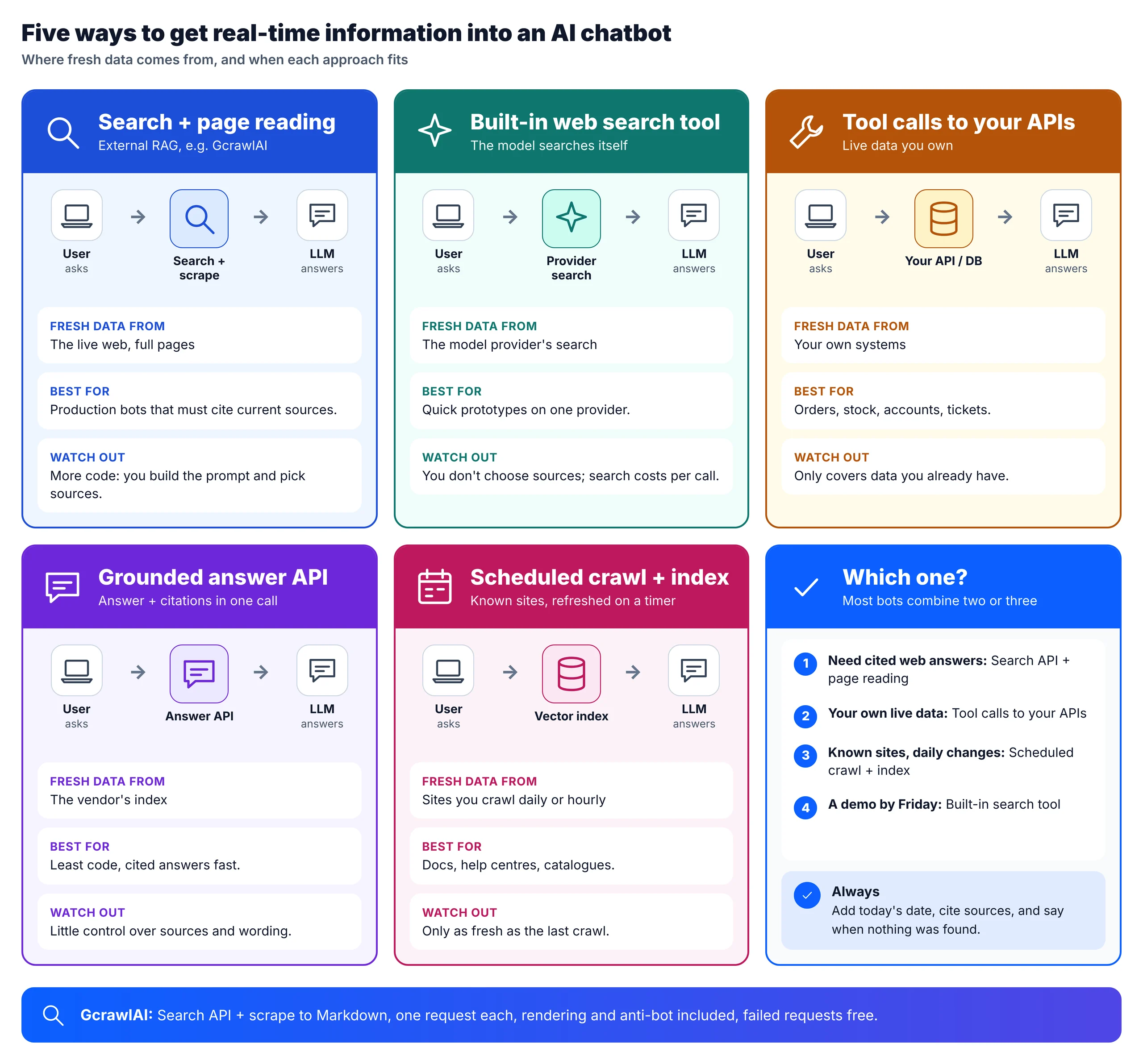
1. Search API plus page reading (external RAG)
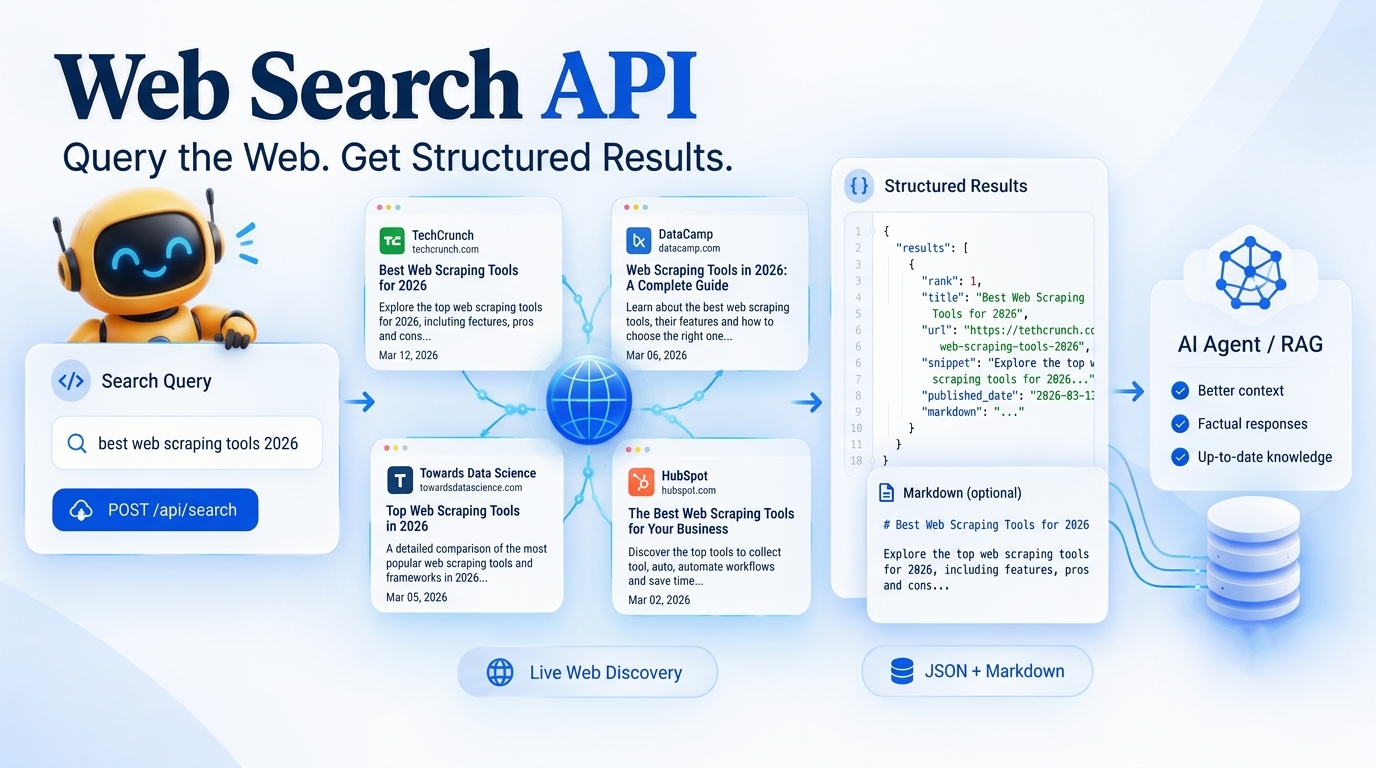
Your code searches, reads the best pages, trims them, and builds the prompt. You see exactly what the model saw, choose which sources to trust, and can swap the LLM or the search provider independently. It's more code than the other options, but it's the pattern you can debug. This is the GcrawlAI route above; our web search API explainer covers what search results contain.
2. The provider's built-in web search tool
Some model providers let the model search during generation. OpenAI's pricing page lists its web search tool at $10 per 1,000 calls, with the search content tokens billed at the model's rate. It's the quickest way to a prototype. The trade-offs are that you don't choose the sources, you can't easily control how many searches a conversation triggers, and you're tied to that provider's models.
3. Tool calling to your own live APIs
Order status, account balances, stock levels, ticket queues and your own price list don't live on the public web. Expose them as functions the model can call, and your backend answers from the database in real time. This is the right answer for internal data, and the code in the next section mixes it with web search.
4. A web-grounded answer API
Some vendors take the question and return an answer with citations in one call; Parallel's Responses API, for example, is priced from $10 per 1,000 requests at low reasoning effort. You write the least code, but you have the least control over sources and wording, and you depend on the vendor's index.
5. A scheduled crawl into a vector index
For sources you know in advance (your docs, a partner's help centre, a regulator's updates page), crawl them on a timer and re-embed what changed. Answers are as fresh as your last crawl, retrieval is fast, and you avoid a live fetch on every question. Our guides to web scraping for RAG and loading websites into LlamaIndex cover that pipeline.
Let the model decide when to look things up
Tool calling lets the model decide, per message, whether it needs live data and from where. You describe each tool in plain language (search the web, look up an order), the model returns a tool call when it needs one, your code runs it, and the model answers from the result. Questions that need no fresh data cost nothing extra.
This chatbot has two tools: web search through GcrawlAI and an order lookup against your own system. It works with any OpenAI-compatible chat API, and it caps tool rounds so a confused model can't loop forever:
# pip install gcrawl-sdk openai
"""A chatbot that decides for itself when it needs live data: web search, or your own API."""
import json
import os

from openai import OpenAI
from live_context import live_context

TOOLS = [
    {"type": "function", "function": {
        "name": "web_search",
        "description": "Search the live web and read the top pages. Use for news, prices, releases, "
                       "schedules or anything that may have changed after your training data.",
        "parameters": {"type": "object", "properties": {
            "query": {"type": "string"},
            "country": {"type": "string", "description": "Two-letter country code, e.g. US, IN, DE"}},
            "required": ["query"]}}},
    {"type": "function", "function": {
        "name": "order_status",
        "description": "Look up a customer's order in our own system.",
        "parameters": {"type": "object", "properties": {"order_id": {"type": "string"}}, "required": ["order_id"]}}},
]


def order_status(order_id: str) -> dict:
    # Replace with a call to your own API or database. Live internal data never needs the web.
    return {"order_id": order_id, "status": "shipped", "eta": "2 days"}


def run_tool(name: str, args: dict) -> str:
    if name == "web_search":
        sources = live_context(args["query"], k=3, geo=args.get("country", "US"))
        return json.dumps([{"n": i, "title": s["title"], "url": s["url"], "text": s["text"][:3000]}
                           for i, s in enumerate(sources, 1)])
    if name == "order_status":
        return json.dumps(order_status(**args))
    return json.dumps({"error": f"unknown tool {name}"})


def chat(llm: OpenAI, model: str, messages: list[dict], max_rounds: int = 3) -> str:
    for _ in range(max_rounds):                               # cap tool rounds so a turn can't loop forever
        msg = llm.chat.completions.create(model=model, messages=messages, tools=TOOLS).choices[0].message
        if not msg.tool_calls:
            return msg.content
        messages.append(msg)
        for call in msg.tool_calls:
            messages.append({"role": "tool", "tool_call_id": call.id,
                             "content": run_tool(call.function.name, json.loads(call.function.arguments))})
    return "Sorry, I couldn't finish looking that up. Please try again."


if __name__ == "__main__":
    llm = OpenAI()
    history = [{"role": "system", "content": "You are a helpful assistant. Cite web sources by URL."}]
    for q in ["Where is order A1042?", "What did the EU announce about AI rules this week?"]:
        history.append({"role": "user", "content": q})
        answer = chat(llm, os.getenv("CHAT_MODEL", "your-model"), history)
        history.append({"role": "assistant", "content": answer})
        print(q, "->", answer)
Write tool descriptions for the model, not for people: say what kinds of questions each tool is for ("news, prices, releases, anything that may have changed"). For AI agents that work across many tools, MCP is the standard way to plug them in; see MCP web scraping for AI agents, and for multi-step research, building a deep research agent.
Keep answers fresh without fetching on every message
Most questions don't need a live fetch, and the ones that do can usually reuse a recent one. Route each question first: only questions about prices, news, releases, schedules or "today" go to live search. Then cache fetched context for as long as that kind of data stays true: minutes for prices, hours for release notes.
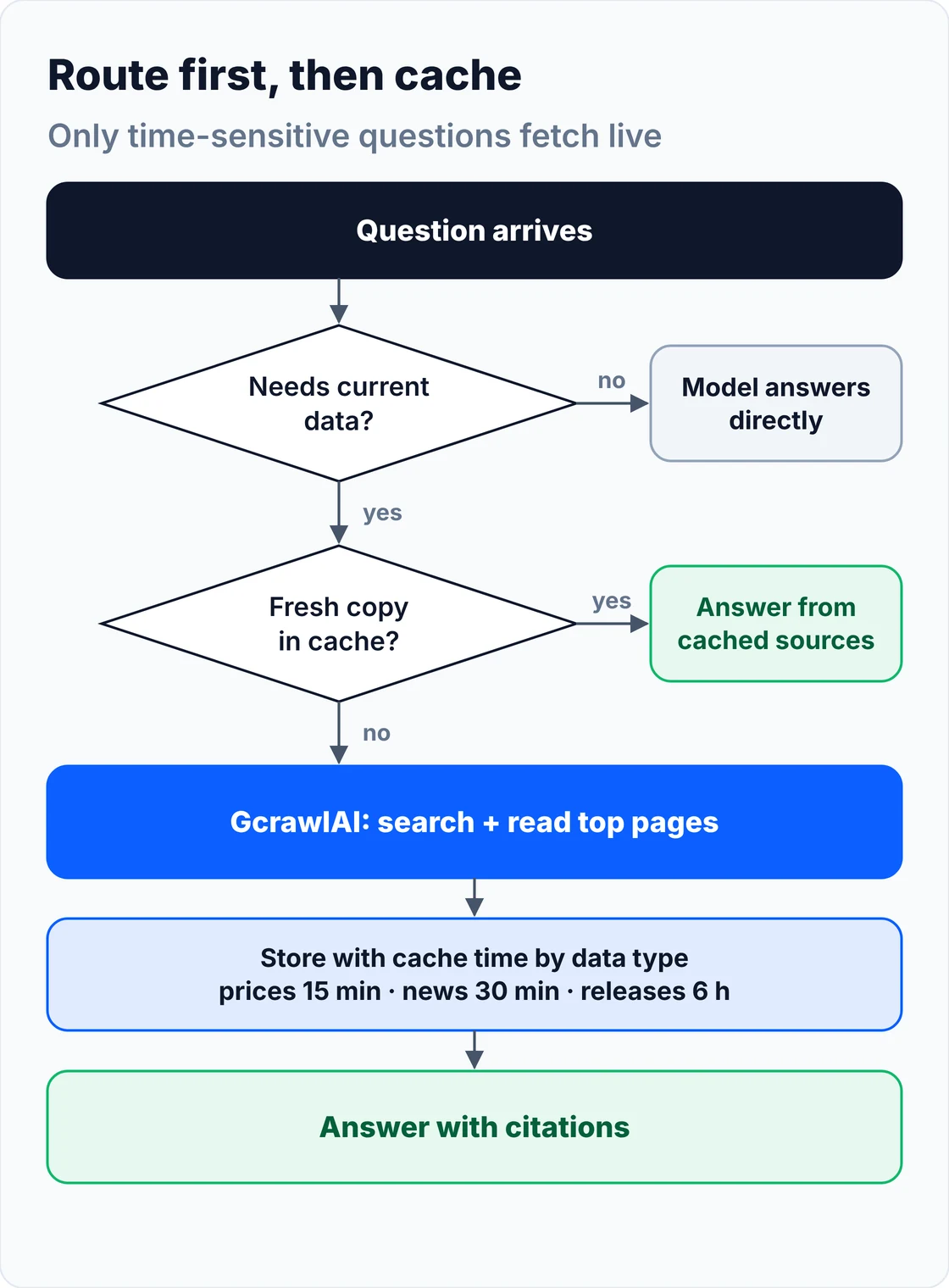
| Kind of question | How fast it changes | Suggested cache time |
|---|---|---|
| Live scores, auctions | Seconds | 1 minute, or skip the cache |
| Prices, stock levels | Minutes to hours | 15 minutes |
| News, weather | Hours | 30 minutes |
| Release notes, schedules | Days | 6 hours |
| Docs, policies | Weeks | 24 hours, or a scheduled crawl |
A small router and cache cover most of this. The keyword list is a starting point; in production you can ask a small model "does this need current information?" instead:
"""Decide when a question needs live data, and how long a fetched answer can be cached."""
import re
import time

LIVE_HINTS = re.compile(r"\b(today|now|latest|current|this (week|month|year)|price|stock|score|weather|"
                        r"news|release[sd]?|schedule|open|status|202[6-9])\b", re.I)

# How long fetched web context stays good, by kind of question (seconds).
TTL = {"price": 15 * 60, "news": 30 * 60, "score": 60, "weather": 30 * 60, "release": 6 * 3600, "default": 24 * 3600}


def needs_live_data(question: str) -> bool:
    return bool(LIVE_HINTS.search(question))


def ttl_for(question: str) -> int:
    q = question.lower()
    for key, seconds in TTL.items():
        if key in q:
            return seconds
    return TTL["default"]


class Cache:
    def __init__(self, clock=time.time):
        self.store, self.clock = {}, clock

    def get(self, question: str):
        hit = self.store.get(question.lower().strip())
        if hit and self.clock() < hit[0]:
            return hit[1]
        return None

    def put(self, question: str, value):
        self.store[question.lower().strip()] = (self.clock() + ttl_for(question), value)
The test below stubs the GcrawlAI calls, so it runs offline; it checks the routing, the snippet fallback for a failed page, the numbered sources and the cache expiry. It's a logic check, not a scraping test:
# Offline logic check with stubbed GcrawlAI calls: no network, no LLM. Not a scraping test.
import live_context as lc
from freshness import Cache, needs_live_data, ttl_for

FAKE_RESULTS = [
    {"title": "Stable Channel Update for Desktop", "url": "https://news.example.com/chrome-156-stable", "snippet": "Chrome 156 ..."},
    {"title": "Chrome 156 release notes", "url": "https://docs.example.org/chrome/156", "snippet": "What's new ..."},
    {"title": "Blocked page", "url": "https://example.com/blocked", "snippet": "Snippet only"},
]
lc.search = lambda q, k=3, geo="US": FAKE_RESULTS[:k]
def fake_read(url, geo="US"):
    if "blocked" in url:
        raise RuntimeError("page failed")                    # live_context falls back to the snippet
    return f"# {url}\nChrome 156 is rolling out to the stable channel." * 2
lc.read = fake_read

q = "What changed in the latest stable Chrome release?"
print("needs live data:", needs_live_data(q), "| cache TTL:", ttl_for(q) // 3600, "h")
print("needs live data:", needs_live_data("Explain how TCP handshakes work"))
sources = lc.live_context(q)
for i, s in enumerate(sources, 1):
    print(f"[{i}] {s['url']}  ({len(s['text'])} chars)")
msgs = lc.build_messages(q, sources)
print("system prompt chars:", len(msgs[0]["content"]), "| cites:", msgs[0]["content"].count("URL:"))

now = [0.0]
cache = Cache(clock=lambda: now[0])
cache.put("bitcoin price now", "cached answer")
now[0] = 10 * 60;  print("price cached after 10 min:", cache.get("bitcoin price now") is not None)
now[0] = 20 * 60;  print("price cached after 20 min:", cache.get("bitcoin price now") is not None)
needs live data: True | cache TTL: 6 h
needs live data: False
[1] https://news.example.com/chrome-156-stable  (186 chars)
[2] https://docs.example.org/chrome/156  (172 chars)
[3] https://example.com/blocked  (12 chars)
system prompt chars: 730 | cites: 3
price cached after 10 min: True
price cached after 20 min: False
Keep it fast: latency and streaming
Live retrieval adds seconds to a reply, so hide and shrink that time. Read pages in parallel, set a timeout per page and fall back to snippets, stream the model's tokens to the user as they arrive, and show a short "searching the web" status while retrieval runs. Users wait happily when they can see progress.
- Snippets first: answer simple questions from search snippets alone, and read full pages only when the snippets don't contain the answer.
- Parallel reads with a deadline: fetch the top three pages at once and drop any page that misses the deadline.
- Stream the answer: send tokens to the browser with server-sent events or a WebSocket instead of waiting for the full reply.
- Trim before you prompt: a few thousand characters per source is enough; long pages slow the model and cost tokens.
- Cache hot questions: the same "what's new in…" question arrives many times an hour.
Measure end to end with your own model and region; search and page-load times vary with the target sites, and a JavaScript-heavy page takes longer to render than a static one. Our guide to token-efficient web data for LLMs covers trimming pages before they reach the prompt.
What live web data costs per 10,000 chatbot answers
For 10,000 answers a month that each need one search, search-only APIs run from $10 to $100, and GcrawlAI Starter costs $29. If each answer also reads three full pages, GcrawlAI Growth costs $79 with rendering and anti-bot handling included, against $40 to $108 for other search-plus-extract options. Fast search tiers are cheaper when snippets are enough.
| Option, 10,000 answers a month | Search only | Search + 3 pages read |
|---|---|---|
| GcrawlAI (1 request per search, 1 per page) | $29 (Starter, 20,000 requests) | $79 (Growth, 80,000 requests for 40,000 needed) |
| Perplexity Search API | $50 ($10 with Fast Search) | Not modelled (search results only) |
| Parallel Search + Extract | $50 Basic ($10 Turbo) | $80 Basic, $40 Turbo (Extract $1 per 1,000 URLs) |
| Tavily (basic search 1 credit, extract 1 credit per 5 URLs) | $72 (1,000 free credits, then 9,000 at $0.008) | $108 (Bootstrap plus 1,000 credits at $0.008) |
| OpenAI web search tool | $100 plus search content tokens | Pages chosen by the model |
List-price arithmetic, not a benchmark, from OpenAI, Perplexity, Parallel and Tavily pricing pages, checked November 1, 2026. LLM token costs are extra in every row. The honest read: if snippets answer your users' questions, Perplexity Fast Search and Parallel Turbo cost less than GcrawlAI, and Parallel Turbo plus Extract costs less for full pages too. GcrawlAI earns its price when the pages need a browser or sit behind bot checks, because rendering, residential IPs and anti-bot handling are inside each request and failed pages cost nothing; it also comes with a crawler for the scheduled-index route.
GcrawlAI plans (GcrawlAI pricing, checked October 28, 2026):
| Plan | Price | Requests/month | Concurrent | Per 1,000 | Overage per 1,000 |
|---|---|---|---|---|---|
| Free | $0 forever, no card | 50 | 2 | – | – |
| Starter | $29/month | 20,000 | 10 | $1.45 | $1.60 |
| Growth (most popular) | $79/month | 80,000 | 35 | $0.99 | $1.10 |
| Pro | $199/month | 250,000 | 50 | $0.80 | $0.90 |
| Scale | $499/month | 750,000 | 100 | $0.67 | $0.75 |
| Enterprise | Volume pricing | 2M+ | Custom | – | – |
| Self-hosted | $0 (MIT) | Your servers | Your servers | Infrastructure only | – |
Every plan, Free included, has the Search API, scrape, crawl, JavaScript rendering, residential IP rotation and anti-bot handling in each request. Failed requests are never charged. Annual billing charges 10 months for 12, unused requests on paid plans roll over once, and Indian customers are billed in INR with a GST invoice.
Common mistakes when adding real-time data
The usual mistakes are pasting raw HTML into the prompt, not telling the model today's date, hiding sources, fetching live data for every message, and letting a failed search turn into a confident guess. Each one makes answers slower, more expensive or less trustworthy, and each has a simple fix.
- Raw HTML in the prompt: menus and scripts waste tokens and confuse the model. Send clean Markdown, trimmed per source.
- No date in the prompt: the model can't judge "latest" without knowing today. Put the date in the system prompt.
- No citations: number the sources, ask the model to cite them, and show the URLs in the reply.
- Fetching on every message: route and cache; most questions don't need the live web.
- Silent failures: if search fails or finds nothing useful, say so. "I couldn't find current information on that" beats a made-up answer.
- Trusting every page: prefer official sources for prices, laws and releases, and treat page text as data, not instructions; a page can contain text aimed at your model.
Which approach should you use?
Use a search API plus page reading when answers must cite current web sources, tool calling for your own live systems, and a scheduled crawl for known sites that change daily. Built-in provider search suits prototypes. GcrawlAI covers the search, page reading and crawling parts, and fits alongside your own APIs.
| Your chatbot needs | Use | Where GcrawlAI fits |
|---|---|---|
| Current news, prices or releases, with sources | Search API + page reading | GcrawlAI Search API and scrape |
| Orders, accounts, stock you own | Tool calling to your APIs | Add GcrawlAI search as a second tool |
| Your docs and partner sites, kept current | Scheduled crawl into a vector index | GcrawlAI crawl on a schedule |
| A quick prototype | Provider's built-in web search | Move to GcrawlAI when you need source control |
| Local results for each user's country | Search with a country setting | GcrawlAI geo and proxy_geo |
| Pages behind JavaScript or bot checks | Rendered scraping | GcrawlAI renders and handles anti-bot in one request |
| AI agents in Claude or Cursor | MCP tools | GcrawlAI MCP server |
When you don't need live web data
You don't need live web data when the answers come from your own documents, from your own databases, or from stable knowledge the model already has. Use plain retrieval over your documents, tool calls to your systems, or the model alone. Bring in live web search only for questions about the outside world that change.
The common middle case is a set of known sites that change daily, not by the minute: a help centre, a product catalogue, a regulator's notices page. There, a nightly GcrawlAI crawl that refreshes your vector index is cheaper and faster than a live search per question, and live search stays as the fallback for anything the index doesn't cover. Our guide to crawling an entire website covers the crawl side.
Using web content in chatbot answers responsibly
Use web content to inform answers, not to republish it. Summarise in your own words, link the source, and keep quotes short. Read public pages only, respect each site's terms and rate limits, keep personal data out of your logs and indexes, and tell users when an answer comes from the live web.
Treat everything you fetch as untrusted input: strip scripts, never execute instructions found in page text, and keep tool permissions narrow so a malicious page can't make your bot do anything beyond answering. For the wider legal picture, read what web scraping is, how it works and where it's legal, and get advice for your own case.
Frequently asked questions
How do I give ChatGPT-style chatbots access to real-time information?
At question time, search the web, read the top pages, and put that text with its URLs and today's date into the prompt, telling the model to answer only from those sources. GcrawlAI does the search and the page reading in one request each, with failed requests never charged.
Do I need to retrain or fine-tune my model to add current information?
No. Fine-tuning teaches style and patterns, not fresh facts, and it's out of date as soon as it finishes. Retrieval at question time gives the model current information without touching its weights.
What is the difference between RAG and real-time web search?
Classic RAG retrieves from documents you indexed earlier, so it's as fresh as your last update. Real-time web search fetches pages when the question arrives. Many chatbots use both: an index for known content and live search for everything else.
How do I stop the chatbot from making up answers?
Give it sources, today's date and a strict instruction to answer only from those sources and to say when they don't contain the answer. Show the citations in the reply, and handle failed searches with an honest "I couldn't find that" instead of a guess.
How much does adding live web search to a chatbot cost?
How do I keep live answers fast?
Route only time-sensitive questions to live search, cache results by how fast the data changes, read pages in parallel with a timeout, answer from snippets when they're enough, and stream the reply to the user as it's generated.