By Rajesh Kannan, Co-Founder & CTO, Gramosoft · Last updated: · Prices checked on each vendor's own pages and help docs on October 26, 2026
Octoparse is a good first scraper. You click the fields you want, it builds a loop, and a spreadsheet comes out. The trouble starts later: the builder only runs on Windows and macOS, cloud runs and the API sit behind paid plans, and protected sites mean paying extra for proxies and CAPTCHA solving. This guide compares nine alternatives, starting with GcrawlAI, and shows how to move an Octoparse task to code without losing a day.
TL;DR
- Best overall: GcrawlAI. One API request per page covers JavaScript rendering, residential proxies and anti-bot handling, failed requests are never charged, and the core is MIT open source.
- Best no-code swaps: Browse AI for monitoring pages, Web Scraper or Thunderbit if you want to stay in the browser, ParseHub for a free desktop builder.
- Best for developers: Apify for ready-made scrapers, ScrapingBee or Firecrawl for an API, Scrapy if you want to own everything.
- Watch the billing unit. Octoparse bills by task and adds proxy and CAPTCHA fees. Others bill by page, credit, row or compute unit, and the same 10,000 pages can cost $49 or $125.
- Moving off Octoparse is mostly mapping. A loop item becomes a CSS selector, pagination becomes a "next" link, and a schedule becomes a cron line.
What is the best Octoparse alternative? For most teams it's GcrawlAI: a scraping API with a Python SDK, MCP for AI agents and a self-hostable open-source core, where every page is one request and failed requests are free. If you need to stay no-code, Browse AI suits monitoring and ParseHub suits one-off desktop projects.
Quick comparison (details and sources for each tool follow)
| Tool | Type | Best for | Billing unit | Free plan |
|---|---|---|---|---|
| GcrawlAI | Scraping API, SDK, MCP, open source | Protected and JavaScript sites at scale, AI agents | Request (all features included) | Yes, no card |
| Browse AI | No-code robots | Monitoring pages for changes | Credit (10 rows on standard sites) | 50 credits/month |
| ParseHub | No-code desktop app | One-off research projects | Plan (pages per run) | 5 projects |
| Web Scraper | Chrome extension + cloud | Simple sites, browser-first teams | URL credit (1 per page) | Extension |
| Thunderbit | AI Chrome extension | Quick grabs and lead lists | Credit (1 per row) | 6 pages |
| Apify | Cloud platform + marketplace | Sites with a ready-made Actor | Compute unit + proxy GB | $5 usage/month |
| ScrapingBee | Scraping API | Developers on lightly protected sites | Credit (1 to 75 per page) | 1,000 credits |
| Firecrawl | Scraping API | Markdown for LLM apps | Credit (1 to 5+ per page) | 1,000 credits |
| Scrapy | Open-source framework | Developers who want full control | Your own servers | Free (BSD) |
The 9 best Octoparse alternatives in 2026
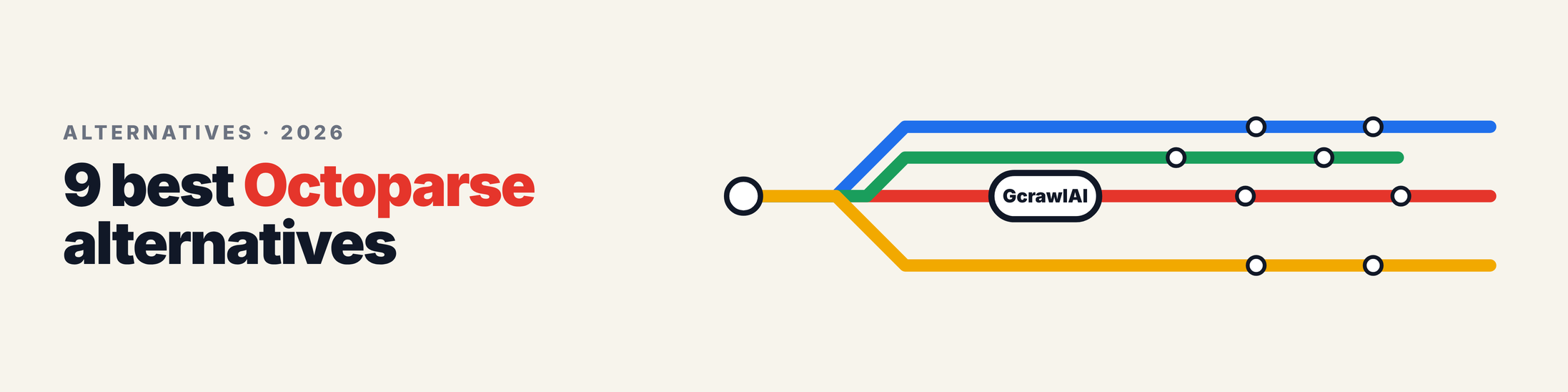
These nine tools cover every reason people leave Octoparse: cost, platform limits, blocked sites and the wish to stop clicking. GcrawlAI comes first because it removes the most work. The rest are grouped from no-code to developer tools, each with what it's good at, what it costs and where it falls short.
1. GcrawlAI: one request per page, from clicks to code
Best for: teams that have outgrown a visual builder, protected or JavaScript-heavy sites, and AI agents that need live pages. License: MIT core, plus a managed Cloud API. Language: any (REST), with a Python SDK.
GcrawlAI takes the hardest part of Octoparse, getting a real page back from a site that doesn't want to be scraped, and turns it into one API call. You send a URL and get rendered HTML, Markdown or JSON back. JavaScript rendering, rotating residential proxies and anti-bot handling for Cloudflare, DataDome, Akamai and PerimeterX are part of every request, not add-ons. Your parsing stays yours, in a few lines of Python.
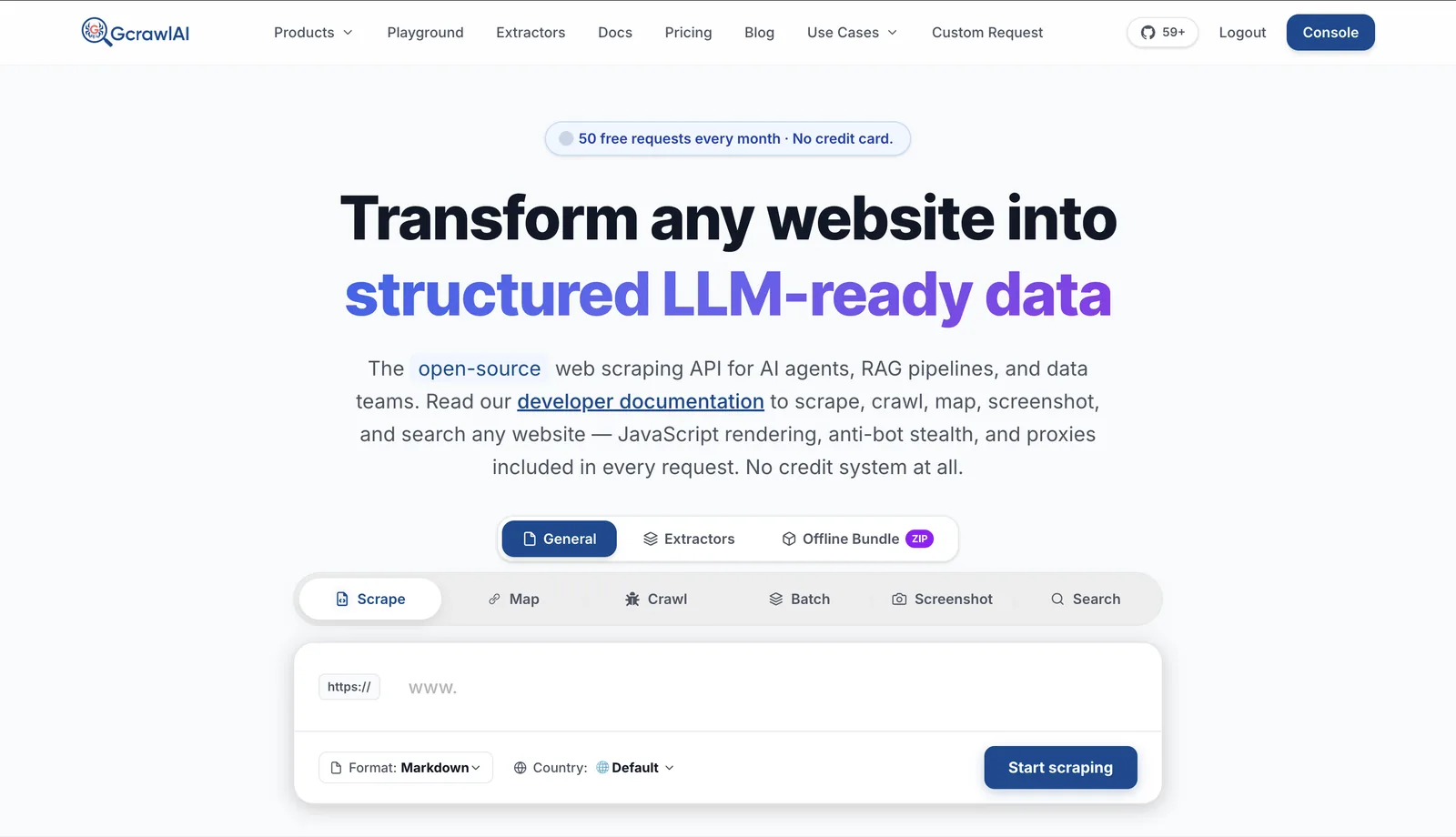
- Scrape, crawl and map: one page, a whole site with depth control and duplicate filtering, or a site's URL list without rendering every page.
- Search API and Deep Search for finding pages before you scrape them. Deep Search queries several engines and merges them into one ranked list.
- Screenshots on mobile, tablet and desktop, plus offline HTML bundles.
- Sync requests and async batch jobs with webhooks, the API equivalent of Octoparse cloud runs.
- Python SDK and MCP, so scripts and AI agents use the same scraping layer. The API docs cover every endpoint.
- Pricing: a free plan with no card, paid plans from $0.98 to $6.33 per 1,000 requests, and a self-hosted open-source core that costs nothing. Every feature counts as one request, with no credit multipliers, and failed requests are never charged.
The SDK call that replaces an Octoparse task's page loading:
# pip install gcrawl-sdk
from gcrawl_sdk import GcrawlClient, ScrapeOptions

client = GcrawlClient(api_key="gc-YOUR_API_KEY")   # base_url="http://localhost:8000" for self-hosted

if __name__ == "__main__":
    # One page: rendered, unblocked, returned as Markdown (one request)
    page = client.scrape(
        url="https://books.toscrape.com/catalogue/page-1.html",
        options=ScrapeOptions(markdown_enabled=True, proxy_geo="US"),
        wait=True,
    )
    print(page.markdown[:300])

    # A whole site section, the job Octoparse calls a "loop" over pages
    site = client.crawl(url="https://books.toscrape.com/", limit=50,
                        formats=["markdown"], same_domain_only=True, wait=True)
    print(len(site.pages), "pages crawled")
To run it on your own servers instead, self-host the core and point the SDK at http://localhost:8000:
git clone https://github.com/GramosoftAI/GcrawlAI.git && cd GcrawlAI
python -m venv .venv && source .venv/bin/activate
pip install -r requirements.txt && playwright install
cp .env.example .env                      # add your database, Redis and proxy settings
python -m api.core.db_setup
redis-server &
celery -A web_crawler.crawler.celery_config worker -l info &
uvicorn api.api:app --port 8000
Where it falls short: there's no point-and-click builder for picking fields, so someone writes the CSS selectors or uses an AI prompt for extraction. The Playground helps you test a URL without code, but a recurring job is code. Self-hosting means running PostgreSQL, Redis and Celery yourself and bringing your own proxy accounts.
"Most Octoparse users don't actually love clicking. They love not having to think about proxies and browsers. Keep that part managed, write ten lines of parsing, and the scraper stops being a desktop app someone has to babysit."
Rajesh Kannan, Co-Founder & CTO at Gramosoft
2. Browse AI: best for monitoring pages
Best for: non-technical teams watching competitor prices, job boards or listings for changes. Type: cloud no-code robots trained in a Chrome extension.
Browse AI records what you click and turns it into a robot that runs in the cloud on a schedule. Its strength is change detection: a robot checks a page and alerts you when something moves. It connects to Google Sheets, Zapier and similar tools without code.
Pricing: billed in credits. Per Browse AI's help center (March 2026), one credit buys 10 rows on a standard site, premium sites with stronger bot protection cost 2 to 10 credits per task, and each detail page is a separate task. The free plan has 50 credits a month across 2 websites; paid plans are Personal, Professional and Premium, and credits don't roll over. We couldn't load Browse AI's pricing page directly, so check current plan prices there.
Where it falls short: credits go fast on deep pagination and detail pages, and you can't tune proxies or browser behaviour when a protected site blocks the robot.
3. ParseHub: best free desktop builder
Best for: students, researchers and small one-off projects. Type: desktop visual scraper.
ParseHub is the closest thing to Octoparse in feel: a desktop app where you click elements, set up loops and conditions, and export CSV or JSON. It renders JavaScript and handles pagination, so it copes with many modern pages.
Pricing: the free plan includes 5 projects with a limit on pages per run. ParseHub's help center says paid plans start at $189 a month and add IP rotation, scheduling and more workers, each scraping up to 5 pages a minute.
Where it falls short: the jump from free to $189 is steep, and large crawls are slow because pages are scraped at a fixed rate per worker.
4. Web Scraper: best for staying in the browser
Best for: simple, predictable sites and people who'd rather not install a desktop app. Type: Chrome extension, with Web Scraper Cloud for scheduled runs.
Web Scraper builds a "sitemap" of selectors inside Chrome's developer tools. The extension is free to use locally. The cloud version runs the same sitemaps on a schedule, and it counts one URL credit per page, however many records the page holds. Automatic retries of failed pages don't use extra credits.
Pricing: on its pricing page, the Project plan is $50 a month billed annually for 5,000 URL credits, Professional is $100 for 20,000, and Scale starts at $200 a month with unlimited credits, priced per concurrent scraper.
Where it falls short: selector sitemaps take some learning, and protected sites need the residential proxy add-on on the Scale plan.
5. Thunderbit: best for quick AI-assisted grabs
Best for: sales and ops people pulling a table of leads or products from the page in front of them. Type: AI Chrome extension.
Thunderbit reads the page and suggests columns for you, so you skip picking every field by hand. It exports to Sheets, Airtable, Notion or CSV and has ready-made templates for common sites.
Pricing: Thunderbit's own site lists a free plan of 6 pages, Starter at $15 a month for 500 credits, and Pro plans from $38 to $249 a month. One credit is one output row, so cost follows rows, not pages.
Where it falls short: it's built for pages you're looking at, not for large scheduled crawls, and row-based credits add up on big lists.
6. Apify: best when someone already built your scraper
Best for: popular targets with a maintained Actor, and developers who want a hosted platform. Type: cloud platform with an Actor marketplace.
Apify's marketplace has ready-made scrapers, called Actors, for many well-known sites. You configure one, run it, and get a dataset back. You can also write your own Actors in JavaScript or Python with the open-source Crawlee library.
Pricing: from Apify's pricing page, the free plan includes $5 of usage a month, Starter is $19 a month, Scale $199 and Business $999, each prepaid against compute units ($0.20 down to $0.13 per unit) and residential proxies ($8 down to $7 per GB). Store Actors can add their own per-result fees.
Where it falls short: cost depends on how heavy each Actor is, which is hard to predict, and community Actors break when their maintainer stops updating them.
7. ScrapingBee: a simple API for lighter targets
Best for: developers replacing a visual tool with one HTTP call on sites with light protection. Type: scraping API.
ScrapingBee renders JavaScript, rotates proxies and returns HTML, Markdown or extracted fields. It has screenshot, AI extraction and dedicated APIs for a few large sites.
Pricing: plans start at $19 a month for 75,000 credits, with $49 for 250,000 and $99 for 1,000,000. Its help center lists the credit cost per request: 1 without JavaScript, 5 with JavaScript, 10 or 25 on premium proxies, and 75 on stealth proxies. A free trial gives 1,000 credits.
Where it falls short: the credit multiplier means a hard page can cost 75 times a simple one, so budgets swing with the mix of sites.
8. Firecrawl: best for Markdown in LLM apps
Best for: developers feeding pages into LLMs and RAG pipelines. Type: scraping and crawling API, with an open-source version.
Firecrawl turns a URL into clean Markdown with almost no setup, and it has crawl, search and extraction endpoints plus integrations for LangChain and LlamaIndex.
Pricing: from Firecrawl's pricing page, the free plan has 1,000 credits, Hobby is $19 a month for 5,000, Standard $99 for 100,000 and Growth $399 for 500,000, with lower prices billed yearly. A basic scrape is 1 credit; JSON extraction is 5.
Where it falls short: structured extraction multiplies the credit cost per page. We covered the effect in Why Companies Are Switching from Firecrawl to GcrawlAI: The Hidden Cost of 5x Credit Multipliers.
9. Scrapy: best open-source option for developers
Best for: Python developers who want full control and no vendor bill. License: BSD. Version: 2.19.0 (PyPI, September 10, 2026).
Scrapy is a crawling framework: spiders, pipelines, retries, throttling and concurrency, all in Python. What Octoparse does in fifteen minutes of clicking takes an hour or two of code, but you own every step and it runs anywhere.
Where it falls short: no JavaScript rendering, proxies or bot handling out of the box. You add Playwright and a proxy provider, or put a scraping API like GcrawlAI behind it. For a deeper comparison, read Python Web Scraping Frameworks Compared: Scrapy vs Crawlee vs Scrapling (2026).
Why teams look for an Octoparse alternative
Octoparse works well for stable, structured pages and people who don't code. Teams move on when the job grows: more sites, protected targets, Linux servers or a pipeline that has to run without a desktop app. The reasons below come from Octoparse's own pricing article and plan comparison, checked October 26, 2026.
- The builder is desktop-only. Octoparse's help center lists Windows 7 (64-bit) or later and macOS 10.14 or later. Linux and Chromebooks aren't supported, which rules out building tasks on a server.
- Cloud runs and the API need a paid plan. The free plan runs locally on one device. Standard costs $83 a month billed monthly, or $69 a month billed yearly, for 100 tasks and 3 cloud runs. Professional is $299, or $249 yearly.
- Protected sites cost extra. Octoparse sells residential proxies at $3 per GB and CAPTCHA solving at $1 to $1.50 per 1,000 solves on top of the plan.
- Templates need upkeep. A task is a set of recorded steps. When a site redesigns, someone opens the desktop app and fixes it.
If none of these hurt yet, Octoparse may still be the right tool. There's a section on that further down.
What 10,000 pages a month costs on each tool
Every tool on this list bills in a different unit, so headline prices don't compare. The quickest fair check is to take one workload, 10,000 pages a month, and find the cheapest published plan that covers it. This is arithmetic from list prices checked on October 26, 2026, not a benchmark of speed or success rates.
"""List-price arithmetic: the cheapest published plan that covers 10,000 pages a month.

Prices checked on vendor pages on October 26, 2026. This is arithmetic from
published plans, not a benchmark. Billing units differ (requests, credits,
URL credits, rows, tasks), so read the notes.
"""
PAGES = 10_000

# (tool, plan, monthly price USD, units included, units per page, note)
PLANS = [
    ("GcrawlAI", "Growth", 49, 50_000, 1, "JS, proxies, anti-bot in 1 request; failed requests free"),
    ("ScrapingBee", "Freelance", 49, 250_000, 5, "5 credits per JS-rendered page"),
    ("ScrapingBee", "Startup", 99, 1_000_000, 75, "75 credits per stealth-proxy page"),
    ("Firecrawl", "Standard", 99, 100_000, 5, "5 credits per page with JSON extraction"),
    ("Web Scraper", "Professional", 100, 20_000, 1, "1 URL credit per page, billed annually"),
    ("Thunderbit", "Pro 3", 125, 10_000, 1, "1 credit per row, not per page"),
]

if __name__ == "__main__":
    print(f"{'Tool':<12} {'Plan':<13} {'$/month':>8} {'pages covered':>14}  note")
    for tool, plan, price, units, per_page, note in PLANS:
        covered = units // per_page
        assert covered >= PAGES, (tool, plan)
        print(f"{tool:<12} {plan:<13} {price:>8} {covered:>14,}  {note}")
    print("Octoparse    Standard           83     task-based  100 tasks; residential proxies $3/GB, CAPTCHA $1-1.50 per 1,000 extra")
Output:
Tool         Plan           $/month  pages covered  note
GcrawlAI     Growth              49         50,000  JS, proxies, anti-bot in 1 request; failed requests free
ScrapingBee  Freelance           49         50,000  5 credits per JS-rendered page
ScrapingBee  Startup             99         13,333  75 credits per stealth-proxy page
Firecrawl    Standard            99         20,000  5 credits per page with JSON extraction
Web Scraper  Professional       100         20,000  1 URL credit per page, billed annually
Thunderbit   Pro 3              125         10,000  1 credit per row, not per page
Octoparse    Standard           83     task-based  100 tasks; residential proxies $3/GB, CAPTCHA $1-1.50 per 1,000 extra
Browse AI, ParseHub and Apify are left out of the script on purpose. Browse AI and ParseHub didn't publish plan prices we could load on the day, and Apify's cost depends on the compute each Actor uses. GcrawlAI's plans for comparison:
| GcrawlAI plan | Price | Requests per month | Per 1,000 requests |
|---|---|---|---|
| Free | $0, no card | Free monthly allowance | $0 |
| Starter | $19/month | 3,000 | $6.33 |
| Growth | $49/month | 50,000 | $0.98 |
| Pro | $149/month | 150,000 | $0.99 |
| Self-hosted (MIT) | $0 + your servers and proxies | Unlimited | Your infrastructure cost |
The number that matters most is the one you can't see on a plan card: what a hard page costs. On GcrawlAI a protected, JavaScript-heavy page is still one request, and a failed one is free. On credit-based tools the same page can cost 5 to 75 times a simple one.
"Ask every vendor one question before you sign: what does a page behind Cloudflare cost, and what does a failed one cost? The plan price is the easy part. The multiplier is where budgets go."
Rajesh Kannan, Co-Founder & CTO at Gramosoft
How to move an Octoparse task to code
Most Octoparse tasks follow the same shape: open a list page, loop over items, click into each one, go to the next page, export. Every one of those steps has a direct equivalent in a short Python script, so a migration is mostly translation. Here's the mapping, then a working script.
| In Octoparse | In Python with GcrawlAI |
|---|---|
| Go to Web Page | client.scrape(url, wait=True) |
| Loop Item (list of cards) | soup.select("article.product_pod") |
| Click item, then extract on detail page | Scrape the card's link and select fields there |
| Pagination (Next button) | Follow the li.next a link until it's gone |
| Cloud extraction | The Cloud API, or async batch jobs with webhooks |
| IP rotation, CAPTCHA add-ons | Included in every GcrawlAI request |
| Schedule task | A cron line or CI schedule |
| Export to CSV, Excel, database | csv.DictWriter, pandas, or your database client |
The script below rebuilds a typical Octoparse task against the books.toscrape.com sandbox, a site built for scraping practice. The comments name the Octoparse step each line replaces.
"""An Octoparse-style task in Python: list page -> pagination loop -> detail page -> CSV.

GcrawlAI fetches every page (JavaScript, proxies and bot checks on its side);
BeautifulSoup does what Octoparse's point-and-click field picker does.
"""
import csv
from urllib.parse import urljoin

from bs4 import BeautifulSoup
from gcrawl_sdk import GcrawlClient, ScrapeOptions

START = "https://books.toscrape.com/catalogue/page-1.html"
OPTS = ScrapeOptions(html_enabled=True, markdown_enabled=False, proxy_geo="US")


def fetch(client, url: str) -> BeautifulSoup:
    page = client.scrape(url=url, options=OPTS, wait=True)
    if not page.html:
        raise RuntimeError(f"No HTML for {url}")   # failed requests aren't charged
    return BeautifulSoup(page.html, "html.parser")


def run(client, start: str = START, max_pages: int = 5, out: str = "books.csv") -> int:
    rows, url, seen = [], start, 0
    while url and seen < max_pages:                       # Octoparse: "Pagination" loop
        soup = fetch(client, url)
        for card in soup.select("article.product_pod"):  # Octoparse: "Loop Item"
            link = urljoin(url, card.h3.a["href"])
            detail = fetch(client, link)                  # Octoparse: "Click item" -> detail page
            rows.append({
                "title": detail.select_one("h1").get_text(strip=True),
                "price": detail.select_one(".price_color").get_text(strip=True),
                "stock": detail.select_one(".availability").get_text(strip=True),
                "url": link,
            })
        nxt = soup.select_one("li.next a")                # Octoparse: "Next page" button
        url = urljoin(url, nxt["href"]) if nxt else None
        seen += 1
    with open(out, "w", newline="", encoding="utf-8") as f:   # Octoparse: "Export data"
        w = csv.DictWriter(f, fieldnames=["title", "price", "stock", "url"])
        w.writeheader()
        w.writerows(rows)
    return len(rows)


if __name__ == "__main__":
    n = run(GcrawlClient(api_key="gc-YOUR_API_KEY"))
    print(f"wrote {n} rows to books.csv")
    # Octoparse: "Schedule task" -> cron, e.g.  0 6 * * *  python octoparse_task.py
We checked the logic offline with a stub client serving sample pages shaped like the sandbox: two list pages and three books. It read every book, followed the next link and stopped on the last page, in 5 requests. The test file is in the code download.
rows: 3, requests: 5
Book-A £51.77 In stock
Book-B £53.74 In stock
Book-C £50.10 In stock
If you'd rather not write selectors at all, GcrawlAI can return a page as Markdown for an LLM to extract fields from, which is the approach in Extract structured data from any website.
Which Octoparse alternative should you choose?
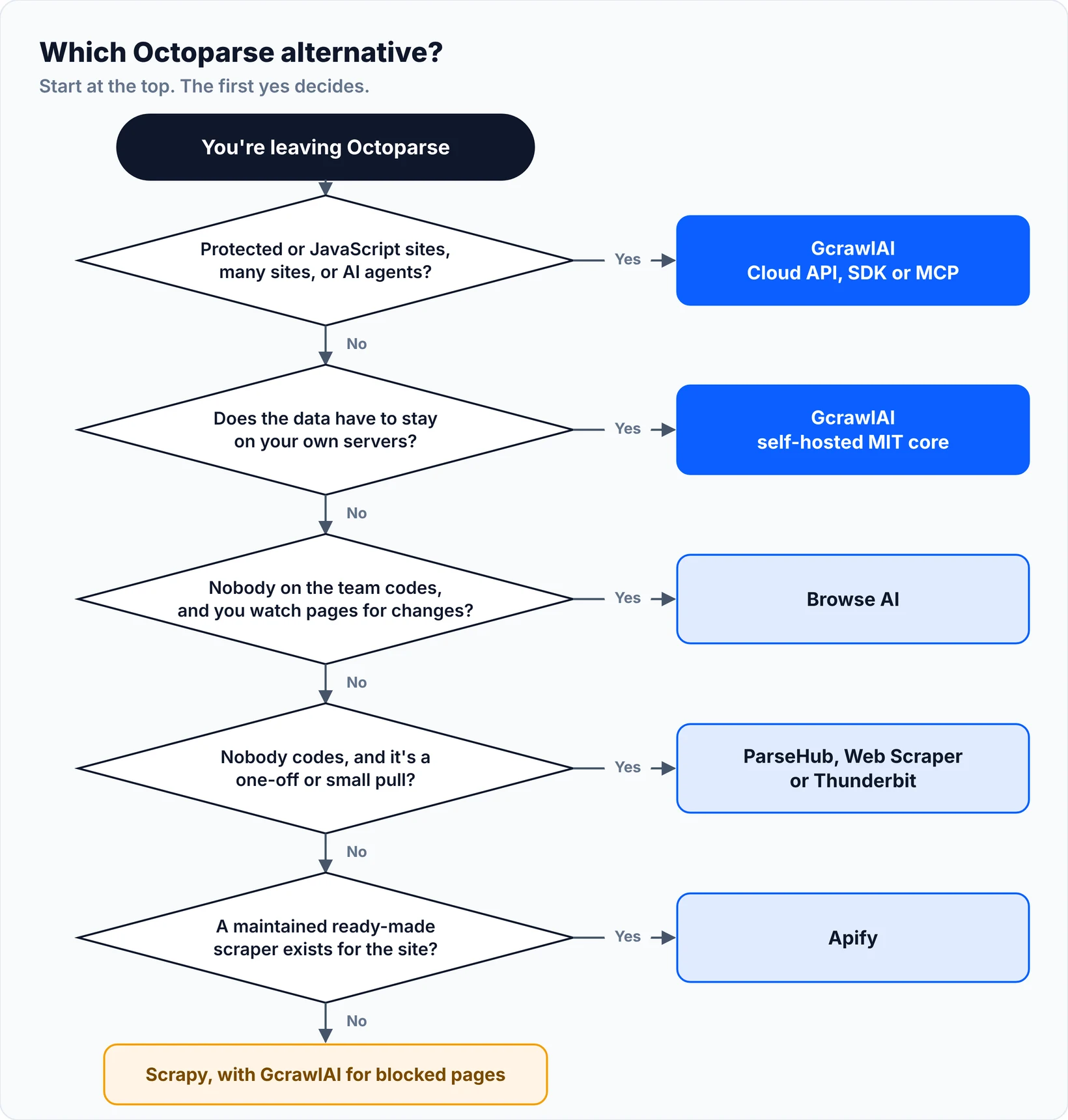
Choose by who will run the scraper and how hard the target sites are. A non-technical team watching a few pages needs a different tool from a developer pulling 100,000 product pages behind Cloudflare. Find your situation in the table, or follow the decision flow under it.
| Your situation | Pick |
|---|---|
| Protected or JavaScript sites, many sites, or AI agents | GcrawlAI (Cloud API, SDK or MCP) |
| Same, but data must stay on your servers | GcrawlAI self-hosted MIT core |
| Watch a few pages for changes, no code | Browse AI |
| One-off research project, no budget | ParseHub free plan |
| Simple sites, happy in Chrome | Web Scraper or Thunderbit |
| A popular site with a maintained scraper | Apify |
| Markdown for an LLM app on public pages | Firecrawl or GcrawlAI |
| Full control, Python team, own servers | Scrapy, with GcrawlAI for blocked pages |
When Octoparse is still the right choice
Switching has a cost: rebuilding tasks, retraining people and checking the new output. If your team doesn't code, your targets are stable public pages, and a desktop app on Windows or macOS is fine, Octoparse's builder and template library still do the job well. Switch when one of its limits actually blocks you.
Whichever tool you use, the rules are the same. Scrape public pages, respect robots.txt and each site's terms, keep request rates reasonable, and don't collect personal data you have no basis to store. Content behind a login belongs in an official API or export. For more on where the legal lines are, read What Is Web Scraping? How It Works, Uses & Legality.
Frequently asked questions
Is there a free Octoparse alternative?
Yes. Scrapy is free and open source, and the GcrawlAI core is MIT-licensed for self-hosting. GcrawlAI's Cloud API, ParseHub, Browse AI, Thunderbit, Apify, ScrapingBee and Firecrawl all have free plans or free credits, and the Web Scraper extension is free to use locally.
Does Octoparse work on Mac or Linux?
Octoparse's desktop app supports Windows 7 (64-bit) or later and macOS 10.14 or later. Its help center says Linux and Chromebooks aren't supported. API-based tools such as GcrawlAI, ScrapingBee and Firecrawl run anywhere Python or cURL runs.
Is GcrawlAI open source, and can I use it commercially?
Yes. GcrawlAI's core is MIT-licensed on GitHub, so you can self-host it and use it commercially. You can also use the managed Cloud API with a free plan and no card; paid plans cost $0.98 to $6.33 per 1,000 requests, and failed requests are never charged.
How much does Octoparse cost?
Per Octoparse's pricing article (June 2026), the free plan runs 10 tasks locally. Standard is $83 a month billed monthly or $69 billed yearly, and Professional is $299 or $249. Residential proxies cost $3 per GB and CAPTCHA solving $1 to $1.50 per 1,000 solves on top.
Can I move my Octoparse tasks to another tool?
Not automatically; tasks don't export to other tools. But each step maps cleanly to code: a loop item becomes a CSS selector, pagination becomes following the next link, and a schedule becomes a cron job. A typical list-and-detail task is about 50 lines of Python with GcrawlAI.
Which Octoparse alternative works with AI agents?
GcrawlAI connects to AI agents over MCP and through its Python SDK, and its Search API lets an agent find pages before scraping them. Apify and ScrapingBee also offer MCP servers, and Firecrawl integrates with LangChain and LlamaIndex. Desktop builders like Octoparse and ParseHub aren't designed for agents.