By Rajesh Kannan, Co-Founder & CTO, Gramosoft · Last updated: · Parser tested on sample fare cards on October 25, 2026; Google's robots.txt and Terms of Service checked the same day
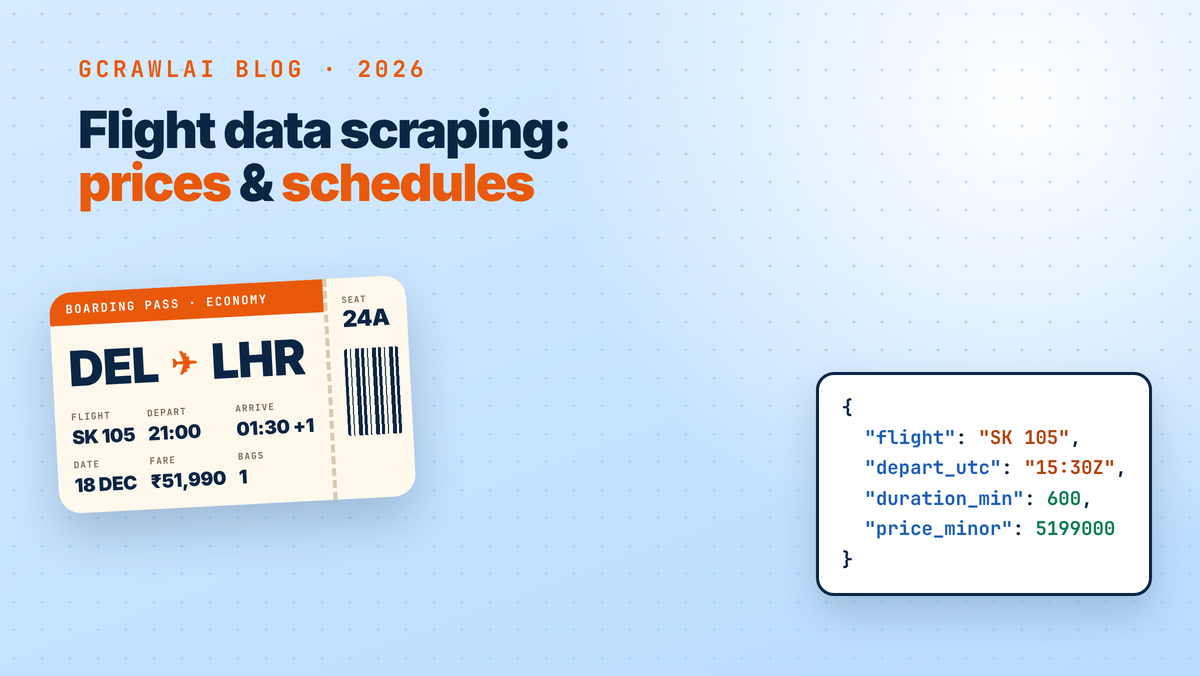
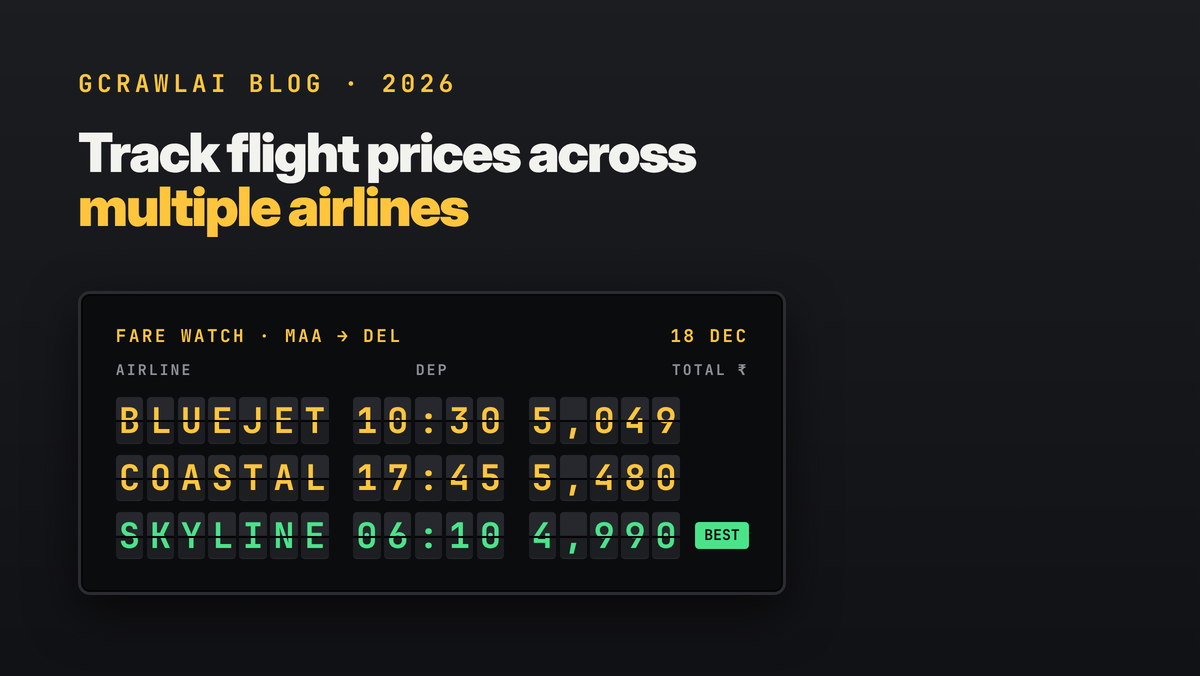
Google Flights shows prices from many airlines and booking sites on one page, so it's the fastest place to collect fares for a route. It has no public API, its pages are built with JavaScript, and its class names change often, so scraping it takes care.
This guide starts with the quickest routes, using GcrawlAI. Then it shows how to build a Google Flights price scraper in Python yourself, what breaks it, and where the legal lines are.
TL;DR
- Fastest route: GcrawlAI's Google Flights Extractor takes origin, destination and dates and returns airline, flight number, times, duration and price as JSON. For fares beyond Google, use its Flight Price Intelligence API.
- Do-it-yourself route: build a
/travel/flights?q=…URL with fixedhl,glandcurr, fetch the rendered page with GcrawlAI, and read each fare card'saria-labelsentence. - One request includes everything: JavaScript rendering, rotating residential proxies, anti-bot handling and CAPTCHA solving, with no credit multipliers. Failed requests are never charged.
- Treat zero fares as a failure. A consent page, a block page and a redesign all arrive as HTTP 200.
- Stay out of disallowed paths. Google's robots.txt disallows
/travel/flights/search,/travel/flights/s/and/travel/flights/booking.
How do you scrape Google Flights prices? Build a Google Flights URL with the route, date, language, country and currency in it, fetch the page with JavaScript rendered from the country you're tracking, and parse the price, airline, stops, times and duration from each fare card. Drop duplicate cards, reject pages with no fares, and store every check with its time and market.
How to scrape Google Flights prices with GcrawlAI
GcrawlAI gives you three ways to get Google Flights prices, from zero code to full control. The Google Flights Extractor takes a route and dates and returns flights as JSON. The Flight Price Intelligence API covers airlines and aggregators beyond Google. The scraping API returns the rendered page for your own parser.
1. Google Flights Extractor: route in, flights out
The Google Flights Extractor is a zero-code extractor with its own endpoint, POST https://gcrawlai.com/gc/api/v1/google-flights. You send the trip type, IATA airport codes, dates and the country to search from. It renders the results page, reads the fare cards and returns structured flights, so there are no URLs to build and no selectors to maintain.
curl -X POST "https://gcrawlai.com/gc/api/v1/google-flights" \
  -H "X-API-Key: gc-YOUR_API_KEY" \
  -H "Content-Type: application/json" \
  -d '{
    "trip_type": "return",
    "origin": "MAA",
    "destination": "COK",
    "outbound_date": "2026-11-04",
    "return_date": "2026-11-09",
    "proxy_geo": "IN"
  }'
| Parameter | Type | Required | What it does |
|---|---|---|---|
trip_type |
string | Yes | "return" or "oneway" |
origin |
string | Yes | Origin airport IATA code, e.g. "MAA" |
destination |
string | Yes | Destination airport IATA code, e.g. "COK" |
outbound_date |
string | Yes | Travel date, YYYY-MM-DD |
return_date |
string | For return trips | Return date, YYYY-MM-DD |
proxy_geo |
string | No | 2-letter country code for proxy routing, e.g. "IN", so you get that market's prices |
Each flight comes back with the airline, flight number, departure, arrival, duration and price. This is the sample response from the API reference:
{
  "status": "success",
  "flights": [
    {
      "airline": "IndiGo",
      "flight_number": "6E-205",
      "departure": "06:00 DEL",
      "arrival": "08:15 BOM",
      "duration": "2h 15m",
      "price": "₹4,850"
    }
  ]
}
In Python it's one requests.post call, with the same headers as every other GcrawlAI endpoint:
"""GcrawlAI Google Flights Extractor: route and dates in, structured flights out. No selectors to maintain."""
import requests

def google_flights(origin, destination, outbound_date, return_date=None, proxy_geo="IN"):
    body = {"trip_type": "return" if return_date else "oneway", "origin": origin,
            "destination": destination, "outbound_date": outbound_date, "proxy_geo": proxy_geo}
    if return_date:
        body["return_date"] = return_date
    r = requests.post("https://gcrawlai.com/gc/api/v1/google-flights",
                      headers={"X-API-Key": "gc-YOUR_API_KEY"}, json=body, timeout=120)
    r.raise_for_status()
    return r.json()["flights"]

if __name__ == "__main__":
    for f in google_flights("MAA", "COK", "2026-11-04"):
        print(f["price"], f["airline"], f["flight_number"], f["departure"], "->", f["arrival"], f["duration"])
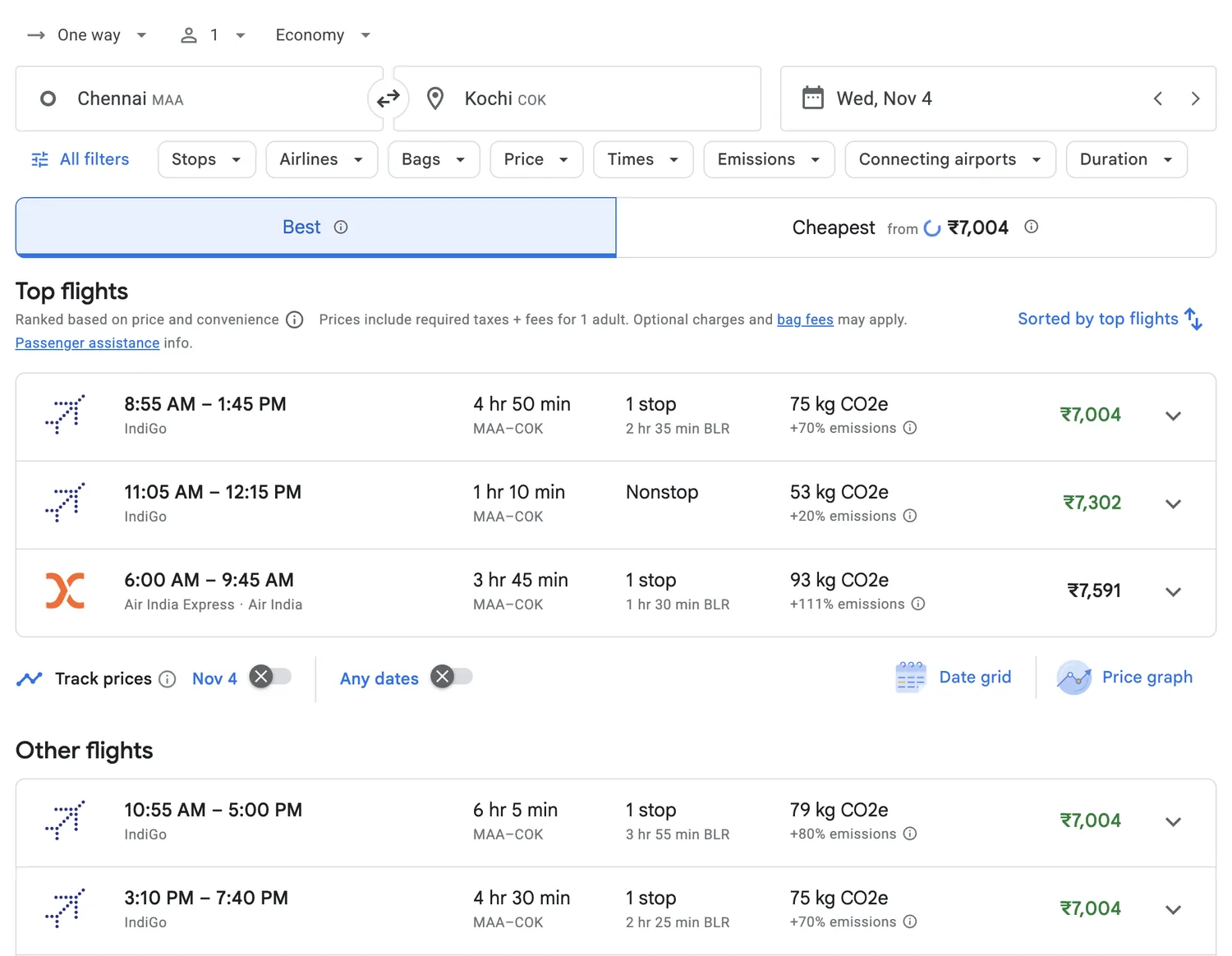
Because the extractor reads the same results page you see in a browser, its output matches what a traveller in that country sees. This is the page it reads for Chennai to Kochi:
- Selectors are kept up to date for you. In the open-source code, the Google Flights selectors live in a database table rather than in the scraper itself, so they can be changed when Google changes its layout.
- Rendering, proxies and anti-bot handling are part of the request, and failed requests are never charged.
- Jobs and live updates: the API reference also documents job status, result retrieval and a WebSocket stream for longer runs.
- Plan: the GcrawlAI README lists the Google Flights extractor among the custom extractors on paid plans.
2. Flight Price Intelligence API: fares beyond Google
Google Flights is one view of the market. The Flight Price Intelligence API monitors airline booking engines and travel aggregators directly and returns the results already normalised.
- Fares by cabin: Economy, Premium Economy, Business and First, for one-way, round-trip and multi-city searches.
- Structured JSON: flight numbers, IATA codes, departure and arrival timestamps, layover durations and baggage allowances, or output validated against your own JSON Schema.
- Recurring monitors every 15 minutes, hourly or daily, with residential proxy locations so you see each market's local fares and currency.
- Delivery: synchronous responses for live lookups, async batch jobs for large route lists, and webhooks to your endpoint or cloud storage.
3. Scraping API: the rendered page for your own parser
If you want fields the extractor doesn't return, fetch the Google Flights page through the GcrawlAI scraping API and parse it yourself, as shown in the step-by-step section below. The fetch itself is a few lines:
"""Fetch the rendered Google Flights results page with GcrawlAI.  pip install gcrawl-sdk"""
from gcrawl_sdk import GcrawlClient, ScrapeOptions

client = GcrawlClient(api_key="gc-YOUR_API_KEY")   # base_url="http://localhost:8000" for a self-hosted server

def fetch_results(url, country="IN"):
    """JavaScript rendering, rotating residential proxies, anti-bot handling and CAPTCHA solving
    are one GcrawlAI request, with no credit multipliers. Failed requests are not charged."""
    result = client.scrape(
        url=url,
        options=ScrapeOptions(html_enabled=True, markdown_enabled=False,
                              proxy_geo=country,    # same country as gl= in the URL
                              auto_scroll=True,     # load the "Other flights" list below the fold
                              timeout=60),
        wait=True,
    )
    return result.html or ""
proxy_geopicks the country your request comes from. Keep it the same asglin the URL, so the prices match the market you're tracking.auto_scrollloads the "Other flights" list below the first screen.- Async batch jobs with webhooks handle large grids of routes and dates, and MCP lets an AI agent check a fare when asked.
- Pricing: a free plan with no card, paid plans from $0.98 to $6.33 per 1,000 requests, and an MIT-licensed core on GitHub that you can self-host for nothing.
Where it falls short: none of these book tickets. If your product sells seats, pair them with a booking API. The extractor returns the fields listed above; for fare class or baggage, use the Flight Price Intelligence API.
"Most teams don't need a Google Flights scraper. They need last night's fares in a table. Start with structured data, and only write a parser for the fields an API doesn't give you."
Rajesh Kannan, Co-Founder & CTO at Gramosoft
What Google Flights data you can scrape
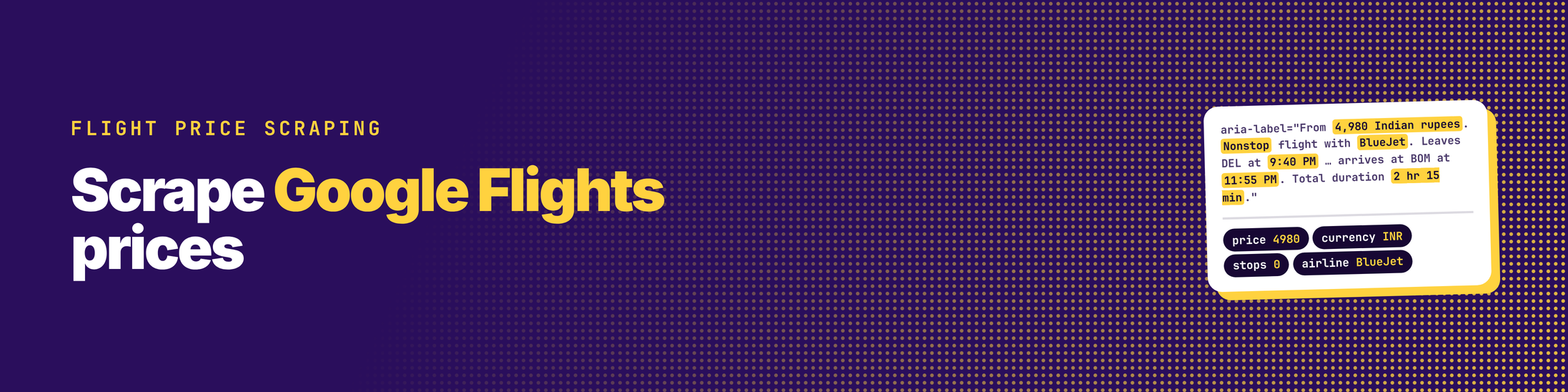
Each Google Flights results page lists itineraries for one search: route, date, passengers and cabin. For each itinerary you can read the price, airline, stops, departure and arrival times, total duration and, often, the emissions estimate. Some pages also show price insights, such as whether today's fares are low or high for the route.
| Field | Example | Where it is on the card | Watch out for |
|---|---|---|---|
| Price | ₹4,980 | aria-label ("From 4,980 Indian rupees") |
Changes with gl and curr |
| Airline | BlueJet | aria-label, airline line |
Several carriers on connecting itineraries |
| Stops | Nonstop, 1 stop | aria-label |
Layover airport and length are on the expanded card |
| Departure and arrival | 10:50 PM → 4:05 AM | aria-label |
Next-day arrivals; narrow no-break space before AM/PM |
| Duration | 5 hr 15 min | aria-label |
Text, not minutes; convert it |
| Emissions | 282 kg CO2e | Separate element | Not on every card |
| Flight numbers, fare class, bags | BJ 77, Basic | Only after you open an itinerary | Needs more clicks, or use the Flight Price Intelligence API |
Is there a Google Flights API?
No, not a public one. Google shut down its QPX Express flight API in April 2018 (TechCrunch), and nothing public replaced it. Today you either read the public Google Flights pages, use a third-party API that returns Google Flights results, or use a flight data API that collects fares from airlines and aggregators directly.
How to scrape Google Flights prices with Python, step by step
Once you can fetch the rendered page, as in the GcrawlAI section above, the do-it-yourself pipeline has three steps. Build a repeatable results URL, parse each fare card's accessibility label, and save every check to a price history. Each step below is a small Python file, and the parser runs offline on sample cards so you can test it first.
Step 1: build the search URL
Google Flights accepts a plain-language query in the q parameter. Pin hl (language), gl (country) and curr (currency) on every request, because prices and label wording change with them. Don't automate the /travel/flights/search URLs your browser shows after a search: Google's robots.txt disallows that path.
"""Build a repeatable Google Flights results URL.

Uses the plain-language ?q= form on /travel/flights. Google's robots.txt disallows
/travel/flights/search, /travel/flights/s/ and /travel/flights/booking, so don't automate those paths.
"""
from urllib.parse import quote

def search_url(origin, dest, date, return_date=None, country="in", currency="INR", lang="en"):
    trip = f"returning {return_date}" if return_date else "oneway"
    q = f"Flights to {dest} from {origin} on {date} {trip}"
    # Pin language, country and currency so every run compares the same market.
    return f"https://www.google.com/travel/flights?q={quote(q)}&hl={lang}&gl={country}&curr={currency}"

if __name__ == "__main__":
    print(search_url("DEL", "BOM", "2026-12-18"))
Step 2: parse the fare cards
Google generates and rotates its class names, so selectors like .pIav2d or .YMlIz break without warning. Each fare card also carries an aria-label sentence for screen readers that states the price, stops, airline, times and duration. One regular expression reads it.
"""Read Google Flights fare cards from their aria-label sentences.

Each result card carries one accessibility sentence with price, stops, airline, times and duration.
Labels change less often than Google's generated class names, but they follow the page language,
so this pattern is for hl=en. Re-check it against a live card before every production run."""
import re
from datetime import datetime, timezone

CARD = re.compile(
    r'aria-label="From ([\d,]+) ([A-Za-z ]+?)\. (Nonstop|\d+ stops?) flight with ([^.]+)\. '
    r'Leaves (.+?) at (\d{1,2}:\d{2}\s?[AP]M) on [^.]*? and arrives at (.+?) at (\d{1,2}:\d{2}\s?[AP]M) on ([^.]*?)\. '
    r'Total duration ([^.]+)\.')

CURRENCY = {"Indian rupees": "INR", "US dollars": "USD", "euros": "EUR", "British pounds": "GBP",
            "UAE dirhams": "AED", "Singapore dollars": "SGD"}   # extend for the markets you track

class NoFaresError(RuntimeError):
    """HTTP 200 with zero fare cards: a consent page, a block page, an empty shell or a layout change."""

def parse_fares(html, origin, dest, date):
    html = html.replace("\u202f", " ").replace(" ", " ")   # Google puts a narrow no-break space before AM/PM
    rows, seen = [], set()
    for m in CARD.finditer(html):
        price, currency, stops, airline, dep_ap, dep, arr_ap, arr, arr_day, duration = m.groups()
        key = (airline, dep, arr, price)
        if key in seen:                                   # "Top flights" repeats cards from the full list
            continue
        seen.add(key)
        rows.append({
            "scraped_at": datetime.now(timezone.utc).isoformat(timespec="seconds"),
            "origin": origin, "dest": dest, "date": date,
            "price": int(price.replace(",", "")), "currency": CURRENCY.get(currency, currency),
            "stops": 0 if stops == "Nonstop" else int(stops.split()[0]),
            "airline": airline, "departs": dep, "arrives": arr,
            "arrives_next_day": not arr_day.endswith(_day_label(date)),
            "duration": duration,
        })
    if not rows:
        raise NoFaresError(f"no fare cards for {origin}-{dest} on {date}")
    return sorted(rows, key=lambda r: r["price"])

def _day_label(date):
    d = datetime.strptime(date, "%Y-%m-%d")
    return f"{d.strftime('%B')} {d.day}"
We couldn't reach google.com from our test environment, so we ran the parser on sample cards. They're written in the label format that String published from a live run on October 7, 2026, with fictional airlines and fares. The demo also feeds the parser a consent page:
$ python demo.py
3 unique fares (the repeated BlueJet card was dropped)

  INR  4,980  BlueJet      0 stop(s)   9:40 PM -> 11:55 PM  2 hr 15 min
  INR  5,412  SkyLine Air  0 stop(s)   6:10 AM -> 8:25 AM   2 hr 15 min
  INR  6,105  Coastal      1 stop(s)  10:50 PM -> 4:05 AM  (+1 day)  5 hr 15 min

first row: {"origin": "DEL", "dest": "BOM", "date": "2026-12-18", "price": 4980, "currency": "INR", "stops": 0, "airline": "BlueJet", "departs": "9:40 PM", "arrives": "11:55 PM", "arrives_next_day": false, "duration": "2 hr 15 min"}

consent page -> NoFaresError: no fare cards for DEL-BOM on 2026-12-18
The parser dropped the BlueJet card that appears twice, once under "Top flights" and again in the full list. It flagged the 4:05 AM arrival as the next day and raised an error on the consent page instead of saving an empty result. Check the pattern against one live card before you rely on it, because the label wording follows the page language.
Step 3: track dates and markets over time
One search is a snapshot. Prices only mean something as a series, so run the same searches on a schedule and append every fare to one file. Keep the country and currency fixed within a series, and check one search at a time with a pause between them.
"""Check several dates from one market and append every fare to a CSV price history.

    python track_prices.py DEL BOM 2026-12-18 2026-12-19 --csv fares.csv
"""
import csv, os, sys, time
from gflights_url import search_url
from gcrawl_fetch import fetch_results
from parse_cards import parse_fares, NoFaresError

def run(origin, dest, dates, out=None, country="IN", currency="INR"):
    all_rows = []
    for date in dates:
        url = search_url(origin, dest, date, country=country.lower(), currency=currency)
        try:
            rows = parse_fares(fetch_results(url, country=country), origin, dest, date)
        except NoFaresError as e:
            print("  skipped:", e)                 # never store an empty result as "no flights"
            continue
        print(f"{origin}-{dest} {date}: {len(rows)} fares, cheapest {rows[0]['currency']} {rows[0]['price']:,} on {rows[0]['airline']}")
        all_rows += rows
        time.sleep(5)                              # one search at a time; this is a daily job, not a stress test
    if out and all_rows:
        new = not os.path.exists(out)
        with open(out, "a", newline="") as f:
            w = csv.DictWriter(f, fieldnames=list(all_rows[0]))
            if new:
                w.writeheader()
            w.writerows(all_rows)
    return all_rows

if __name__ == "__main__":
    args = sys.argv[1:]
    out = args[args.index("--csv") + 1] if "--csv" in args else None
    args = [a for a in args if a not in ("--csv", out)]
    origin, dest, *dates = args or ["DEL", "BOM", "2026-12-18"]
    run(origin, dest, dates, out)
Run it once a day from cron for routes weeks away, and every few hours in the last fortnight before departure. To compare markets, run the same route with different gl, curr and proxy_geo values and store them as separate series.
Why Google Flights scrapers break, and how to fix them
Most Google Flights scrapers fail quietly rather than loudly. The request succeeds, but the page is a consent screen, a block page or a new layout, and the scraper saves nothing or saves the wrong prices. The fixes are simple once you know the causes, and most come down to checking what you got back.
- Consent or block pages: in Europe especially, the first response can be a cookie consent screen. Count fare cards on every response and treat zero as a failure.
- Rotating class names: read
aria-labeltext instead of generated classes, and keep one test card per language you scrape. - Wrong market: fares and currency follow the visitor's country. Keep
gl,currand the proxy country the same for a series. - Missing results: the full list loads as you scroll. Render with scrolling, or expect only the top results.
- Duplicates: the same itinerary appears in "Top flights" and the full list. De-duplicate on airline, times and price.
- Blocks at volume: many searches from one IP get blocked. Pace requests and use a rendering API with residential IPs. Our guides to 403 errors and JavaScript-heavy sites cover both.
Ways to get Google Flights prices, compared
There are six practical ways to get Google Flights prices, and the right one depends on how many routes you track and how much code you want to own. Structured APIs cost the least effort. A rendering API plus your own parser gives full control. A local browser script is cheapest to start but hardest to keep running.
| Option | What you get | Upkeep | Best for |
|---|---|---|---|
| GcrawlAI Google Flights Extractor | Google Flights results as JSON: airline, flight number, times, duration, price | None | Google Flights prices with zero code |
| GcrawlAI Flight Price Intelligence API | Structured fares, schedules and seats from airlines and aggregators; monitors and webhooks | None | Travel products, pricing and competitive intelligence |
| GcrawlAI scraping API + your parser | Rendered Google Flights HTML from the country you choose | Your parser | Custom fields and full control |
| Local Playwright or Selenium script | Whatever your browser can load | High: proxies, blocks, browser updates | One-off research |
| Third-party Google Flights APIs | Google Flights results as JSON. For example, Zenserp lists Google Flights access from its $149.99 Medium plan, checked October 2026 | Low | Teams that only want Google's view |
| No-code tools | Point-and-click extraction to CSV | Medium: templates break too | Non-developers, small jobs |
"Google Flights is one view of the market. For pricing decisions, compare it with the airline's own site, because the cheapest fare on a metasearch page isn't always the one you can book."
Rajesh Kannan, Co-Founder & CTO at Gramosoft
Is it legal to scrape Google Flights?
It depends on what you collect, how and where you are, so read Google's rules before you start. Google's Terms of Service, effective July 30, 2026, forbid "using automated means to access content from any of our services in violation of the machine-readable instructions", such as robots.txt rules. And Google's robots.txt disallows several Google Flights paths for all crawlers.
- Disallowed for all user agents (checked October 25, 2026):
/travel/flights/search,/travel/flights/s/,/travel/flights/booking,/travel/searchand/travel/clk. - Stay public and slow: no logged-in pages, no personal data, a modest request rate, and no republishing Google's results as your own.
- Prefer licensed or structured sources for commercial products, and take legal advice for your market. This isn't legal advice.
Our guide to what web scraping is covers the basics. This guide doesn't cover solving CAPTCHAs by hand or getting around access controls.
Frequently asked questions
How do I scrape Google Flights with Python?
Build a /travel/flights?q= URL with the route, date, language, country and currency, and fetch the rendered page through a scraping API. Then parse each fare card's aria-label with one regular expression. Drop duplicate cards, reject pages with no fares, and append every run to a CSV.
Why does my Google Flights scraper return no data?
Usually you got a consent page, a block page or an unrendered shell, all with status 200. Fares load with JavaScript, and class names change often. Render the page, read aria-label text instead of classes, and count fare cards on every response.
How do I get Google Flights prices for another country?
Set gl and curr in the URL and send the request from that country. With GcrawlAI, set proxy_geo to the same country. Store each market as its own series, because the same flight can cost a different amount in another country.
How often should I scrape Google Flights?
Once a day per route and date is enough for most fare histories. In the last two weeks before departure, every few hours catches faster moves. Checking every few minutes adds little and gets you blocked sooner.
How does GcrawlAI help with Google Flights prices?
GcrawlAI renders the page from country-specific residential IPs, with anti-bot and CAPTCHA handling in one request, no credit multipliers, and no charge for failed requests. Its Google Flights Extractor returns structured flights from a route and dates, and its Flight Price Intelligence API covers airlines and aggregators directly.
Is scraping Google Flights legal?
Google's terms forbid automated access that breaks its robots.txt, and robots.txt disallows /travel/flights/search and some other flight paths. Stay on allowed public pages, go slowly, collect no personal data, and get legal advice before commercial use.