Scraping Google used to be a twenty-line script: send a GET request, parse the HTML, save the links. That script stopped working in January 2025, and a lot of the tutorials that rank for this topic still teach it.
This guide covers what works in 2026. You'll build a working scraper with Playwright and BeautifulSoup, see exactly where it breaks, and then do the same job with a single API call. All code is Python 3.9 or newer.
Short answer. Google only returns results to clients that run JavaScript, so requests on its own gets an empty shell. For a handful of queries, render the page with Playwright and pull the h3 titles out with BeautifulSoup. For anything recurring, or more than a few hundred queries, call a search API that returns JSON. The proxy and CAPTCHA work costs more than the API does.
What changed in Google scraping since 2025
Four things happened in under two years. Each one broke a different part of the old approach.
- JavaScript became mandatory (January 2025). Google stopped serving results to clients that can't execute JavaScript. A plain HTTP request now gets a page asking you to turn JavaScript on.
num=100stopped working (September 2025). You used to get 100 results in one request. Now it's 10 per page, so the top 100 takes ten requests instead of one.- AI Overviews sit above the organic results for many queries. They load after the first HTML arrives, which makes them the hardest part of the page to capture.
- The official API is closing. Google's Custom Search JSON API no longer accepts new customers, and existing ones have until January 1, 2027 to move off it.
So in 2026 you have two realistic options: drive a real browser yourself, or use a service that does it for you.
What you can extract from a Google results page
A results page (SERP, short for search engine results page) is a stack of separate blocks. Each block has its own markup and its own level of difficulty.
Most projects only need the organic results: rank tracking, competitor research, lead lists and RAG pipelines all run on title, URL and snippet. That's what the rest of this guide extracts, plus People also ask.
The search URL itself is simple. These are the parameters worth knowing:
| Parameter | What it does | Example |
|---|---|---|
q |
The search query | q=web+scraping+api |
start |
Result offset. Page 2 is 10, page 3 is 20 | start=10 |
hl |
Interface language | hl=en |
gl |
Country to rank results for | gl=us |
tbs |
Time filter | tbs=qdr:w (past week) |
udm |
Result type. 14 is the plain "Web" view | udm=14 |
uule |
Encoded location, for city-level results | uule=w+CAIQICI... |
Two of these matter more than they look. gl is a hint, not a guarantee: Google also uses your IP address, so a request from Chennai with gl=us will not match what someone in Chicago sees. And udm=14 gives you the classic list of links with no AI Overview and far fewer widgets, which makes parsing easier when you only want organic results.
Three ways to scrape Google with Python
| Method | Works in 2026? | What you maintain | Best for |
|---|---|---|---|
requests + BeautifulSoup |
No. Blocked by the JavaScript requirement | Nothing, because there's nothing to parse | Understanding why it fails |
| Playwright + BeautifulSoup | Yes, at low volume | Browser, selectors, delays, and later proxies | Learning, one-off research |
| Google Custom Search JSON API | Closed to new customers; ends January 1, 2027 | A migration plan | Existing users only |
| Search API (GcrawlAI) | Yes | An API key | Recurring jobs and production |
Method 1: requests and BeautifulSoup (why it fails)
It's worth running the old approach once so you recognise the failure when you see it.
import requests

response = requests.get(
    "https://www.google.com/search",
    params={"q": "web scraping api", "hl": "en"},
    headers={"User-Agent": "Mozilla/5.0 (Windows NT 10.0; Win64; x64)"},
    timeout=30,
)

print(response.status_code)      # usually 200
print("<h3" in response.text)    # False: there are no result titles in this HTML
You get a 200 status and no results. The body is a small page that tells the browser to enable JavaScript. No header trick fixes this, because the results are built by a script the HTTP client never runs.
Keep one lesson from this: a 200 status doesn't mean you got a results page. Always check the content.
Method 2: Playwright and BeautifulSoup
Playwright drives a real Chromium browser, so the JavaScript runs and the results render. BeautifulSoup then parses the finished HTML.
Step 1: Install the libraries
pip install playwright beautifulsoup4
playwright install chromium
Step 2: Build the search URL
Create a file called serp_scraper.py. Every block in this section goes into that one file, in order.
import csv
import random
import time
from urllib.parse import urlencode

from bs4 import BeautifulSoup
from playwright.sync_api import TimeoutError as PlaywrightTimeout
from playwright.sync_api import sync_playwright


def build_url(query, page=1, hl="en", gl="us"):
    """Page 1 starts at result 0, page 2 at result 10, and so on."""
    params = {"q": query, "hl": hl, "gl": gl, "start": (page - 1) * 10}
    return "https://www.google.com/search?" + urlencode(params)
urlencode handles spaces and special characters, so a query like "c++ tutorial" doesn't break the URL.
Step 3: Render the page and check for a block
def fetch_html(url):
    """Open the URL in headless Chromium and return (html, final_url)."""
    with sync_playwright() as p:
        browser = p.chromium.launch(headless=True)
        context = browser.new_context(
            locale="en-US",
            viewport={"width": 1366, "height": 900},
        )
        page = context.new_page()
        page.goto(url, wait_until="domcontentloaded", timeout=60_000)
        try:
            page.wait_for_selector("h3", timeout=10_000)
        except PlaywrightTimeout:
            pass  # nothing rendered; looks_blocked() will tell us why
        html, final_url = page.content(), page.url
        browser.close()
    return html, final_url


def looks_blocked(html, final_url):
    """A 200 status is not proof of a results page. Check what came back."""
    return (
        "/sorry/" in final_url              # CAPTCHA interstitial
        or "consent.google." in final_url   # cookie consent wall
        or 'id="captcha-form"' in html
    )
The function waits for the first h3 to appear, because result titles are h3 elements. If none shows up within ten seconds, something else was served. looks_blocked tells you what: a CAPTCHA page (Google's /sorry/ URL) or the cookie consent wall that European IPs get.
Step 4: Parse the organic results
Open a results page in DevTools and you'll see class names like tF2Cxc and VwiC3b. They're machine-generated and Google changes them without notice. A parser built on them works until the day it returns nothing.
The structure is more stable than the names. Every organic result has a title in an h3, and that h3 sits inside the link to the page. So start from the h3 and work outwards:
SNIPPET_SELECTORS = "div.VwiC3b, div[data-sncf], div.yXK7Bf"


def find_snippet(link):
    """Climb from the title link until we reach the block that holds its snippet."""
    node = link.parent
    while node is not None and len(node.find_all("h3")) <= 1:
        hit = node.select_one(SNIPPET_SELECTORS)
        if hit:
            return " ".join(hit.get_text().split())
        node = node.parent
    return ""


def parse_organic(html):
    soup = BeautifulSoup(html, "html.parser")
    results, seen = [], set()
    for h3 in soup.find_all("h3"):
        link = h3.find_parent("a", href=True)
        if link is None or not link["href"].startswith("http"):
            continue  # not a result title
        url = link["href"]
        if url in seen:
            continue
        seen.add(url)
        results.append({
            "title": " ".join(h3.get_text().split()),
            "url": url,
            "snippet": find_snippet(link),
        })
    return results
Navigation links are relative (/search?...), so the startswith("http") check drops them. Headings like "People also ask" have no parent link and are skipped too.
The snippet is the one place this code still relies on class names. That's deliberate: if Google renames them, you lose snippets but keep titles and URLs, which is a better way to fail than losing everything.
Step 5: Get the People also ask questions
def parse_people_also_ask(html):
    soup = BeautifulSoup(html, "html.parser")
    questions = []
    for box in soup.select("[data-q]"):
        question = box["data-q"].strip()
        if question and question not in questions:
            questions.append(question)
    return questions
Each question box carries its text in a data-q attribute. Answers load when a question is expanded, so this collects the questions only. For keyword and content research that's usually what you want.
Step 6: Paginate and save to CSV
def scrape(query, pages=3, hl="en", gl="us"):
    rows, seen = [], set()
    for page in range(1, pages + 1):
        html, final_url = fetch_html(build_url(query, page, hl, gl))
        if looks_blocked(html, final_url):
            print(f"Blocked on page {page}. Stopping here.")
            break
        found = [r for r in parse_organic(html) if r["url"] not in seen]
        if not found:
            break  # no more results
        for row in found:
            seen.add(row["url"])
            rows.append({"position": len(rows) + 1, **row})
        if page < pages:
            time.sleep(random.uniform(8, 15))  # slow and uneven on purpose
    return rows


def save_csv(rows, path):
    with open(path, "w", newline="", encoding="utf-8") as f:
        writer = csv.DictWriter(f, fieldnames=["position", "title", "url", "snippet"])
        writer.writeheader()
        writer.writerows(rows)


if __name__ == "__main__":
    rows = scrape("open source web scraping api", pages=3)
    save_csv(rows, "google_results.csv")
    print(f"Saved {len(rows)} results")
Run it:
python serp_scraper.pyYou'll get google_results.csv with up to 30 rows. Positions are numbered across pages, and duplicates are dropped because Google sometimes repeats a URL on the next page.
Where this stops working
From a home connection, a few queries a day, this script is fine. Past that, you'll run into these in roughly this order:
- CAPTCHAs. Google scores your IP. Cloud server IPs often get the CAPTCHA page on the very first request. Home IPs last longer, but not for hundreds of queries.
- Headless detection. Stock headless Chromium gives off many signals that it's automated. Hiding one flag doesn't hide the rest.
- Wrong location. You see results for wherever your IP is. Tracking rankings in five countries means five sets of proxies.
- Speed. One browser launch per page, plus a polite delay, is about 15 seconds for 10 results. A thousand keywords takes hours.
- Upkeep. When the markup shifts, the parser quietly returns less. You find out when a report looks thin.
All of it is solvable with residential proxies, a patched browser and retry logic. That's a real project with a monthly bill, and it's the project a search API has already done.
Method 3: Scrape Google with the GcrawlAI Search API
GcrawlAI's Search API takes a query and returns Google's organic results as JSON. The browser, the proxies and the parsing happen on our side. GcrawlAI is open source under the MIT licence, so you can read how the search module works in the GitHub repository (its Google parser also starts from the h3 title, like the one you just wrote).
Step 1: Install the SDK and get your key
pip install gcrawl-sdkYou get a key by signing up. The free plan covers 50 requests a month and doesn't ask for a card. Put the key in place of gc-YOUR_API_KEY in the examples below.
Step 2: Run a search
from gcrawl_sdk import GcrawlClient

client = GcrawlClient(api_key="gc-YOUR_API_KEY")
result = client.search(query="best AI web scraping API", pagination=1, geo="US")
for item in result.results:
    print(f"Rank {item.position}: {item.title} -> {item.url}")
That's the whole scraper. No browser to install, no selectors, no delays.
Step 3: Read the response
Every result has the same four fields:
{
  "query": "best AI web scraping API",
  "count": 10,
  "results": [
    {
      "position": 1,
      "title": "Example result title",
      "url": "https://example.com/page",
      "description": "The snippet Google shows under the title."
    }
  ]
}
Prefer plain HTTP? It's one POST request, so it works from any language. Here it is with cURL:
curl -X POST "https://gcrawlai.com/gc/api/v1/search" \
  -H "X-API-Key: gc-YOUR_API_KEY" \
  -H "Content-Type: application/json" \
  -d '{
    "query": "best AI web scraping API",
    "pagination": 1,
    "geo": "US"
  }'
Step 4: Target a country and go deeper
| Option | Default | What it does |
|---|---|---|
query |
required | The search text, exactly as you'd type it |
geo |
IN |
Two-letter country code. The search runs from that country, so you see what local users see |
pagination |
1 |
How far past the first page of results to go |
uule |
empty | Google's encoded location string, for city-level results |
Requests can still fail, for example on a bad key or a used-up quota. The SDK raises typed errors so you can handle each case:
from gcrawl_sdk import GcrawlAPIError, GcrawlClient, GcrawlTimeoutError

client = GcrawlClient(api_key="gc-YOUR_API_KEY")

try:
    result = client.search(query="best AI web scraping API", pagination=1, geo="GB")
except GcrawlAPIError as error:
    print("API error", error.status_code, error.response_data)
except GcrawlTimeoutError:
    print("The search took too long. Try again.")
else:
    print(f"Got {len(result)} results")
What you get, and what you don't
The Search API returns organic results. It doesn't return ads, People also ask or AI Overviews as separate fields today. If you need those blocks, use the Playwright parser from Method 2 for that part. For rank tracking, research and feeding an LLM, organic results are the data you want anyway.
Try it on your own keywords
50 free requests a month. No credit card.
Two things to build with the results
A keyword rank tracker
Give it your domain and a list of keywords. It appends one row per keyword per day, so after a month you have a ranking history.
import csv
from datetime import date
from urllib.parse import urlparse

from gcrawl_sdk import GcrawlClient

client = GcrawlClient(api_key="gc-YOUR_API_KEY")

DOMAIN = "example.com"
KEYWORDS = [
    "open source web scraping api",
    "html to markdown api",
    "web search api for rag",
]


def rank_for(keyword, domain, geo="US"):
    result = client.search(query=keyword, pagination=1, geo=geo)
    for item in result.results:
        host = urlparse(item.url).netloc.removeprefix("www.")
        if host == domain or host.endswith("." + domain):
            return item.position, item.url
    return None, None


with open("rankings.csv", "a", newline="", encoding="utf-8") as f:
    writer = csv.writer(f)
    for keyword in KEYWORDS:
        position, url = rank_for(keyword, DOMAIN)
        writer.writerow([date.today().isoformat(), keyword, position or "not found", url or ""])
        print(keyword, "->", position or "not found")
Schedule it with cron or GitHub Actions and you have the core of a rank tracking tool in about 30 lines.
Search, then scrape, for RAG
A snippet is two lines of text. An LLM needs the page behind it. Search for sources, then pull each one as clean Markdown:
from gcrawl_sdk import GcrawlClient

client = GcrawlClient(api_key="gc-YOUR_API_KEY")

result = client.search(query="python web scraping libraries compared", pagination=1, geo="US")

documents = []
for item in result.results[:3]:
    page = client.scrape(url=item.url, formats=["markdown"], wait=True)
    documents.append({
        "title": item.title,
        "url": item.url,
        "markdown": page.markdown or "",
    })

for doc in documents:
    print(doc["title"], "-", len(doc["markdown"]), "characters")
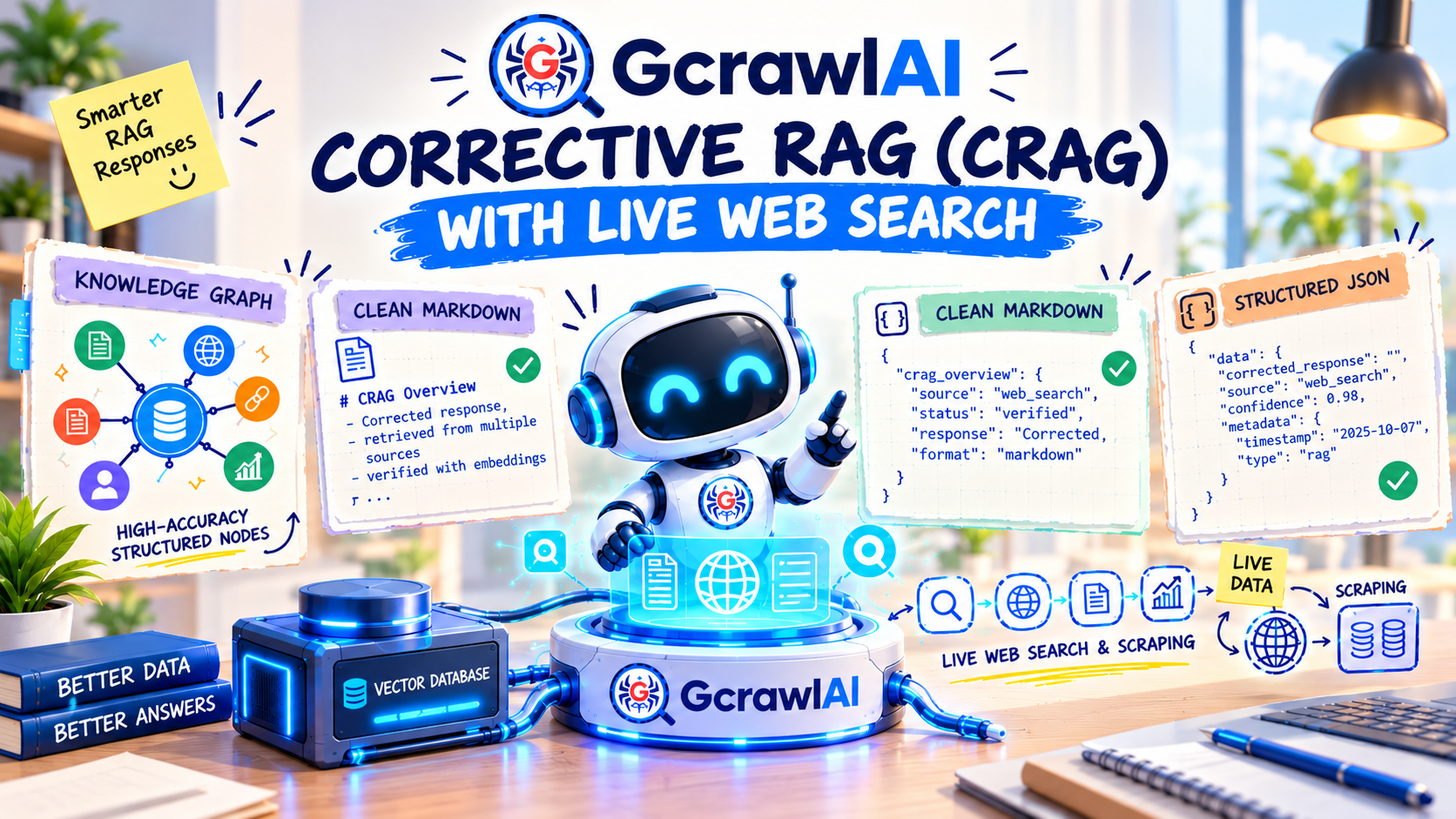
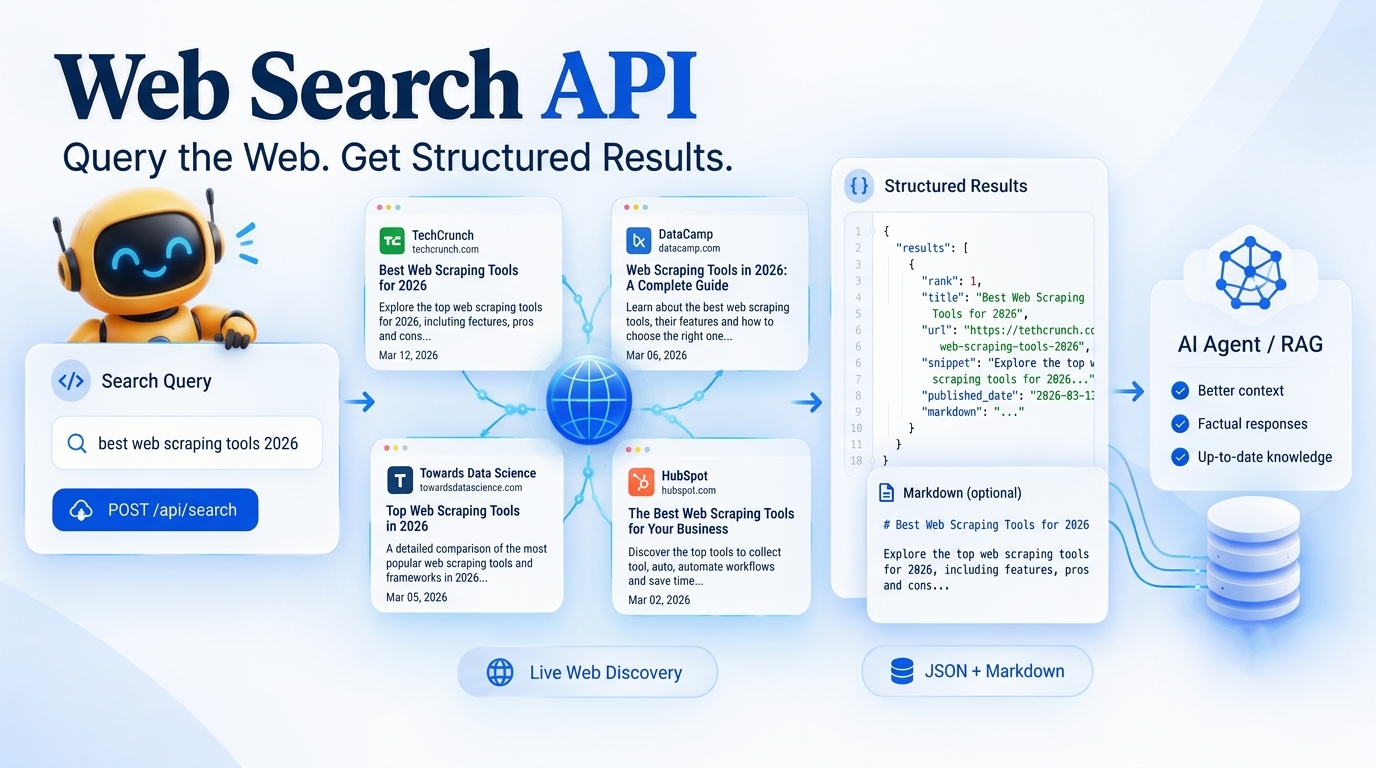
That gives you live, citable context for a model. We go further into this pattern in Corrective RAG with live web search and in the Web Search API overview.
How to avoid getting blocked if you scrape Google yourself
- Go slowly and unevenly. Random delays of 8 to 15 seconds look less like a script than a fixed 2-second sleep.
- Check content, not status codes. Look for the
/sorry/URL and the CAPTCHA form on every response. - Back off when blocked. Stop for several minutes. Retrying straight away deepens the block.
- Match your IP to your target. For UK results, use a UK residential IP together with
gl=uk. - Keep the browser consistent. Locale, timezone and language headers should agree with the IP's country.
- Save the raw HTML. When your parser breaks, you can fix it and re-parse without scraping again.
- Cache results. Rankings don't change every minute. Don't ask twice for the same keyword in the same hour.
Is it legal to scrape Google search results?
We're engineers, not lawyers, so read this as background and get proper advice before a commercial project.
Search results are public pages. In hiQ v. LinkedIn, a US appeals court held that scraping publicly accessible data likely doesn't violate the Computer Fraud and Abuse Act. Google's Terms of Service do prohibit automated access, and Google enforces that technically, with the blocks described above.
The case to watch is Google v. SerpApi. Google sued in December 2025, arguing that getting past its anti-bot system broke the DMCA's anti-circumvention rules. In July 2026 a federal court in California dismissed both DMCA claims, one of them permanently and the other with permission for Google to refile (Search Engine Land's report). The case isn't finished, so check where it stands.
Whatever the method, the sensible limits are the same: don't collect personal data, don't republish copyrighted text or images you find in results, and keep your request volume reasonable.
Which method should you use?
- Learning how scraping works, or need 20 results once? Use the Playwright script. It's free and you'll understand the page.
- Need ads, People also ask or AI Overviews? Playwright with your own parser, and budget time for upkeep.
- Tracking keywords daily, or building a product on search data? Use a search API. Your time is worth more than the request cost.
- Feeding an AI agent or RAG pipeline? Search API plus a scrape call, as in the example above.
- Still on Google's Custom Search JSON API? Plan the move before January 1, 2027.

Frequently asked questions
Does Google have an official search results API?
Not one you can sign up for today. The Custom Search JSON API is closed to new customers, and existing customers have until January 1, 2027 to move to something else. It also never returned the same results as google.com.
Why does Python requests return no results from Google?
Since January 2025 Google builds the results page with JavaScript. The requests library downloads HTML but does not run scripts, so it receives a page asking for JavaScript to be enabled. You need a real browser such as Playwright, or an API that runs one for you.
Can I still get 100 results per page with num=100?
No. Google stopped honouring the num=100 parameter in September 2025. Results now come 10 per page, and you move through them with the start parameter: start=10 for page 2, start=20 for page 3.
How do I scrape Google results for a specific country?
Set the gl parameter to the country code and send the request from an IP address in that country. Google uses both, so gl on its own is not enough. With the GcrawlAI Search API you pass geo, for example geo="US", and the search runs from that country.
How do I scrape Google without getting blocked?
Use a real browser, add random delays of several seconds, use residential IPs that match your target country, and check every response for a CAPTCHA page instead of trusting the status code. For recurring jobs a search API is usually cheaper than maintaining this yourself.
What is the best Python library for scraping Google?
Playwright to render the page and BeautifulSoup to parse it. Selenium also works. Requests and httpx no longer work on their own because they cannot run JavaScript.