By Rajesh Kannan, Co-Founder & CTO, Gramosoft · Last updated: · Format checked against the llms.txt v2 proposal on October 24, 2026; both scripts tested on a demo site
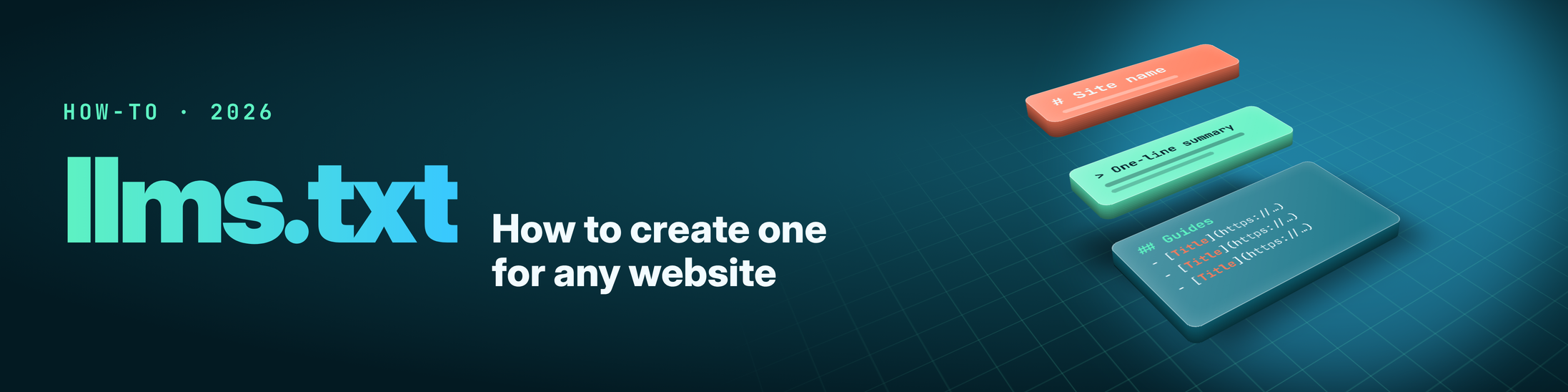
An llms.txt file is a short Markdown page at the root of your site. It tells AI agents and coding assistants what the site is and which pages matter. This guide shows how to write one by hand, how to generate one from your sitemap with a free Python script, and how to build one for JavaScript-heavy sites with GcrawlAI. Then you'll check it before you publish.
TL;DR
- The format is small: an H1 with the site name, a one-line
>summary, then H2 sections of- [Title](URL): descriptionlinks. Only the H1 is required. - Put it at
/llms.txt, served as UTF-8 plain text. Version 2 of the proposal also allows one per section, such as/docs/llms.txt. - Generate, then edit: the sitemap script below builds a first draft in seconds. Cut thin pages and rewrite weak descriptions before you publish.
- For JavaScript sites, GcrawlAI crawls the rendered pages and builds both
llms.txtandllms-full.txt. Rendering, proxies and anti-bot are all included in one request. - Be realistic: Google says Search doesn't use llms.txt. It helps agents and coding tools find the right page, especially on documentation sites.
How do you create an llms.txt file? Write a Markdown file that starts with # Site name, add a > summary, then group your key pages under H2 headings as - [Title](URL): what the page covers. Save it as UTF-8 plain text, upload it to your site root as /llms.txt, and check that it loads.
What an llms.txt file is, and what it isn't
An llms.txt file is a curated index of your site, written in Markdown for large language models. Jeremy Howard of Answer.AI proposed it in September 2024, and version 2 of the proposal came out in August 2026. It gives an agent a short map of your important pages, so it can find them without reading every page.
It's easy to confuse with files that do very different jobs. Here's how the three compare:
| File | What it does | Who reads it | Format |
|---|---|---|---|
| robots.txt | Tells crawlers what they may and may not fetch | Search engines and AI crawlers | Allow and Disallow rules |
| sitemap.xml | Lists every URL you want indexed | Search engines | XML |
| llms.txt | Summarises the site and points to the pages that matter | AI agents, coding assistants, RAG tools that choose to read it | Markdown |
llms.txt doesn't grant or block access to anything. If you want to keep a crawler out, that's still robots.txt. If a page is private, it still needs a login.
The llms.txt format, line by line
The format has one required line and four optional parts, and they always come in the same order. Start with an H1 holding the site or project name. Add a blockquote summary, then any plain Markdown notes without headings. After that come H2 sections of links, and finally an optional section an agent can skip when it's short on context.
Here's a complete file for a small bike shop. It's the exact output of the sitemap script later in this guide, run against our 12-page demo site:
# Ridgeway Cycles

> Bike shop and repair workshop in Bristol with an online store for touring and gravel bikes.

## Main pages

- [About Ridgeway Cycles](https://ridgewaycycles.example/about/): Family-run bike shop in Bristol since 2009, with a four-person repair workshop.
- [Contact Us](https://ridgewaycycles.example/contact/): Opening hours, phone number and directions to the Bristol shop.

## Guides

- [How to Choose a Gravel Bike](https://ridgewaycycles.example/guides/choosing-a-gravel-bike/): Frame material, tyre clearance and gearing explained for first-time buyers.
- [How to Set Up Tubeless Tyres](https://ridgewaycycles.example/guides/tubeless-setup/): Step-by-step tubeless conversion with the tools and sealant amounts we use.

## Services

- [Bike Repairs and Servicing](https://ridgewaycycles.example/services/repairs/): Same-week servicing, wheel truing and hydraulic brake bleeds, with fixed prices.
- [Bike Fitting](https://ridgewaycycles.example/services/bike-fitting/): A 90-minute fitting session that sets saddle height, reach and cleat position.

## Shop

- [Gravel Bikes](https://ridgewaycycles.example/shop/gravel-bikes/): Steel and aluminium gravel bikes from four brands, in stock and ready to ride.
- [Touring Bikes](https://ridgewaycycles.example/shop/touring-bikes/): Loaded touring bikes with racks, dynamo lights and wide gearing.

## Optional

- [Our 2019 Shop Refit](https://ridgewaycycles.example/blog/2019-shop-refit/): Photos from the shop refit in 2019.
The rules that matter, taken from the llms.txt proposal:
# Nameon the first line. It's the only required part.> Summaryin one or two sentences, with the context the rest of the file needs.- Link lines in the form
- [Title](URL): notes. The link is required and the notes are optional, but a link without a description tells a model almost nothing. ## Optionalis a reserved heading for secondary links that an agent may skip.- Markdown versions: if you publish clean Markdown copies of pages (
/guide.mdor/guide.html.md), link to those instead of the HTML pages.
How to write an llms.txt file by hand
For a site with fewer than 30 important pages, writing the file by hand takes about half an hour and gives the best result. You choose the pages and write each description yourself, so nothing gets in that you wouldn't want an AI to repeat. These five steps cover it, from choosing pages to checking it's live.
- List the pages that answer real questions. These are your product or service pages, your best guides, pricing, docs and contact. Leave out cart, login, legal pages, tag archives and old news.
- Write one factual line per page. Say what the page answers, not how great it is. "Same-week servicing, wheel truing and brake bleeds, with fixed prices" beats "Best bike repairs in town".
- Group the links under three to six H2 headings that match how people think about your site, such as Products, Guides, Docs and Company. Put anything secondary under
## Optional. - Save it as
llms.txtin UTF-8 with absolute URLs, so the links still work when the file is copied into a chat or a RAG pipeline. - Upload it to your web root and open
https://yoursite.com/llms.txt. You should see plain text, not an HTML page or a 404.
"The file is only as good as its descriptions. A list of links tells an agent where things are. One honest line per page tells it which one to open, and that's the whole point."
Rajesh Kannan, Co-Founder & CTO at Gramosoft
Generate llms.txt from your sitemap with Python
For bigger sites, start from your sitemap. The script below reads sitemap.xml and follows sitemap index files. It skips cart, login, legal and tag pages, then takes each page's title and meta description. Finally it groups pages by their first URL folder and writes a ready-to-edit llms.txt. It only needs requests and BeautifulSoup.
"""Build an llms.txt file from a website's sitemap.

    pip install requests beautifulsoup4
    python llms_from_sitemap.py https://example.com -o llms.txt
"""
import argparse, re, sys
from collections import defaultdict
from urllib.parse import urljoin, urlparse
from xml.etree import ElementTree

import requests
from bs4 import BeautifulSoup

HEADERS = {"User-Agent": "llms-txt-builder/1.0 (+https://gcrawlai.com/)"}
SKIP = re.compile(r"/(cart|checkout|account|login|privacy|terms|cookie|tag|author|page/\d+)(/|$)", re.I)
NS = "{http://www.sitemaps.org/schemas/sitemap/0.9}"


def sitemap_urls(url, seen=None):
    """Return every page URL in a sitemap, following sitemap index files."""
    seen = seen if seen is not None else set()
    if url in seen:
        return []
    seen.add(url)
    root = ElementTree.fromstring(requests.get(url, headers=HEADERS, timeout=30).content)
    if root.tag == NS + "sitemapindex":
        return [u for loc in root.iter(NS + "loc") for u in sitemap_urls(loc.text.strip(), seen)]
    return [loc.text.strip() for loc in root.iter(NS + "loc")]


def page_info(url):
    """Fetch one page and return its title and meta description."""
    html = requests.get(url, headers=HEADERS, timeout=30).text
    soup = BeautifulSoup(html, "html.parser")
    title = (soup.title.string if soup.title and soup.title.string else url).strip()
    title = re.split(r"\s+[|\-–—]\s+", title)[0]            # drop " | Site name"
    meta = soup.find("meta", attrs={"name": "description"})
    desc = (meta.get("content") or "").strip() if meta else ""
    return title, desc


def section_of(url):
    """Group pages by their first path segment: /guides/x/ -> Guides."""
    first = urlparse(url).path.strip("/").split("/")[0]
    return first.replace("-", " ").title() if first else "Main pages"


def build(site, name=None, optional=("Blog",), limit=25):
    site = site.rstrip("/") + "/"
    urls = [u for u in sitemap_urls(urljoin(site, "sitemap.xml")) if not SKIP.search(urlparse(u).path)]
    home_title, home_desc = page_info(site)
    sections = defaultdict(list)
    for url in urls:
        if url.rstrip("/") == site.rstrip("/"):
            continue
        title, desc = page_info(url)
        if not desc:                                          # no description, no entry: a bare link tells a model nothing
            print(f"skipped (no meta description): {url}", file=sys.stderr)
            continue
        sections[section_of(url)].append(f"- [{title}]({url}): {desc}")

    for sec in [s for s in sections if len(sections[s]) == 1 and s not in optional]:
        sections["Main pages"] += sections.pop(sec)            # fold one-page sections together

    lines = [f"# {name or home_title}", "", f"> {home_desc}", ""]
    for sec in sorted(sections, key=lambda s: (s != "Main pages", s)):
        if sec in optional:
            continue
        lines += [f"## {sec}", "", *sections[sec][:limit], ""]
    extra = [item for sec in optional for item in sections.get(sec, [])]
    if extra:
        lines += ["## Optional", "", *extra[:limit], ""]
    return "\n".join(lines)


if __name__ == "__main__":
    ap = argparse.ArgumentParser()
    ap.add_argument("site")
    ap.add_argument("--name", help="H1 title (defaults to the homepage title)")
    ap.add_argument("-o", "--out", default="llms.txt")
    args = ap.parse_args()
    text = build(args.site, args.name)
    open(args.out, "w", encoding="utf-8").write(text)
    print(f"wrote {args.out}: {len(text.splitlines())} lines, {len(text.encode())} bytes")
$ python llms_from_sitemap.py https://ridgewaycycles.example/
wrote llms.txt: 27 lines, 1416 bytes
On our demo site, the script followed a sitemap index into two child sitemaps and found 12 URLs. It dropped the cart and privacy pages and moved the old blog post under Optional. That gave the 27-line file shown earlier. Two things to know before you run it on a real site:
- It trusts your meta descriptions. Pages without one are skipped and listed on screen, so you can write the missing ones. Weak descriptions make a weak file, so read the output before you publish it.
- It only sees the HTML your server sends. If titles and descriptions are added by JavaScript, the script gets an empty shell. That's the case for the GcrawlAI version below. Our guide to scraping dynamic JavaScript websites explains why.
Generate llms.txt and llms-full.txt with GcrawlAI
When your site is built with React, Vue or another JavaScript framework, or sits behind bot protection, a plain HTTP script can't see the content. GcrawlAI crawls the rendered pages and returns clean Markdown for each one. One script then builds a concise llms.txt and a complete llms-full.txt from that single crawl.
GcrawlAI is a scraping, crawling and Search API with a managed Cloud API and an MIT-licensed open-source core. Its Crawl API renders each page in a real browser and strips menus, footers and ads from the Markdown. Every feature counts as one request: JavaScript rendering, rotating residential proxies, anti-bot and CAPTCHA handling, with no credit multipliers. Failed requests aren't charged.
"""Build llms.txt and llms-full.txt for any site, including JavaScript-heavy ones, with GcrawlAI.

    pip install gcrawl-sdk
    python llms_with_gcrawlai.py https://example.com --limit 200
"""
import argparse, re
from collections import defaultdict
from urllib.parse import urlparse

from gcrawl_sdk import GcrawlClient   # pip install gcrawl-sdk

SKIP = re.compile(r"/(cart|checkout|account|login|privacy|terms|cookie|tag|author|page/\d+)(/|$)", re.I)


def title_and_summary(markdown, url):
    """First H1 is the title; the first real paragraph, cut at a sentence end, is the description."""
    lines = [l.strip() for l in (markdown or "").splitlines()]
    title = next((l[2:].strip() for l in lines if l.startswith("# ")), urlparse(url).path.strip("/") or "Home")
    para = next((l for l in lines if len(l) > 40 and not l.startswith(("#", "!", "|", "-", "*", ">", "["))), "")
    para = re.sub(r"\[([^\]]+)\]\([^)]+\)", r"\1", para)          # keep link text, drop link targets
    if len(para) > 160:
        cut = para[:160].rfind(". ")
        para = para[: cut + 1] if cut > 60 else para[:157].rsplit(" ", 1)[0] + "..."
    return title, para


def build(site, pages, name=None, blurb=None):
    sections, home = defaultdict(list), None
    for page in pages:
        if not page.markdown or SKIP.search(urlparse(page.url).path):
            continue
        title, desc = title_and_summary(page.markdown, page.url)
        first = urlparse(page.url).path.strip("/").split("/")[0]
        if not first:
            home = (title, desc)
            continue
        sections[first.replace("-", " ").title()].append(f"- [{title}]({page.url}): {desc}")
    h1, summary = name or (home[0] if home else urlparse(site).netloc), blurb or (home[1] if home else "")
    out = [f"# {h1}", "", f"> {summary}", ""]
    for sec in sorted(sections):
        out += [f"## {sec}", "", *sections[sec], ""]
    return "\n".join(out)


def build_full(pages):
    """llms-full.txt: every page's clean Markdown in one file, each under its own source line."""
    parts = [f"<!-- source: {p.url} -->\n{p.markdown.strip()}" for p in pages
             if p.markdown and not SKIP.search(urlparse(p.url).path)]
    return "\n\n---\n\n".join(parts) + "\n"


if __name__ == "__main__":
    ap = argparse.ArgumentParser()
    ap.add_argument("site")
    ap.add_argument("--limit", type=int, default=200, help="max pages to crawl")
    ap.add_argument("--name"), ap.add_argument("--blurb")
    args = ap.parse_args()

    client = GcrawlClient(api_key="gc-YOUR_API_KEY")
    # One crawl: JavaScript rendering, rotating proxies and anti-bot are part of each request
    result = client.crawl(url=args.site, limit=args.limit, formats=["markdown"], same_domain_only=True, wait=True)

    open("llms.txt", "w", encoding="utf-8").write(build(args.site, result.pages, args.name, args.blurb))
    open("llms-full.txt", "w", encoding="utf-8").write(build_full(result.pages))
    print(f"crawled {len(result.pages)} pages -> llms.txt, llms-full.txt")
The script takes each page's first heading as its title and the first real paragraph as its description, cut at a sentence end. llms-full.txt joins every page's Markdown into one file, each part marked with its source URL. Some teams load that file straight into a RAG index or a coding assistant. Our guide to web scraping for RAG covers that side.
Pricing for the Cloud API starts with a free plan that needs no card. Paid plans cost $0.98 to $6.33 per 1,000 requests, depending on plan, and the open-source core is free to self-host. You can also use the Python SDK or connect AI agents over MCP. Try it on your own homepage in the playground before you crawl the whole site.
"Generate the first draft from a crawl, then edit it by hand. The crawl gets every URL right; the editing is where you decide what an agent should read first."
Rajesh Kannan, Co-Founder & CTO at Gramosoft
Where to put llms.txt on each platform
The file goes at the root of the domain it describes, so it loads at https://yoursite.com/llms.txt. Version 2 of the proposal also allows section-level files such as /docs/llms.txt, and an agent should use the most specific one. How you get it there depends on how your site is built:
| Platform | Where the file goes | Notes |
|---|---|---|
| Static site, cPanel, FTP | The web root, next to index.html |
Upload it like any other file |
| Next.js, Astro, Vite, Hugo | The public/ or static/ folder |
Copied to the root at build time |
| WordPress | Web root, or an SEO plugin | All in One SEO generates llms.txt and llms-full.txt, and turns it on by default |
| Shopify | Theme template | AdNabu says Shopify already serves /llms.txt; you customise it in the theme rather than upload a file |
| GitBook, Mintlify | Automatic | Both generate llms.txt and llms-full.txt for published docs |
| Behind nginx or Apache | Web root | Make sure it's served as text/plain in UTF-8 (config below) |
# nginx: serve llms.txt as UTF-8 plain text
location = /llms.txt {
    default_type text/plain;
    charset utf-8;
    add_header Cache-Control "public, max-age=3600";
}

# Apache (.htaccess): same idea
AddType "text/plain; charset=UTF-8" .txt

# Optional (llms.txt v2): tell agents which index describes a page
# in the page's <head>:   <link rel="describedby" href="/llms.txt">
Version 2 also lets a page point to the index that describes it, with <link rel="describedby" href="/llms.txt"> in the page head or an HTTP Link header. You can point to a page's Markdown copy with rel="alternate" type="text/markdown". Both are optional, so add them only if your build already produces Markdown pages.
How to check your llms.txt file before you publish
Check three things after you publish: the URL returns 200 as plain text, every link uses Markdown syntax with a description, and none of the links are broken. The short script below checks all three in seconds. It's worth running, because the most common mistake is a file that looks fine but links to pages that no longer exist.
"""Check an llms.txt file the way an agent (and Lighthouse) will read it.

    python check_llms.py https://example.com/llms.txt
"""
import re, sys
import requests

LINK = re.compile(r"^- \[([^\]]+)\]\((https?://[^)\s]+)\)(?::\s*(.+))?$")


def check(url):
    problems = []
    r = requests.get(url, timeout=30)
    if r.status_code != 200:
        return [f"{url} returned HTTP {r.status_code}"]
    ctype = r.headers.get("content-type", "")
    if not ctype.startswith(("text/plain", "text/markdown")):
        problems.append(f"served as '{ctype}', expected text/plain or text/markdown")
    lines = r.text.splitlines()
    if not lines or not lines[0].startswith("# "):
        problems.append("first line must be an H1 ('# Site name')")
    if not any(l.startswith("> ") for l in lines[:6]):
        problems.append("no '> summary' blockquote near the top")
    links = [m for m in (LINK.match(l.strip()) for l in lines) if m]
    if not links:
        problems.append("no markdown links found ('- [Title](https://...)')")
    for title, link, desc in (m.groups() for m in links):
        if not desc:
            problems.append(f"no description: {link}")
        try:
            code = requests.head(link, timeout=15, allow_redirects=True).status_code
        except requests.RequestException as e:
            code = type(e).__name__
        if code != 200:
            problems.append(f"{code}: {link}")
    size = len(r.content)
    print(f"{len(links)} links, {size:,} bytes, {len(problems)} problem(s)")
    return problems


if __name__ == "__main__":
    for p in check(sys.argv[1]):
        print(" -", p)
$ python check_llms.py https://ridgewaycycles.example/llms.txt
9 links, 1,416 bytes, 0 problem(s)

$ python check_llms.py https://ridgewaycycles.example/llms-draft.txt
2 links, 155 bytes, 4 problem(s)
 - no '> summary' blockquote near the top
 - no description: https://ridgewaycycles.example/shop/touring/
 - 404: https://ridgewaycycles.example/shop/touring/
 - no description: https://ridgewaycycles.example/services/repairs/
The second run is a draft with no summary, two links without descriptions and one page that was renamed. All three are easy to miss by eye. Two more checks are worth a minute:
curl -I https://yoursite.com/llms.txtshould show200andcontent-type: text/plain.- Lighthouse 13.3 added an optional llms.txt audit under Agentic Browsing. Run
npx lighthouse https://yoursite.com --only-categories=agentic-browsing. Search Engine Journal reported that it fails files whose links aren't in[text](url)form, and a missing file is marked not applicable.
What llms.txt will and won't do for you
llms.txt helps agents and coding assistants find the right page faster, and it's most useful on documentation and large content sites. It won't lift your Google rankings. Google's guide to generative AI features in Search lists it among the things you don't need, and Search doesn't use it.
- Who publishes one: OpenAI, Anthropic, Cloudflare and Stripe publish llms.txt indexes for their developer docs, and GitBook and Mintlify generate them automatically. Publii reports that BuiltWith found the file on about 14.6 million live sites in October 2026.
- What's not proven: no AI provider has documented that its search product reads every site's llms.txt. A request in your server logs shows a bot fetched the file, not that it changed an answer.
- Where it earns its place: docs, API references, help centres and large blogs, where a coding assistant or support agent needs the current page, not an old one.
- Where to skip it: a five-page brochure site with clear navigation. Spend that hour on the pages themselves.
If you're also deciding which AI crawlers may visit, that's a robots.txt decision. OpenAI and Anthropic each run separate bots for training, search and user-requested fetches. Our explainer on web scraping vs web crawling covers how crawlers move through a site.
Common llms.txt mistakes to avoid
Most weak llms.txt files fail in the same few ways. Either they dump every URL from the sitemap, or they leave links without descriptions. Others are written as sales copy, or go stale within months. Each one makes the file harder for an agent to use, and each is quick to fix once you know to look for it.
- Dumping the whole sitemap. Keep the main file to the pages that answer questions, and put everything else in
llms-full.txtor leave it out. - Bare URLs. Plain links without
[title](url)fail the Lighthouse check and give a model nothing to choose by. - Marketing language. "Industry-leading solutions" means nothing to a model. Write what each page covers.
- Relative or redirected links. Use absolute, final URLs so the file still works when it's copied elsewhere.
- Never updating it. Rebuild it when you publish, move or remove important pages, or generate it as part of your build so it can't go stale.
Frequently asked questions
Where do I put my llms.txt file?
At the root of your domain, so it loads at https://yoursite.com/llms.txt. Version 2 of the proposal also allows files in subfolders, such as /docs/llms.txt, which cover only that section. Serve it as UTF-8 plain text.
Does llms.txt help SEO or Google rankings?
No. Google says Search, including AI Overviews and AI Mode, doesn't use llms.txt, so it brings no ranking boost or penalty. Its value is for AI agents and coding assistants that read it to find the right page on your site.
What is the difference between llms.txt and llms-full.txt?
llms.txt is a short index of links with descriptions. llms-full.txt is a convention, not part of the proposal: the full Markdown text of your pages in one file, which people load into AI tools or RAG systems when they want every page at once.
Can I generate an llms.txt file automatically?
Yes. The free Python script in this guide builds one from your sitemap. For JavaScript-heavy sites, GcrawlAI crawls the rendered pages and builds both files from one crawl. Either way, review the output and rewrite weak descriptions before you publish it.
How often should I update llms.txt?
Whenever you publish, move or remove an important page, and at least monthly on busy sites. The safest approach is to generate it during your site build, so it changes whenever the site does and can't fall out of date.
How much does it cost to generate llms.txt with GcrawlAI?
GcrawlAI has a free plan with no card, and paid plans cost $0.98 to $6.33 per 1,000 requests. Every feature, including JavaScript rendering, proxies and anti-bot, counts as one request, and failed requests aren't charged. The open-source core is free to self-host.