By Rajesh Kannan, Co-Founder & CTO, Gramosoft · Last updated: · Checked against Cloudflare's error 1015 and rate limiting rules documentation on October 24, 2026; code run against a local rate-limit mock
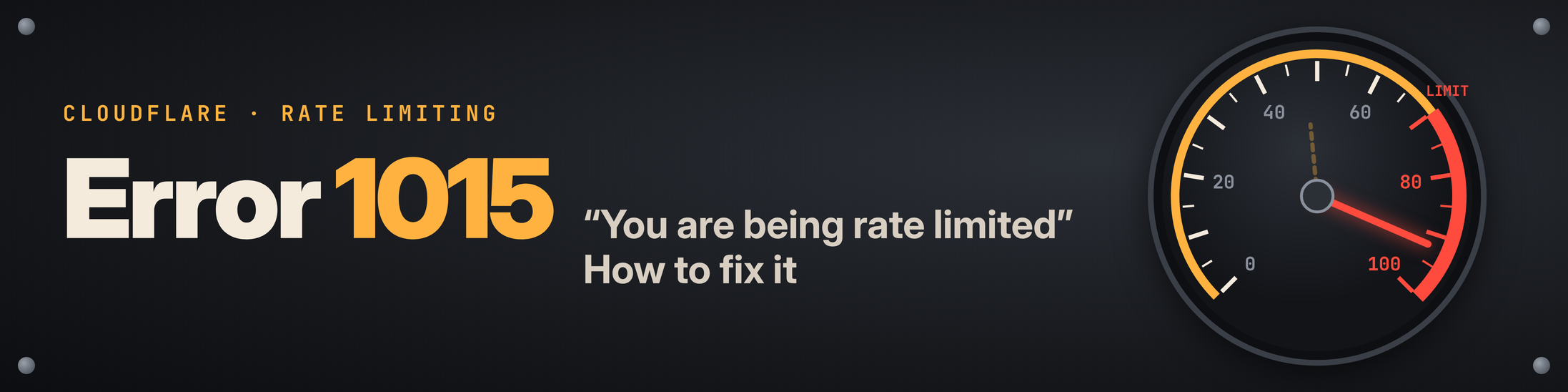
Cloudflare error 1015, "You are being rate limited", means you sent more requests than a website allows in a short window, and a rate limiting rule the site owner set up has paused you. It's one of the few Cloudflare errors that usually fixes itself. This guide covers what triggers it, how long it lasts on each Cloudflare plan, what to do as a visitor, a scraper or a site owner, and how GcrawlAI keeps large crawls under the limit without you babysitting proxies.
TL;DR
- What it is: a rate limiting rule on that website matched you. Cloudflare answers with the 1015 page and, by default, HTTP
429 Too Many Requests. - How long it lasts: the site owner chooses. On Cloudflare's Free plan the block can't be longer than 10 seconds; on Pro it can run up to an hour; on Business and Enterprise up to a day.
- Visitors: stop refreshing and wait. Retrying inside the block can extend it. Turn off VPNs and prefetching extensions, then try again.
- Scrapers: pace requests per site, cool the whole host down when a 1015 lands, and slow your steady rate afterwards. In our local demo, going slower finished sooner than going fast and backing off.
- GcrawlAI handles rotating residential proxies, JavaScript rendering and anti-bot challenges in one request, with no credit multipliers, and failed requests are never charged.
What does Cloudflare error 1015 mean? It means the website's owner set a rate limiting rule in Cloudflare and your traffic went over it, so Cloudflare blocked you for a set time. It isn't a ban on you personally. Stop sending requests, wait for the block to expire, then come back at a slower rate.
What Cloudflare error 1015 actually means
Error 1015 comes from a rate limiting rule that the website owner wrote in their Cloudflare dashboard. The rule counts requests over a window, such as 10 seconds, and blocks whoever goes over the threshold for a set time. The block happens at Cloudflare's edge, so the site's own server never sees your blocked requests.
A typical rule reads like "no more than 100 requests to /search in 60 seconds from one IP, then block for 10 minutes". When you cross it, you get a page that says "Error 1015 · You are being rate limited" with a Ray ID at the bottom. Cloudflare's rate limiting docs say the default response status is 429 Too Many Requests, though owners can set any 4xx code.
Several Cloudflare pages look alike but need different fixes. Make sure you're actually looking at a 1015 before you change anything:
| What you see | What triggered it | Does waiting fix it? |
|---|---|---|
| Error 1015: You are being rate limited | A rate limiting rule: too many requests in a window | Yes, once the block time passes |
| Error 1020: Access denied | A firewall (custom) rule matched your request | No, the rule keeps matching |
| Error 1010: browser signature banned | Browser Integrity Check rejected your client | No, change the client |
| Error 1005, 1006, 1007, 1008, 1009 | Your network, IP or country is blocked | No, only the owner can lift it |
| "Just a moment..." or "Verify you are human" | A challenge, not a block | Pass the challenge in a real browser |
| Plain HTTP 429 without a Cloudflare page | The site's own server or API is limiting you | Yes; read its Retry-After header |
The full list of codes is in Cloudflare's 1xxx error reference.
How long does error 1015 last?
Error 1015 lasts as long as the site owner's mitigation timeout, and Cloudflare caps that timeout by plan. A site on the Free plan can block you for at most 10 seconds, a Pro site for up to an hour, and Business or Enterprise sites for up to a full day. Retrying during the block can make it longer.
| Site's Cloudflare plan | Rate limiting rules | Counts requests by | Longest counting window | Longest block (mitigation timeout) |
|---|---|---|---|---|
| Free | 1 | IP | 10 seconds | 10 seconds |
| Pro | 2 | IP | 1 minute | 1 hour |
| Business | 5 | IP, or IP with NAT support | 10 minutes | 1 day |
| Enterprise | Up to 100 | IP, IP with NAT support; with Advanced Rate Limiting also headers, cookies, query, path, ASN, country, JA3/JA4 fingerprints and more | 65,535 seconds | 1 day |
Source: Cloudflare rate limiting rules, availability, checked October 24, 2026.
Two details change how you should react:
- Fixed block or throttle. With a block action and a timeout, you're out for the whole timeout. With a challenge action, Free, Pro and Business sites can only throttle, so traffic flows again as soon as your rate drops under the limit. You can't tell which one you hit from the error page.
- Retries keep the counter busy. Cloudflare's own advice is to wait and not keep trying in a short period, "as this may extend the block". A script retrying every second is the worst case.
How to fix error 1015 as a visitor
If you saw error 1015 while browsing, the fix is almost always to stop and wait. Close the tab, leave the site alone for a few minutes, then open it once. If it keeps happening, something on your connection is sending requests for you, or you're sharing an IP address with someone who is.
- Stop refreshing. Every reload counts against the limit. Wait five minutes before trying again, and longer if the site is busy (ticket sales, product drops).
- Close extra tabs on the same site. Ten open tabs that auto-refresh look like ten visitors from one IP.
- Turn off extensions that prefetch or monitor pages. Price trackers, link preloaders and "auto-refresh" add-ons send requests you never see.
- Disconnect your VPN or proxy. A VPN exit IP is shared with many users, and their traffic counts against the same limit as yours.
- Try another network. Mobile data instead of Wi-Fi gives you a different public IP. If the site opens there, the limit was tied to your IP.
- Contact the site owner if it never clears. Send the Ray ID from the bottom of the page and the time you saw it. Cloudflare support can't lift a block that a site owner configured.
How to fix error 1015 when scraping
Scrapers hit error 1015 because they send requests faster than any person would, usually from one IP in a steady rhythm. The lasting fix is to stay under the site's limit: pace requests per host, detect a 1015 properly, cool the whole host down when one lands, and slow your steady rate afterwards.
Step 1: detect 1015 correctly
Don't treat every 429 or 403 the same way. A 1015 calls for waiting; a 1020 or a challenge page won't clear no matter how long you wait. This helper checks whether Cloudflare answered and which page it served:
"""Tell a Cloudflare 1015 rate limit apart from the other blocks that look similar."""
import re

def classify(resp):
    """Return one of: ok, cf_1015, cf_1020, cf_challenge, cf_other, http_error."""
    body = resp.text[:5000].lower()
    from_cloudflare = "cf-ray" in resp.headers or resp.headers.get("server", "").lower() == "cloudflare"
    if resp.status_code < 400 and "just a moment" not in body:
        return "ok"
    if not from_cloudflare:
        return "http_error"                      # the origin answered, not Cloudflare
    if "1015" in body or "you are being rate limited" in body:
        return "cf_1015"                         # rate limiting rule: slow down and wait
    if "1020" in body or "access denied" in body:
        return "cf_1020"                         # firewall rule: waiting will not help
    if "just a moment" in body or "challenge-platform" in body:
        return "cf_challenge"                    # a challenge page, not a block
    m = re.search(r"error\s*(?:code:?\s*)?(1\d{3})", body)
    return f"cf_{m.group(1)}" if m else "cf_other"

def retry_after_seconds(resp, default=None):
    """Seconds to wait if the response says so (Retry-After may be absent on a 1015)."""
    value = resp.headers.get("Retry-After", "")
    return int(value) if value.isdigit() else default
Cloudflare doesn't promise a Retry-After header on a 1015, so the helper returns a default when it's missing. When it is there, use it.
Step 2: pace per host and back off the whole host
The fetcher below keeps a minimum gap between requests to each host, with a little jitter so the timing isn't perfectly regular. When a 1015 arrives, it pauses the whole host, not just the one URL, escalates the cooldown (15 seconds, then 60, then 300), slows its steady rate by half again, and gives up on the host after three strikes.
"""A fetcher that stays under a site's rate limit and backs off properly when it gets a 1015."""
import random
import time
from collections import defaultdict
from urllib.parse import urlparse

import requests
from detect_1015 import classify, retry_after_seconds

class PoliteFetcher:
    def __init__(self, per_host_rate=0.5, max_strikes=3):
        self.min_gap = 1 / per_host_rate          # 0.5 req/s per host = one request every 2 s
        self.max_strikes = max_strikes            # after this many 1015s, stop hitting the host
        self.next_ok = defaultdict(float)         # host -> earliest time we may send again
        self.strikes = defaultdict(int)
        self.session = requests.Session()
        self.session.headers["User-Agent"] = "Mozilla/5.0 (compatible; my-crawler/1.0; +https://example.com/bot)"

    def _wait_turn(self, host):
        delay = self.next_ok[host] - time.monotonic()
        if delay > 0:
            time.sleep(delay)
        jitter = random.uniform(0, self.min_gap * 0.3)      # avoid a perfectly regular beat
        self.next_ok[host] = time.monotonic() + self.min_gap + jitter

    def get(self, url):
        host = urlparse(url).netloc
        while self.strikes[host] < self.max_strikes:
            self._wait_turn(host)
            resp = self.session.get(url, timeout=30)
            kind = classify(resp)
            if kind != "cf_1015":
                if kind == "ok":
                    self.strikes[host] = 0
                return kind, resp
            self.strikes[host] += 1
            # Cool down the whole host, not just this URL. Honour Retry-After when present,
            # otherwise escalate: 15 s, 60 s, 300 s. Never retry inside the block window.
            cooldown = retry_after_seconds(resp, default=(15, 60, 300)[self.strikes[host] - 1])
            self.next_ok[host] = time.monotonic() + cooldown
            # Also slow the steady rate for this host, so we don't walk straight back into the limit
            self.min_gap *= 1.5
            print(f"1015 on {host}: strike {self.strikes[host]}, cooling down {cooldown}s, gap now {self.min_gap:.1f}s")
        return "gave_up", None
We ran it against a local server that imitates a Cloudflare Free-plan rule: 10 requests per 10 seconds per IP, with a 10-second block. Thirty product pages, three ways:
$ python demo_run.py
naive loop : 8/30 pages, 22 x 1015, 0s
1015 on 127.0.0.1:8015: strike 1, cooling down 15s, gap now 0.8s
1015 on 127.0.0.1:8015: strike 1, cooling down 15s, gap now 1.1s
polite 2.0/s : 30/30 pages, 56s
polite 0.9/s : 30/30 pages, 38s
The fast loop got 8 pages and 22 error pages in under a second, which is the pattern that gets IPs remembered. Starting at 2 requests a second worked once the back-off kicked in, but took 56 seconds. Simply staying under the limit at 0.9 requests a second never saw a 1015 and finished first, in 38 seconds. This is a mock, not a real site, but the lesson carries over: going slower is often faster.
"A 1015 is the site telling you its limit. Read it as a number to stay under, not a wall to climb. The crawls that finish first are usually the ones that never trip it."
Rajesh Kannan, Co-Founder & CTO at Gramosoft
What doesn't fix error 1015
- Rotating the User-Agent on its own. Most rules count by IP. A new User-Agent from the same IP is the same visitor.
- Rotating IPs while keeping everything else the same. On Business plans a rule can count by "IP with NAT support", and Enterprise rules can count by headers, cookies, session IDs or JA3/JA4 TLS fingerprints. If your requests share a cookie or a fingerprint, a fresh IP doesn't reset the counter.
- Faster retries. Retrying inside the block keeps the counter full and can extend the block.
- Clearing cookies. That helps with a challenge loop, not with a rate limit.
Spreading requests over residential IPs is a normal part of large crawls, and it does keep each IP's count low. But it works best together with pacing, not as a replacement for it. Our guide to fixing 403 Forbidden errors in Python covers the fingerprint side, and how anti-bot systems work explains what Cloudflare looks at beyond the IP.
Let GcrawlAI handle proxies, rendering and retries
GcrawlAI is a web scraping, crawling and Search API that takes the proxy and anti-bot work off your hands. Every request goes out through rotating residential proxies with JavaScript rendering, anti-bot handling and CAPTCHA solving included, all billed as one request with no credit multipliers. If a request fails, you aren't charged for it.
That changes what a 1015 costs you. You stop maintaining a proxy pool, you stop paying for attempts that came back blocked, and you get clean Markdown, JSON or HTML instead of raw pages. You should still pace per site, and the SDK makes that a one-line sleep:
import time
from gcrawl_sdk import GcrawlClient, ScrapeOptions   # pip install gcrawl-sdk

client = GcrawlClient(api_key="gc-YOUR_API_KEY")
urls = [f"https://shop.example.com/products?page={n}" for n in range(1, 51)]

if __name__ == "__main__":
    for url in urls:
        # One request: JavaScript rendering, rotating residential proxies, anti-bot handling
        # and CAPTCHA solving are included, and a request that fails is not charged.
        result = client.scrape(url=url, options=ScrapeOptions(markdown_enabled=True, proxy_geo="US"), wait=True)
        print(url, len(result.markdown or ""))
        time.sleep(1.5)   # still pace per site: rotation spreads load, it doesn't excuse hammering
- Cloud API and Python SDK:
pip install gcrawl-sdk, then scrape, crawl, map, screenshot or run async batch jobs with webhooks. - MCP for AI agents: Claude, Cursor and other MCP clients can call scrape, crawl and the Search API as tools, so an agent doesn't trip rate limits with its own retry loops.
- Open source: the MIT-licensed core is on GitHub if you want to self-host with your own proxies.
- Pricing: a free plan with no card, paid plans from $0.98 to $6.33 per 1,000 requests, and a self-hosted core that costs nothing. Failed requests are never charged.
Where it falls short: no API can make a site's limit disappear. If a site allows 10 requests a minute and you need 10,000 pages an hour, the honest answers are to slow down, ask the owner for API access, or scrape fewer pages. GcrawlAI makes each request more likely to succeed; it doesn't make hammering a site acceptable.
"We built the proxy rotation and retries into one request so developers stop writing that plumbing. But we still tell people to pace their crawls. Respecting a site's limits is how you keep scraping it next month."
Rajesh Kannan, Co-Founder & CTO at Gramosoft
How to stop error 1015 blocking real visitors (site owners)
If your own visitors report error 1015, your rate limiting rule is probably counting too narrowly, too briefly or too broadly. Find the blocked request by its Ray ID in Security Events, see which rule acted, then widen the counting window, count smarter, or exclude traffic that shouldn't be counted at all.
- Look up the Ray ID. Ask the visitor for the Ray ID and the time, convert the time to UTC, and search Security Events. It shows which rule fired.
- Lengthen very short windows. Cloudflare's own advice: if a rule blocks requests over a short period such as one second, try increasing it to 10 seconds. Bursts from a single page load stop tripping it.
- Don't count static assets. One page view can pull dozens of images, scripts and fonts. Scope the rule's expression to the paths you mean to protect, like
/login,/searchor/api/. - Count by IP with NAT support on Business and above. Mobile carriers and offices put many people behind one IP. Counting by IP alone blocks all of them together.
- Use a challenge instead of a block where you can. A Managed Challenge lets real people through and stops scripts. On Free, Pro and Business plans, challenge actions throttle rather than block for a fixed time.
- Exclude traffic you trust. Add your monitoring service, office IPs and partner integrations to the rule's expression as exceptions, so they're never counted.
When not to work around a rate limit
A rate limit is the site owner telling you how much traffic they're willing to serve. Staying under it, identifying your crawler and scraping only public pages is fair practice. Using many IPs to blast a login page, a checkout or an API far past its limit is not, and it can break the site's terms or the law.
Scrape public data, follow the site's terms and robots.txt, keep away from pages behind logins you don't own, and ask for API access when you need more than the site's public limit allows. This guide covers pacing, detection and configuration. It doesn't cover beating CAPTCHAs by hand or getting around access controls. Our guide to what web scraping is covers the legal basics.
Frequently asked questions
How long does Cloudflare error 1015 last?
As long as the owner's mitigation timeout. Cloudflare caps it at 10 seconds on the Free plan, up to 1 hour on Pro, and up to 1 day on Business and Enterprise. Retrying during the block can extend it, so stop sending requests while you wait.
Why do I get error 1015 when I've barely used the site?
Usually because something else shares your IP or sends requests for you: a VPN exit, a mobile carrier or office network, an auto-refresh tab, or an extension that prefetches pages. Turn those off or switch networks. If it persists, send the Ray ID to the site owner.
Is error 1015 the same as HTTP 429?
Almost. By default Cloudflare returns the 1015 page with HTTP 429 Too Many Requests, but owners can choose another 4xx code. A plain 429 without Cloudflare's page usually comes from the site's own server or API, which often sends a Retry-After header telling you how long to wait.
Will a VPN or proxy fix error 1015?
Sometimes, but often a VPN causes it, because many users share the same exit IP. Rotating residential proxies spread load across IPs, yet on Business and Enterprise sites rules can count by more than the IP. Pacing your requests is the fix that works everywhere.
How does GcrawlAI help with error 1015?
GcrawlAI sends each request through rotating residential proxies with JavaScript rendering, anti-bot handling and CAPTCHA solving included as one request, and failed requests are never charged. You still pace per site, but you don't run a proxy pool or pay for blocked attempts.
How do I stop error 1015 blocking my own visitors?
Find the Ray ID in Security Events to see which rule fired. Then lengthen very short windows (Cloudflare suggests 10 seconds instead of one), scope the rule to the paths you mean to protect, count by IP with NAT support on Business plans, and exclude trusted traffic.